


Let's see what's happening in the Linux and open source world this week.
Ubuntu 26.04 quietly stopped notifying users about available updates, and it turns out that was intentional. The tray icon was switched off by design, and without it, the notifier never fired. Security patches kept installing themselves in the background, but non-security updates just sat there waiting.
Collabora Online turns 10 with the 26.04 release, pulling in the same AI, Calc, Writer, and Impress improvements from CODE 26.04. The AI component is off by default and points to whatever model your organization already runs, not theirs.
Codeberg members voted to ban projects mostly built from AI-generated code and to formally commit the platform to never using user code or data for AI training. They were unhappy with how AI crawlers hit their servers, and maintainers found themselves drowning in low-effort AI contributions to review.
And they are not alone in it. GCC compiler is also taking a stand against AI-slop coding but they have taken a little more moderate approach to it.
OpenUK is calling on the UK government to build its own foundation along the lines of the Linux Foundation after watching British-born open source work repeatedly end up under US governance.
FireDragon, Garuda Linux's default browser, got a full rewrite with the v13 release, dropping the Floorp base for a new codebase. Its Welcome dialog now handles common privacy toggles like ResistFingerprinting and prefetching without needing about:config, TLS 0-RTT is on by default, and the pre-installed extension list is trimmed to just uBlock Origin and Flagfox.
I know we are quite early, but Ubuntu 26.10 "Stonking Stingray" is shaping up to be a busy interim release. Worth bookmarking if you want to stay updated on what's coming.
Still scheduling maintenance windows to patch the kernel? KernelCare Enterprise applies Linux kernel security patches while the system runs. No reboots, no downtime, no 2 AM patch nights.
- Works across 60+ distro versions, x86-64 and ARM64
- Shrinks your vulnerability window by up to 90%
- Plays nice with Qualys, Nessus, and OpenSCAP
Your uptime streak survives. Your CVE backlog doesn't.
🧠 What We’re Thinking About
An Atlanta man is facing a federal indictment for evidence destruction after CBP agents at the airport demanded his phone passcode, entered it, and watched the device wipe itself. GrapheneOS is in the news for this reason.
 Sourav Rudra
🧮 Linux Tips, Tutorials, and Learnings
Seeing that we are on the topic, our Markdown beginner's guide covers all the basics you'd need: headings, links, images, lists, bold and italics, block quotes, and line breaks, with a downloadable cheat sheet to keep handy.
Dark mode fans, this one's for you. 15 GTK themes covering most tastes, from Dracula and Catppuccin to Gruvbox, Graphite, and Fluent Dark for anyone coming from Windows 11.
If you use Ubuntu, you should know about these keyboard shortcuts. Makes the desktop usage a bit more efficient, or at least that's what I feel when there are keyboard shortcuts in my muscle memory and I don't have to reach for the mouse.
Getting constant buzz noise from your desk speakers in Linux? You don't have to live with it. Try this fix here.
👷 AI, Homelab and Hardware Corner
My hands-on review of SunFounder's flagship Pi 5 case, the Pironman 5 Pro Max, complete with two small local AI projects built to test it.
 Abhishek Prakash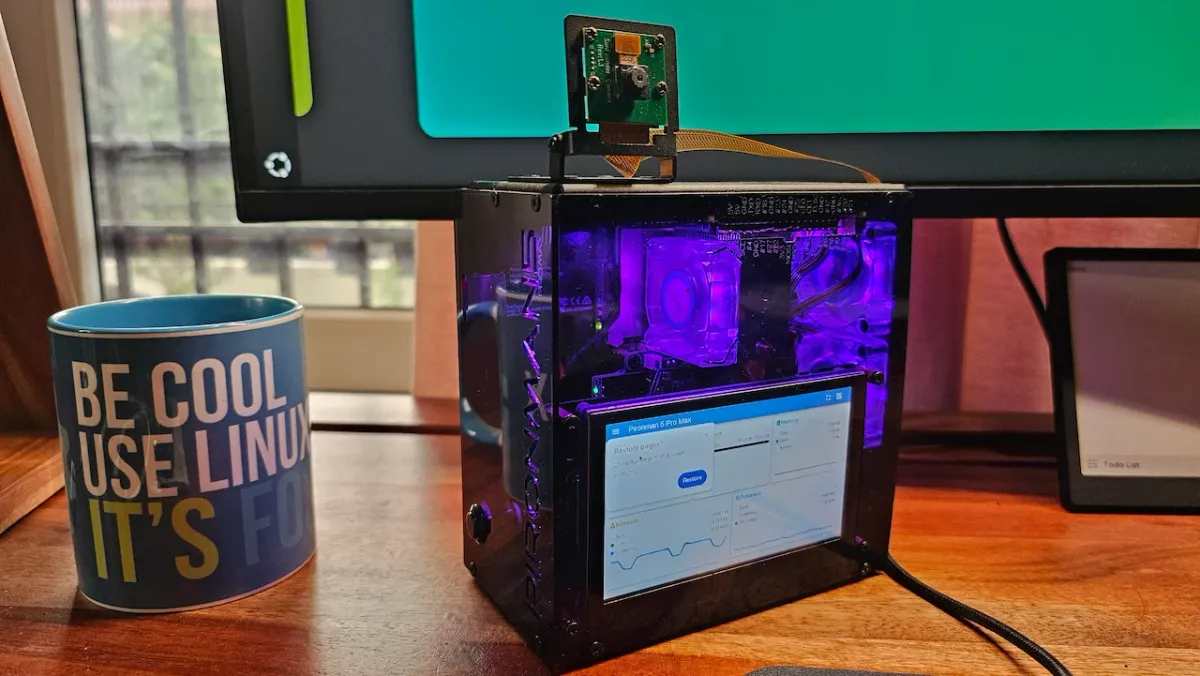
Hopefully, next week I'll share how I have set up my homelab on ZimaBoard 2 with AdGuard, Nginx Proxy Manager and Tailscale to have all the services on a .internal domain and accessible from outside the home network.
By the way, I tried out a Markdown editor built specifically for developers who work on documentation in Git repos. Ferrite has a built-in terminal, folder view, Git status, split pane, and diagram support. It seemed too good to be true until I saw that it is "100% AI coded". Now I am not sure if I should be using it.
Why should you opt for It's FOSS Plus membership:
✅ Ad-free reading experience
✅ Badges in the comment section and forum
✅ Supporting creation of educational Linux materials
✅ Free Linux eBook
✨ Apps and Projects Highlights
I knew this day would come. And it is finally here. Someone has 'vibe coded' a Linux distro. Not recommending to use it, of course.
But something you should know about because I have a feeling that, like AI-developed software, we may soon start seeing lots of AI-coded distros. The problem is that it is easy to launch projects, but maintaining them is a different story altogether.
 Sourav Rudra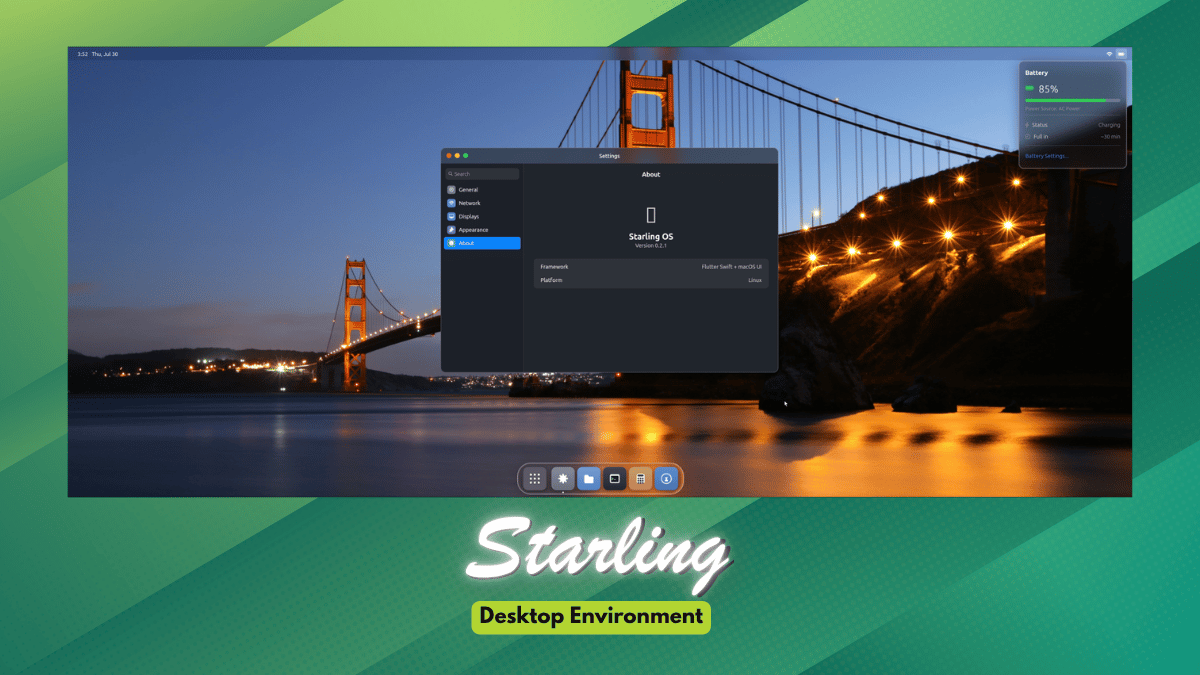
Not everyone wants their music player rearranging their carefully organized folders into an artist-album grid. SonicTree just shows you your files as they are on disk.
 Pulkit Chandak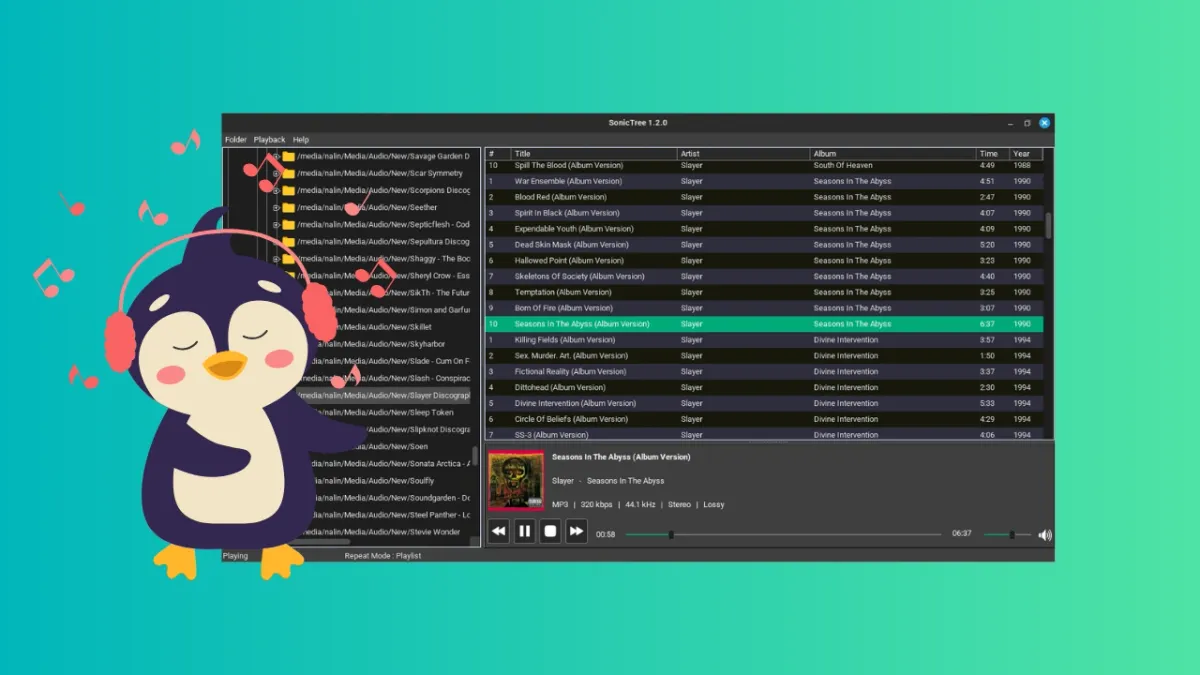
📽️ Videos for You
Last time we talked about GNOME shell extensions that can help you be more productive. But did you know that you can use Extension Manager to manage those?
💡 Quick Handy Tip
If you are an Xfce user with a multi-monitor setup, then you can span the Xfce panel across monitors.
First, right-click on the panel you want to span, and then go to Panel → Panel Preferences.
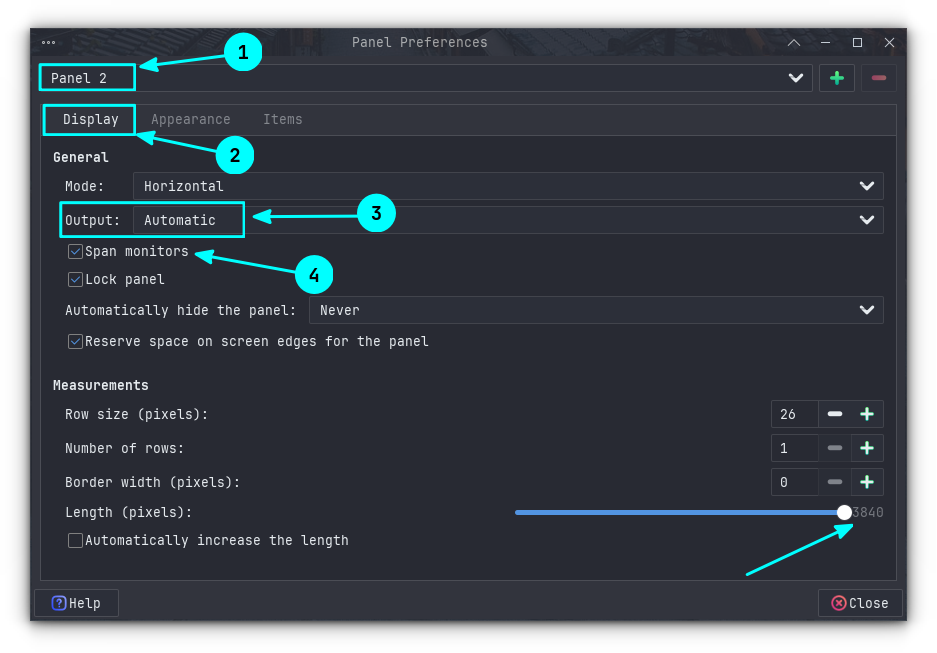
Here, in the Display tab, set Output as Automatic and enable the “Span monitors” checkbox.
Local AI Weekly will start from first week of August. If you are interested in learning about open source AI, please subscribe to our upcoming Local AI Weekly newsletter.
🎋 Fun in the FOSSverse
Can you spin the wheel and uncover the command?
 Ankush Das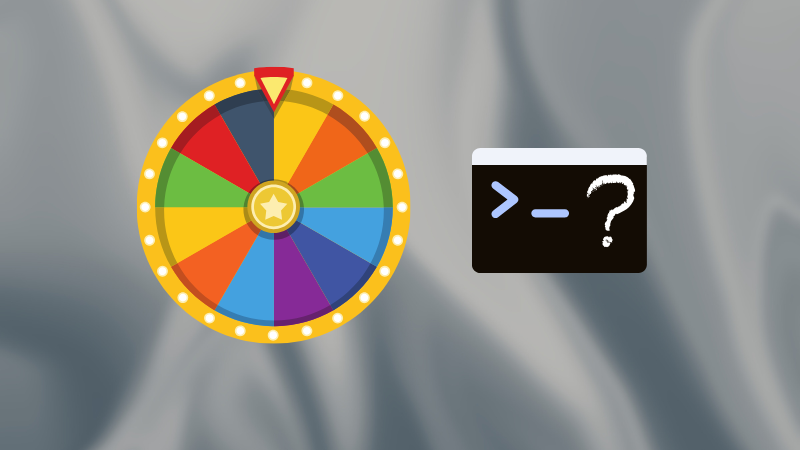
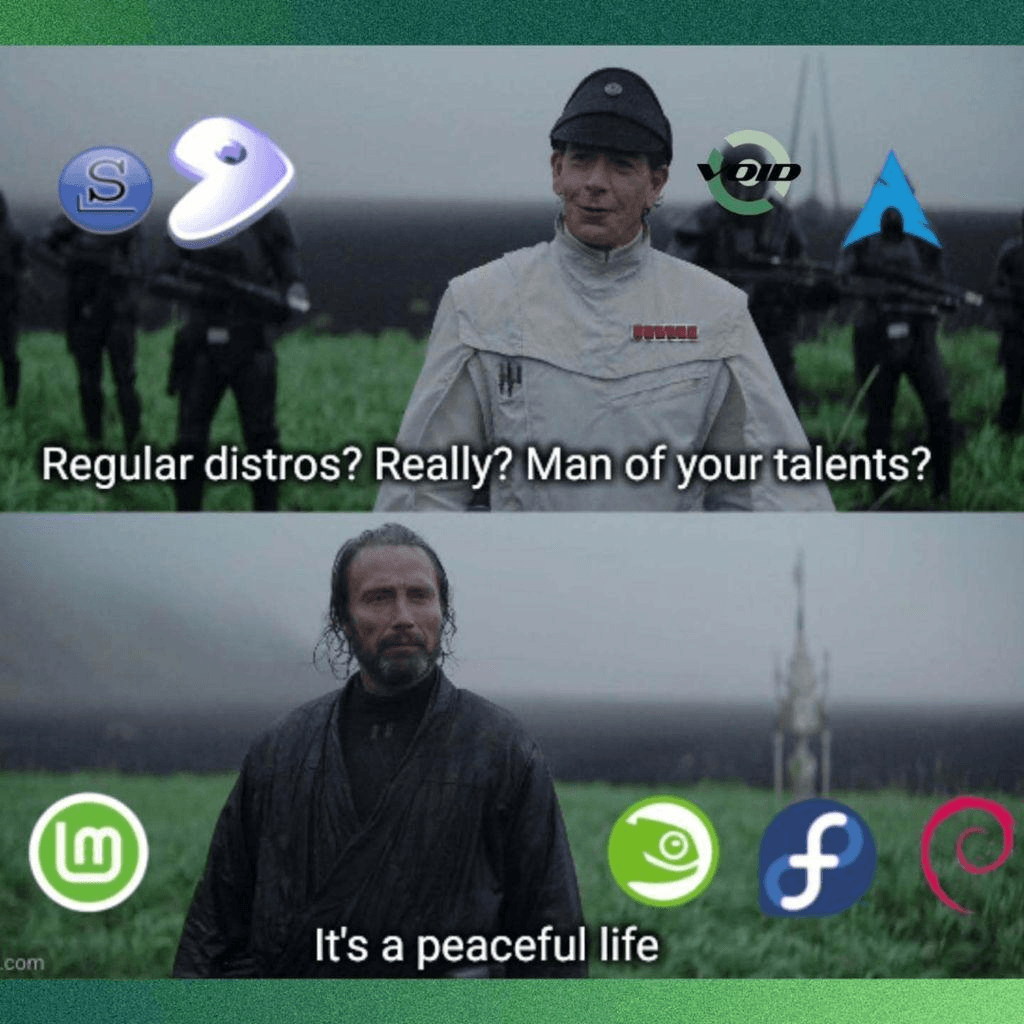
Peace over chaos, always. 💪
🗓️ Tech Trivia: On July 23, 1985, Commodore unveiled the Amiga 1000 at New York’s Lincoln Center, stunning audiences with 4,096-color graphics, 4-channel stereo sound, and true preemptive multitasking.
Designed around a custom coprocessor chipset and a Motorola 68000 CPU, it debuted at a price of $1,285.
🧑🤝🧑 From the Community: The deluge of Flock cameras plaguing streets in the U.S. has FOSSers talking about a Big Brother situation.
If this helped you, consider supporting It's FOSS
It's FOSS has been helping people use Linux for the past 14 years. Help us stay independent from big tech. Become a Plus member, enjoy ad-free reading and get 5 eBooks.
Skip the AI slop and SEO spam in your Google results
Tell Google you prefer It's FOSS, and it will show our Linux news and tutorials, created by experienced Linux users, more often when you search. It takes just a click.
Set as preferred sourceGet FOSS Weekly in your inbox
