


Linux Mint is an Ubuntu-based distribution equipped with its own desktop environment and a set of XApp tools that make it a truly unique package that caters to both beginners and power users alike.
For years it followed a familiar rhythm of new releases roughly every six months, with girls' names being used in alphabetical order from Ada in 2006 to Zena in 22.3 for naming individual releases.
That flow has since shifted as the developers settle on a longer development cycle, which sees them move to one major release per year with no point releases in between.
Version numbering and naming also change with this, as the number now points to the year ahead, taking users from 27 to 28 to 29, and boys' names take over from the girls' names.
Linux Mint 27 "Adrien" is the first release under this new strategy. It is planned for Christmas, builds on Ubuntu 26.04 LTS and comes with a five-year support period.
So, with this feature rundown, we are following the monthly news posts since January and are sticking to changes that are new in Linux Mint 27.
1. Wayland is Here
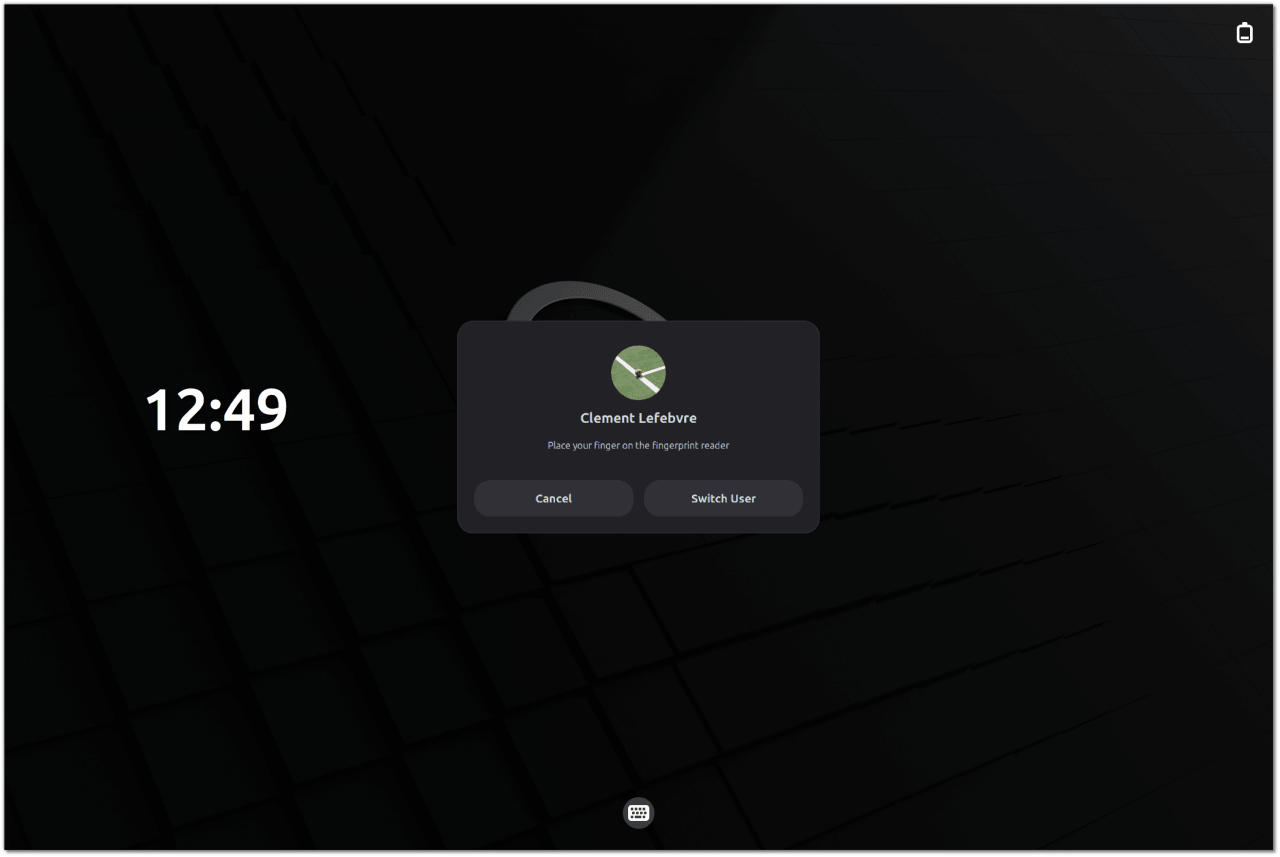
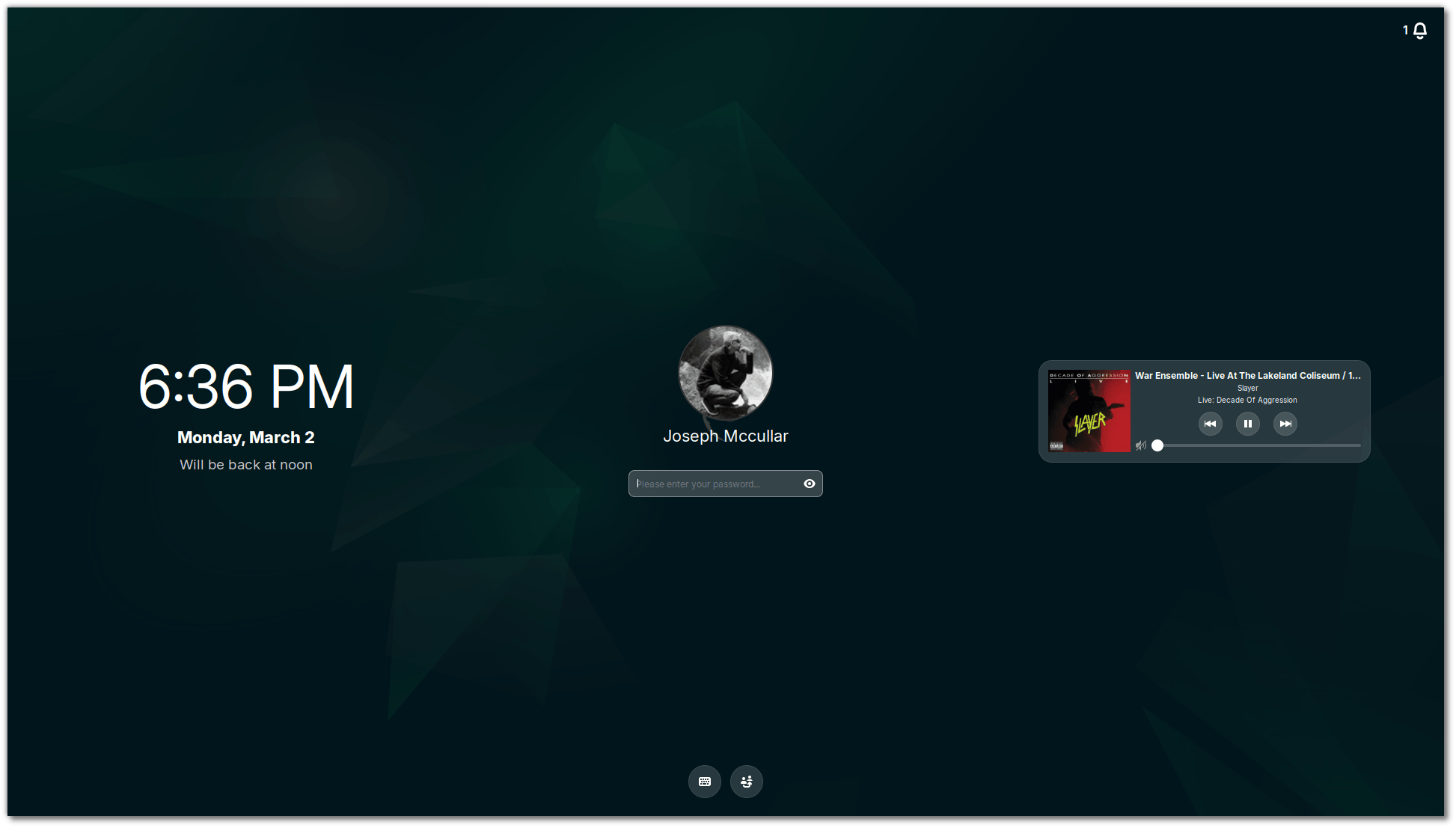
Cinnamon's Wayland session is no longer experimental. Both X11 and Wayland are fully supported in the next Cinnamon release, with Wayland nearly level with X11. This makes the flagship experience of Linux Mint Wayland-ready, bringing it up to the level of other mainstream distros like Fedora and Ubuntu.
Much of the groundwork revolves around everyday interactions. Windows and menus map properly, focus stealing is prevented, and crashes across Cinnamon, Muffin, cinnamon-session, and Xwayland are fixed.
Multi-monitor setups and KVM switches are covered too. 🔥
Graphics get attention as well. Hardware acceleration is supported, including GBM over EGL for NVIDIA cards, while HiDPI scaling reaches cursors and Chromium-based apps such as Slack and VS Code.
The final gap in ensuring Wayland support was the screensaver.
The new one is rendered by the compositor and handled by Cinnamon itself in place of a separate cinnamon-screensaver process, and it works on both Wayland and X11. The old screensaver stays as a fallback for one release before it goes away.
2. Desktop Upgrades
Nemo Changes
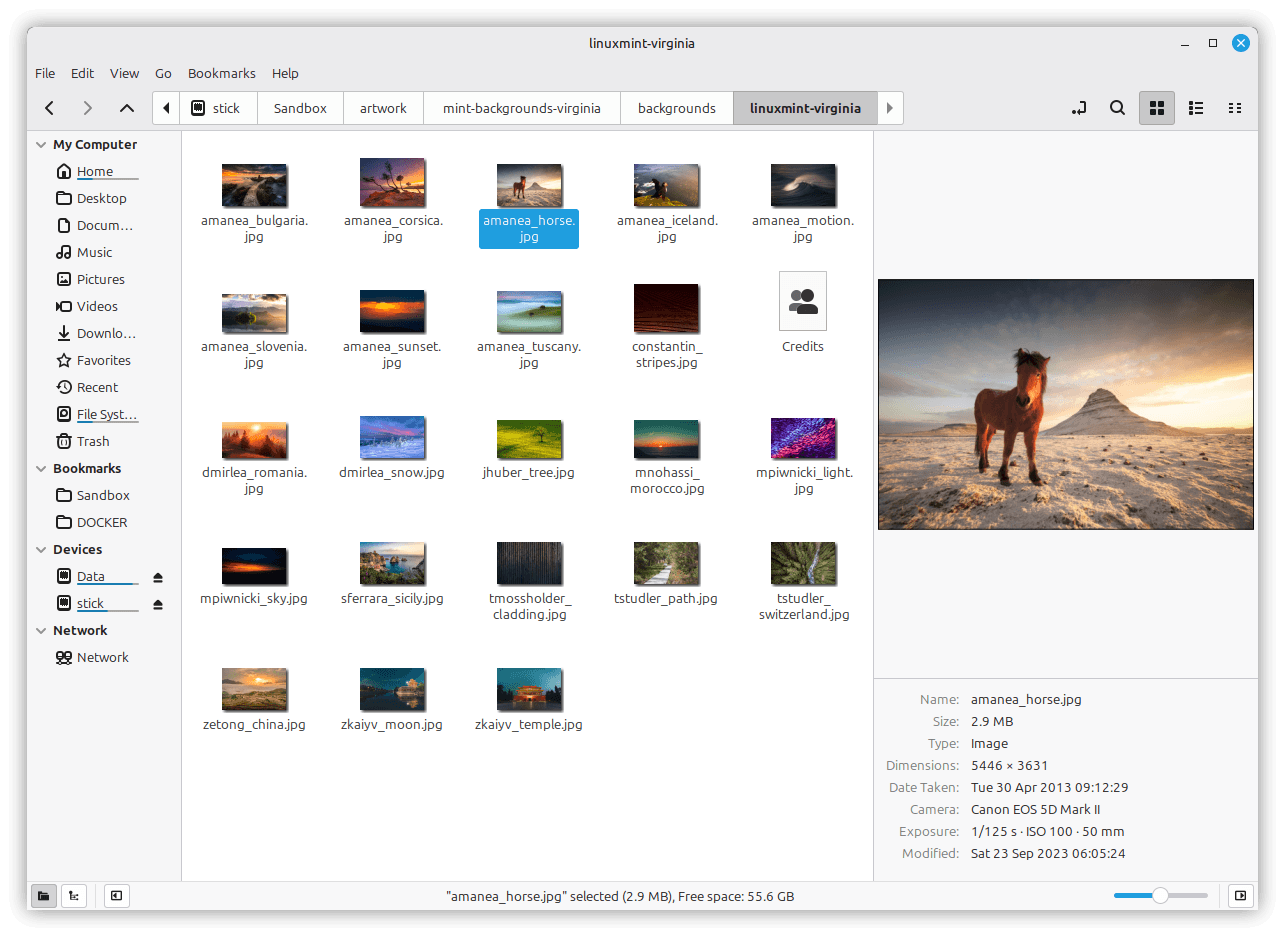
The default file manager, Nemo, gets a preview pane that can be opened with F7 or from the status bar. It handles audio files, pictures, and videos and can show metadata details such as the capture date and the camera used.
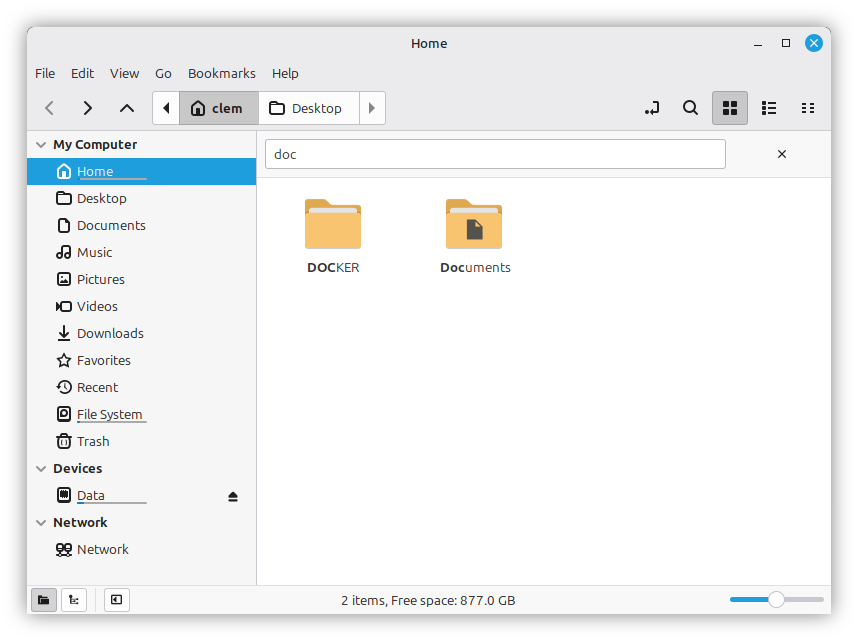
Similarly, Interactive Search, the feature that kicks in when you open a folder and start typing, becomes a filtered view that narrows the list as you type, in place of jumping to the first match and leaving you to navigate through the rest.
Screenshot Tool
A dedicated screenshot tool arrives for Cinnamon. It can capture a window with or without its shadow, and it can capture all monitors or just one.
You can also crop a shot before copying or saving it, and the tool deals with shadows differently for windows that draw their own titlebars and windows that rely on the system's.
Library Redesign
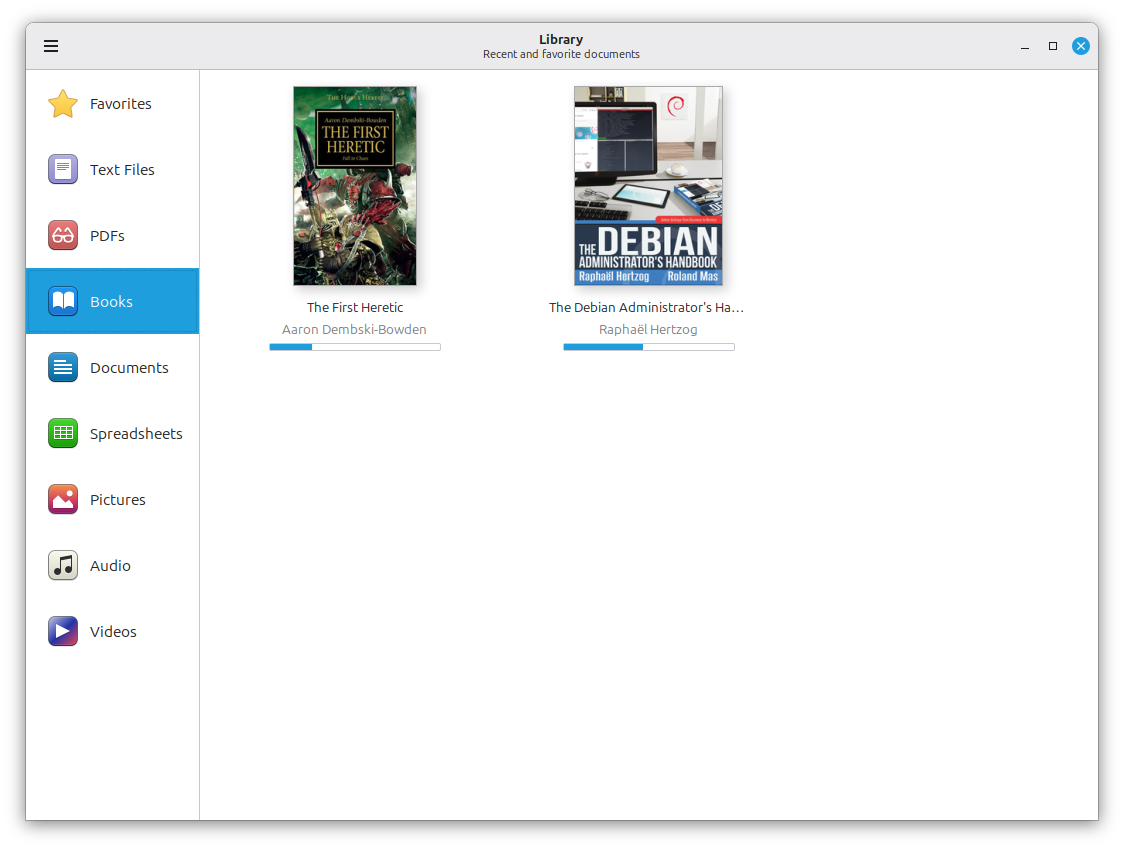
The Library is how the XApp app Thingy appears on the desktop, and it gets a redesign that groups recent documents by type instead of by the application that opened them.
A sidebar holds predefined groups that you can show, hide, and reorder. You can also add custom groups based on file type and limit them to a single directory if you like. Single items can be removed, and the whole recent documents list can be cleared at once.
3. System and Installer Changes
A Common Installer
Linux Mint switches to the live installer that Linux Mint Debian Edition (LMDE) already uses, replacing Ubiquity. The new installer handles OEM installs, BIOS and EFI systems, Secure Boot, and LVM and LUKS setups.
Hibernation Returns
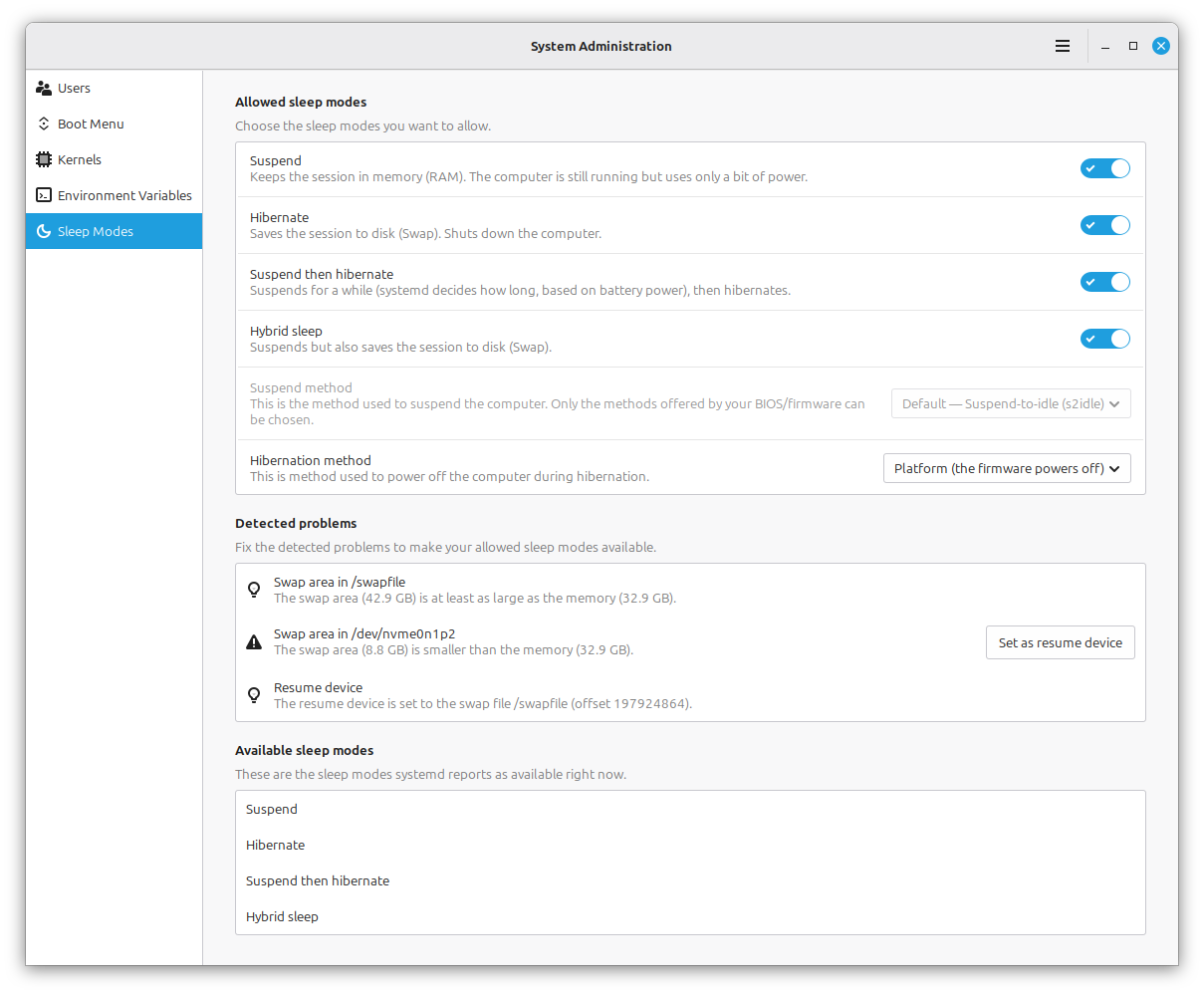
After Ubuntu dropped it, hibernation has made a comeback in Linux Mint 27 through a new "Sleep Modes" page in the System Administration tool that makes it easy to set up again.
Though it still needs a large swap to work. ⚙️
That page also adds two more options. Hybrid Sleep suspends the machine while also writing the session to disk, and Suspend-then-Hibernate starts out as a normal suspend before it hibernates once the battery reaches a critical level.
 Abhishek Prakash
Kernel Management
This has moved out of the Update Manager and into the System Administration tool on both Mint and LMDE, and it is built around kernel series.
You track a series, choose how many older kernels to keep, and let a weekly cleanup remove the rest, or run a manual cleanup whenever you like, while a History page keeps a record of what happened.
Custom, OEM, and Real-Time are some of the kernel series' that can be marked as tracked, while untracked series are removed at the next cleanup round unless their kernels are exempted.
User Settings
Account settings also move into the System Administration tool, with it taking over the handling of users and their account details. That includes home directory encryption at account creation, webcam selfies with a mirror option, and HiDPI avatars.
4. Core App Additions
Superlight
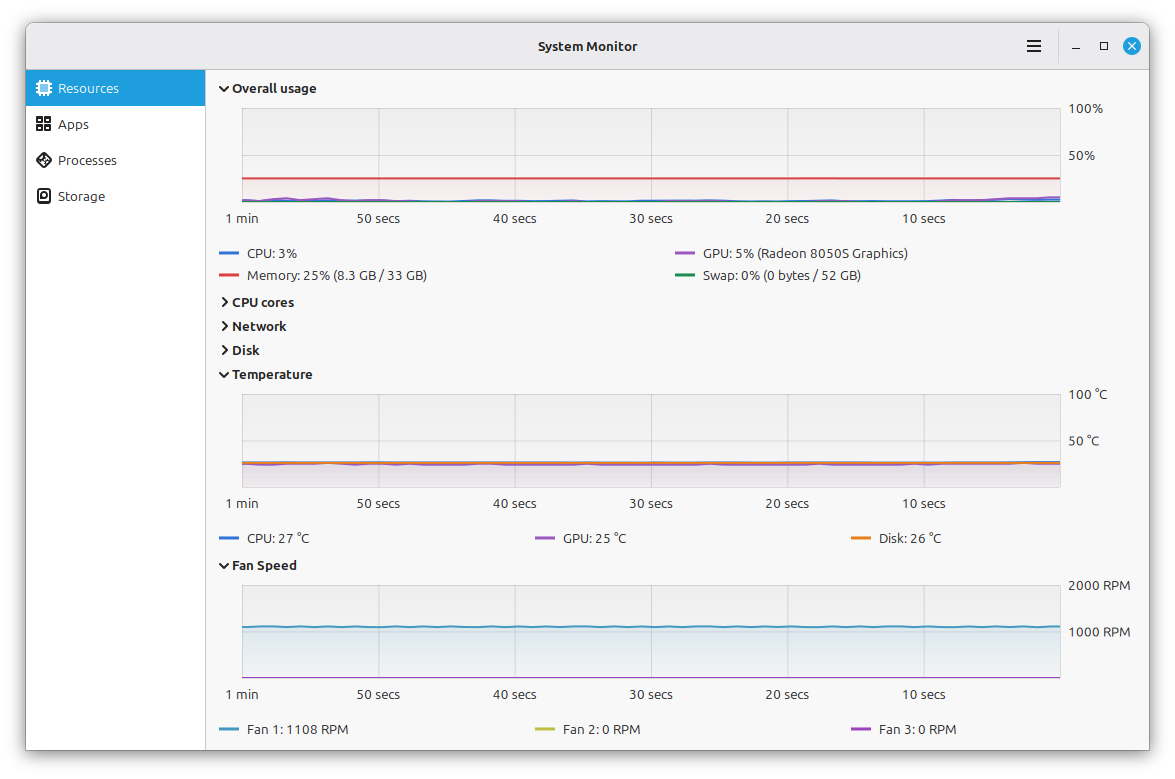
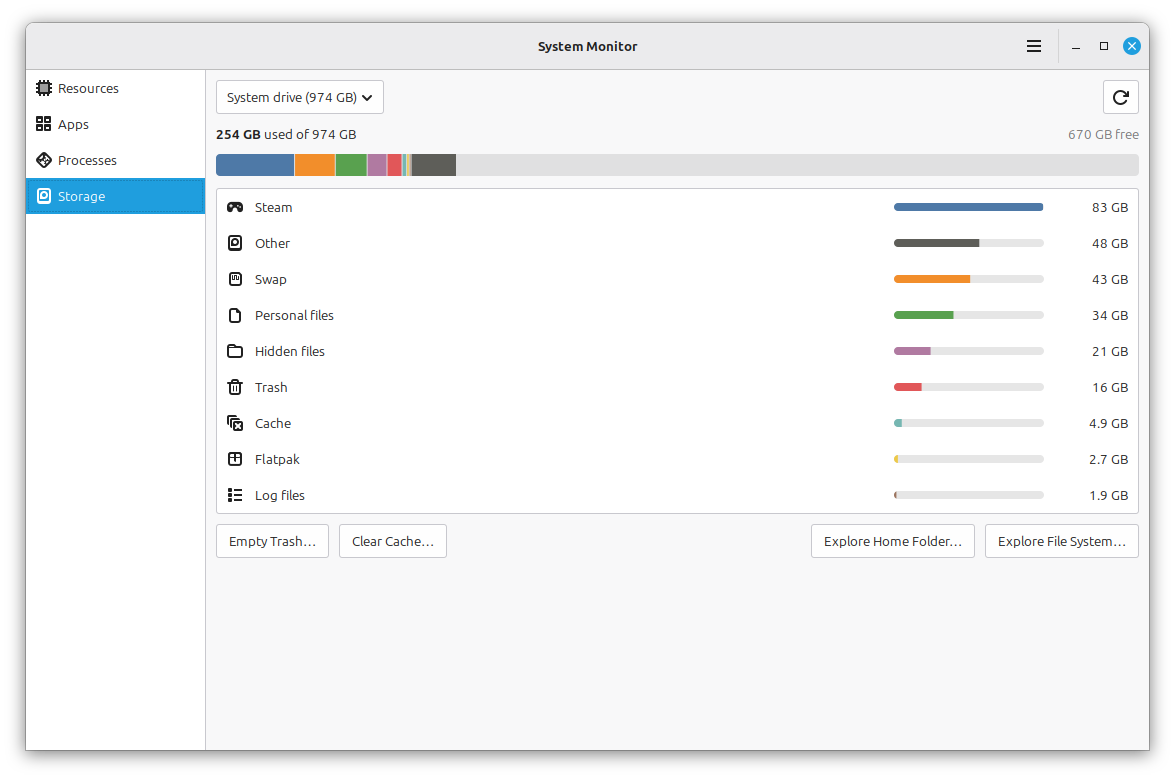
Superlight is the new system monitor. Its graphs track CPU load, memory and swap use, GPU, network traffic, disk activity, temperatures, and fan speed, while a dedicated "Battery" page shows status and charge history.
An app page and a process list sit alongside them. Columns are configurable and sortable, and the choices are carried across sessions. The "Storage" page shows a usage breakdown and gives quick access to options like emptying the trash, clearing the cache, and accessing the file system.
Velocitty
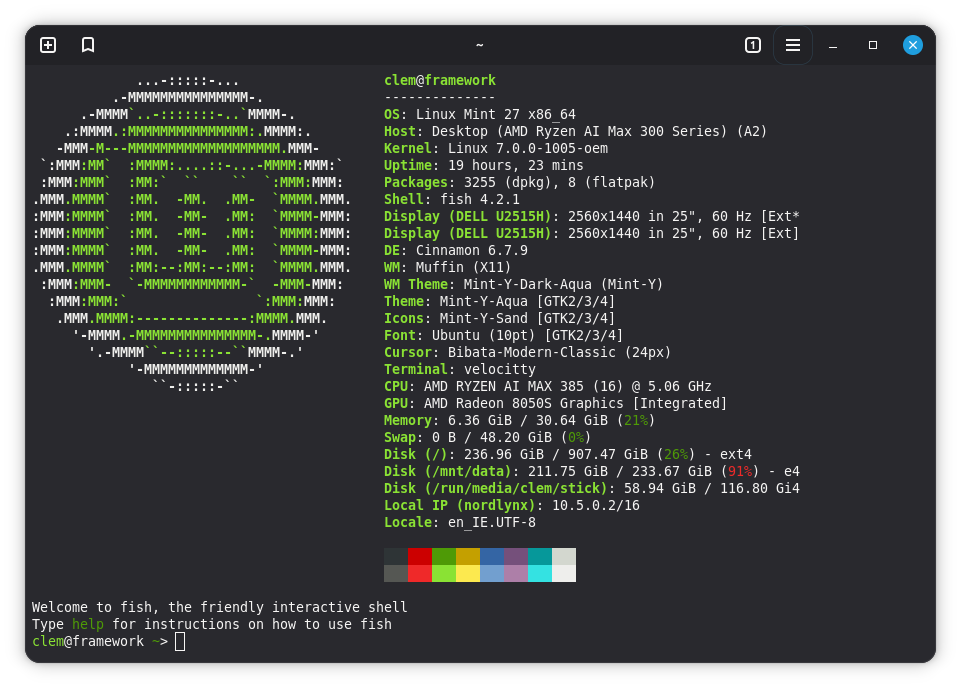
The new default terminal for Linux Mint, called Velocitty, offers a tab overview in the style of Ghostty and Ptyxis, color palettes, and tabs that can be reordered, moved, and detached.
Paths can be shortened, and tab colors can flag root sessions, remote sessions, and running processes. Custom tabs can also be assigned a name, color, or command.
Xepub
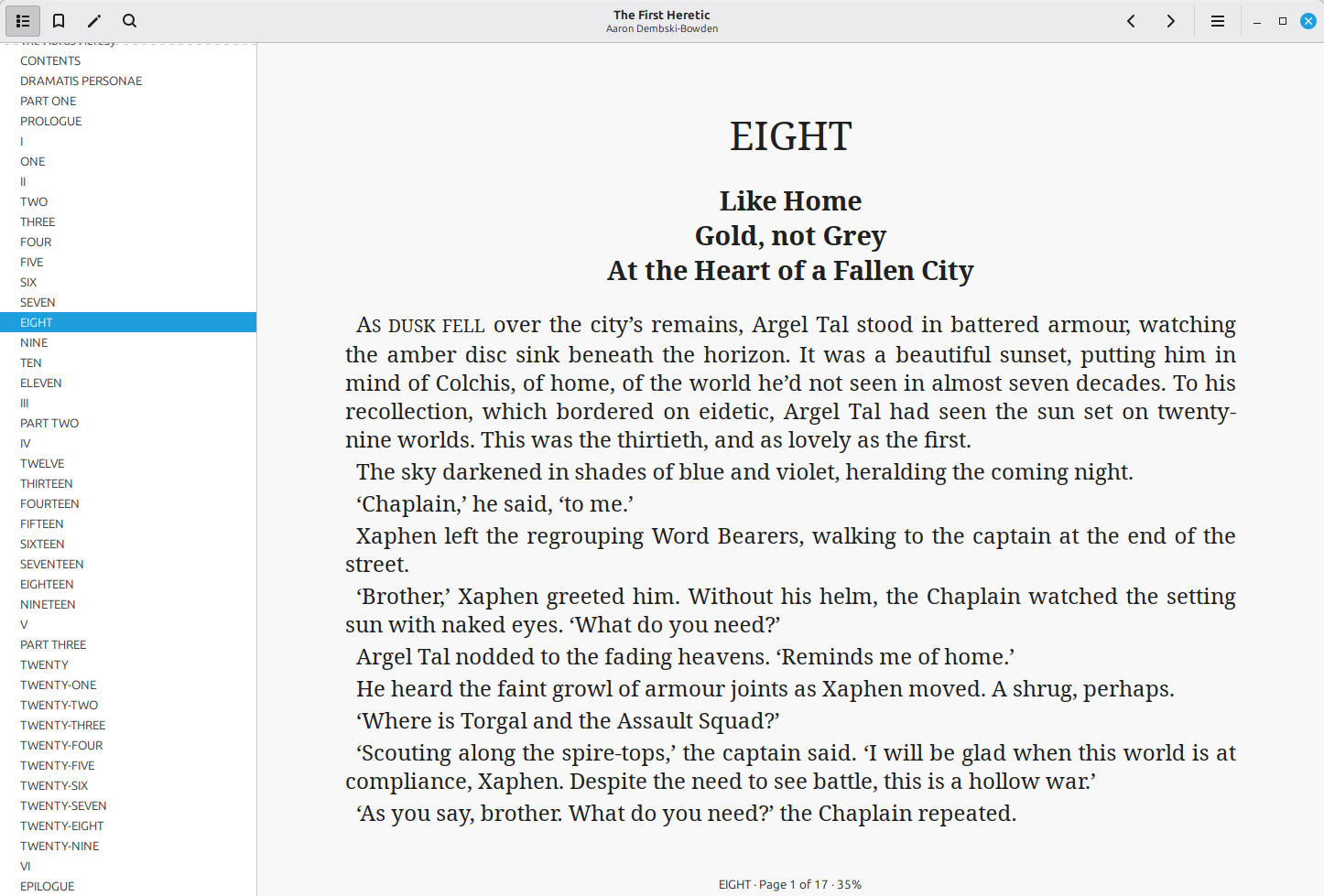
If you prefer reading EPUB books, then you will love this one. Linux Mint 27 offers a dedicated app called Xepub that supports chapter navigation, search, bookmarks, and zoom.
You also get a choice of fonts, and it remembers where you stopped reading.
Selecting a word opens a menu that can be used to search the dictionary, Wikipedia, or a translator, and the search engine to be used is configurable.
Calendar and Clocks

Calendar is a new app from the Clockenstein project, and it connects to local calendars, Google Calendar, and CalDAV servers like Nextcloud. You can use it to create and edit events, and any sync errors on remote calendars are shown, with unreachable ones turning read-only.
Reminders can be dismissed or snoozed, and a separate daemon and notification agent deliver them while the app is not running, with the Cinnamon clock applet being compatible with those to keep events visible in the panel.
Clocks is the part that was still under development when we last heard about it. The September update previews it as an Android-inspired alarm app from the same project, with recurring alarms and custom sounds.
Unfold
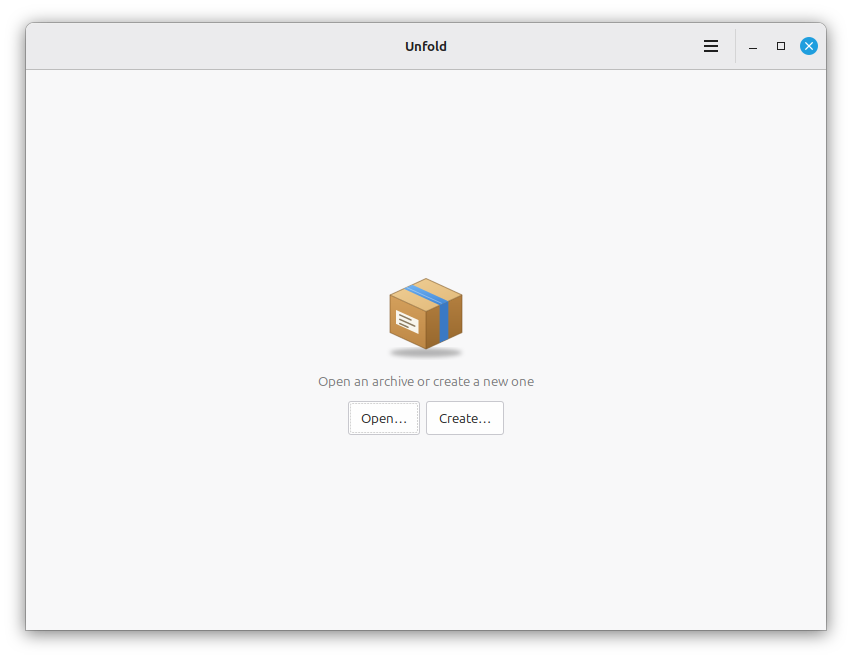
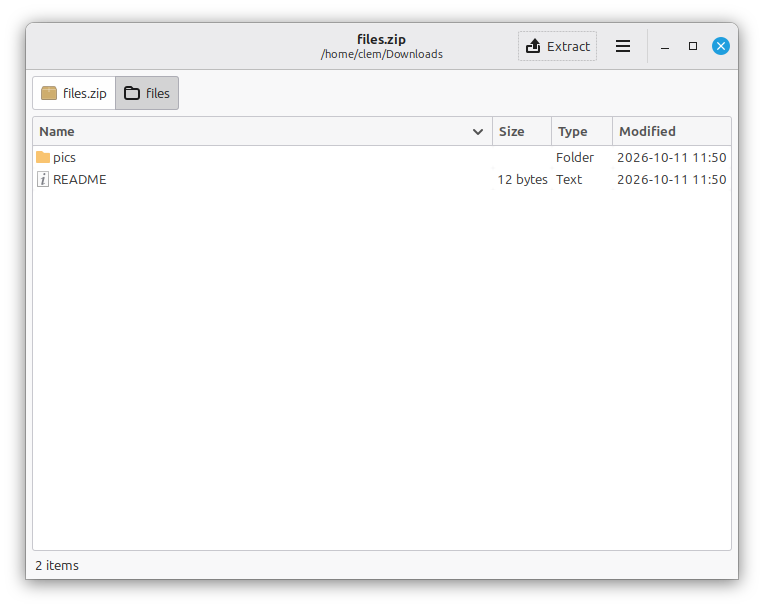
Handling archives gets simpler with Unfold, a very portable archive manager that lets you view, create, and extract archives while using 7zip and 7zip-RAR to do the actual work behind the scenes.
Encrypted and password-protected archives are supported as well, and the app is released under GPLv3+.
5. Misc Changes
Before we wrap up, here are a few smaller changes that could be of interest to you:
- WPA3 and OWE support in Cinnamon.
- Fingerprint login in Slick Greeter without needing to press
Enter. - A new "Sensors" page in System Reports with fan speeds and temperatures that refresh automatically.
- A Mint-Y refresh with better dark colors and contrast, plus rounded frames, scrolled areas, treeviews, and listviews.
Can't Wait to Get Started?
Well, you will have to wait, oops. Linux Mint 27 is supposed to drop sometime around December 24 on Christmas Eve and will be offered in three officially supported variants:
- Cinnamon (the flagship ⭐)
- MATE
- Xfce
Seeing that this article has gone live before the release is available, the download portal linked above only features the earlier releases of Linux Mint. Though, if you have the skills, you could build the release from source.
 Linux Mint

Enjoyed this update? Support independent Linux news coverage
It's FOSS has been helping people use Linux for the past 14 years. Help us stay independent from big tech. Become a Plus member, enjoy ad-free reading and get 5 eBooks.
Skip the AI slop and SEO spam in your Google results
Tell Google you prefer It's FOSS, and it will show our Linux news and tutorials, created by experienced Linux users, more often when you search. It takes just a click.
Set as preferred sourceGet FOSS Weekly in your inbox