


Collabora Productivity has spent the past decade proving that an open source office suite can compete directly with Microsoft 365 and Google Workspace without asking organizations to give up control of their infrastructure or their documents.
All of that is backed by a team of open source engineers whose work has made Collabora a trusted name when enterprises go shopping for a collaborative document platform.
Celebrating the 10-year anniversary of Collabora Online, they have now released Collabora Online 26.04, marking a major milestone for the self-hostable offering.
We already saw this
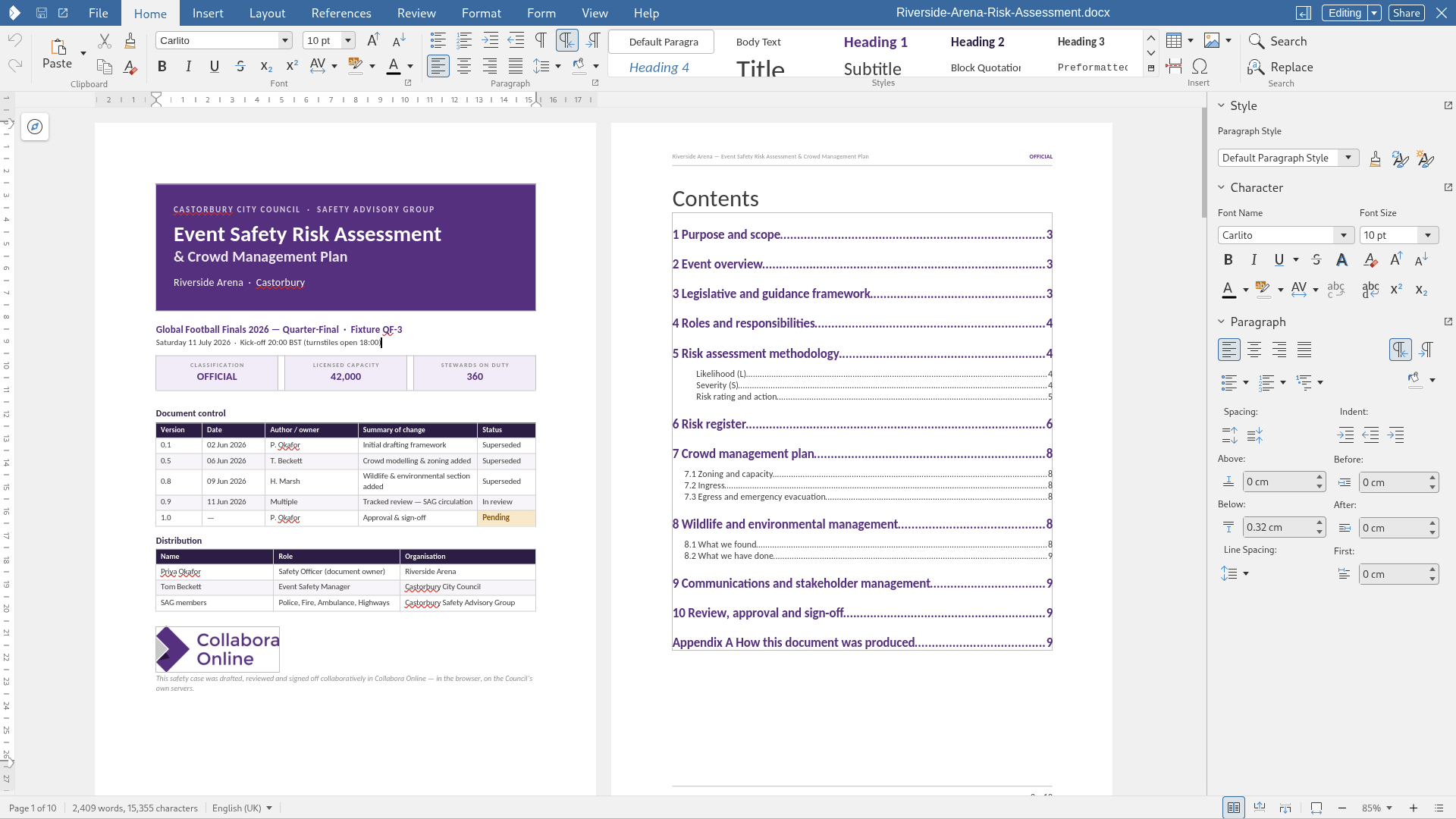
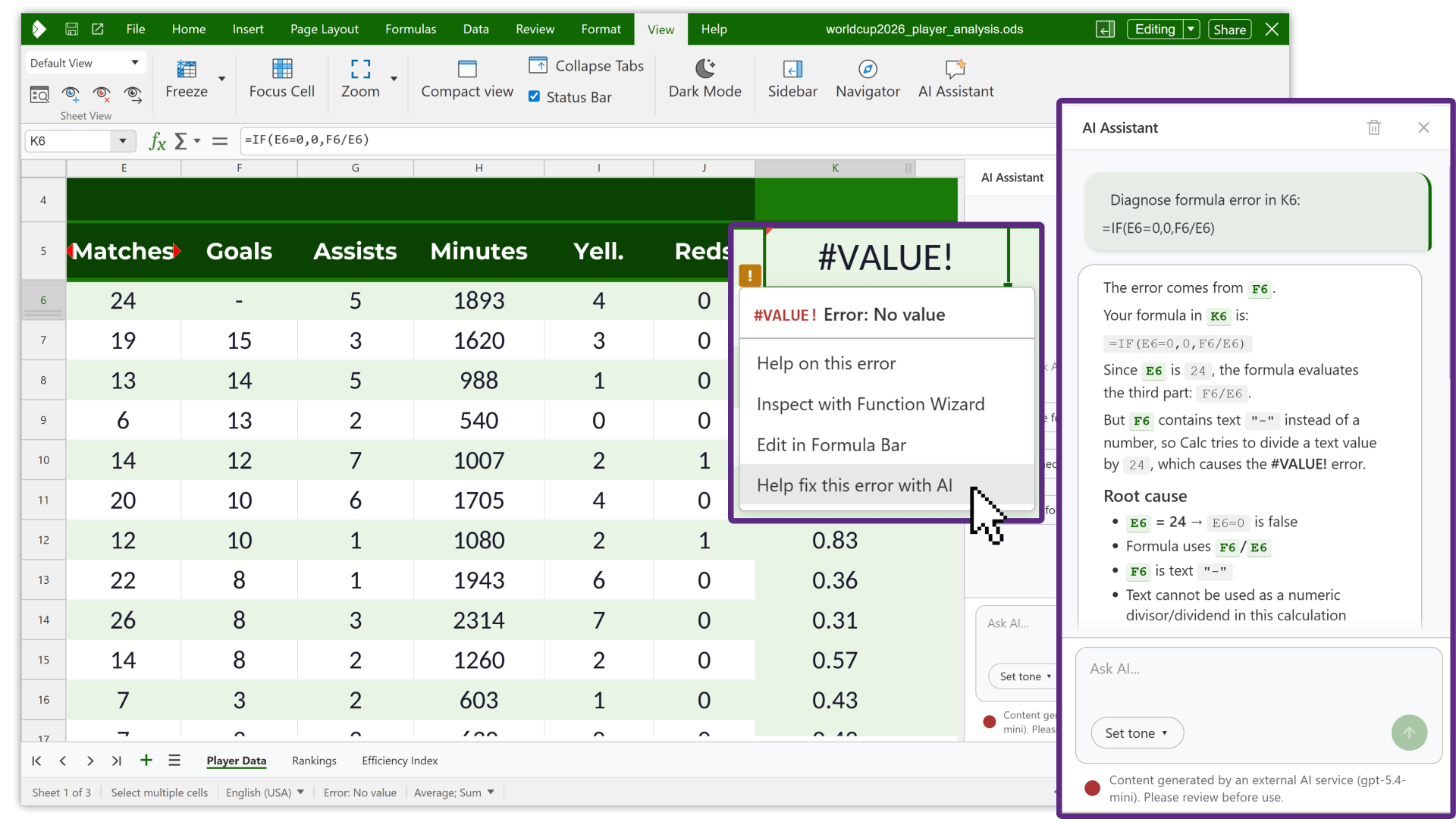
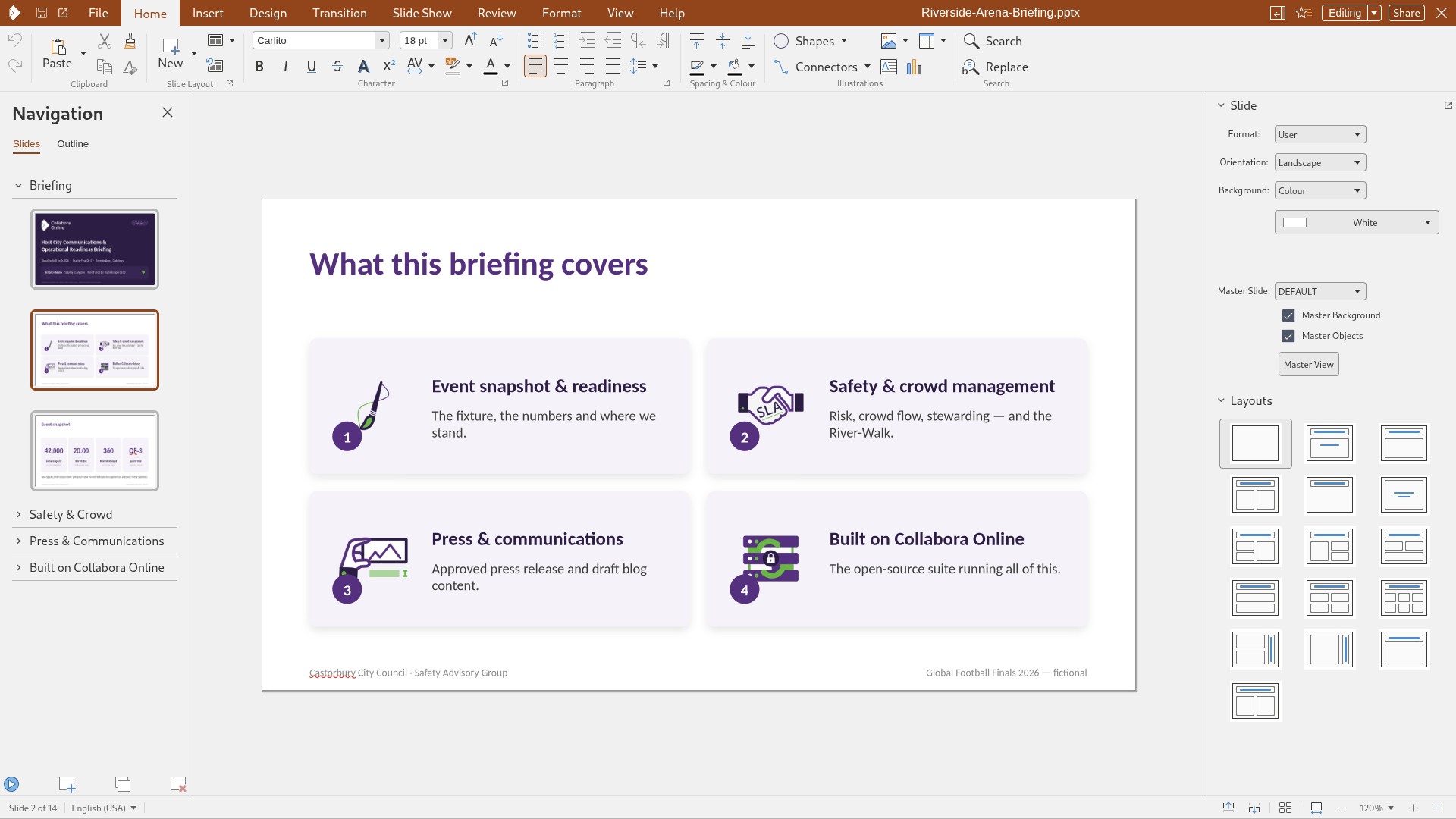
Collabora Online 26.04 Writer, Calc, and Impress.
Most of what ships in Collabora Online 26.04 will look familiar if you followed the CODE 26.04 release back in June. So this will be me rehashing the information we already covered earlier.
AI assistance touches every major app in the suite this time, landing in Writer, Calc, and Impress. Writer's version helps draft and rewrite passages, Calc's works through formula errors and spreadsheet data, and Impress's condenses notes or longer documents into slide-ready material.
None of it runs unless an organization switches it on first. From there, teams choose their own path, connecting a commercial API they already trust or deploying a self-hosted model on infrastructure they control, with Collabora not peddling any specific vendor.
Calc's changes lean toward collaboration. Per-user sheet views let two people filter and rearrange the same shared spreadsheet without stepping on each other's setup. Pivot tables now support calculated values, and a batch of newer functions is here for anyone doing serious data work.
Impress picks up Follow-Me Slideshows, where an audience automatically tracks whatever slide the presenter is on, with the option to pause and scroll back through something they missed before rejoining the live view.
Writer's document comparison tool has got the biggest rework this cycle. Bring up an earlier version of a file, whether it's on the server or sitting locally, and the editor highlights everything that changed against the current draft, credited to whoever made the edit and when.
You also have the choice of reviewing changes side by side or through the usual tracked changes panel, and there's BITV 2.0 accreditation too.
Speaking about this release, Michael Meeks, the CEO of Collabora Productivity, said that:
Collabora Online 26.04’s highly customisable and tightly controlled AI assistance enables users to safely accelerate their document related tasks.
Likewise, the new editing and review features, improved accessibility and greater document interoperability will smooth the everyday experience for all users, making it more intuitive and flexible.
Why go for Collabora Online?
Collabora offers four flavors of its suite. CODE is free and self-hosted, built for early adopters chasing new features first. Collabora Office and Collabora Office Classic bring that experience to the desktop, while Collabora Online is the paid enterprise solution.
Everything here has already made it through CODE, where the community stress-tested it first. Collabora then rolls it into Online with a paid SLA, signed security updates, long-term maintenance, and direct access to its support team whenever something breaks.
Enjoyed this update? Support independent Linux news coverage
It's FOSS has been helping people use Linux for the past 14 years. Help us stay independent from big tech. Become a Plus member, enjoy ad-free reading and get 5 eBooks.
Skip the AI slop and SEO spam in your Google results
Tell Google you prefer It's FOSS, and it will show our Linux news and tutorials, created by experienced Linux users, more often when you search. It takes just a click.
Set as preferred sourceGet FOSS Weekly in your inbox

