Let’s face it, Linux can pose an overwhelming complexity to new users. But then again, it’s not Linux itself that brings this complexity. Rather, it is the “newness” factor that causes this. Not to get nostalgic, but remembering my first time with Linux, I didn’t even know what to expect. I liked it. But it was an upstream swim for me initially.
Not knowing where to start can be a downer, especially for someone who does not have the concept of something else running on their PC in place of Windows.
The first thing that confuses a newcomer is that Linux is not a single operating system. There are hundreds of Linux OSes (the correct technical term is distribution).
We have covered why there are so many Linux distributions in detail to help you out with that.
Here are a few lists of Linux distributions based on different criteria:
- Best Linux distributions for Windows users
- Best lightweight Linux distros
- Best Linux distributions for hacking
- Best Linux distributions for gaming
- Best Linux distributions that look like macOS
In addition to that, there are distributions that cater to the needs of newcomers. So, here, we shall focus on those options.
1. Ubuntu
- Easy to use
- Unique user experience
- Essential tools pre-installed
- Huge collection of applications available
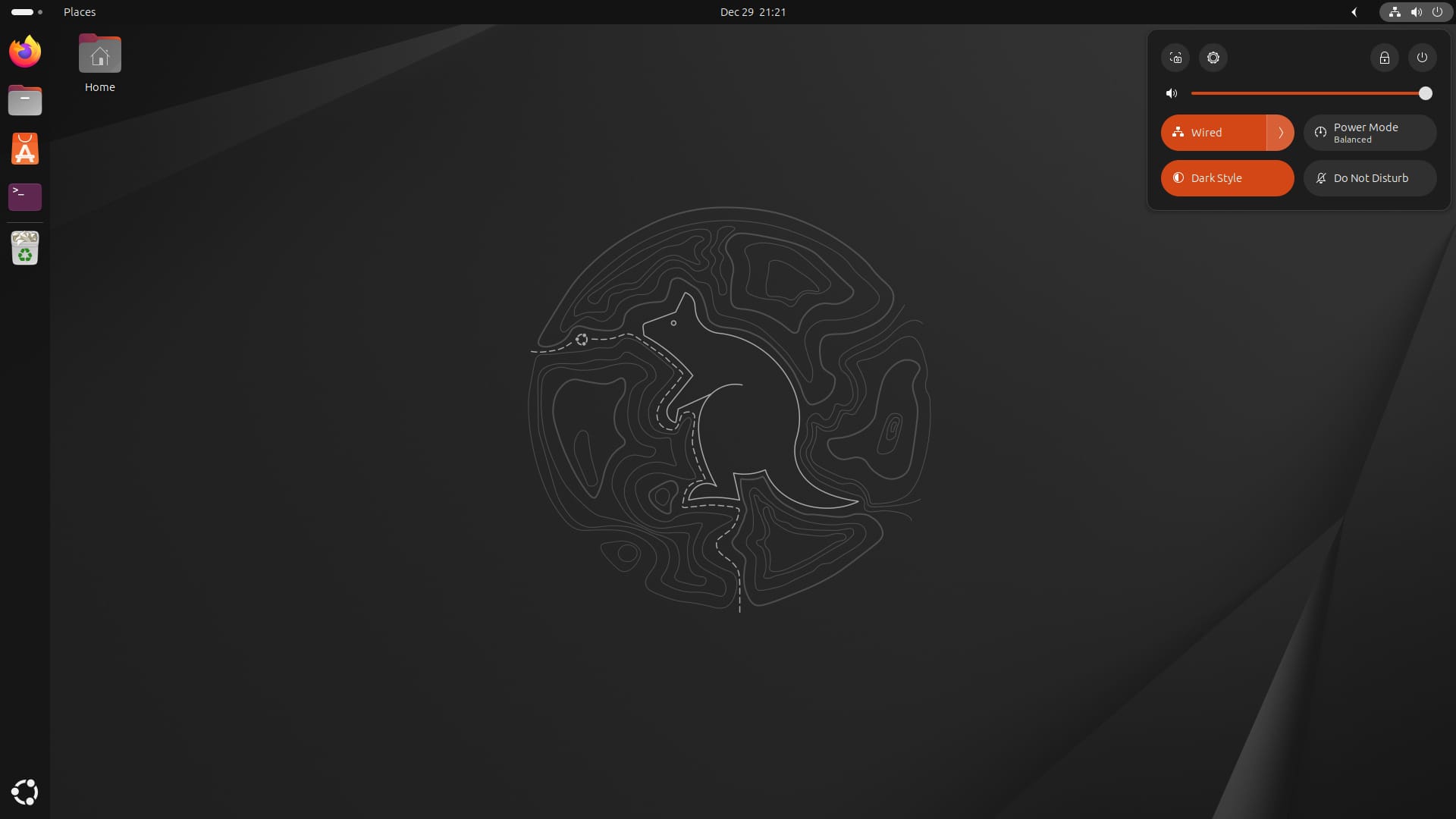
You must have heard about Ubuntu — no matter what. It is the most popular Linux distribution overall. Not just limited to servers, but also the most popular choice for Linux desktops.
It is easy to use, offers a good user experience, and comes pre-installed with essential tools to get a head start. Of course, Ubuntu managed to “simplify” the Linux experience years ago, and that is the reason it is still so popular even with so many other alternatives available.
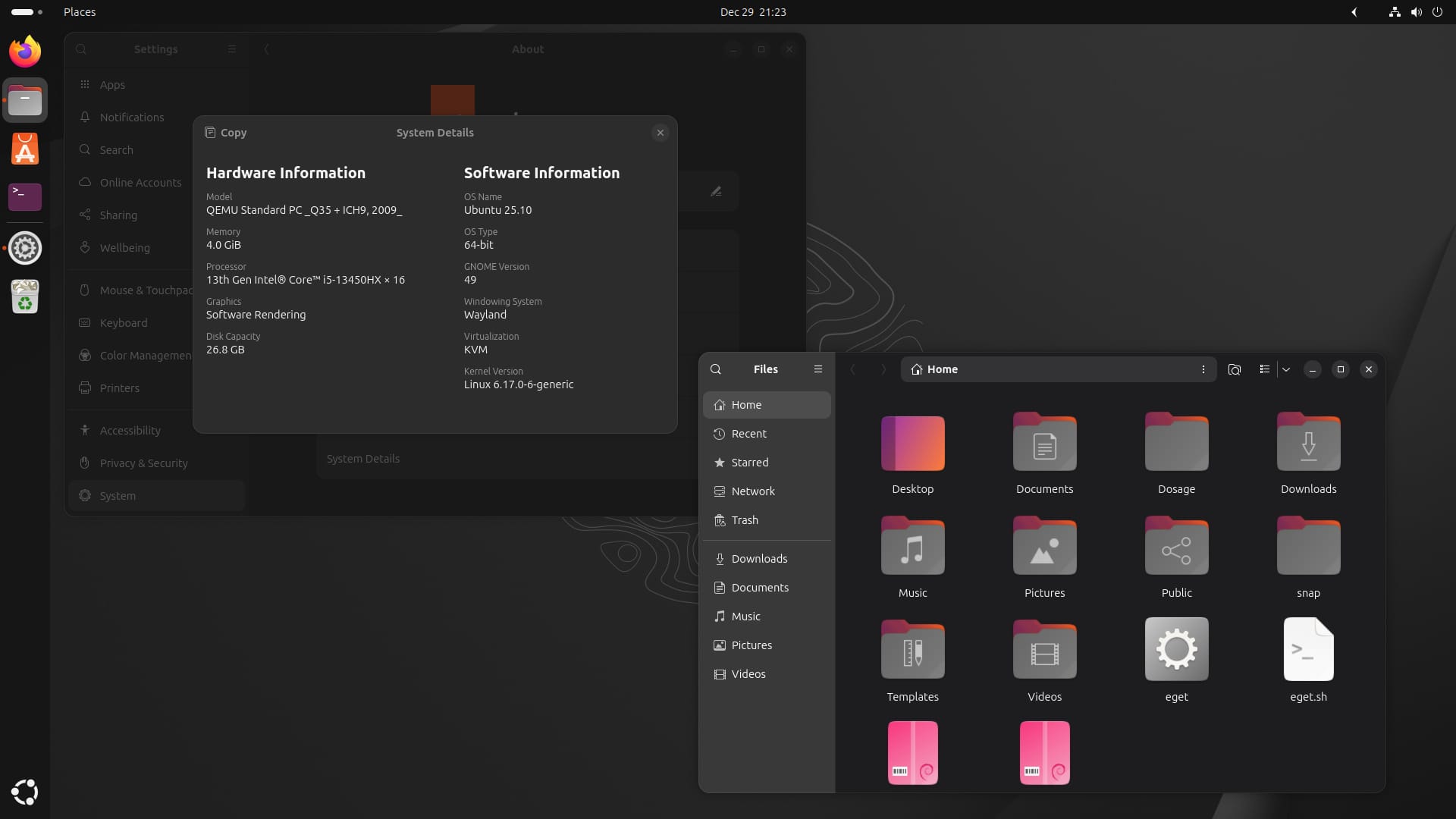
Ubuntu offers a very convenient installation procedure and ensures the best hardware compatibility when compared to some other non-Ubuntu-based Linux distributions.
It relies on GNOME desktop, and even though it is easy to use, it may not be a familiar user interface if you are coming from the Windows platform.
In that case, you can try out some official flavors of Ubuntu, like Kubuntu and Lubuntu to get a Windows-like user interface.
Ubuntu has great documentation and community support. Ubuntu Community Hub and Ask Ubuntu provide appreciable quality support in almost all aspects of Ubuntu. You should easily find answers to common issues, and even if you notice something new, the community will help you out with troubleshooting.
We also have a friendly community of FOSSers who can help out if you are ever stuck with an issue.
2. Linux Mint
- Some improvements over Ubuntu
- Performs great with older hardware
- Familiar user interface for Windows users
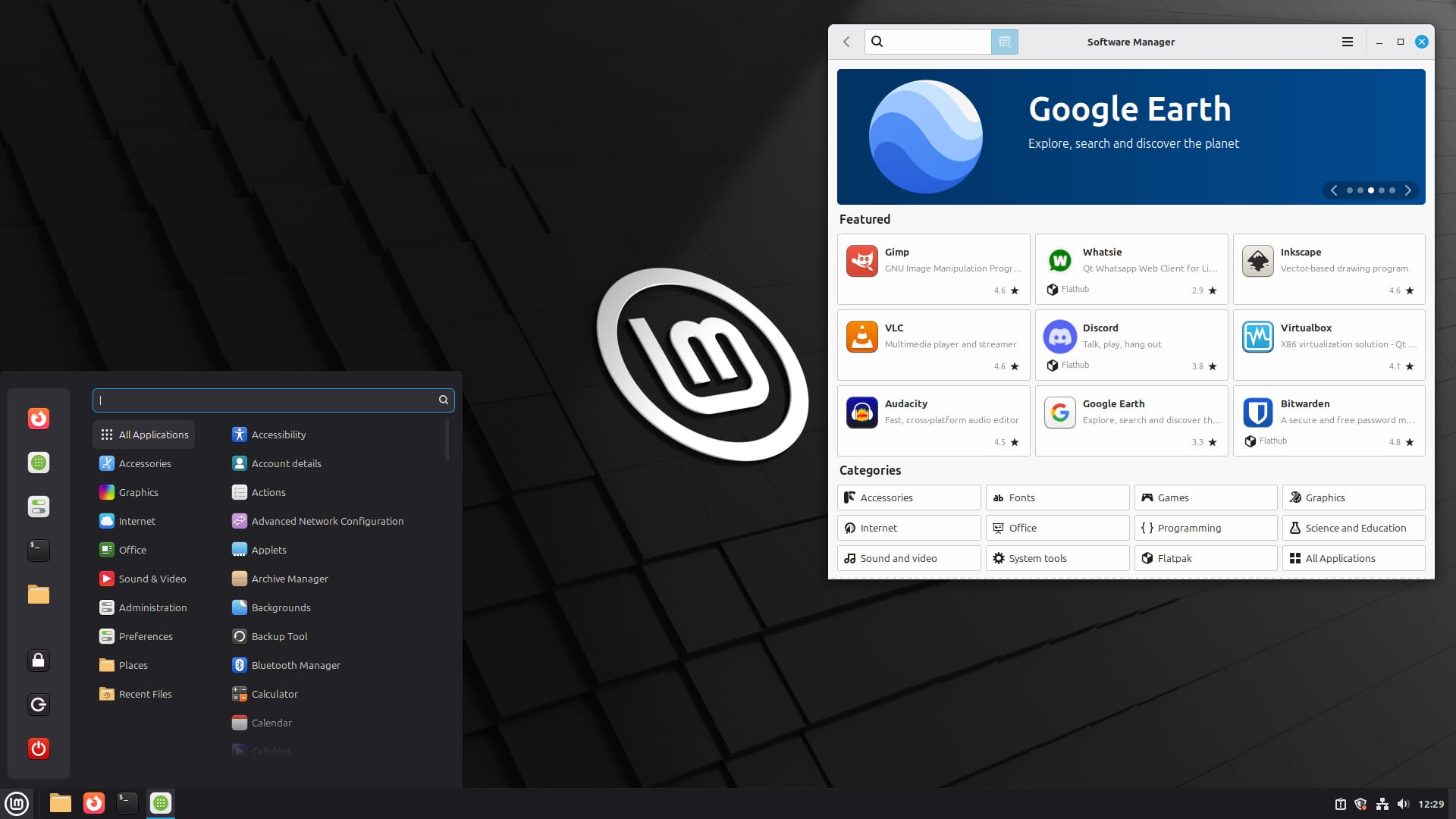
Linux Mint is arguably the best Ubuntu-based Linux distribution suitable for beginners. Yes, it is based on Ubuntu, so you should expect the same advantages of using Ubuntu. However, instead of GNOME, it offers different desktop environments like Cinnamon, Xfce, and MATE.
Not just limited to the familiar user interface, which will be a bonus for Windows users. It provides impressive performance with minimal hardware requirements, especially with Xfce or MATE desktop environments.
It also uses the same software repository as Ubuntu. So, you don’t have to worry about the availability of software to install.
Linux Mint is a fantastic Windows-like distribution. So, if you do not want an unfamiliar user interface (like on Ubuntu), Linux Mint should be a perfect choice.
I would suggest going with the flagship Cinnamon edition. But you can explore whatever you want. Moreover, you might want to look at our tutorial on how to install Linux Mint.
Beyond that, Linux Mint does a few things better than Ubuntu.
 Abhishek Prakash
3. Zorin OS
- Easy to use
- Intuitive user experience
- Paid edition available with many pre-installed goodies
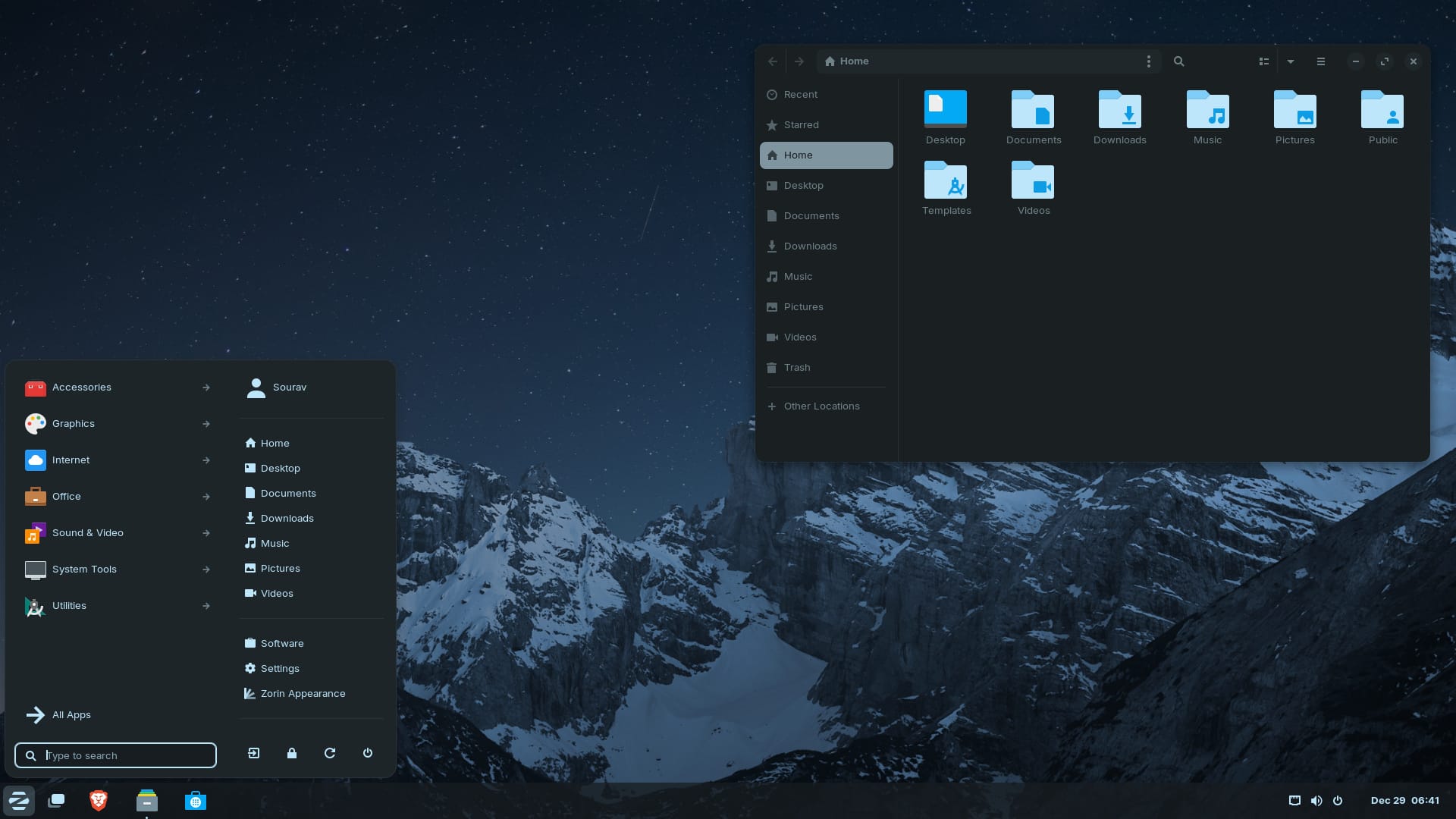
Zorin OS is yet another impressive Linux distribution that offers a similar user interface to Windows. It may not be the most popular choice, but being an Ubuntu-based distribution, it is perfectly suitable for beginners while offering many cool features.
It feels highly polished, and in my opinion, it is perfectly tailored for former Windows users who want a similar look and feel but something that actually works for them, not the other way around.
No wonder why Zorin OS is one of the most beautiful Linux distros out there.
The paid Pro edition of Zorin OS is worth spending on if you need all the pre-installed goodies like an advanced video editor, Photoshop-compatible image editor, illustration software, audio workstation, and 12 desktop layouts. But the free edition works well too!
4. elementary OS
- Easy to use
- macOS-inspired user interface
- Focuses on providing a rich user experience
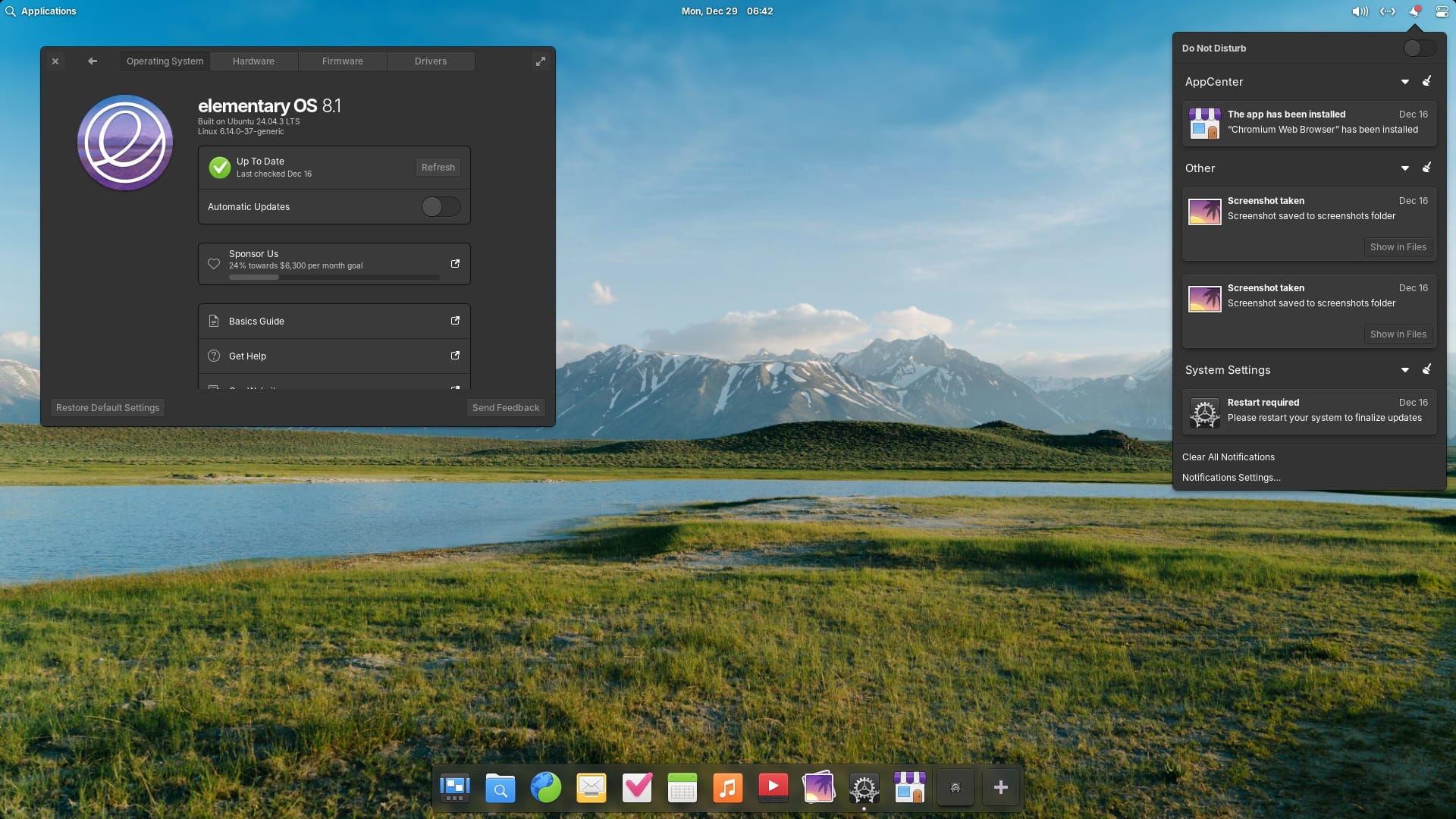
elementary OS is one of the most beautiful Linux distros out there. It basically takes inspiration from macOS but has evolved over the years.
Even though it is not a “macOS clone” in any aspect, it tries to focus on the user experience similar to how Apple's offering does (or should). If you are coming from the walled garden ecosystem, you should try elementary OS.
Again, this one is also based on Ubuntu, so you get all the benefits of it along with an intuitive user experience. Plus, elementary OS features the Pantheon desktop environment, so you will immediately notice the resemblance to the macOS desktop.
The operating system is not intrusive, so you can really focus on your work. It comes with a minimal number of pre-installed programs. So a new user will not be repulsed by massive bloat. It’s got everything you need out of the box.
The AppCenter is also unique when compared to other Linux distributions. You will find many applications specifically tailored for elementary OS on there.
 Sourav Rudra
5. Linux Lite
- Easy to use
- Windows-like user interface
- Tailored as a lightweight Linux distribution
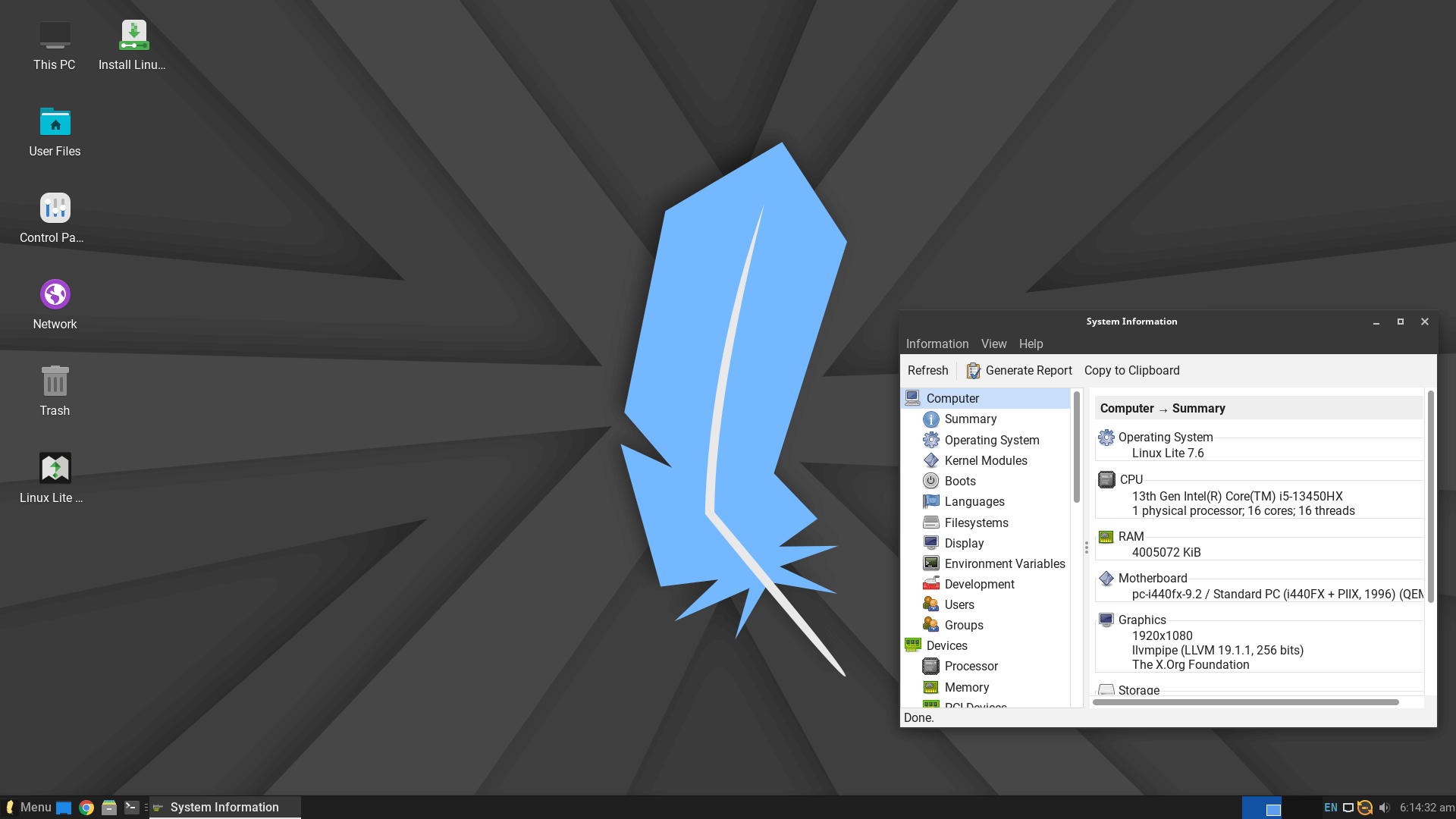
Linux Lite is yet another Ubuntu-based distribution that is easy to use. It is specifically tailored as a lightweight distribution with some pre-installed applications that are not resource-heavy.
It is perfectly suitable for Windows users, with a familiar user interface featuring the Xfce desktop environment. Compared to its previous iterations, Linux Lite has improved the user experience. Even though it isn’t meant to provide you with the most modern experience, it still looks great as a desktop OS.
6. Manjaro Linux
- Has a learning curve
- Arch-based Linux distribution
- Not an Ubuntu-based distribution
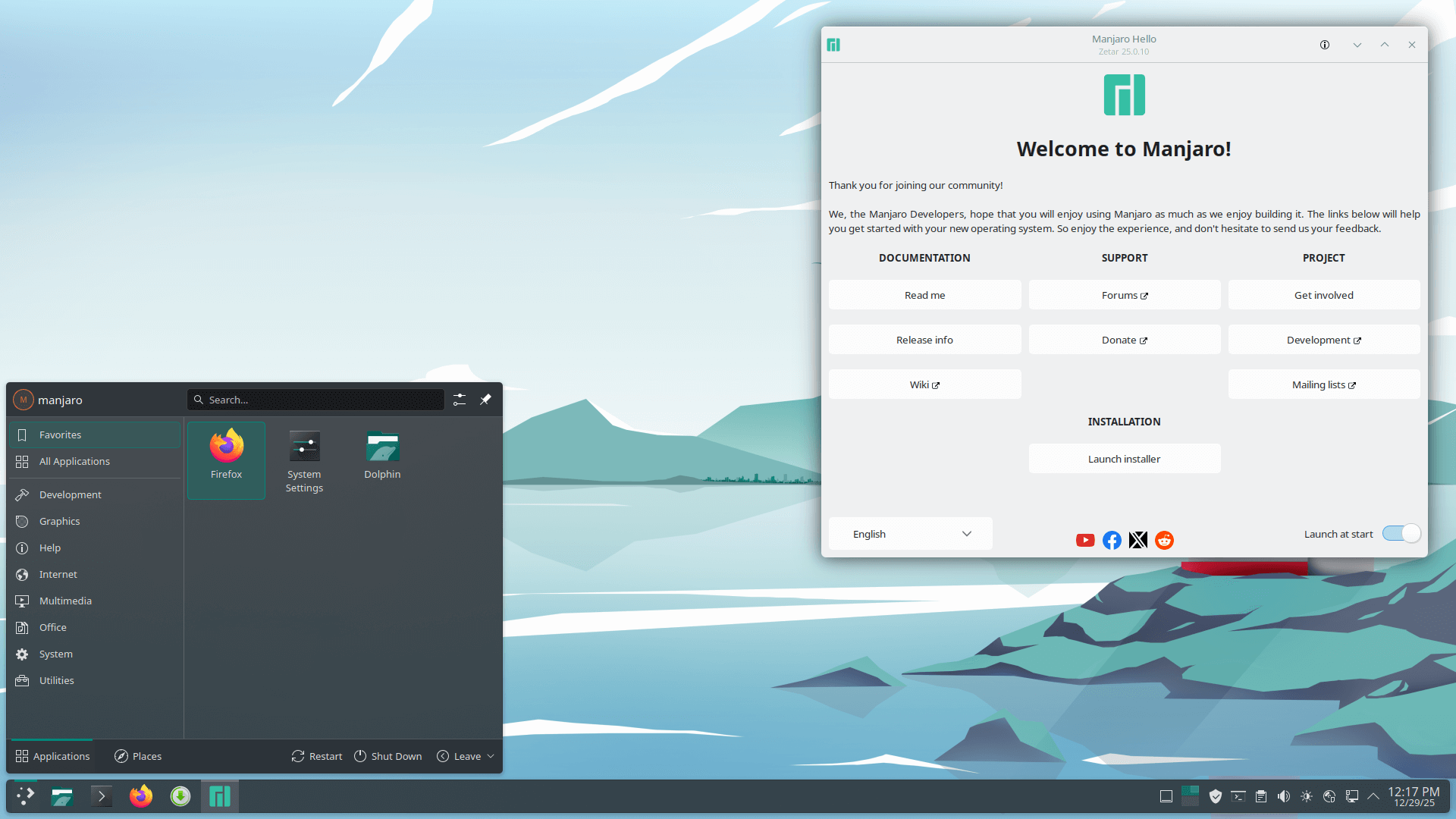
If you are up for a challenge with a decent learning curve and want to try something besides a distribution based on Ubuntu, Manjaro Linux is a good pick.
It is based on Arch Linux but tailored as a beginner-friendly distribution. Of course, considering that it follows a rolling release update cycle, you might end up with a broken system (even though that does not happen all the time). But you have to compromise on the reliability when compared to any Ubuntu-based Linux distribution mentioned in this list.
You also get a wide range of choices to install various software tools. There’s also AUR, which is a community-maintained repository for software that is available for Manjaro.
If you would like to know more about it, you may want to check out our detailed review of Manjaro Linux.
Manjaro Linux is offered with different desktop environments like Xfce, KDE Plasma, GNOME, and a few other community spins.
7. Pop!_OS
- Effortless multi-tasking
- A Rust-based desktop environment
- Many useful out-of-the-box features
Pop!_OS is probably one of the best Ubuntu-based Linux distributions if you are not looking for a lightweight Linux distribution.
It provides a polished and snappy experience thanks to COSMIC when compared to Ubuntu with GNOME. You also get some interesting features like automatic window tiling, window stacking, and many extras with this.
You might find the new features of Pop!_OS 24.04 LTS useful to explore more about it.
 Sourav Rudra
8. Peppermint OS
- Easy to use and simple
- Lightweight Linux distribution
- Ability to use web apps in the form of local apps
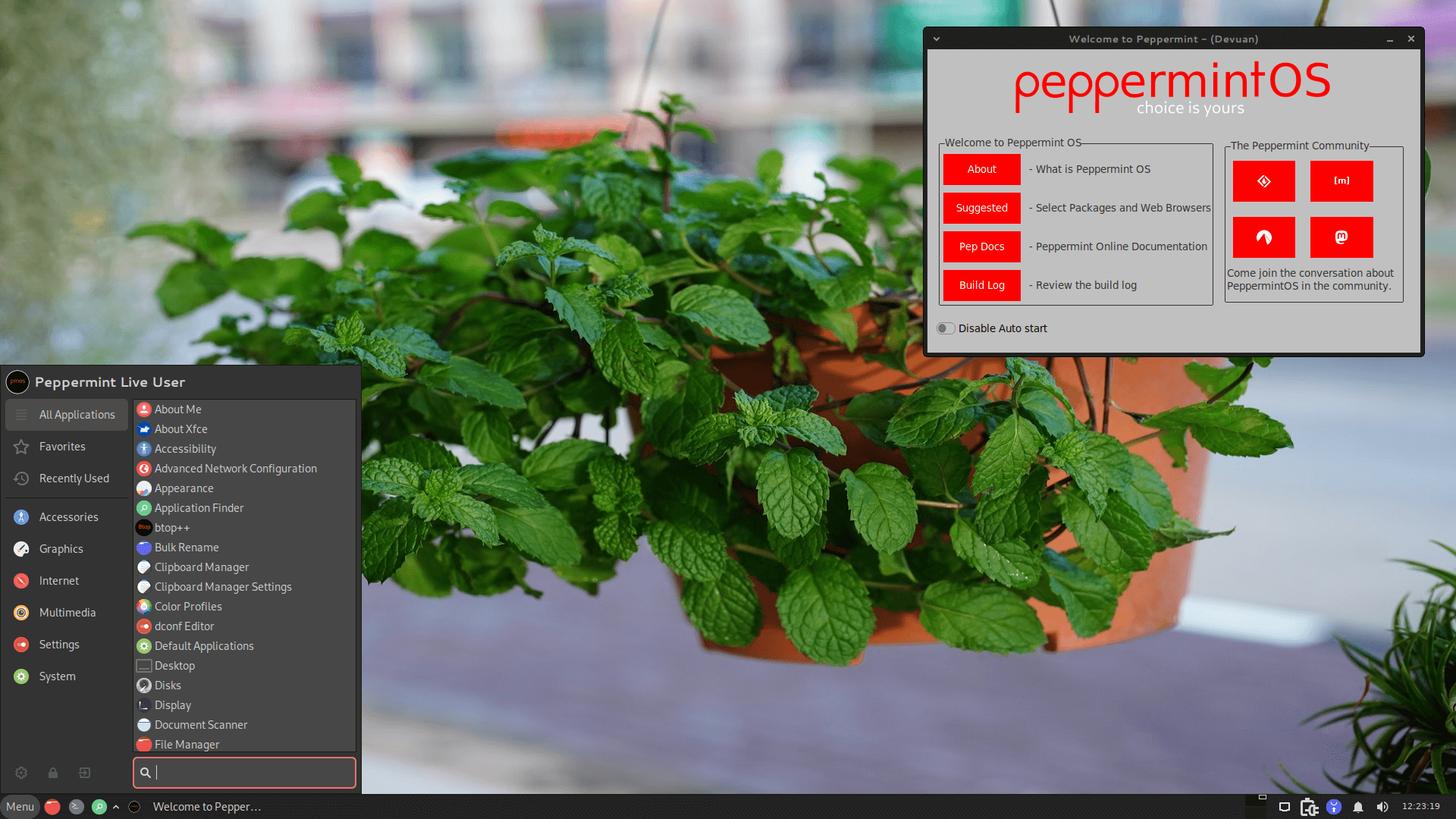
Peppermint OS provides an operating system built on the Debian/Devuan repositories. The distro ships with Kumo, a site-specific browser (SSB) tool that allows users to integrate web applications directly into the desktop environment as standalone applications.
Peppermint comes with nearly nothing installed other than the core packages needed to run the system. This minimal approach keeps the system lightweight and makes it suitable for older hardware while giving you the choice of which packages best fit your build.
9. Deepin
- Easy to use
- Eye-candy visuals
- Rich user experience
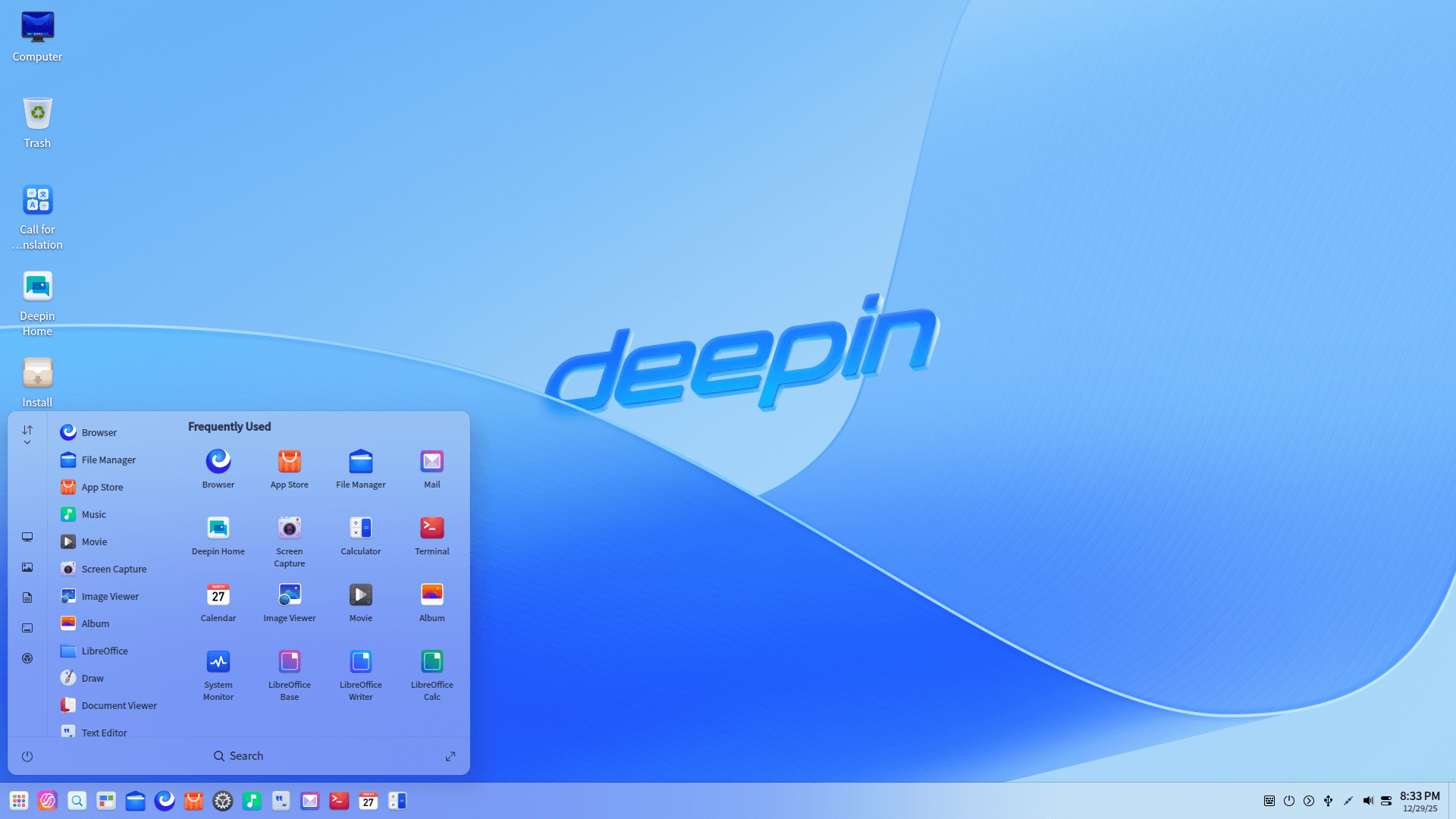
If performance or hardware requirements do not bother you, Deepin will be an interesting pick. It is known for its eye-candy user interface, being one of the most gorgeous Linux distributions out there.
It should work well on your system, it is easy to use and offers plenty of software tools to get started.
Some might mention that just because it is a project based out of Mainland China, you need to avoid it. So, if you have an issue with that, you can take a look at UbuntuDDE (which is basically Ubuntu + eye-candy visuals of Deepin).
Frequently Asked Questions: If You’re Still Confused Where to Start
If you still want help for a head start, I’ve put together an FAQ to address the most basic questions for beginners:
What is the easiest Linux distribution?
The distribution that provides you with a familiar user interface and essential software tools pre-installed should be the easiest experience. If you are coming from Windows, Linux Mint or Linux Lite are our top picks.
If you're comfortable with macOS, elementary OS can be a good replacement.
What is the fastest Linux distribution?
If you want fast performance and an easy-to-use OS, Linux Lite can be a fantastic option. However, you can also explore other lightweight distros.
Can I run Windows apps on Linux?
Yes and no. You can use Wine to run some Windows applications on Linux. You can also try tools like Bottles and Crossover to easily install Windows applications.
Do I need antivirus on Linux?
No. You have nothing to worry about as long as you download stuff from official sources and do not indulge in malicious activities.
However, you can explore any pre-installed firewall or set up a firewall for additional protection.
Your choice for the best Linux distro for beginners?
Linux might come with a learning curve, but that’s not something anybody ever regretted. Go ahead, you will love it like I do!
To give you a head start, I would recommend you follow our Ubuntu installation and Linux Mint installation guides.
Abhishek Prakash Abhishek Prakash