


Back in April, Canonical shared its plans for AI in Ubuntu, favoring models that run on the user's own hardware and open-weight options over cloud services.
The plan also split AI features as behind-the-scenes improvements to existing parts of the OS and visible, as well as agentic ones that users opt into.
Myna came next, a speech-to-text tool that runs on local models. It debuted as an optional preview in Ubuntu 26.10, and the company says it will ship by default with Ubuntu 28.04 LTS.
More recently, Canonical introduced Surge at Ubuntu Summit 26.10. The AI system writes and checks security fixes for Ubuntu packages, and those fixes are offered through an opt-in archive for Ubuntu Pro users instead of reaching stable releases automatically.
Now the newest step in this direction is an AI-powered launcher.
It first showed up as a simulated snap on the Snap Store in October, and Didier Roche, the developer working on it, has now explained where the project is headed.
An AI-powered launcher?
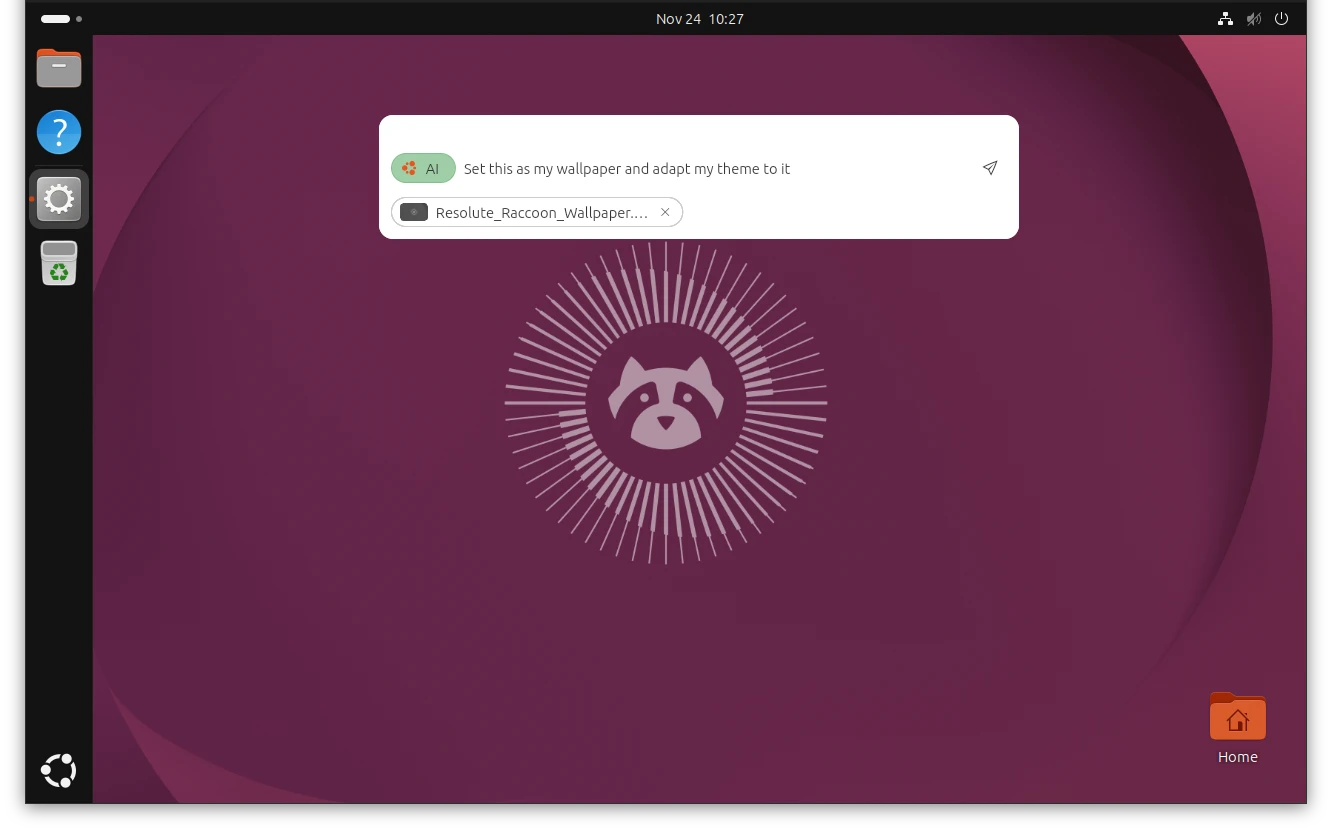
The aim of this new launcher (warty-launcher) is to provide a single spot on the desktop for finding files, opening apps, and getting help from an AI model on request.
Both typing and talking are input types that are to be supported. ⌨️🗣️
Unlike the October prototype snap, the launcher now actually runs and has some functionality built into it, with Canonical publishing its technical design and first public release in January 2027.
Alongside that, testing also opens, and the developers are looking forward to collecting feedback on their design choices.
Didier also mentions that turning on AI is the user's choice, with the traditional app launcher staying the default experience for anyone who prefers it.
Additionally, large AI models will not come bundled with the default install for Warty Launcher.
Anyone who opts in is meant to get inference on their own machine ahead of remote servers, with personal files, session context, etc. not leaving the machine.
The parts that power it are built to stay isolated under Ubuntu's confinement tools to protect the host system.
However, the announcement does not name the models or the hardware requirements, and some foundational work still has to be finished first.
A brief demo
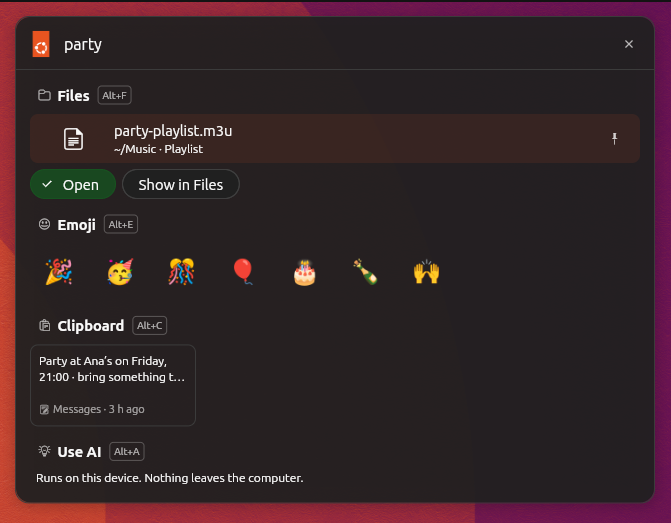
After launching the prototype Snap package for Warty Launcher, a small button appears at the top right of the screen inside the top panel with shortcuts for Clipboard, Emoji, Files, and Tasks.
If you remember from earlier, Didier's post shows a newer build that places the launcher near the top center instead; I prefer the newer approach.
The Clipboard mode lists recent copies with the app and time each one came from. The sample entries include a restaurant booking, a hotel address, and a train ticket screenshot, and a follow-up button next to the search field hands any of them to the AI.
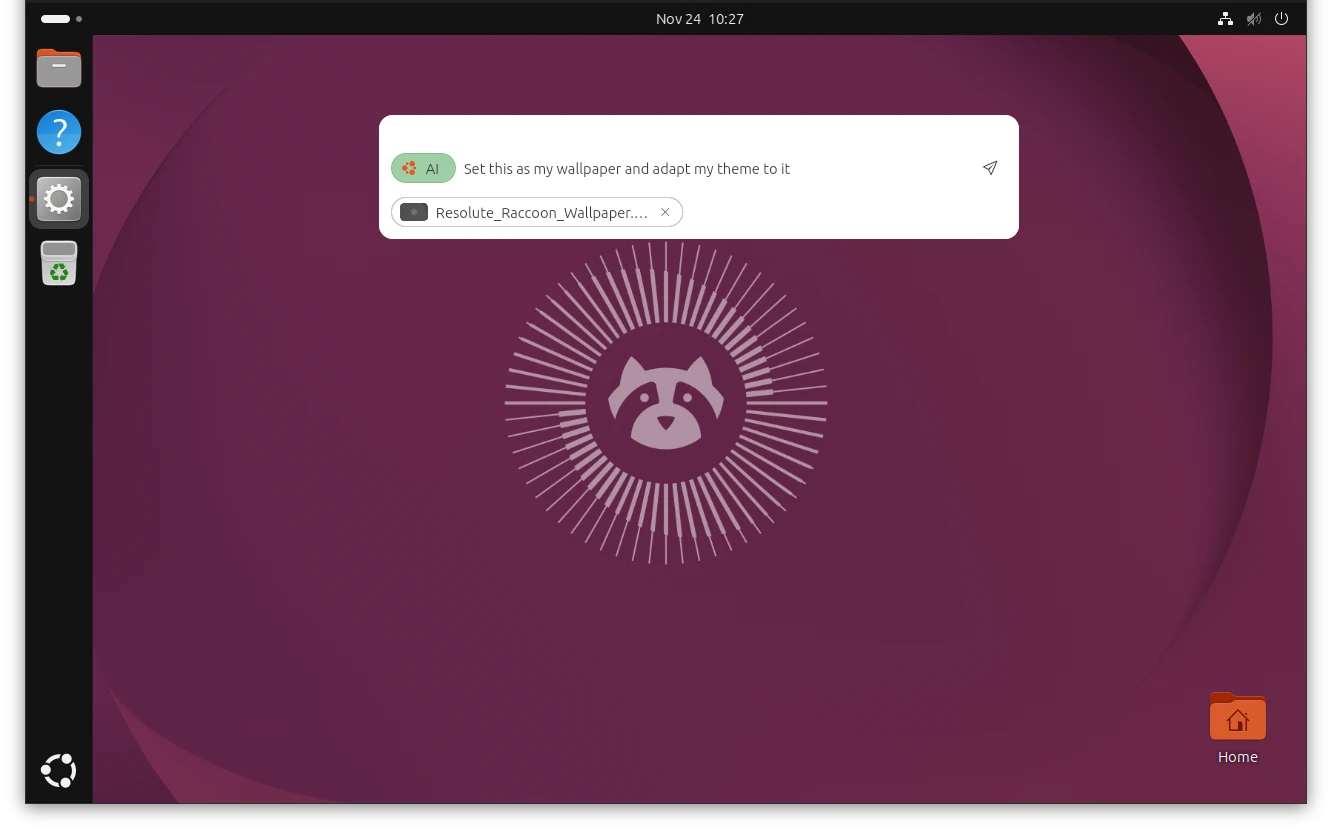
Once I sent a test prompt through the follow-up, it showed a "Working on this device" message and then returned lorem ipsum filler as the answer. This was a given, as the Snap store listing for the prototype says actions are simulated.
Emoji shows a grid of recent picks. Files waits for three characters before it offers to open a match or show it in the file manager, and Tasks keeps a list of what the launcher has done, such as opening files.
Test it yourself
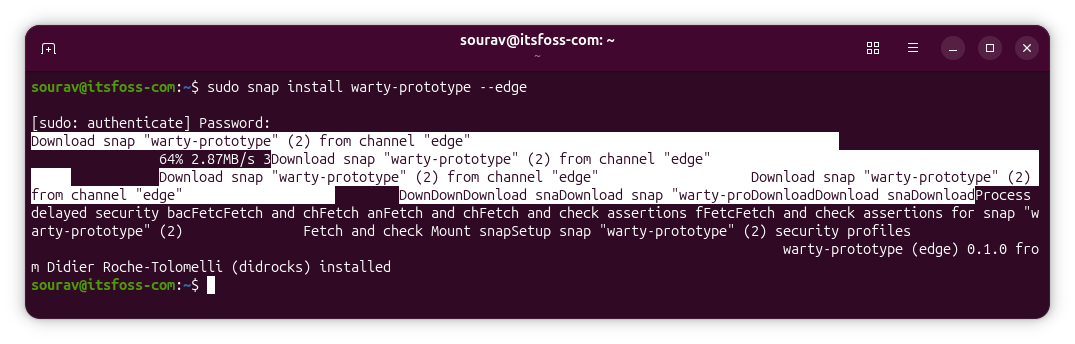
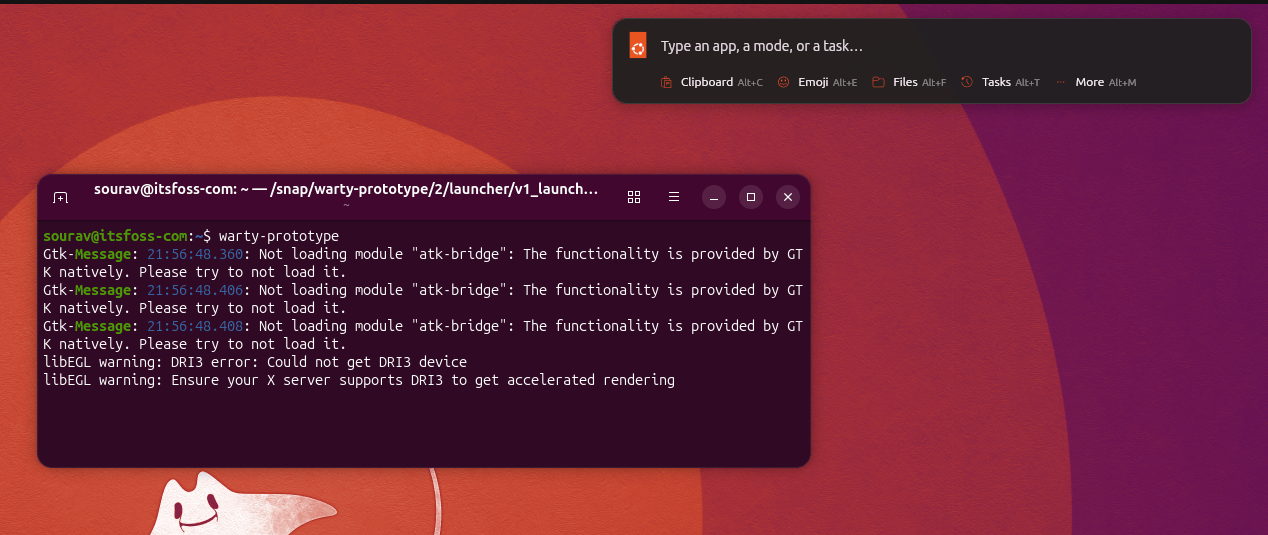
If you want to try it yourself, the snap is only available on the edge channel and installs via a single command:
sudo snap install warty-prototype --edgeOnce it is installed, running warty-prototype in a terminal starts it and opens the launcher.
A few GTK and graphics warnings showed up in my terminal, but the launcher still appeared. To close it, pick "Quit the prototype" from the right-click menu in the top panel.
This is a standalone prototype with simulated actions and demo data. If you are hoping to use it, give it a few more weeks before it matures into a daily-use kind of feature.
Enjoyed this update? Support independent Linux news coverage
It's FOSS has been helping people use Linux for the past 14 years. Help us stay independent from big tech. Become a Plus member, enjoy ad-free reading and get 5 eBooks.
Skip the AI slop and SEO spam in your Google results
Tell Google you prefer It's FOSS, and it will show our Linux news and tutorials, created by experienced Linux users, more often when you search. It takes just a click.
Set as preferred sourceGet FOSS Weekly in your inbox