


Microsoft has spent the last few years stuffing Notepad with AI tools, Markdown support, and cloud-tied credits, chipping away at the simple, local text editor it used to be. Basic editing still works without signing in, but the AI features don't.
You need a Microsoft account just to check your remaining monthly AI credits.
That's a lot for an app whose only job used to be opening text files. 🤷
David Plummer (Dave), the ex-Microsoft engineer behind the original Windows Task Manager, just proved none of it was necessary. He has built TinyRetroPad, a fully working Notepad clone that fits in roughly 2.5KB.
No slop included
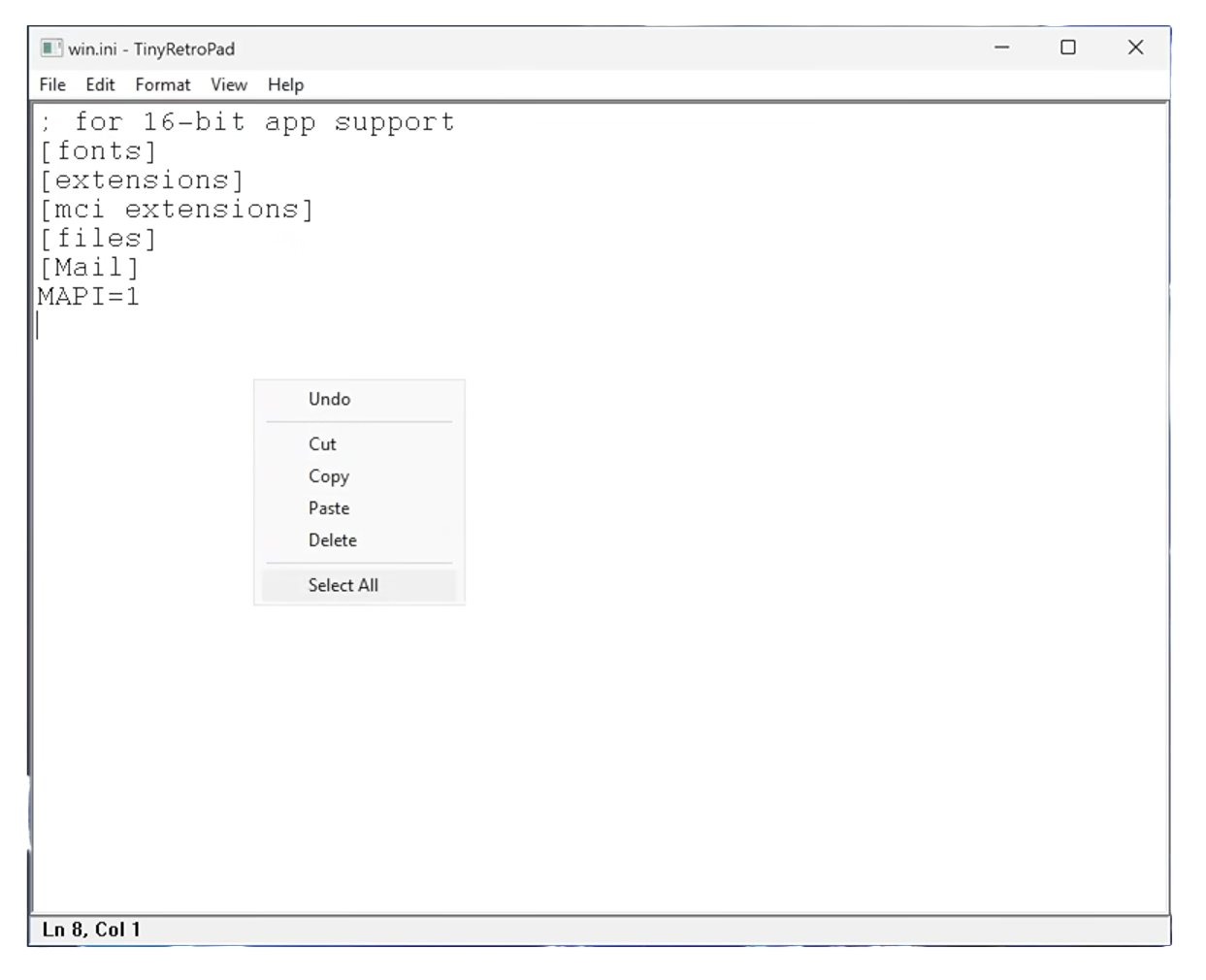
Instead of writing a text editor from scratch, Dave just borrowed the one already sitting inside the operating system. This note-taking app works by wrapping RICHEDIT50W, a text-editing component that's been built into Windows for years.
It's built with MASM, an x86 assembler, then squeezed down further with Crinkler, a compressor made for tiny Windows executables. The generated output still carries a full Notepad-style menu bar, covering the familiar options like File, Edit, Format, View, and Help.
You also get useful tools like Find and Replace, Go To, a font picker, word wrap, a status bar, and working print support. Also, at the risk of stating the obvious, there's no telemetry plumbing in here that's calling back home.
Tracing its origin
TinyRetroPad did not appear out of thin air; Dave built it on top of Dave's Tiny Editor (DTE), a tiny editor made by another developer that uses the same barebones approach.
DTE, in turn, grew out of tiny.asm (also known as HelloAssembly), a project Dave wrote years earlier himself, extending someone else's take on his own idea.
The whole codebase, however small it might be, lives on GitHub under the Apache 2.0 License. Anyone can grab the code, poke at it, or shrink it down even further if they're feeling competitive.
Old news for Linux users
None of this is news if you use Linux. GNOME Text Editor ships as the default on GNOME, and Kate does the same on KDE. Neither needs an AI assistant or a cloud account to open a config file.
Geany and Sublime Text (not FOSS) have been staples of the Linux editing ecosystem for years, and Notepad Next exists specifically for people who wanted a Notepad++ alternative without going through Wine or an unofficial Snap package.
What Dave has done here is hand the Windows crowd a reminder Linux users have been living with for a long time. A text editor's only job is to edit text, and every feature bolted on afterward is mostly bloat.
Suggested Read 📖: You Can Spend Up to $11,944 on Purism's Librem 16
 Sourav Rudra
Enjoyed this update? Support independent Linux news coverage
It's FOSS has been helping people use Linux for the past 14 years. Help us stay independent from big tech. Become a Plus member, enjoy ad-free reading and get 5 eBooks.

