


Staff scheduling gets harder with every branch a business adds. Each location needs the right people on the right shifts, and every person has rest periods and qualifications that have to fit the wider plan.
Picture a food truck chain with trucks spread across a city. Every truck needs a crew for each shift, and the person who closed late last night cannot simply open the next morning.
Whoever builds the plan has to keep all of that in mind at once, and a single oversight can leave a shift uncovered or push someone past a working time limit.
That is the problem Klacks goes after. It is open source, runs on your server or an office PC, and comes with an AI assistant to help with the planning.
Klacks: Overview ⭐
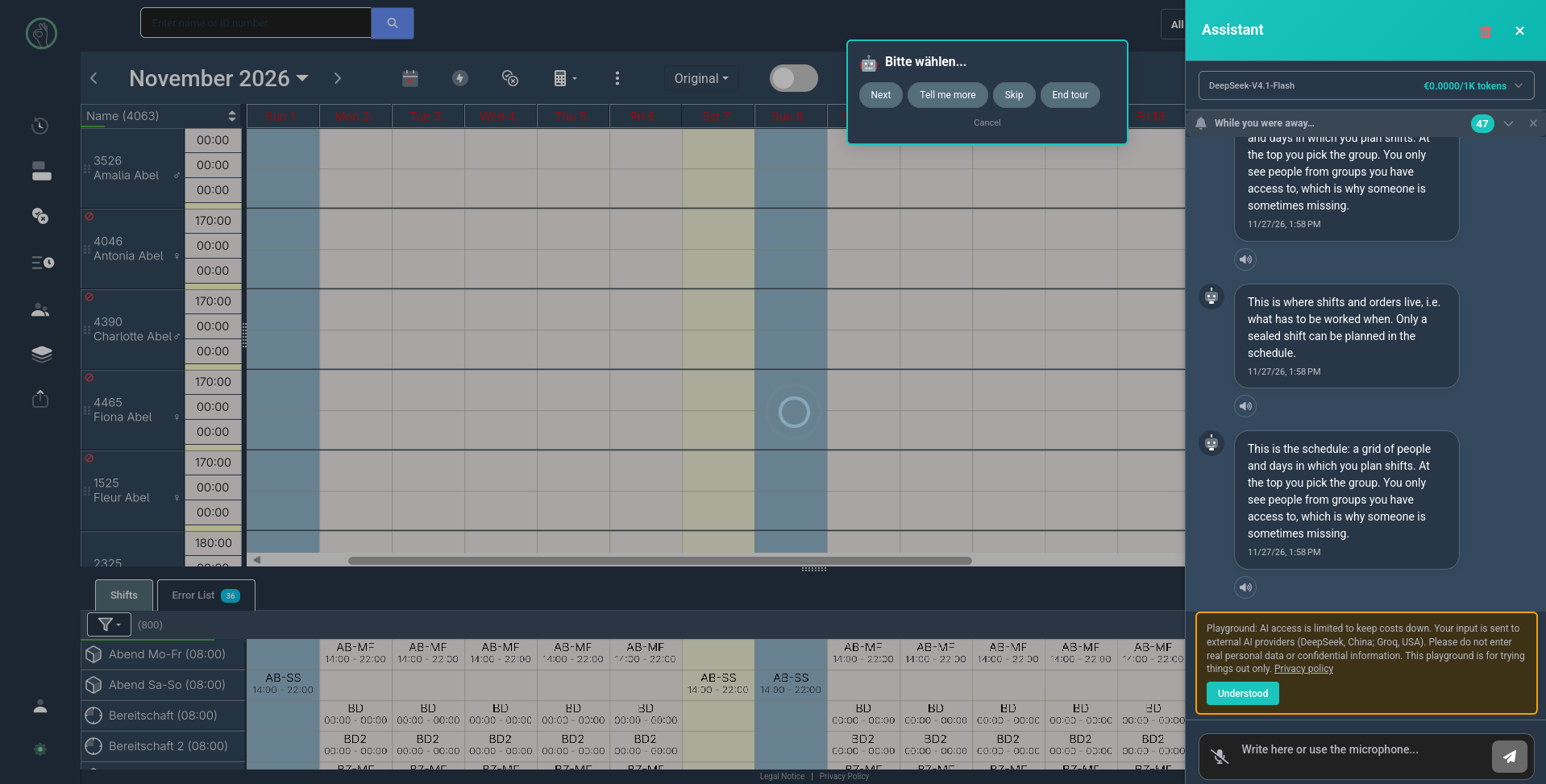
Klacks is aimed at teams that work in shifts or out in the field, like home care services and hospitals.
Heribert Gasparoli, the Switzerland-based developer who created Klacks, says he took it on after seeing his wife's home care service provider being overwhelmed by scheduling.
He also adds that a large part of the code was written with AI assistance, which is then reviewed and tested by him.
Klacks proposes a schedule based on who is available and qualified, and you review it before accepting. Rule checks flag problems such as short rest periods and only warn by default, but an optional mode can block them.
Mobile teams get route planning by car, bike, or on foot, and public holidays and rules can be set per country, region, and municipality.
Interact in natural language instead of struggling with menu buttons
Klacksy, in-built AI, takes requests typed or spoken in plain language, such as staffing next week's early shifts, and turns them into actions in the app.
If you think that's too much and why would anyone do that, you are underestimating the problems non-technical people face. For them, if a person can work with a specialized software for their business is an IT expert.
Yes, people still struggle with using the software, looking for which feature is under which menu is problematic, especially if they use the software only occasionally.
This problem is solved by the built-in AI assistant. Normal non-tech business owner or manager can simply tell it that Lucia is absent today, check if Jason is free and put him on Lucia's duty.
Don't worry, you can also choose the AI model powering it, with choices from cloud AI providers like DeepSeek, Gemini, ChatGPT, and Claude, as well as local AI option being available.
Each user sets how much freedom the assistant gets. The default level lets most actions run without asking first, though sensitive ones like changing permissions always wait for your confirmation.
Clever feature: Cloud AI doesn't get sensitive data as it is
For cloud models, names and addresses are swapped for placeholders first, but postcodes, towns, and free text still go through as written. Data stays in your own PostgreSQL database, and address lookups and maps call public services.
The license moved to AGPL-3.0 in September, after releases up to v1.0.35 shipped under MIT. Using Klacks under the AGPL costs no license fees, and a commercial license exists for anyone building it into a closed product.
Klacks is young, and the project says so itself. Hosting and upkeep still cost money, and payroll is left to other software.
Try Klacks as a demo first
A public Playground with sample data lets you try Klacks without installing anything.
If you are looking to deploy it, then on Linux, you can do so via Docker.
You just have to download the package for your country from the Klacks Store and run one installer script. It needs a minimum of 8 GB of RAM, 4 vCPU, and free ports 80 and 443. I know that's a lot of system requirement.
The installer can set up Docker if it is missing and prints a setup code at the end.
You use that code to create your own admin account in the browser, and updates run on their own.
The documentation covers the rest, and questions should go to the project's Discord server.
Putting AI to good use
Klacks is developed with the help of Claude. Most software these days are developed with AI assistance. What is good about it is people are using AI to build application that solves a problem for a very small, niche group of people.
And then open sourcing it and let people self-host is the best way forward. I just hope that the developer takes the responsibility of maintaining the software. Because creating software has been easier than ever, but maintaining them is even more hard.
If this helped you, consider supporting It's FOSS
It's FOSS has been helping people use Linux for the past 14 years. Help us stay independent from big tech. Become a Plus member, enjoy ad-free reading and get 5 eBooks.
Skip the AI slop and SEO spam in your Google results
Tell Google you prefer It's FOSS, and it will show our Linux news and tutorials, created by experienced Linux users, more often when you search. It takes just a click.
Set as preferred sourceGet FOSS Weekly in your inbox