


Office suites have changed a lot since the first ones landed on desktops decades ago. What began as basic tools for typing letters and totaling numbers has turned into sprawling software loaded with templates, cloud sync, and now, AI.
It's 2026, and that last part has split the office suite market into two camps.
Microsoft has leaned into pushing AI everywhere, with Copilot showing up across Word, Excel, and PowerPoint whether you want it there or not. Others have gone the calmer route, building AI in as something you can turn on, not something forced.
GenOffice is a new offering from MainFunc.ai that strongly focuses on AI, putting it in the first camp, featuring a range of editors that one might expect from a modern office suite.
GenOffice: A quick look
Built by a single developer equipped with $10,000 worth of tokens (for AI), GenOffice bundles four editors, Docs, Sheets, Slides, and PDF, into one Electron-based desktop app.
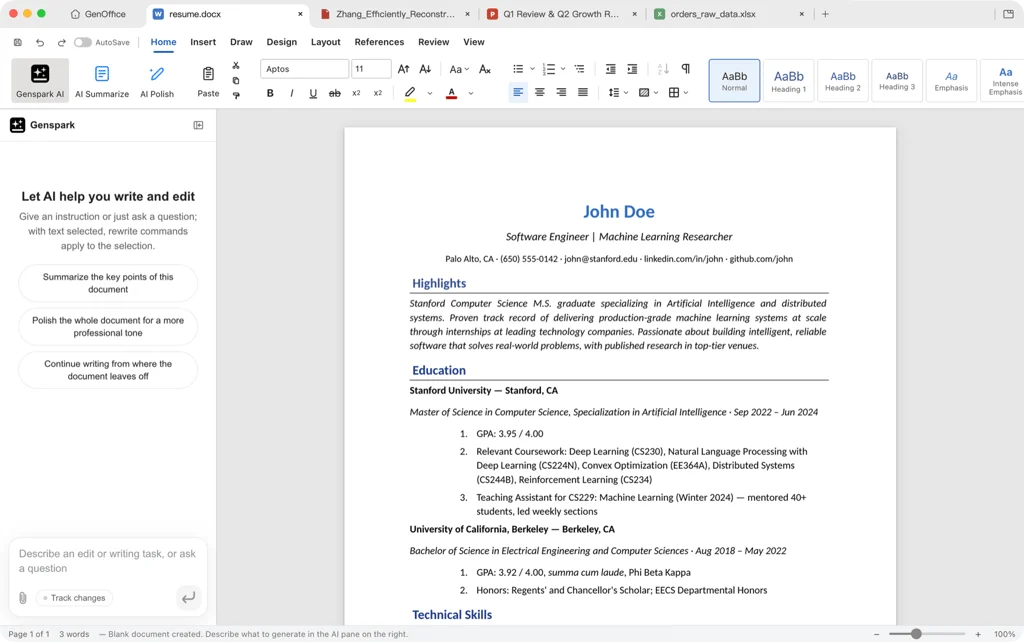
For .docx work, Docs lets you draft a section, restyle a paragraph, or rewrite it for a different reader from a simple prompt, with the AI working directly inside the document rather than a side panel.
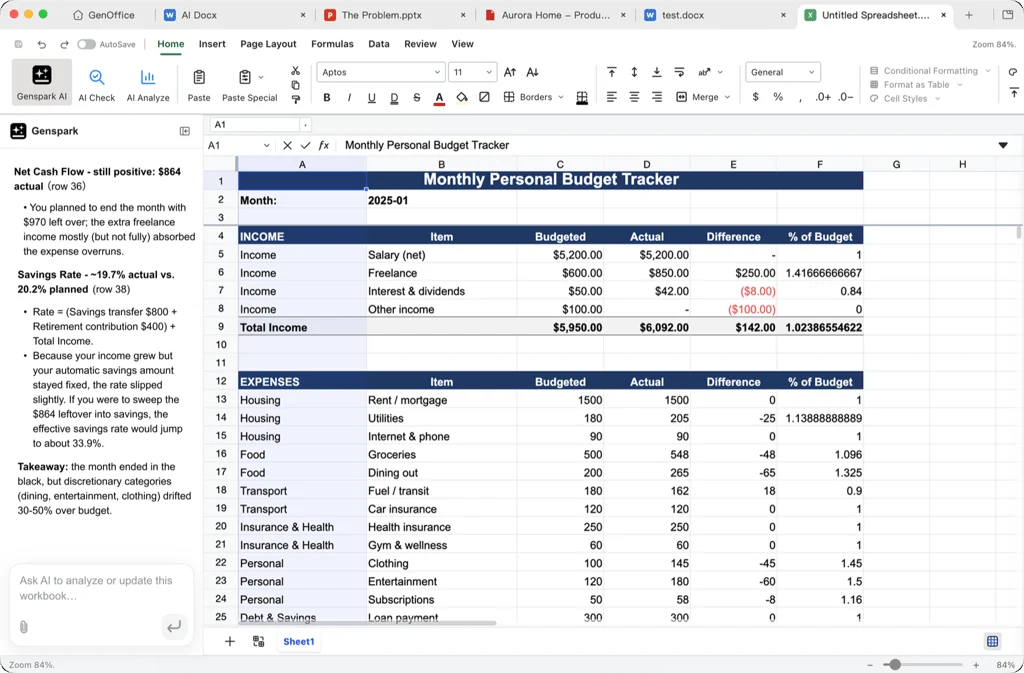
Sheets, for .xlsx files, runs on Univer, an open source spreadsheet engine, paired with an in-house Rust sidecar for reading and writing files.
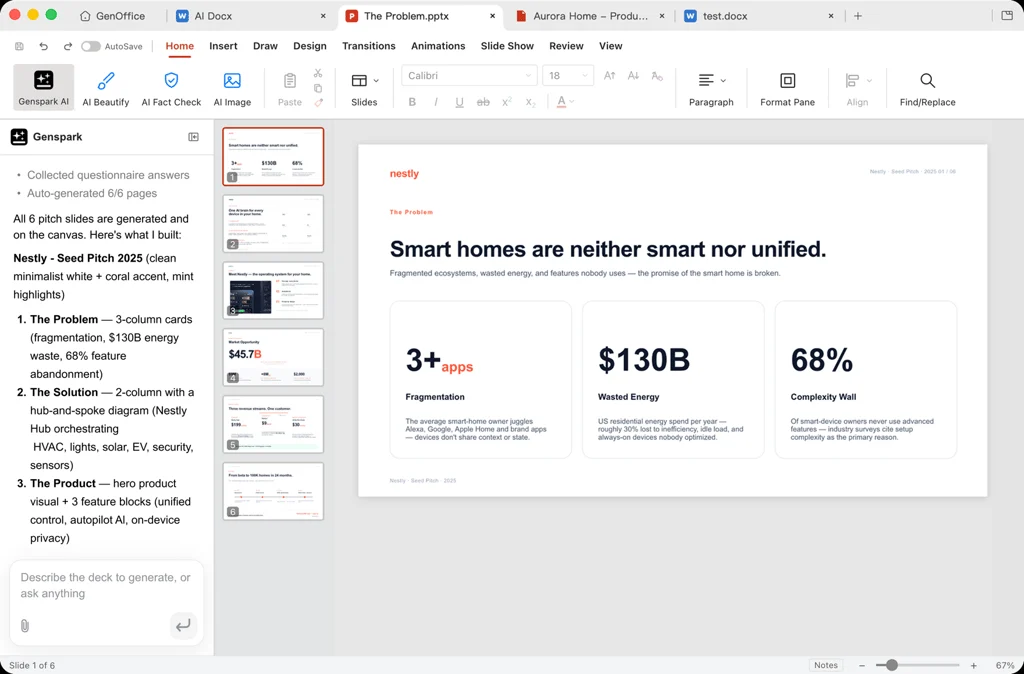
Presentations run through Slides, which builds .pptx decks from a single prompt, picking a layout, writing the copy, and dropping in data cards as needed.
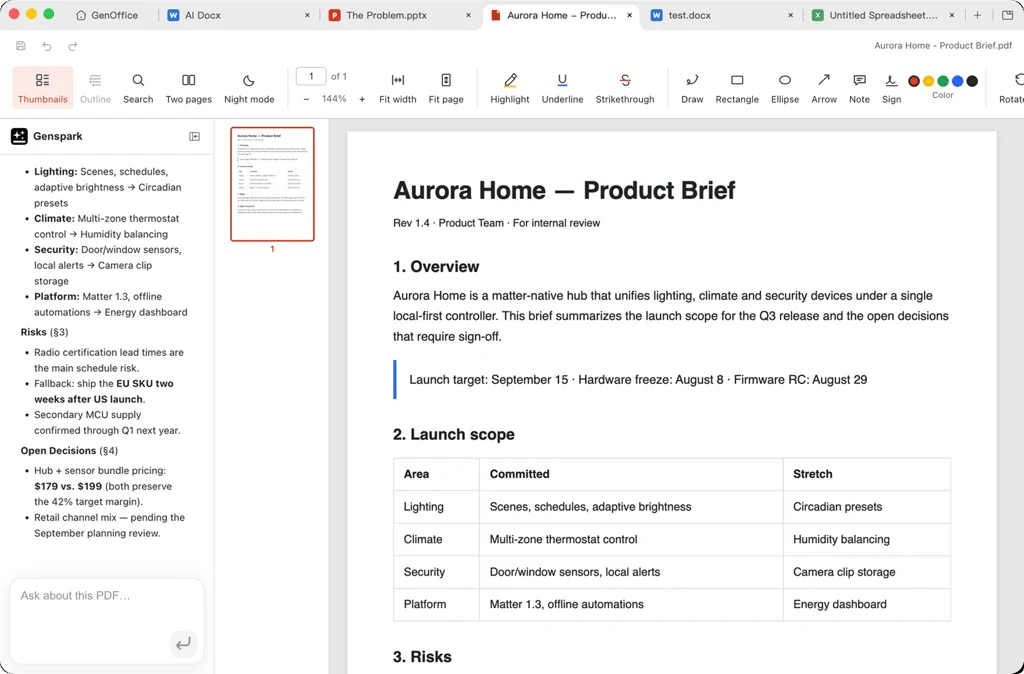
Rounding out the office suite is PDF, built on the open source pdf.js and pdf-lib libraries, letting you read long documents and ask questions about specific passages without you needing to switch between apps.
It's quite obvious that AI runs through every one of these editors. All of that is made possible via Genspark's Super Agent, which is treated as a core part of the app rather than a chat window tacked on the side.
Opening, editing, and saving files costs nothing, but AI features draw from Genspark's credit system, tying them to an account rather than a local model.
That matters, because GenOffice doesn't appear to have its own privacy policy. AI features run through Genspark's service, so anything you send them falls under Genspark's terms and privacy policy instead.
That policy states text fed to the AI features gets passed to third-party providers, including OpenAI, Anthropic, Google, xAI, and ElevenLabs, and that no API key is stored on your device.
Currently, GenOffice is available only for Windows (x64) and macOS on Apple Silicon. Intel Macs are not supported, and as you've probably guessed, neither is Linux.
Where's the Linux build?
I did find an open issue (very likely AI-generated) that mentions a native Linux build, filed by a community member. It explains how shipping GenOffice for Linux isn't as simple as it sounds.
As of writing, there was no reply from the lead developer of GenOffice, so I wouldn't hold my breath for a Linux build anytime soon.
If you still want to try GenOffice, you can grab installers for Windows and macOS from the official website or go through the source code on GitHub to see if you can get a Linux build running yourself.
Suggested Read 📖: 6 Best Open Source Alternatives to Microsoft Office for Linux
 Abhishek Prakash
Enjoyed this update? Support independent Linux news coverage
It's FOSS has been helping people use Linux for the past 14 years. Help us stay independent from big tech. Become a Plus member, enjoy ad-free reading and get 5 eBooks.

