


You already know that Canonical has been selectively replacing Ubuntu's C-based system components with Rust-written equivalents that don't compromise in terms of functionality, most of the time.
Now it looks like the distro's OpenPGP implementation is next, with Sequoia PGP coming preinstalled in Ubuntu 26.10. Canonical wants it to eventually replace GnuPG as the default toolchain, though that switch has not happened yet.
What's OpenPGP?
Before getting into Sequoia, it helps to know what OpenPGP actually is. It's not a tool but rather a widely adopted standard.
Phil Zimmermann created the original PGP in 1991, and the IETF now maintains the open version of that work. The specification defines how software should encrypt, decrypt, sign, and verify data so that any two implementations following it can work with each other's data.
On Linux, GnuPG has been the dominant implementation of that standard. Written in C, it implements RFC 4880 and offers the gpg and gpgv commands on the platform. These handle everything from encryption and key management to standalone signature verification.
Sequoia PGP is different
It was started in 2017 by three former GnuPG developers who chose to build a new OpenPGP implementation in Rust rather than keep evolving GnuPG’s existing codebase.
Sequoia PGP is designed as a library that other software can use directly, rather than a standalone command-line tool. sq sits on top of that for encryption, decryption, signing, and key management, and sqv handles signature verification, filling in for gpg and gpgv in GnuPG.
Sequoia also implements RFC 9580, the 2024 revision of the OpenPGP standard, whereas GnuPG has continued from the RFC 4880 branch, pursuing its own newer extensions and the LibrePGP specification rather than adopting RFC 9580 as its primary standard.
What's already in?
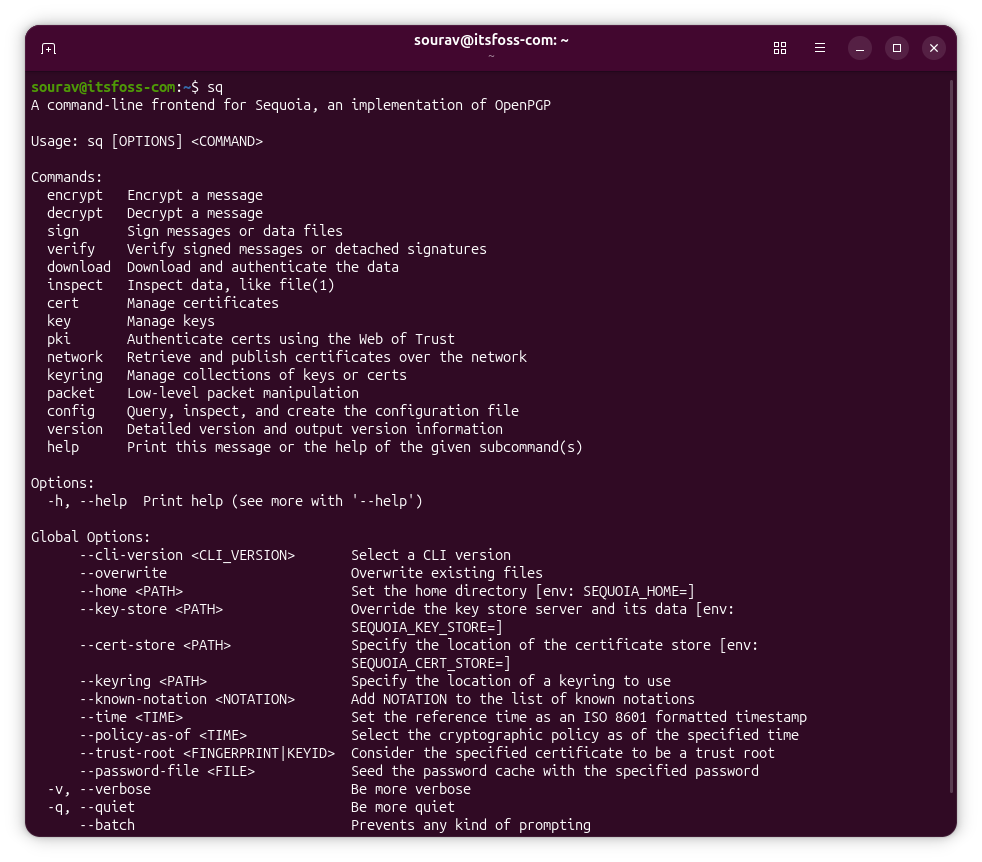
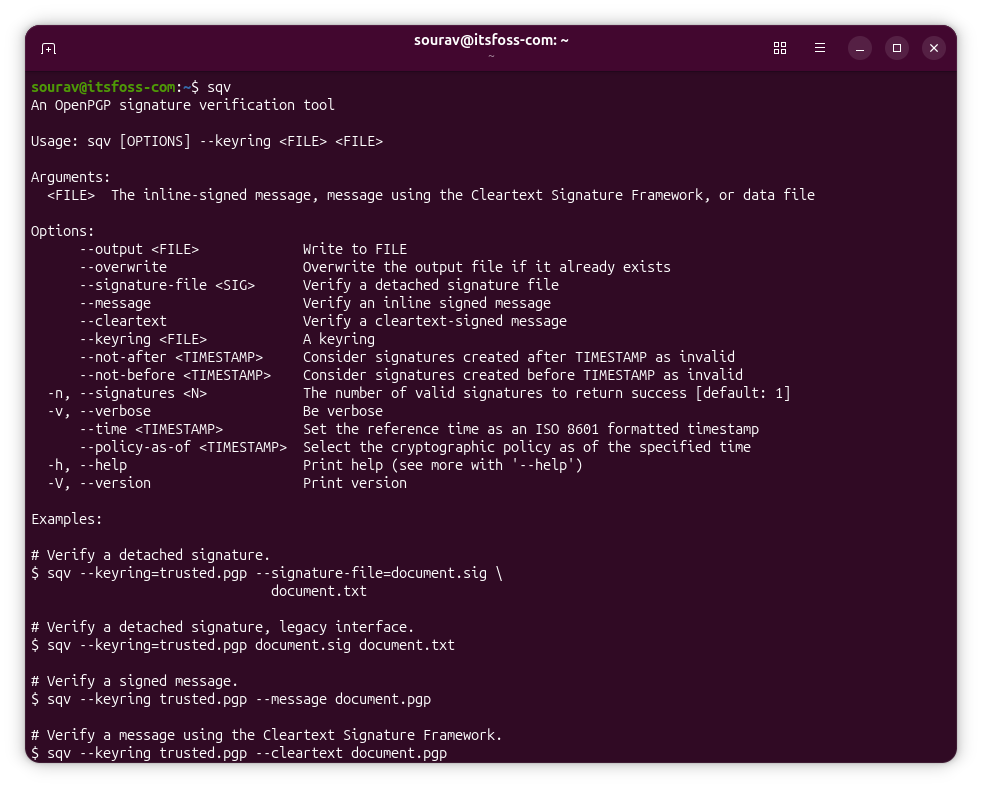
Ubuntu 26.10 "Stonking Stingray" already pulls in Sequoia PGP from the main archive (look under rust-sequoia-xx) as part of the default installation. I ran sq and sqv on a development build of 26.10, and both were working correctly.
Here, sq acts as the main interface for encryption, decryption, signing, and key management, while sqv handles signature verification. And typing gpg and gpgv still routes to GnuPG, so these two OpenPGP implementations sit alongside each other.
If Sequoia PGP is made the default, you can expect those commands and other GnuPG ones to route to Sequoia instead, similar to how we saw with sudo-rs.
Still a long way to go
The release notes for Ubuntu 26.10 and a recent announcement clearly mention that Sequoia PGP becoming Ubuntu's default OpenPGP toolchain is a future goal, not something that's already the default experience.
The coreutils transition started in 2025 and only reached 100% with 26.10. The sudo-rs switch was shown off well in advance before it became the default. Each of these components had to earn their place over multiple release cycles before anything changed for users.
Sequoia PGP is at the start of that process. Landing in the main archive is the first milestone. Whether it eventually replaces GnuPG as the default remains to be seen.
Canonical has not shared a specific inclusion timeline. Given how carefully they have moved on every other Rust transition so far, that caution is unlikely to disappear for something as foundational as OpenPGP.
Enjoyed this update? Support independent Linux news coverage
It's FOSS has been helping people use Linux for the past 14 years. Help us stay independent from big tech. Become a Plus member, enjoy ad-free reading and get 5 eBooks.
Skip the AI slop and SEO spam in your Google results
Tell Google you prefer It's FOSS, and it will show our Linux news and tutorials, created by experienced Linux users, more often when you search. It takes just a click.
Set as preferred sourceGet FOSS Weekly in your inbox

