


Ubuntu is one of the most stable Linux distros out there, provided you're running its LTS release. Now imagine giving that up for a rolling release model. Feels exciting, right? Stop fantasizing then, as today's not the day that happens.
Instead, Canonical's latest announcement introduces a rolling release approach for the virtualization stack, which swaps the usual LTS cycle for a faster, six-month upgrade cycle.
Confidential computing is the driving force behind this move, as Canonical's Ijlal Loutfi emphasizes that the different pieces of the stack rarely arrive at the same time.
A processor might support a new feature before the kernel can expose it, before QEMU can handle it, before libvirt gives users a way to turn it on, and before the firmware and attestation tools are ready to make it actually usable.
How does this work?
The virtualization HWE stack has four parts. qemu-hwe handles the hypervisor and system emulation; libvirt-hwe covers virtualization management; edk2-hwe brings newer OVMF firmware for UEFI booting; and seabios-hwe does the same for BIOS compatibility.
It's the same approach Ubuntu already runs for kernels, just extended across the rest of the virtualization chain.
Switching to this is entirely optional, and during these first two years of Ubuntu 26.04 LTS, all four packages get refreshed every six months, but only after a dry run in an interim release first.
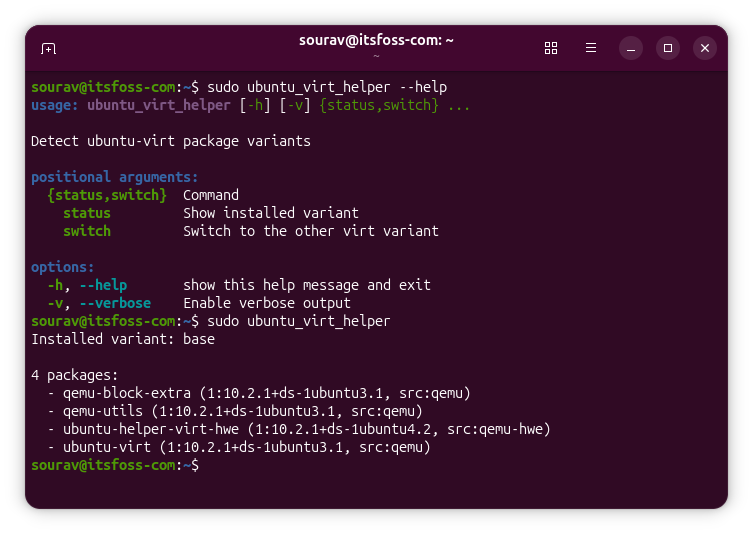
And stating the obvious, existing installations of Ubuntu will stay on the base stack unless someone decides to switch over to the new stack. A tool called ubuntu_virt_helper (different package name) handles that switch, since QEMU, libvirt, and firmware all need to move together as one unit rather than being swapped out piece by piece.
Why should you care?
This is basically Canonical admitting that confidential computing has outgrown the two-year cadence Ubuntu LTS was built around.
The virtualization HWE stack is aimed at anyone running confidential VMs on AMD SEV-SNP or Intel TDX, regulated workloads that need stronger isolation, AI inference that leans on confidential computing, or accelerators, and private or sovereign cloud platforms that can't just hop to Ubuntu's interim releases.
These workloads are moving faster than Ubuntu's own release schedule can absorb, and nobody running them is waiting two years for a point release to catch up with the ever-evolving silicon vendors.
Canonical is positioning this as a way to get LTS stability and newer hardware support at the same time, instead of users needing to pick one over the other.
Get started
Don't assume this is locked behind Ubuntu Pro. Every example in Canonical's instructional material runs on plain apt commands without requiring you to log in to some portal.
The most basic one is to install the helper tool:
sudo apt install ubuntu-helper-virt-hweThe rest, you will have to figure out by going through the documentation and running the following command:
ubuntu_virt_helper --helpEnjoyed this update? Support independent Linux news coverage
It's FOSS has been helping people use Linux for the past 14 years. Help us stay independent from big tech. Become a Plus member, enjoy ad-free reading and get 5 eBooks.
Skip the AI slop and SEO spam in your Google results
Tell Google you prefer It's FOSS, and it will show our Linux news and tutorials, created by experienced Linux users, more often when you search. It takes just a click.
Set as preferred sourceGet FOSS Weekly in your inbox

