

Ubuntu 24.04 LTS 'Noble Numbat' release is a little more than a month away 🤩
So, you have plenty of time to decide whether you want to upgrade or not. Of course, if you are using a non-LTS Ubuntu release like Ubuntu 23.10, you must upgrade in some time.
But, if you are using Ubuntu 20.04 LTS or Ubuntu 22.04 LTS, you might have to think about it.
Fret not, I took the daily build for a test drive. Here, let me highlight the best bits of Ubuntu 24.04 LTS to help you make that decision easy.
1. 12 Years of Updates
Canonical revealed that Ubuntu 24.04 LTS will receive updates for 12 years (including the extension period with the Pro subscription).
What does that mean? Here you go:
Usually, you get five years of maintenance+security updates, and then five more as part of the extended maintenance cycle with Ubuntu Pro.
Now, the extension period is seven years, instead of five, making it 12.
Suggested Read 📖
 Abhishek Prakash
2. Installer Improvements
Canonical has been laser-focused on improving the installation experience, and it has been going in the right direction.
The modern user experience along with the easy-to-follow screens should enhance the onboarding experience for new users.
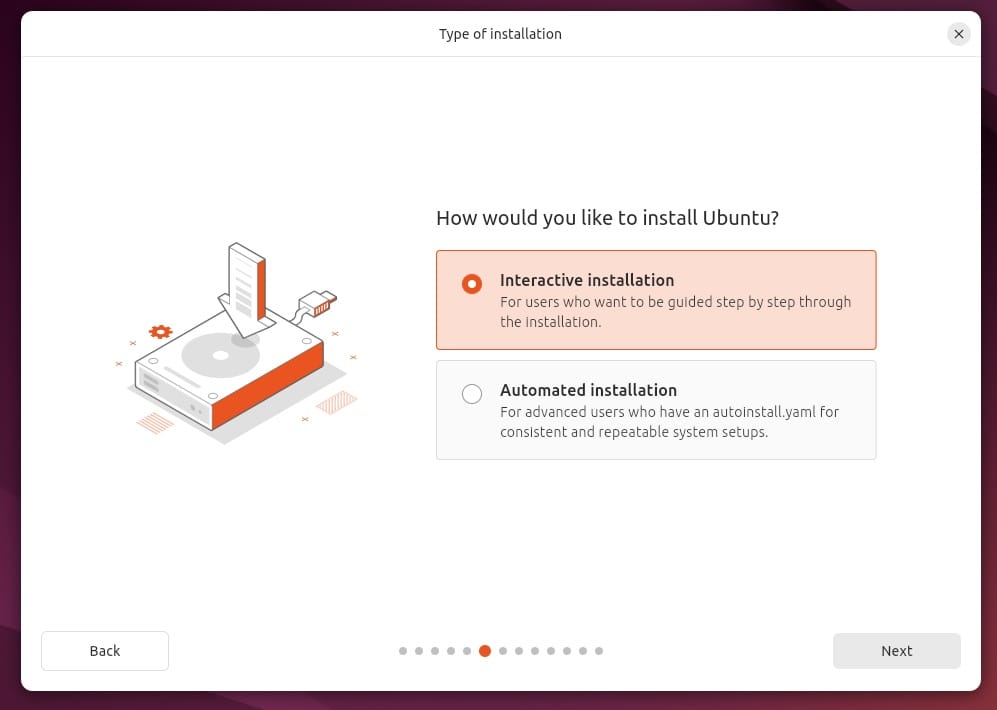
With Ubuntu 24.04 LTS, they fine-tuned it further, with a Flutter-based installer.
Next, they have made other screens a little "prettier" and informative with icons around the process, like illustrations for configuration:
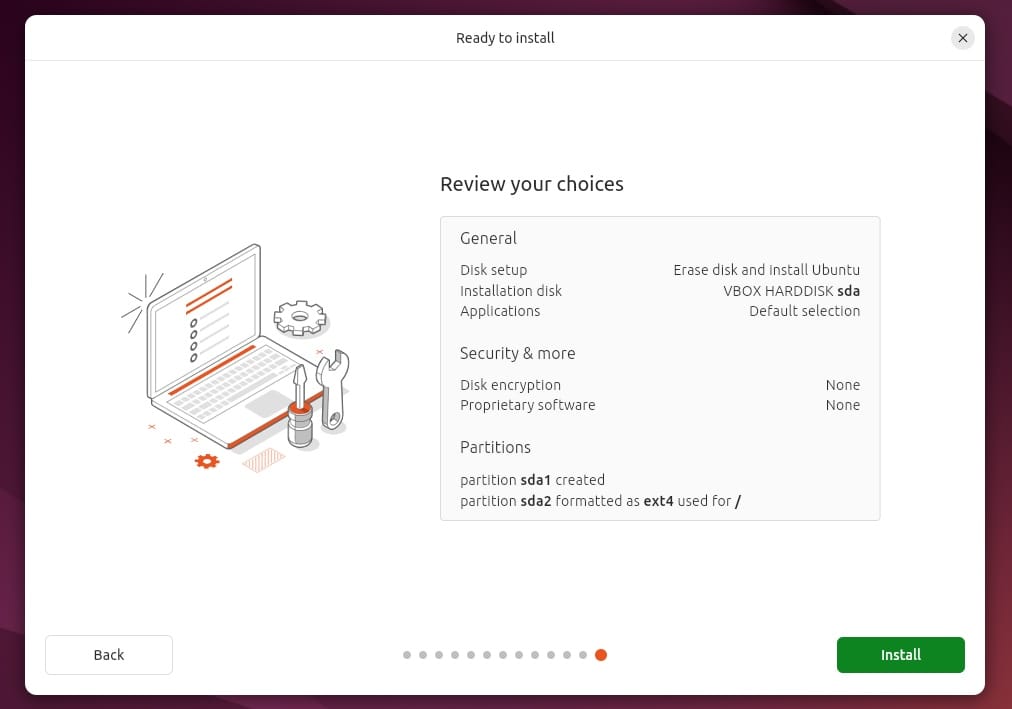
Not just limited to that, the installer now defaults to the "minimal" installation mode.
So, you do not get plenty of unnecessary utilities (if you don't need them).
However, if you require a selection of tools to start with, you can opt for the "Full installation".
Of course, the option to install third-party software and additional media codecs still exists.
3. Software Center Big Update + Tweaks
If you are jumping from a previous LTS release, the new Flutter-based software center is a refreshing experience. It debuted with Ubuntu 23.10.
The user interface looks pretty sleek and offers a good user experience with a modern touch.
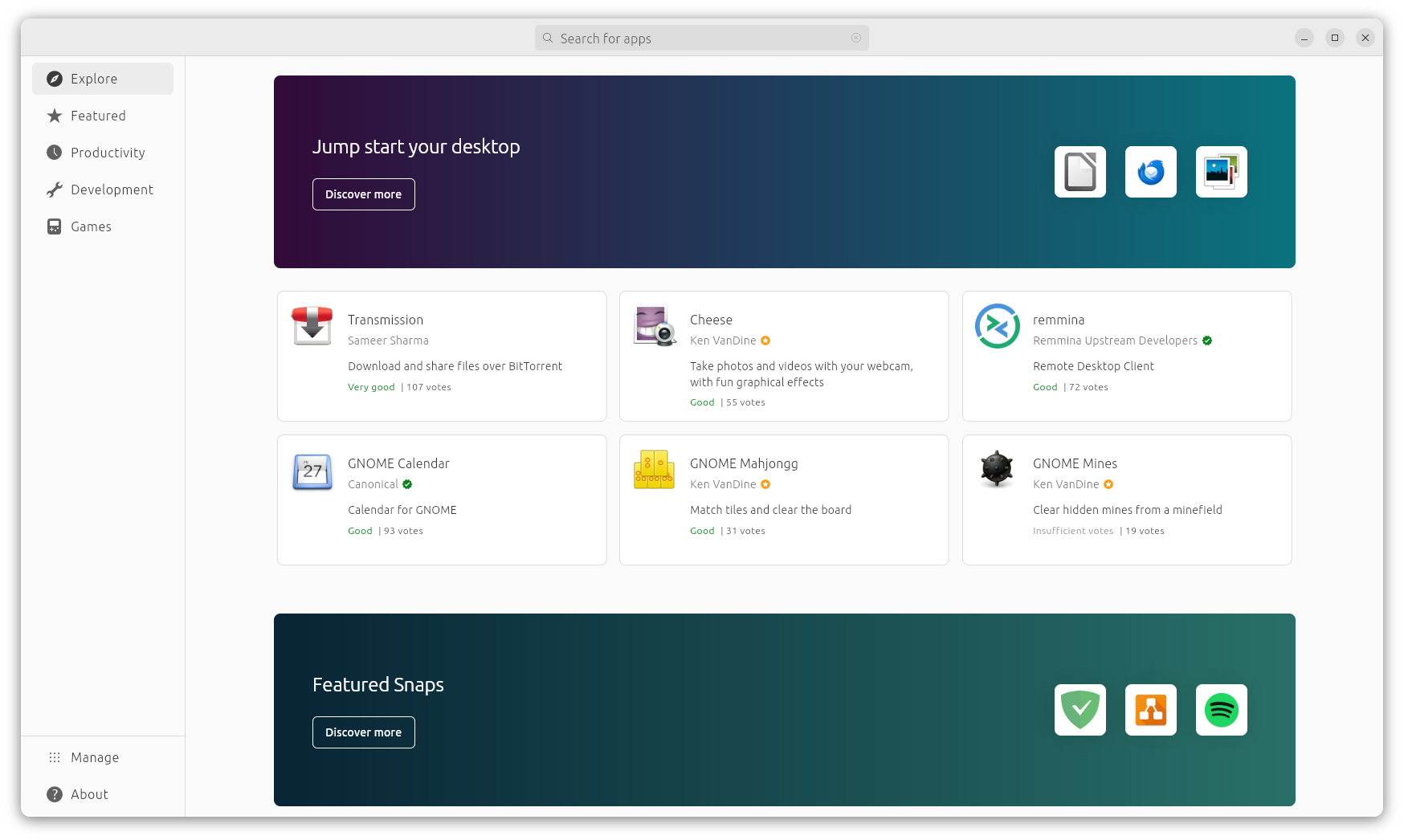
Moreover, with Ubuntu 24.04 LTS, the apps are organized in such a way where you will find different sections of top apps to help you find useful apps.
Not just limited to that, the screen to manage/check for installed apps also got an overhaul where you get the details in an organized manner.
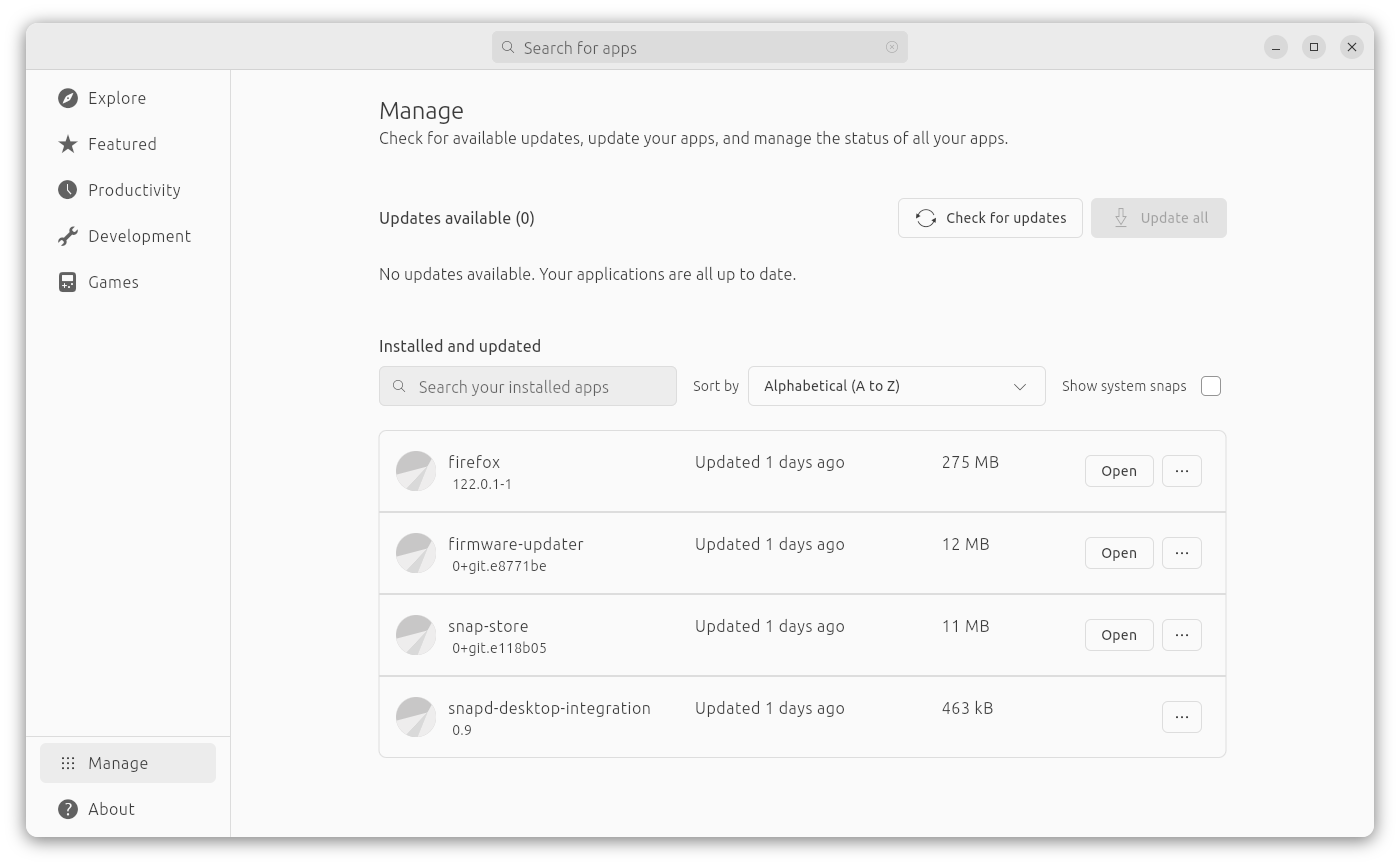
You can choose to filter the list, check for updates, update all of them, and manage them. Something similar to how we manage/list apps on Android.
So, you know what works best and what most of the users like to use.
4. GNOME 46
The latest and greatest GNOME 46 is planned to be baked in with Ubuntu 24.04 LTS.
Presently, the daily builds do not feature GNOME 46 yet. However, considering GNOME 46 is now in its beta phase, it should not be long for the implementation with Ubuntu.
You can expect refinements to GNOME settings, with tweaks for a more organized layout and other new features. Some of it can be seen in the recent builds.
A new entry "Security & Privacy" instead of just Privacy:
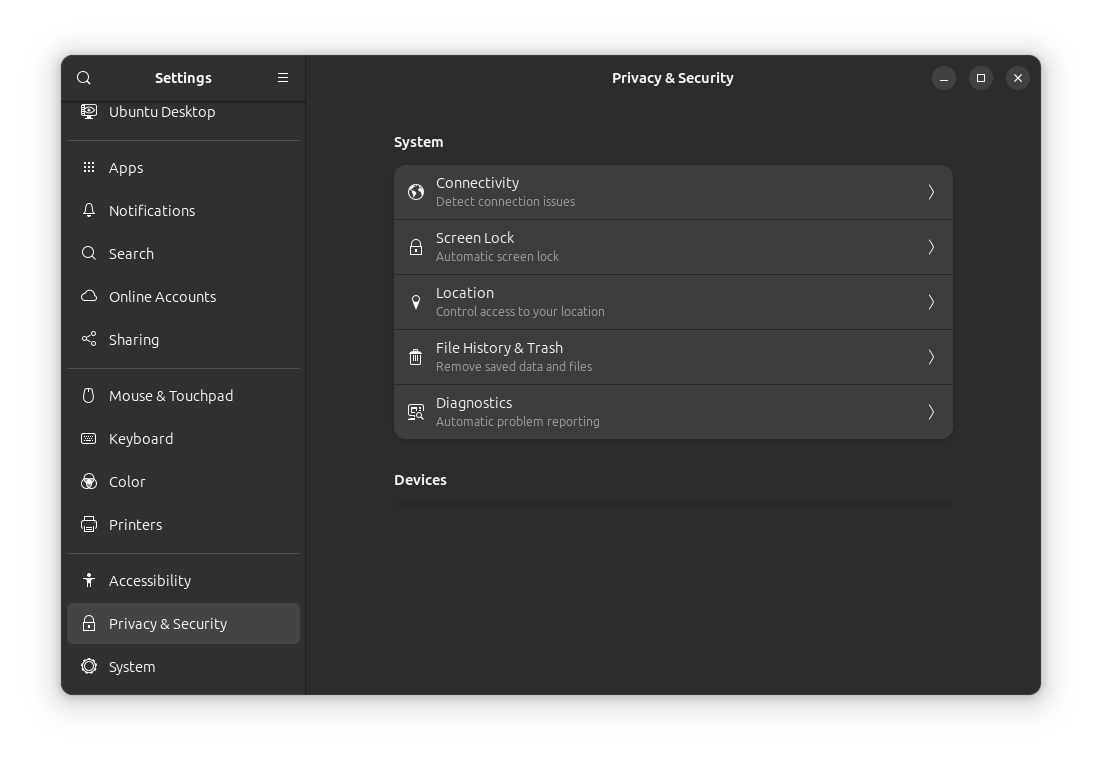
If you compare it to Ubuntu 23.10, options like Users, Default Apps, Date & Time, and Region & Language have been moved under a new menu "System".
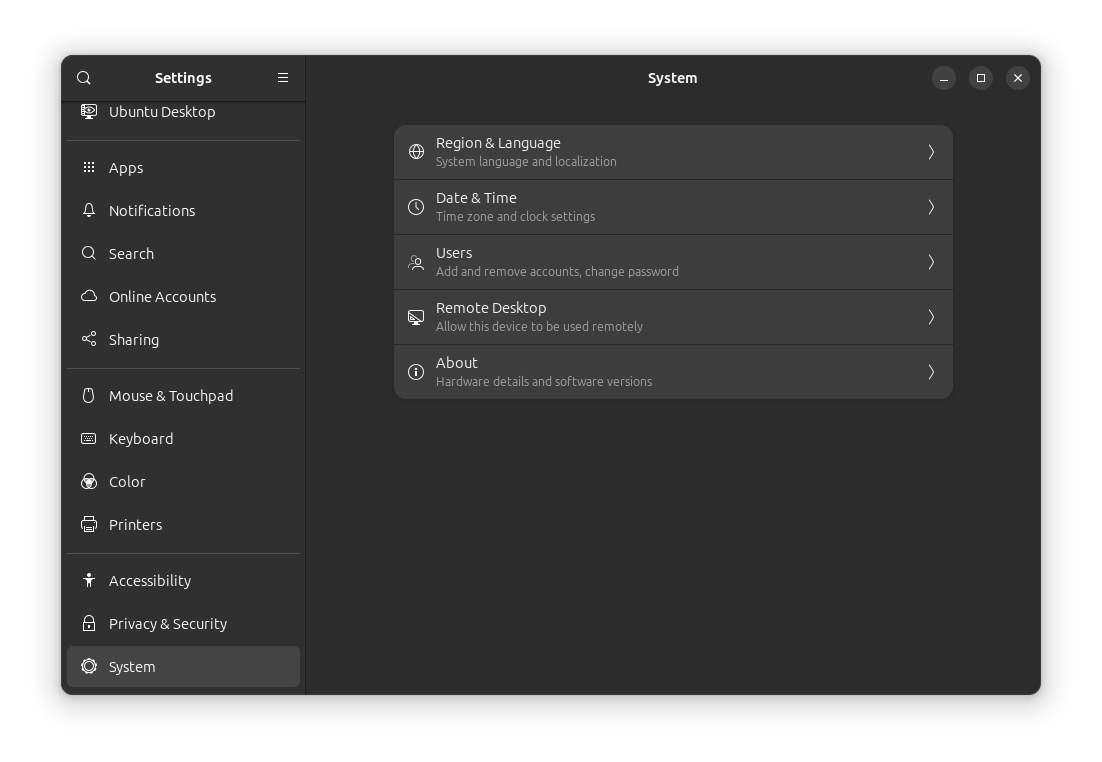
Of course, Ubuntu's approach for GNOME 46 will be a bit different from the vanilla experience. So, we shall update the information here when we have more on this.
Not just limited to the visual changes, you can expect the Ubuntu 24.04 LTS repository to include GNOME's new image viewer Loupe, and the webcam app Snapshot.
For instance, install the webcam app using the following command:
sudo apt install gnome-snapshotSnap or no snap — personally, I like the convenience of Ubuntu app compatibilty. Hence, I came back to Ubuntu right after switching to Fedora...
 Ankush Das
5. New Firmware Updater
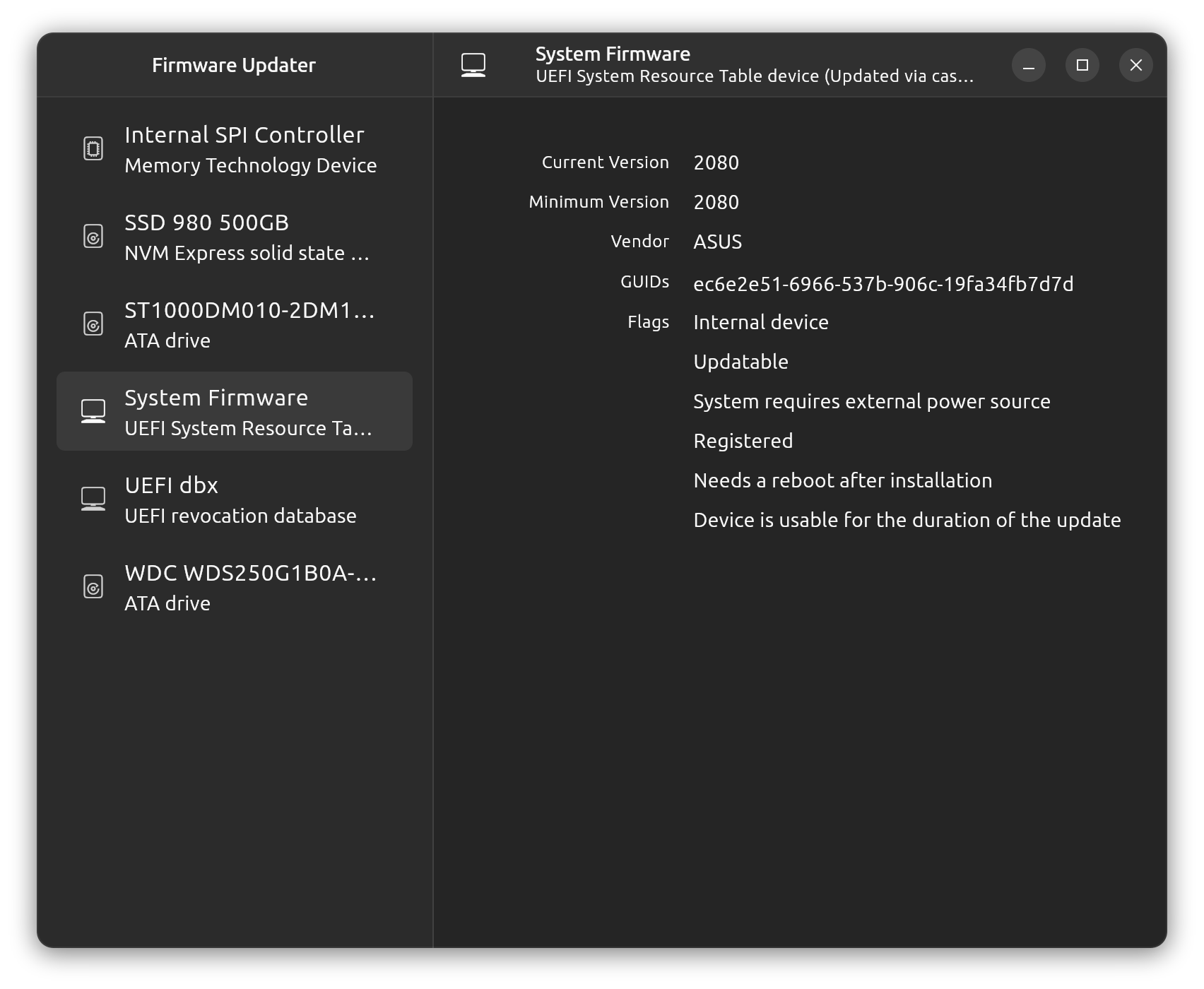
A convenience added. You can now manage firmware using the GUI with the firmware updater tool.
You need to be careful when applying an update (making sure you know what you are doing, and have a backup). But, it makes things easier to keep firmware up-to-date.
6. Security Improvements
Unprivileged user namespaces restrictions have been added by default for all the apps, system, and third-parties.
Similarly, security hardening has also been done for binaries where the GNU C library provides protection against buffer overflow conditions.
AppArmor Linux Security Module within the Linux kernel gets an update with a newer v4.0 version. With that, you get to enforce the least privileges to applications on accessing resources.
As an end-user, you do not have to worry about this. This is useful for a system administrator making control access policies for the system.
Not to forget, older TLS versions have been disabled by default to keep things secure.
7. Improved Notifications
The notifications for Snap app updates will be more meaningful with an action prompt available.
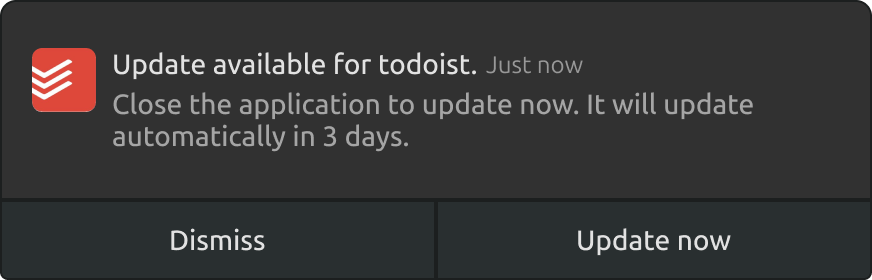
Not just limited to Snap apps, there are plans to add an indicator to the app's dock icon to inform the user that an update is available. It should be helpful even if you dismiss the update prompt.
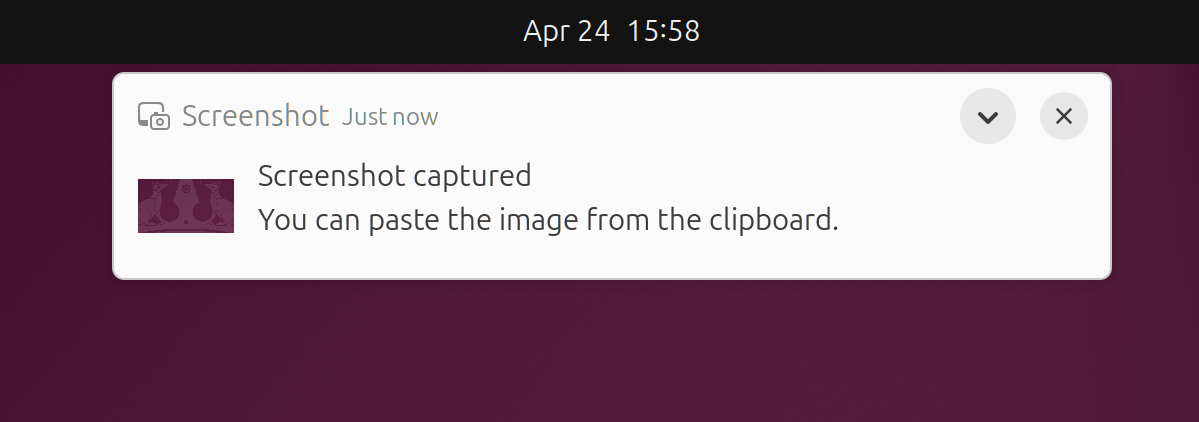
The usual notifications also look better, thanks to GNOME 46, providing additional information:
8. Linux Kernel 6.8
Ubuntu 24.04 features the latest Linux Kernel 6.8 with various improvements for newer hardware.
You can explore more about the kernel in our older coverage:
Ankush Das
💬 So, what do you think of the feature-set coming to Ubuntu 24.04 LTS? Share your thoughts in the comments section below!
