

Sensing the tech trend, Ubuntu tried its hands on creating a Linux-based mobile operating system. The first announcement came a decade back and six years down the line, Ubuntu closed the curtains on the project.
What went wrong? How it started? Is Ubuntu Touch still alive? Let’s take a look at the history of Ubuntu Touch in chronological order.
Shuttleworth Announced Ubuntu Touch
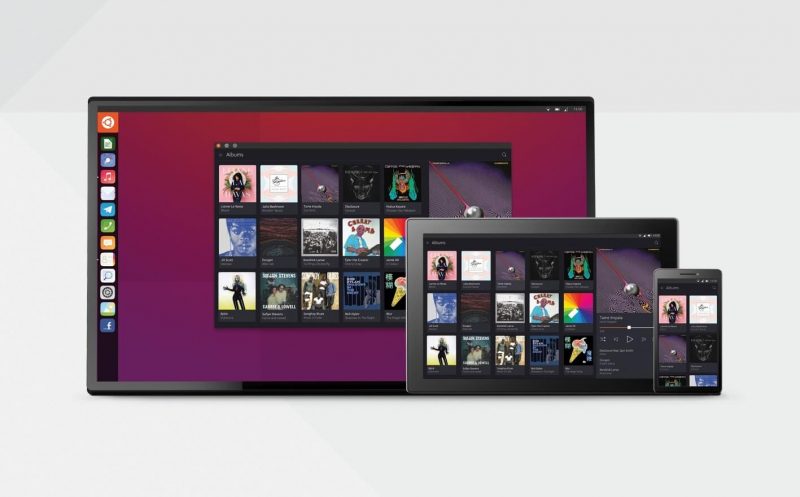
The Ubuntu Touch project began with a blog post by Canonical founder Mark Shuttleworth. The blog post, dated October 31, 2011, started with a bold prediction: “By 14.04 LTS Ubuntu will power tablets, phones, TVs and smart screens from the car to the office kitchen, and it will connect those devices cleanly and seamlessly to the desktop, the server and the cloud.”
Shuttleworth went on to explain that this move would be accomplished mainly through the use of the company’s new desktop environment, Unity. (Unity was introduced in Ubuntu 10.10.) “Unity, the desktop interface in today’s Ubuntu 11.10, was designed with this specific vision in mind.”
The whole idea behind Unity was to create an interface that would work on different screen resolutions.
“Unity’s core elements are arranged in exactly the way we need to create coherence across all of those devices. This was the origin of the name Unity – a single core interface framework, that scales across all screens, and supports all toolkits.”
Shuttleworth said that this move was motivated by the increasing use of mobile devices. “Make no mistake – just as the world is changing for manufacturers so is it changing for Linux distributions. Today, 70% of people in Egypt access the Internet solely via the phone. Even in the US that figure is a startling 25%.”
Ubuntu Touch is Released to the World
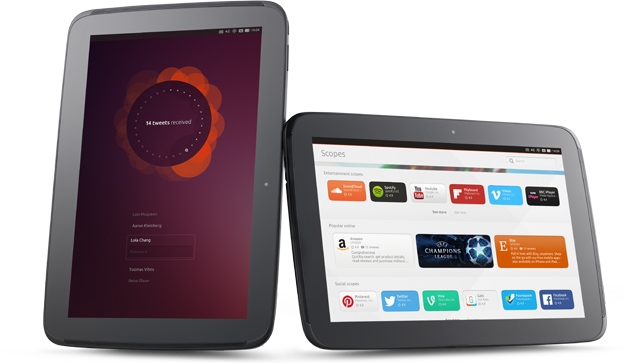
The Unity desktop environment was originally introduced in the netbook version of Ubuntu 10.10. However, the phone interface wouldn’t be seen by the public until 2013. Mark Shuttleworth demoed it at the 2013 CES.
Ubuntu Touch 1.0 was baked into the Ubuntu 13.10 release. This version primarily supported “Galaxy Nexus and Nexus 4 phone” with other images being available, as well.
The system requirements for Ubuntu Touch looked a little bit like this:
| Entry-level Ubuntu smartphone | High-end Ubuntu “superphone” | |
|---|---|---|
| Processor architecture | 1Ghz Cortex A9 | Quad-core A9 or Intel Atom |
| Memory | 512MB – 1GB | Min 1GB |
| Flash storage | 4-8GB eMMC + SD | Min 32GB eMMC + SD |
| Multi-touch | Yes | Yes |
| Desktop convergence | No | Yes |
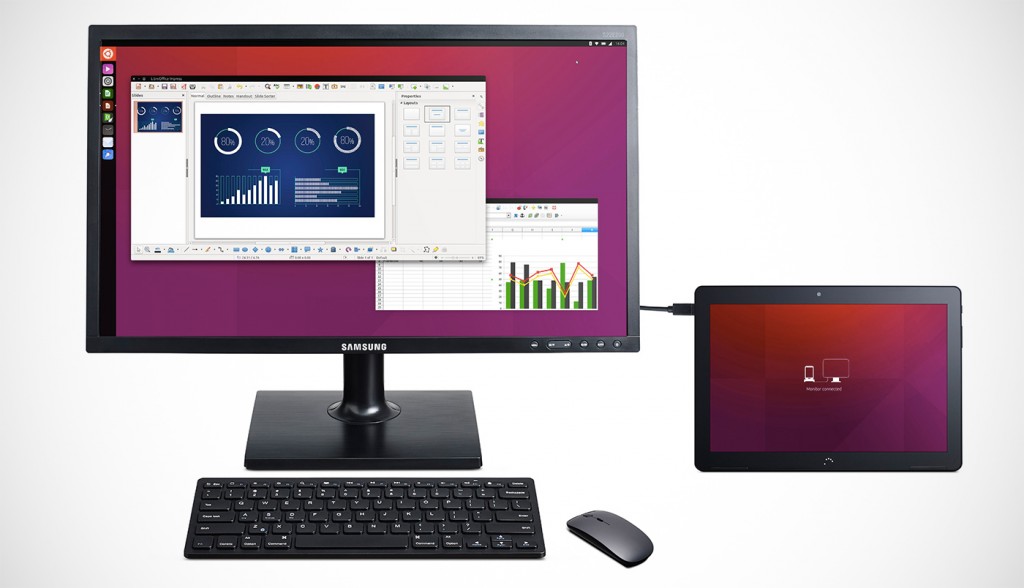
Note: The last item on the above list (desktop convergence) might be a new idea to some people. This meant that you could use your Ubuntu Touch device like a phone, but you could also hook it up to a display, keyboard, and mouse to use it as a desktop. Unfortunately, Ubuntu Touch never gained this feature.
Ubuntu Tries to Crowdfund a Phone
To show off what an ideal Ubuntu phone would look like, Canonical started a crowdfunding campaign to finance the Ubuntu Edge on July 22, 2013. The goal was to raise $32 million in a month to produce 40,000 devices.
According to the campaign’s page, Canonical hoped to use the new device “to provide a low-volume, high-technology platform, crowdfunded by enthusiasts and mobile computing professionals. A pioneering project that accelerates the adoption of new technologies and drives them down into the mainstream.”
The Ubuntu Edge was considered high-end at the time with the following specs:
| Mobile OS | Dual-boots Android and Ubuntu mobile |
|---|---|
| Desktop OS | Ubuntu Desktop |
| RAM | 4GB |
| Internal storage | 128GB |
| Screen | 720 x 1,280, 4.5 inches |
| Protection | Sapphire Glass |
| Connectivity | Dual-LTE, GSM |
| Speakers | Stereo |
| Battery | Silicon-anode Li-ion |
| Price | $695 |
Interestingly, several large companies pledged money. For example, Bloomberg pledged $800,000. They made this pledge because they believed that Ubuntu Touch “could benefit its clients and the future of mobile Relevant Products/Services computing.”
Ultimately, the campaign didn’t reach its goal. It only reached $12.7 million or 37% of the goal. The amount raised was the biggest a crowdfunding campaign ever saw.
Ubuntu Touch Goes into Production (Sort of)
Though Canonical failed to make its own hardware, it continued working on the software part i.e., developing the Ubuntu Touch mobile operating system.
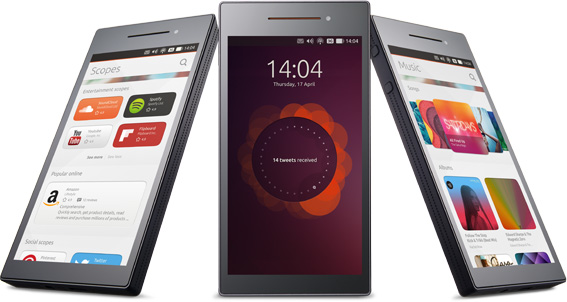
Ubuntu Touch was released to device makers in 2014. That same year, two device makers committed to produce Ubuntu phones. These two companies, Chinese Meizu and Spanish BQ, weren’t exactly global household names, but Shuttleworth said that was all part of the plan.
“While we’re happy to work with household names, we want to be involved with partners for whom we can be a significant part of their story, rather than being appended to the more complicated story of other brands.”
Both companies produced and released several phones with Ubuntu Touch as the main operating system. BQ also released an Ubuntu Touch tablet. However, no other manufacturer signed up to make Ubuntu Touch devices.
Canonical Discontinues Ubuntu Touch
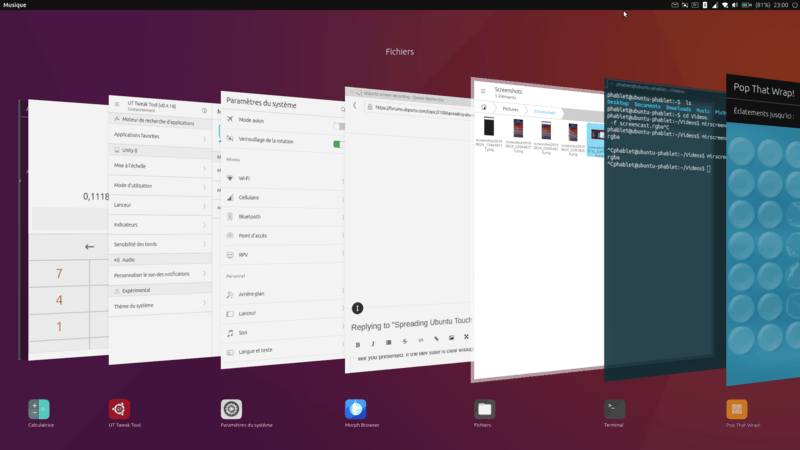
In early April of 2017, Mark Shuttleworth made another announcement. After mentioning that Canonical had experienced an “excellent quarter and excellent year”, Shuttleworth announced the end of the Ubuntu Touch and Unity. “I’m writing to let you know that we will end our investment in Unity8, the phone and convergence shell.” Instead, Canonical would focus on desktop Ubuntu.
He continued:
I took the view that, if convergence was the future and we could deliver it as free software, that would be widely appreciated both in the free software community and in the technology industry, where there is substantial frustration with the existing, closed, alternatives available to manufacturers. I was wrong on both counts. In the community, our efforts were seen fragmentation not innovation. And industry has not rallied to the possibility, instead taking a ‘better the devil you know’ approach to those form factors, or investing in home-grown platforms. What the Unity8 team has delivered so far is beautiful, usable and solid, but I respect that markets, and community, ultimately decide which products grow and which disappear.
He closed by saying that it was a hard decision to make because of his strong belief in the future of convergence.
The Community Keeps the Project Alive
When Shuttleworth’s announcement hit the internet, all the supporters of Ubuntu Touch were shocked. Many were unsure of what would happen to the devices that they owned. Thankfully, the community came to the rescue.
Shortly after Shuttleworth’s announcement, Marius Gripsgård announced that the UBports team would be keeping Ubuntu Touch alive. UBports was already well known in the Ubuntu Touch community for their work on porting it to more devices.
Several other projects tried to do the same with the desktop version of Unity, but most did not last long. One of them had the inventive name of Yunit but I guess it is not actively developed anymore.
UBports is the only project that is keeping Ubuntu Touch alive by continuously working on its development.
Epilogue
Ubuntu Touch was not the success that Canonical wanted it to be. It was too early for the market. However, it did lay the groundwork for the Linux phones that we have now.
I believe that the PinePhone and the Purism Librem 5 phone would not have come about without Ubuntu Touch sparking interest in a Linux phone. At the same time, the Canonical engineers and programmers solved problems that laid the groundwork for these modern phones. You don’t get successes without a few failures along the way.
If you found this article interesting, please take a minute to share it on social media, Hacker News, or Reddit.
