


I started using Trello around 2013-14 to work on a team project. Trello was new and rising at the time for its simplicity of providing a collaborative Kanban board.
After its acquisition and recent AI surge, Trello has changed a lot. But I still miss its simplicity in Kanban style tools I have tried so far.
As I lean more towards, open source and self-hosting, I have collected a bunch of projects that can be considered in the same league as Trello.
My search for open source Trello alternatives was based on mainly finding simple kanban boards with team collaboration and public boards option. Integration to external services, mobile apps and the ability to import Trello projects are also worth considering. Since we are in the AI era, automation and AI agent access shouldn't be ignored either.
So, let's begin to see what open source tool can replace Trello for you.
1. Kan.bn
Kan is a sleek, modern looking Kanban task board. Built with Typescript, Kan provides a modern user interface and experience. It comes with all of the classic Trello features so you get boards and workspaces, labels and filtering. You also have the ability to comment and check activity logs on the tasks.
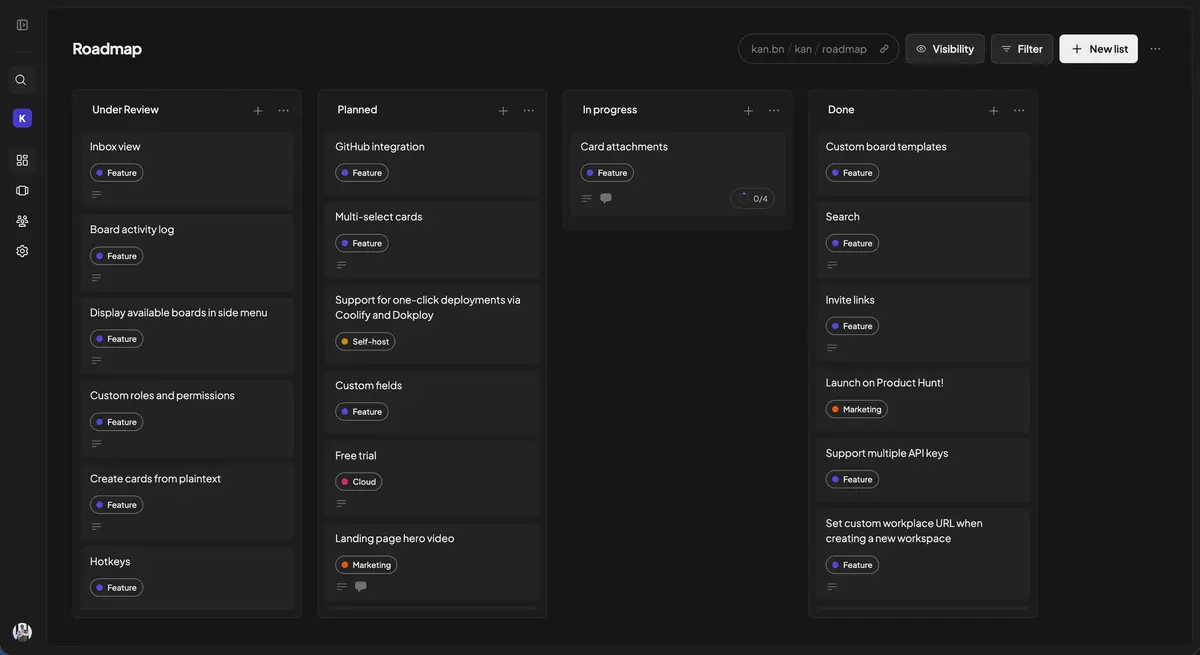
There is no automation or AI feature at the time of writing this article. Which is not entirely a bad thing because sometimes simplicity itself is a feature.
One thing that does bother me is the lack of smartphone apps. I like to keep a track on tasks while on the move.
That doesn't mean Kan doesn't provide ways for efficient work. They are already working on implementing templates so that you can easily create same type of tasks. Integrations with external tools is also a work in progress.
The biggest feature for people moving away from Trello is that you can import your Trello boards directly in Kan. That makes it a true open source alternative to Trello.
Kan can be self-hosted or you can pay for their hosted service. Hosted service is free for single user.
2. Planka
If you want to use something that looks and feels like Trello, look no further than Planka. Look at the screenshots, and you'll feel like you are looking at Trello itself.
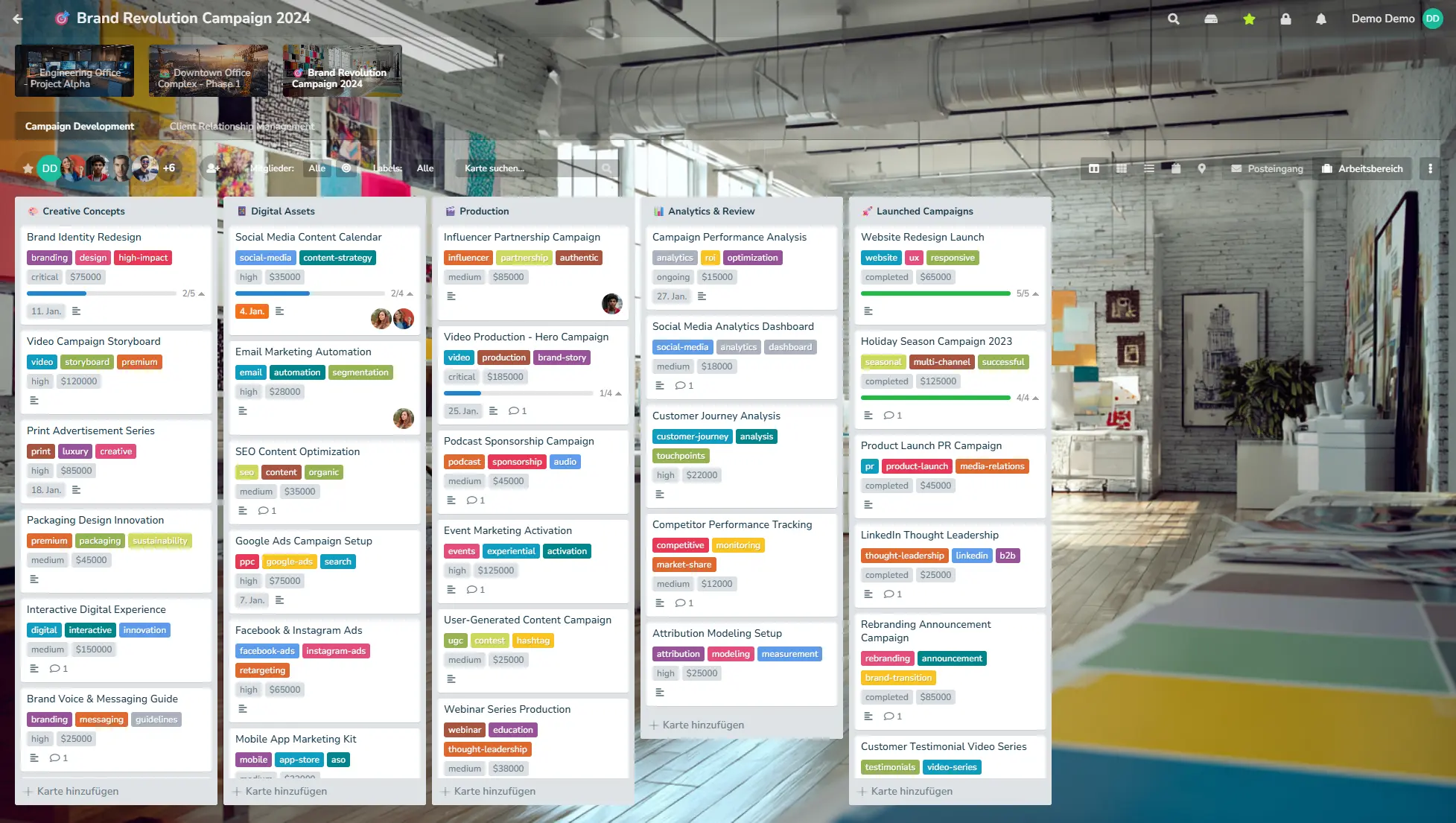
You get all the usual Trello and kanban board features. You have lists with tasks and those tasks can have deadline and time tracking. Kanban, grid and list views are available. You should also be able to import your Trello tasks here.
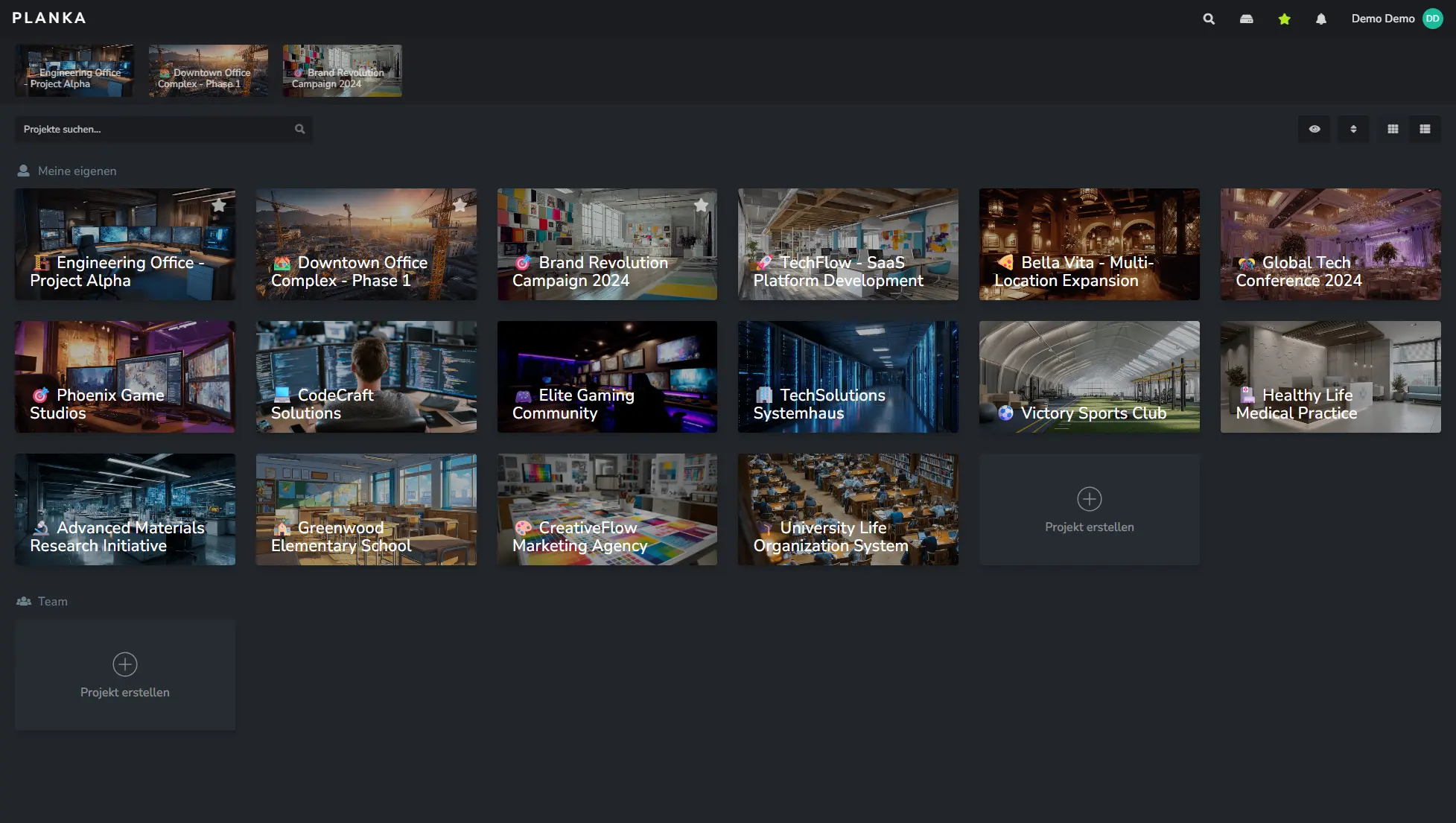
REST API with 50+ webhook events helps you integrate task management with external tools in your workflow.
Public boards were supposed to arrive with version 2 but I don't think that has happened yet.
Organizations can have single sign on along with Google, Azure AD and more.
There are no official mobile apps for now. If you must use one, there is a community app in progress. I would suggest waiting for the official mobile apps, instead.
Licensing and pricing are issues here. There are two versions: community and pro. Both versions are available in hosted and self-hosted formats. The pro version has additional features like user roles, recurring cards, UI customization for organization branding etc. You can self-host the community edition for free. Everything else has a price tag, including self-hosting the pro version.
Licensing is 'fair use' and it is not clear that they use a clear, open source solution. I would keep them in 'source open' category.
3. Vikunja
Vikunja is primarily and an open source, self-hostable Kanban board that you can use on your own and with your team. You can add labels, create relation between tasks, add deadlines and priorities.
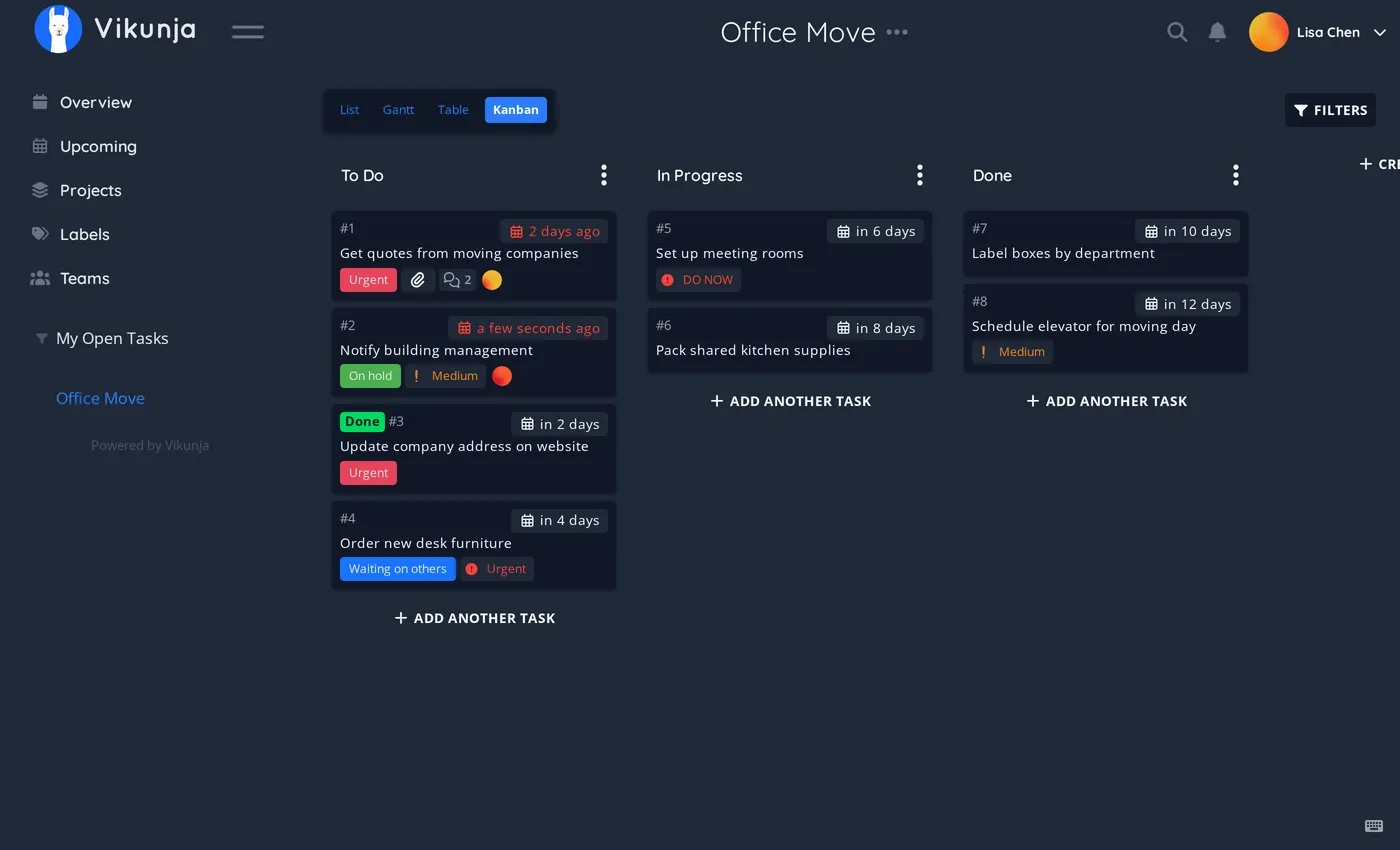
Tasks and boards can be shared with public, too. This makes it easy to collaborate with external people and they don't even have to create an account.
Apart from Kanban, you also get list, tabular and Gantt chart views. Recurring tasks, sub tasks, due date notification, you get them all.
I like the idea of the "quick add magic". It's a helpful featuere specially if you work with AI to create task description. In the description, use keywords like mention a date and it adds that as a due date. This saves you the trouble of manually assigning labels, due dates, priorities etc.
Vikunja doesn't have smartphone apps but it does let you import your Trello projects.
Written in Go, Vikunja claims to be speedy. How to verify the claim? Well, there is a demo board you can test, no log in required.
It is AGPL licensed and you can self host it on your own or opt for managed hosting from Vikunja itself.
4. Wekan
Wekan is one of the OG open source Trello alternatives. You can self host it on your servers. It feels more enterprise and organization oriented than individuals and lean team. The interface is a bit dated for my liking but still good enough for managing tasks without eye candy.
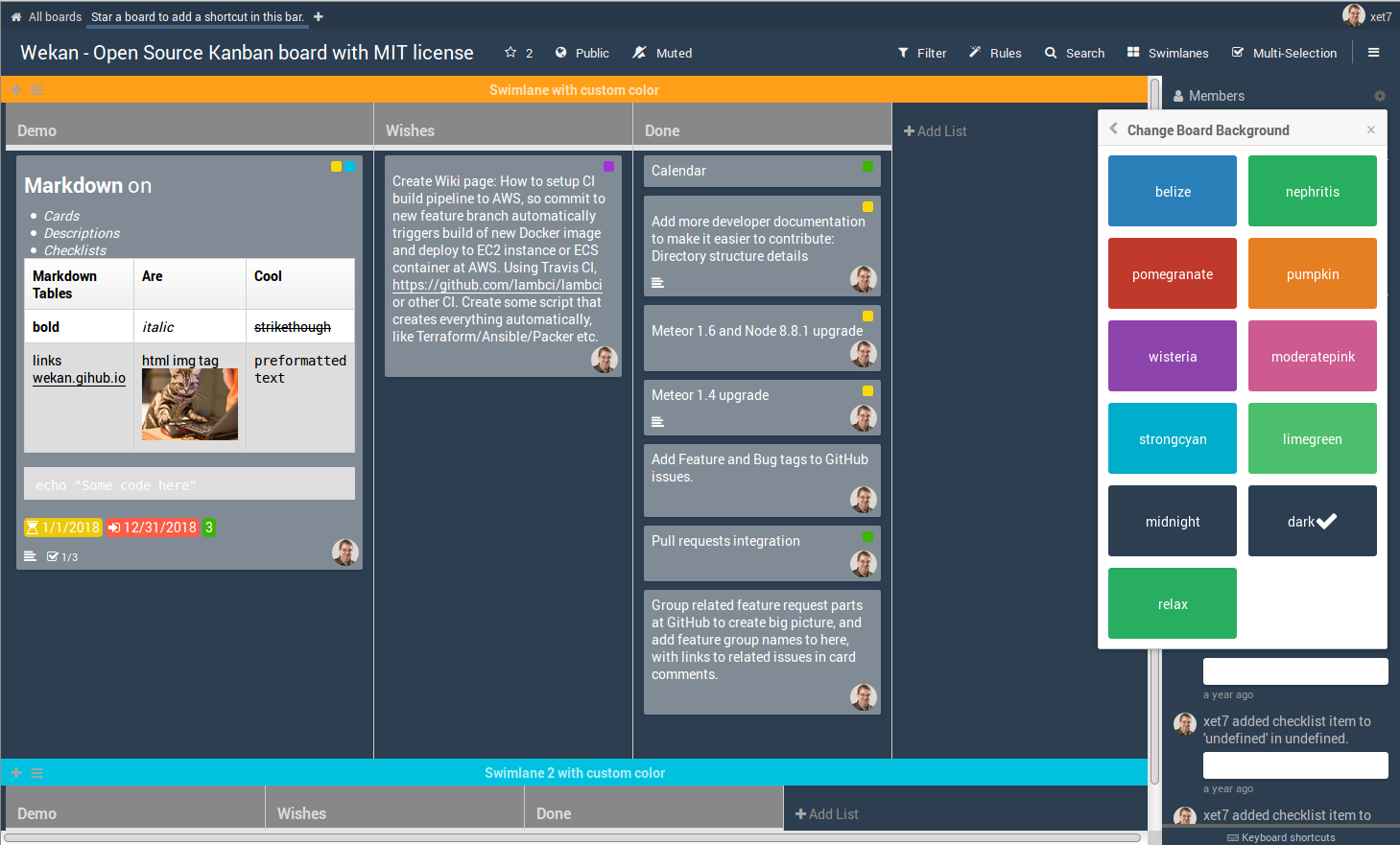
The promise is simple. You get boards, lists and tasks. It is collaborative and since its enterprise oriented, there is option to purchase commercial support.
There are mobile apps listed on their website but I didn't find anything on the Trello import. No AI integration as far as I can see.
5. Tududi
Funny sounding name aside, Tududi is somewhat of a Clickup alternative. You have boards, areas (work, life, personal) and the ability to create notes. Which is a great way to share common docs with the team.
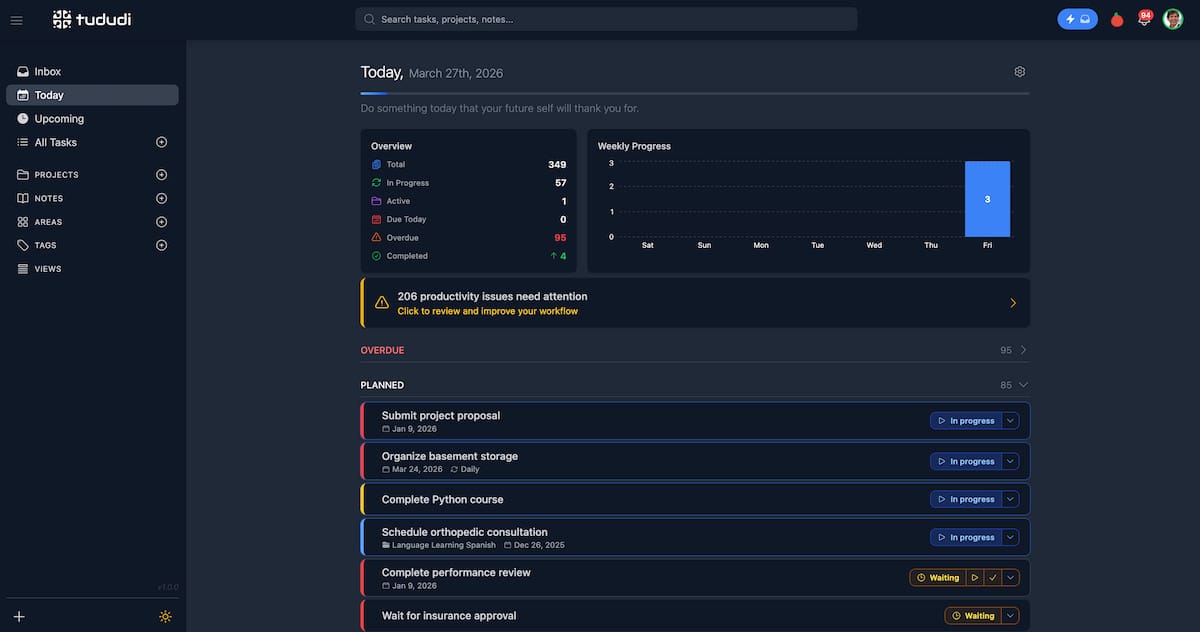
There are plenty of features to like here. Recurring tasks, subtasks, priorities, labeling, deadlines. All the usual stuff is already here with a few smart features. Progress can be tracked with completion stats and productivity patterns.
No smartphone apps but responsive design makes it easy to follow tasks on web browser on your mobile devices. Don't see automation or AI features here, either. Not sure about public board, too.
It can be self-hosted via Docker or you can use the hosted service from the developer.
6. Leantime
While not exactly a Trello clone, Leantime is a project management tool created specifically with ADHD and neurodivergence in mind. So you get more color codings, emoji-based priority features.
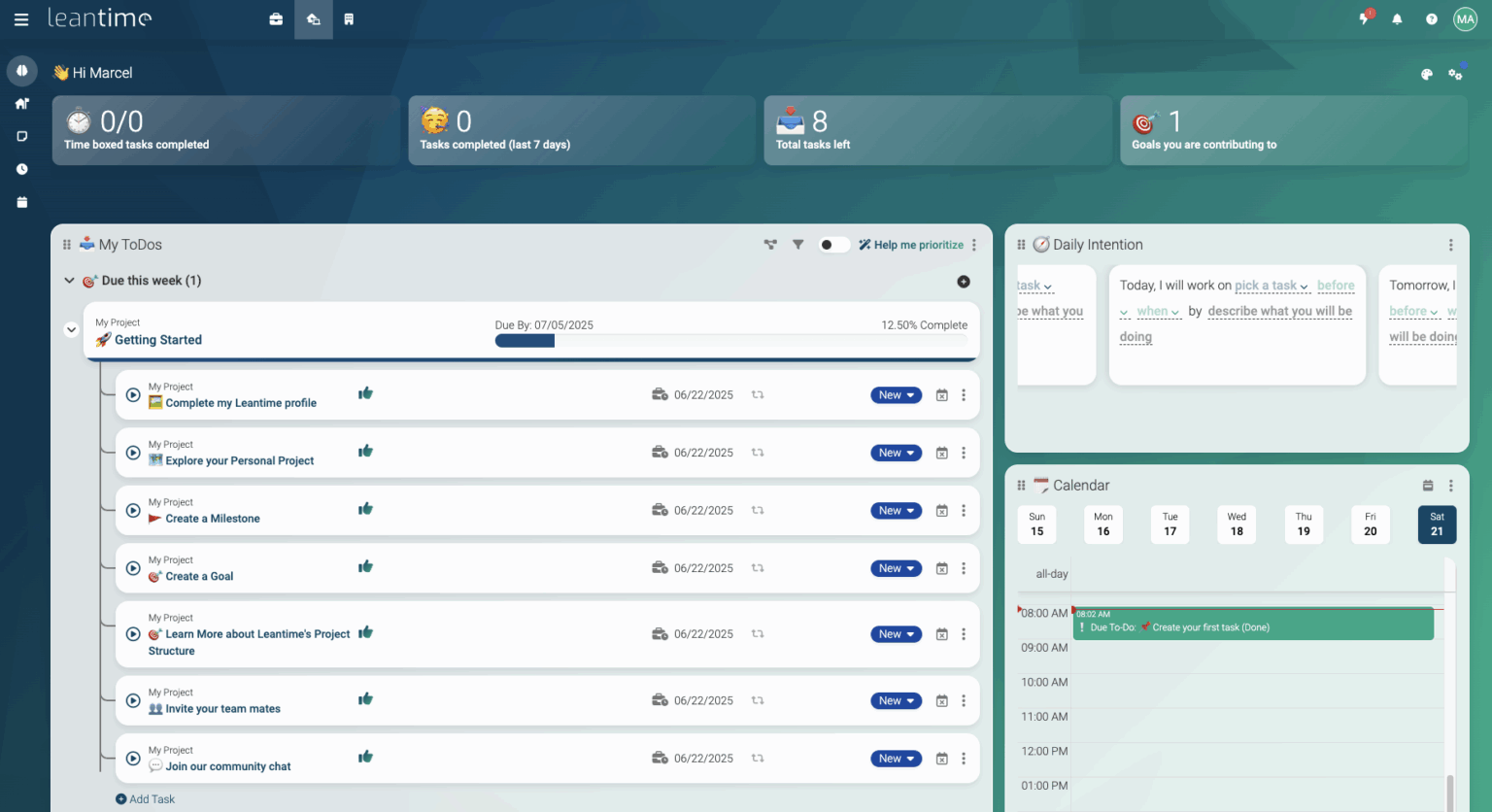
There is a "personal view" that shows all your tasks in one place irrespective of which board they belong to. This is something I have seen in ClickUp.
You can also take notes that won't be saved in the main tasks and would only be used in personal view.
You can track productivity with built in reports and see how the project is coming together.
Another thing that I feel is helpful is the ability to create a blueprint for a project. So instead of creating the main project board immediately, this can be used for the (pre) planning phase.
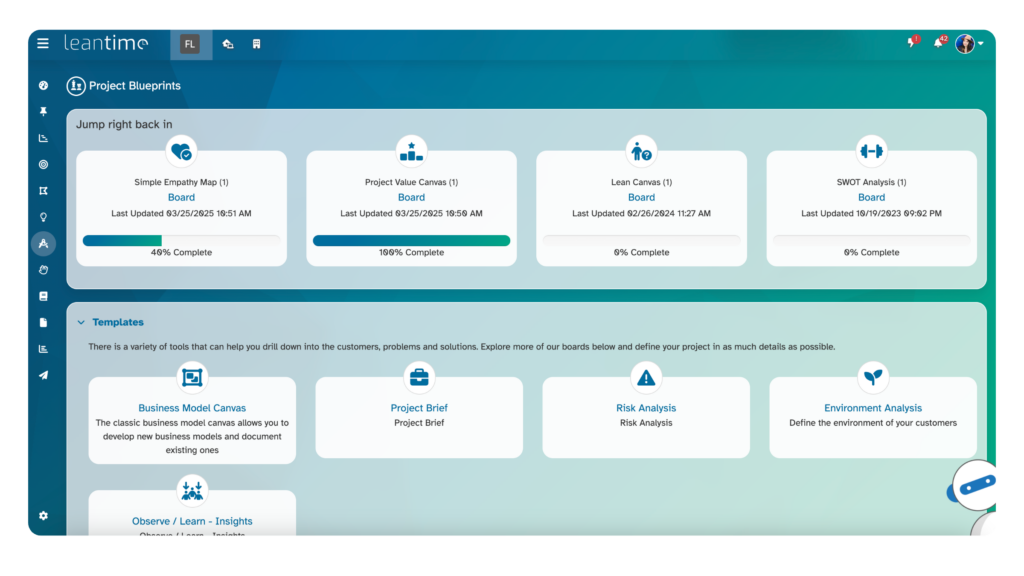
Leantime also has builtin whiteboard for creating mind maps and wireframes to visually represent your thoughts.
7. Fizzy
From the makers of Basecamp, Fizzy is a relatively new tool and claims to make "Kanban as it was supposed to be". Which means it is keeping things simple by giving you boards with only the most essential features.
We have been using Fizzy for the past several months for managing our tasks here at It's FOSS.
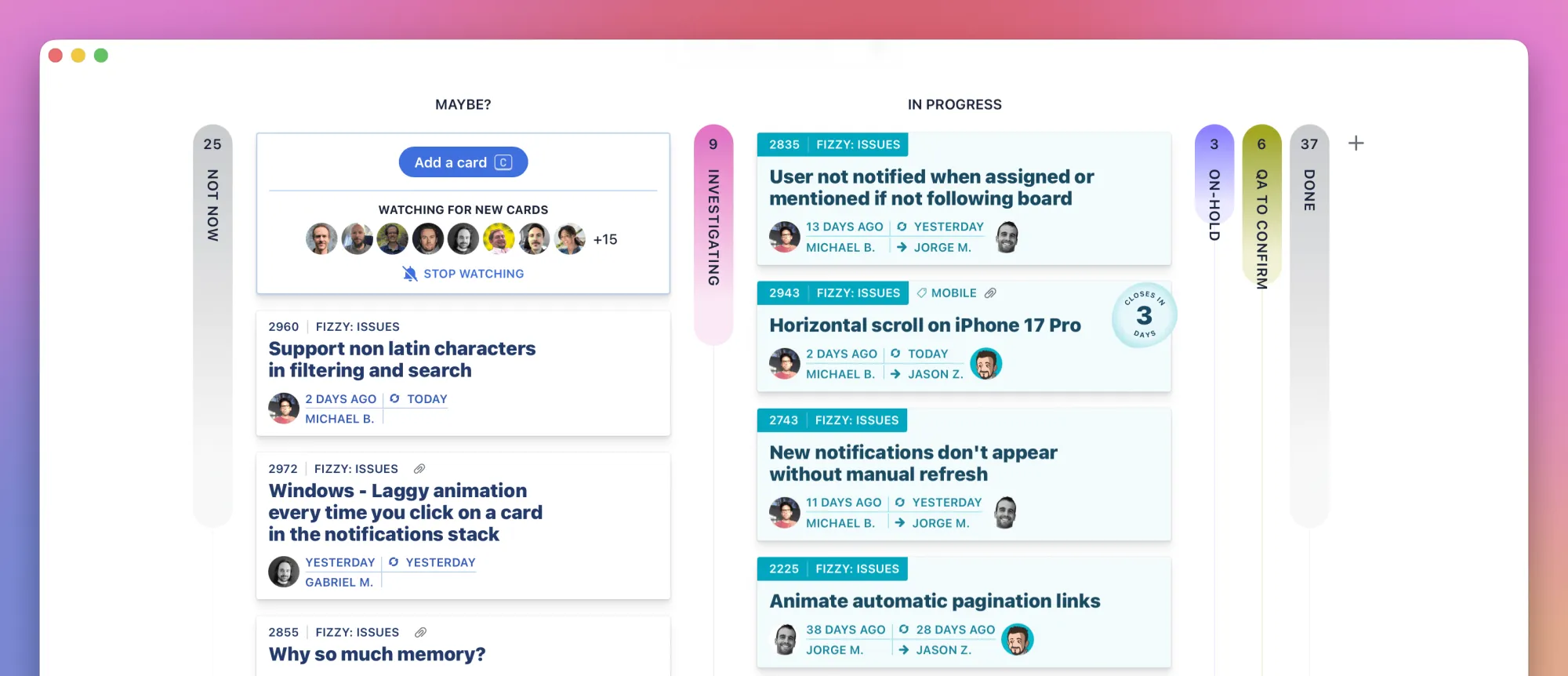
Auto close is the feature that you won't easily find in other project management tools. Once you add a task, it gets added to Maybe list by default. And if the task sees no activity (edits, comments, moving to other lists), it gets moved to a "Not now" list that is hidden from the main view.
Another thing here is that no matter how many lists (columns) you add, you can only view two of them at a time. Helps with focus, apparently.
Fizzy has smartphone apps that makes it easier to manage tasks without sitting in front of a computer.
My biggest gripe with Fizzy is that it doesn't have a deadline feature. Everything is either Maybe, Intermediate lists or Done. And then removing tasks from Done list is done one by one manually, no multi-select here. So if your board has hundreds of finished tasks and you didn't delete them immediately, you have to delete them one by one. Or you just let them stay in the Done section which kind of looks odd when the number increases.
Public boards are available in Fizzy so you can use it for sharing project roadmaps. Webhooks let you integrate to external tools.
Fizzy also has CLI version and thus allowing you to use an AI agent for accessing and managing the board, if that's your thing.
There is no direct way for importing Trello projects in Fizzy. So that's something worth noting. Also, Fizzy is source available, not open source.
You can self-host it or use the hosted service which is free anyways.
Bonus: Schedule
Now this one is completely different than the rest of the Trello alternatives mentioned here. Schedule is a simple, kanban style todo list of your Linux desktop. It doesn't have collaboration features, cannot be self hosted or accessed via web browsers.
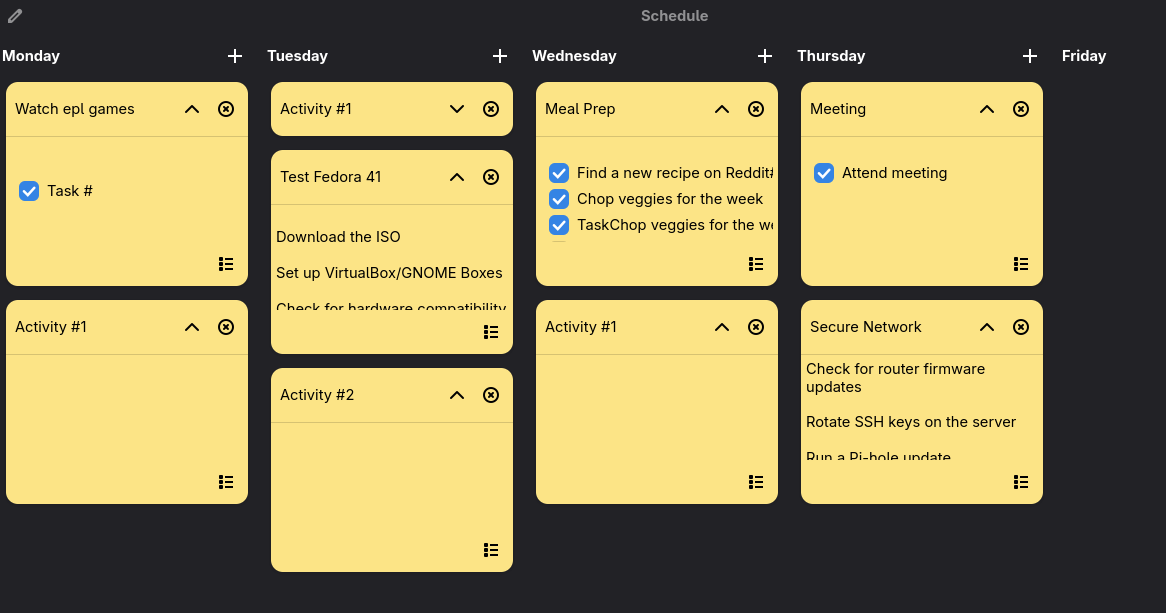
It's a desktop application. You install it, you create your boards, add tasks and work on them. Sometimes you need that. Either you don't work with a team or external collaborators or you just want a separate place for your personal projects.
And if that's the case for you, a regular desktop kanban app like Schedule does the job.
Which tool should you use to replace Trello?
I have deliberately not included these in my list here:
- Nextcloud Deck: Kanban feature is good but it's just one part of a different type of software suite.
- Plane, Mattermost and OpenProject: Full-fledged project management suite. Overkill for just Kanban feature.
- Kanboard, Restyboard, Taskboard: No longer actively developed.
- Nocobase, Baserow: More of no code CRM oriented tools than just Kanban boards.
And to answer the question...it all depends on your requirements.
If you want a simple Kanban tool that looks modern, go with Kan. You can use it for free or self host it or opt for the paid hosted version. Fizzy is also a good choice if you don't need deadline features. Vikunja is also rising in popularity and worth a dekko.
I would suggest checking each tool and its features and see if they will be your ideal open source Trello alternatives.
Your turn now. Which Kanban tool do you use? Did you find something worth trying in this list? Share it in the comments,
If this helped you, consider supporting It's FOSS
It's FOSS has been helping people use Linux for the past 14 years. Help us stay independent from big tech. Become a Plus member, enjoy ad-free reading and get 5 eBooks.
Skip the AI slop and SEO spam in your Google results
Tell Google you prefer It's FOSS, and it will show our Linux news and tutorials, created by experienced Linux users, more often when you search. It takes just a click.
Set as preferred sourceGet FOSS Weekly in your inbox
