


Achievement unlocked 🔥🥳 🎊
It's FOSS crossed 100K followers on Twitter. That's good news.
What's better is that we crossed 10K followers on Mastodon, the open source, decentralized Twitter alternative.
Now, that's the real achievement.
💬 Let's see what you get in this edition of FOSS Weekly:
- Continuation of our Bash Basics series
- A post-quantum-secure cloud storage solution is in the works by Tutanota
- And other Linux news, videos, and, of course, memes!
📰 Linux news
- System76 has launched a new PC case series.
- PeppermintOS's Debian-12 based release is here with a major rebrand.
- Canonical moves LXD project under its wings.
- Libreboot released a new version.
- Tutanota's latest project aims to provide a post-quantum-secure cloud offering.
- ReactOS is not dead; they recently published a blog with progress updates.
🧠 What we’re thinking about
Yeah... still cannot get over Red Hat's decision. Here's an opinion piece on why it's a bad move in the long run. It got quite a buzz in the last few days.
 Community
🧮 Tutorials
In the fourth chapter of our Bash Basics series, learn to do basic mathematics in Bash.
 Abhishek Prakash
'ls' is the most used command in Linux; learn how to use it efficiently.
Sagar Sharma
Remove unwanted software repositories from Ubuntu by following our guide.
Sagar Sharma
📹 What we are watching
If you like video podcasts, here's a good episode from The Linux Cast for Debian fans.
✨ Project highlights
Here's a nice little generator for Bash prompts.
 Scriptim
A new terminal written in Rust and coupled with AI? But it needs to create account for using cloud features. I am not a fan of such approach.
 warpdotdev
🧩 Puzzle (for Pro members only)
Guess various file managers in the Linux desktop ecosystems in this puzzle.
Abhishek Prakash
🛍️ Interesting deal for you
Featuring a mix of beginner-level and masterclasses, this comprehensive video course curriculum will help you get a handle on using Python for AI and machine learning applications, data analytics, and more.
Your purchase supports Children’s Miracle Network.


💡 Quick handy tip
In GNOME's Nautilus file manager, you can drop a folder into the terminal and it converts to its absolute path.
For example, cd <drag and drop a folder> will enter to the directory.
Even better use is with the files. Let's say you have a deb file to install.
You type part of it and drop it like this: sudo apt install <drag the deb file>
It will give you the absolute path of the deb file.
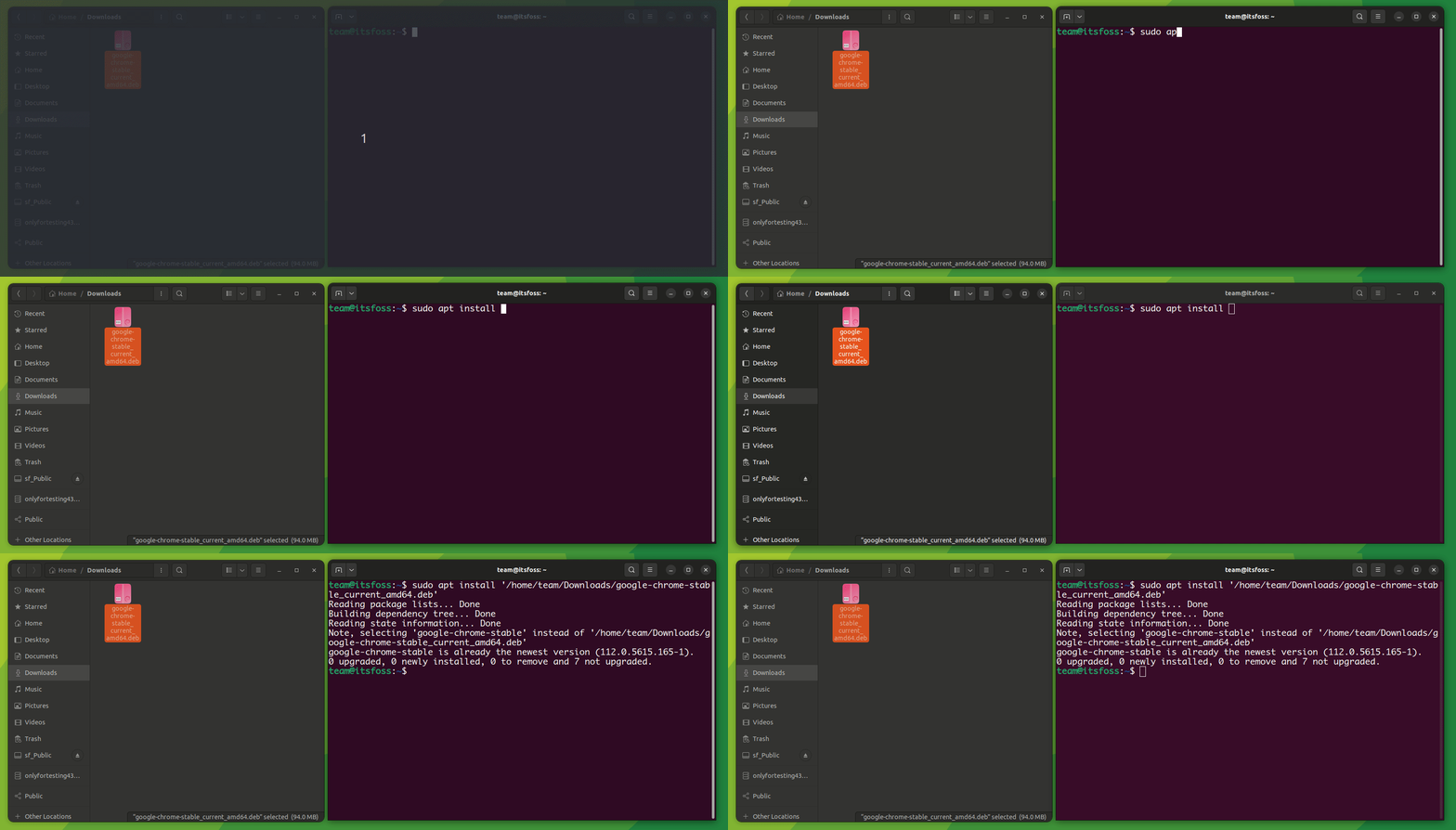
Give it a try.
🤣 Meme of the week
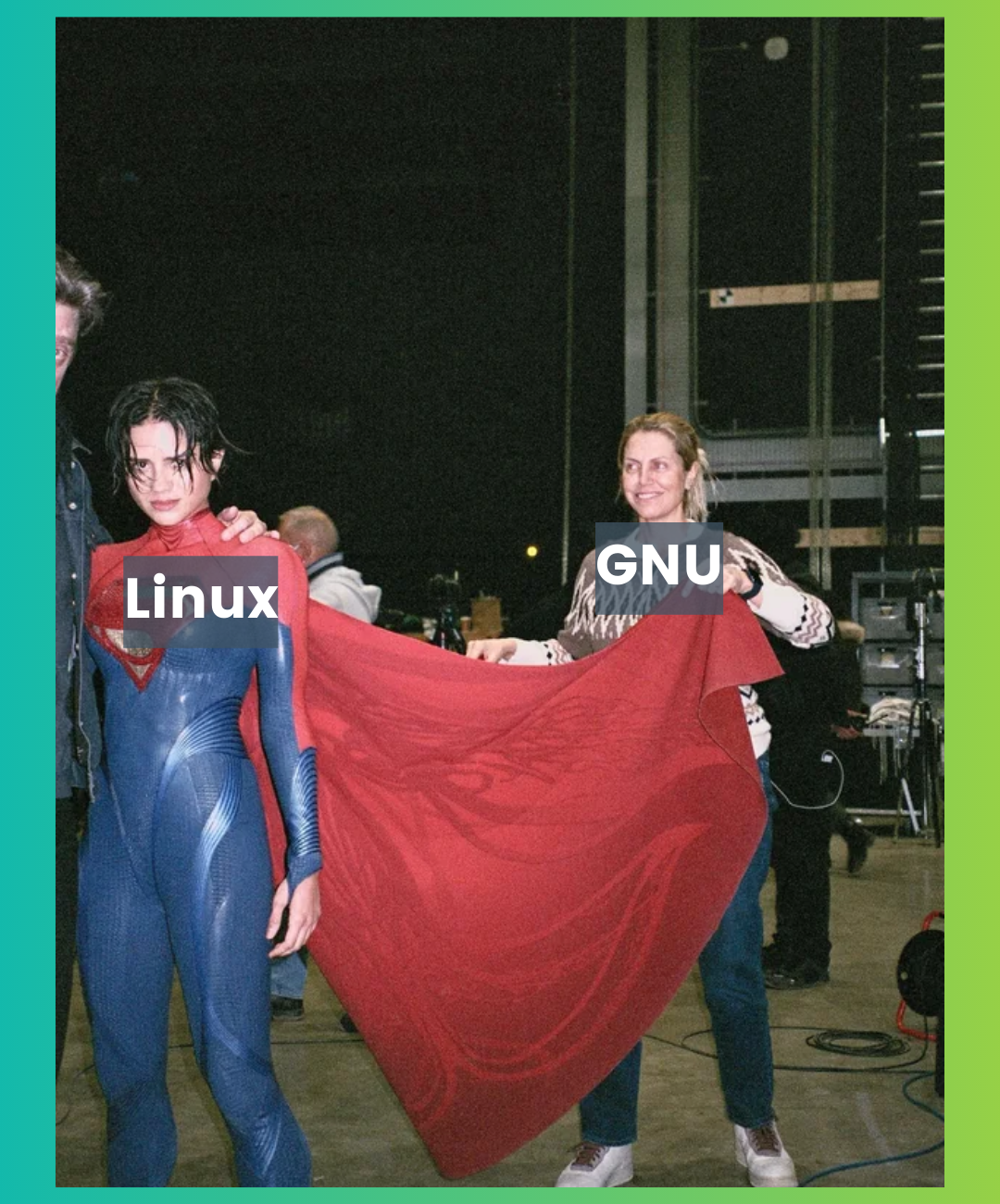
Do you agree?
🗓️ Tech Trivia
On July 4, 1956, MIT's Whirlwind became the first ever computer to allow user interaction through a keyboard. Before that, user inputs were provided through dials, switches and punch cards.
🧑🤝🧑 FOSSverse corner
An interesting thread by two of our dedicated community members, Neville and Rosika on the inner workings of the 'virt-manager package' which uses qemu/KVM to run virtual machines inside a host Linux system.
 nevj
nevj
Come and share your thoughts, too!
❤️ Enjoying FOSS Weekly?
Forward it to Linux-using friends and encourage them to subscribe (hint: it's here).
Become a Pro member and show your support 🙏
Something else? Share it with me by pressing the reply button.
Don't stop loving It's FOSS :)
If this helped you, consider supporting It's FOSS
It's FOSS has been helping people use Linux for the past 14 years. Help us stay independent from big tech. Become a Plus member, enjoy ad-free reading and get 5 eBooks.
Skip the AI slop and SEO spam in your Google results
Tell Google you prefer It's FOSS, and it will show our Linux news and tutorials, created by experienced Linux users, more often when you search. It takes just a click.
Set as preferred sourceGet FOSS Weekly in your inbox
