


Announced via a two-part series of blogs, Microsoft has moved WSL containers (WSLC) out of public preview and into general availability. Let's take a look at what it offers.
The new release comes with wslc.exe, a dedicated command-line tool for Linux container workflows on Windows. It ships with a built-in alias, container.exe, for those who prefer that syntax.
A Windows API also ships alongside it, giving native Windows applications a way to spin up and manage containers directly from code, as well as some new commands that include wslc events for tracking container activity, and --mount and --stop-timeout flags on create and run operations.
Networking is handled through a new model called Consommé, where container traffic leaves the virtual machine as Ethernet frames and is picked up by a Windows process running under the calling user's account. That process handles DNS, routing, and port mapping, letting traffic pass through VPNs and firewalls like any other Windows process.
For organizations, Microsoft Intune has gained two new settings specific to WSL containers. The first lets administrators enable or disable access to the WSLC feature entirely across managed devices. The second is a container registry allow list, which restricts image pulls to a defined set of approved sources.
Microsoft Defender for Endpoint's WSL plugin has also been extended to cover container activity. It can retrieve process, file, and network events from inside WSLC, connecting them back to the Windows host.
What is WSLC?
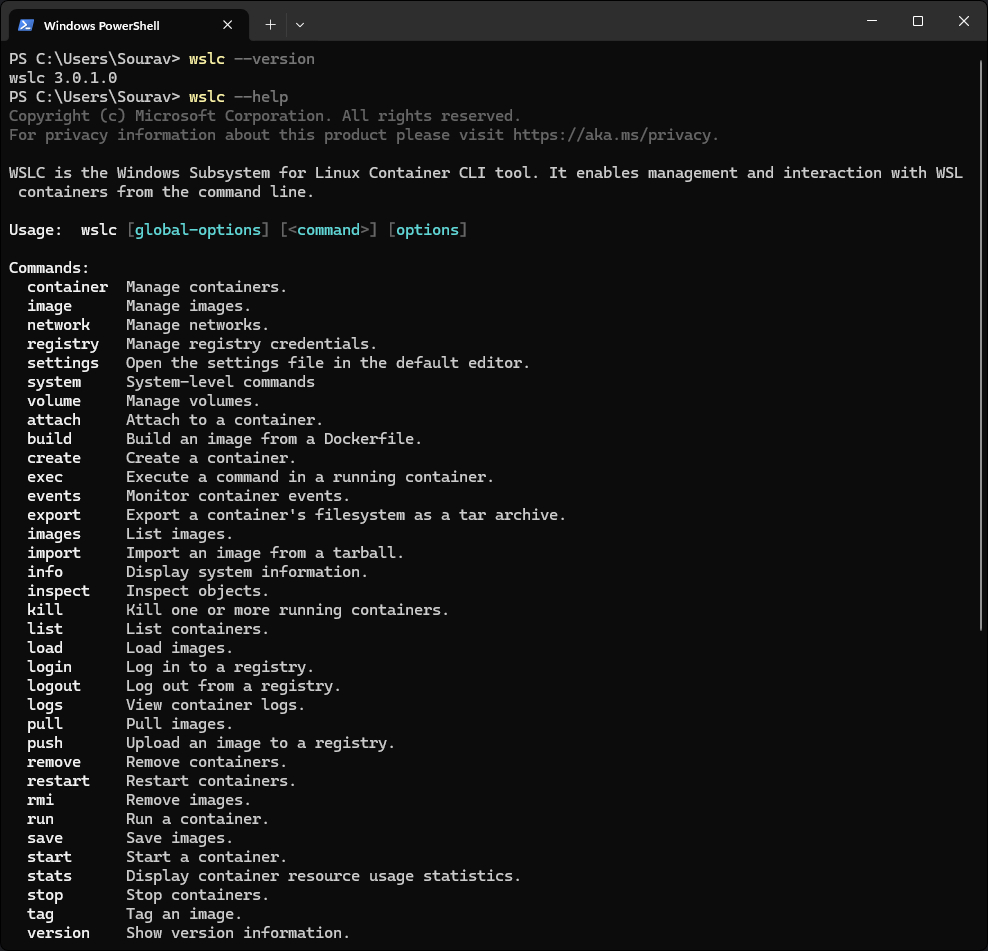
First you have to know about WSL, which stands for Windows Subsystem for Linux, that lets developers run Linux environments directly on Windows without needing to partition their drive or setting up a separate Linux machine.
Since WSL 2, it has shipped with a real Linux kernel inside a managed virtual machine, giving users access to Linux tools, distributions, and command-line workflows from within Windows.
WSLC extends this further by adding a dedicated layer for creating and managing Linux containers within that same WSL environment, making containerized workflows a native part of the setup.
It also separates container operations from the main WSL service by routing them through a dedicated child process, wslcsession.exe, which runs under the current user's account. This keeps each session isolated and container operations in a less privileged state than the WSL service itself.
For developers already working inside WSL, this means containerized applications can run in the same environment without reaching for a separate tool. The Windows API exposure also means native Windows applications can interact with containers programmatically.
Microsoft's WSLC architecture deep dive is a must-read if you want to know more.
Get it now
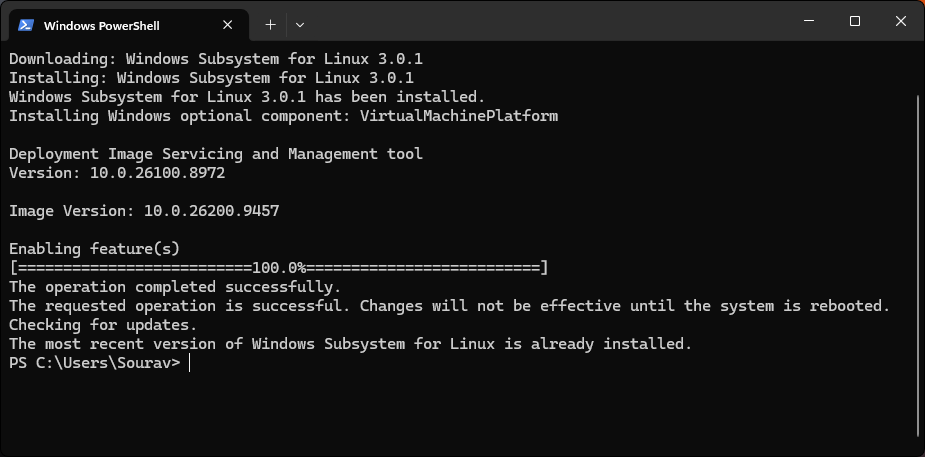
Running wsl --update in your terminal pulls in the latest WSL release, which includes WSL containers. Once updated, wslc is ready to use.
You can use these new commands to manage your containers. 👇
| Command | What it does |
|---|---|
wslc container restart |
Restart a container. |
wslc container cp |
Transfer files to and from a container as a tar archive. |
wslc system info |
Check the state of your WSLC environment. |
wslc network connect / wslc network disconnect |
Join or remove a container from a network. |
wslc network create |
Create a network, with support for custom driver options. |
For the full changelog and access to the source, head to WSL 3.0.1's release page on GitHub.
Enjoyed this update? Support independent Linux news coverage
It's FOSS has been helping people use Linux for the past 14 years. Help us stay independent from big tech. Become a Plus member, enjoy ad-free reading and get 5 eBooks.
Skip the AI slop and SEO spam in your Google results
Tell Google you prefer It's FOSS, and it will show our Linux news and tutorials, created by experienced Linux users, more often when you search. It takes just a click.
Set as preferred sourceGet FOSS Weekly in your inbox

