It was a while back when I covered a FOSS Android app (GreenStash) that encourages you to save money.
But, what about managing and tracking expenses? Where do you do that?
Well, I used to utilize a proprietary app until I came across Paisa.
Paisa: App That Makes You Want to Track Money
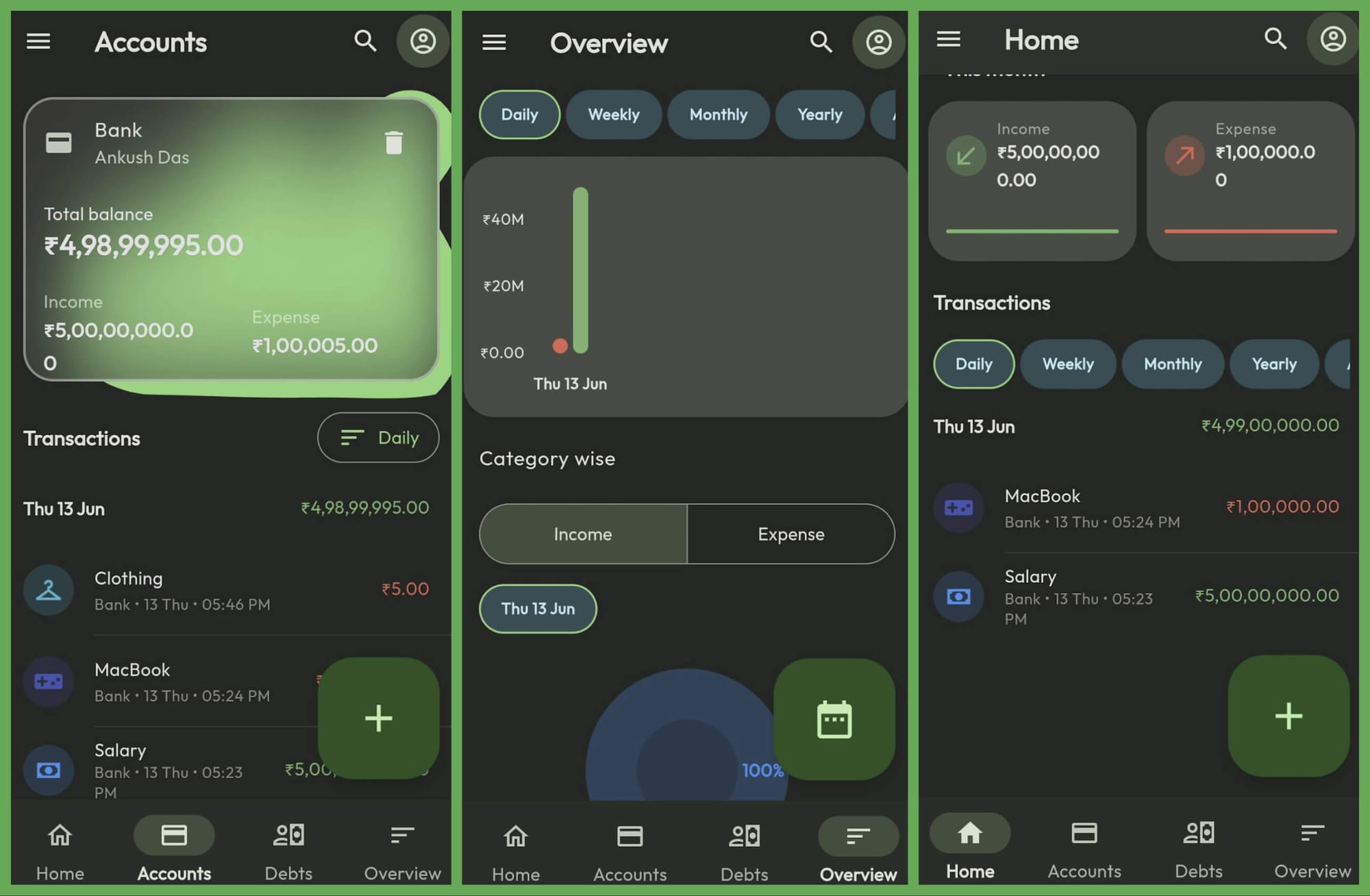
Paisa is a free and open-source app that lets you track your income and expenses.
You can add all kinds of transactions and view them at a glance to know how your expenses look for the month.
When you get started with the app, it walks you through adding a bank/cash account to work with, the categories of expenses you need, and the currency.
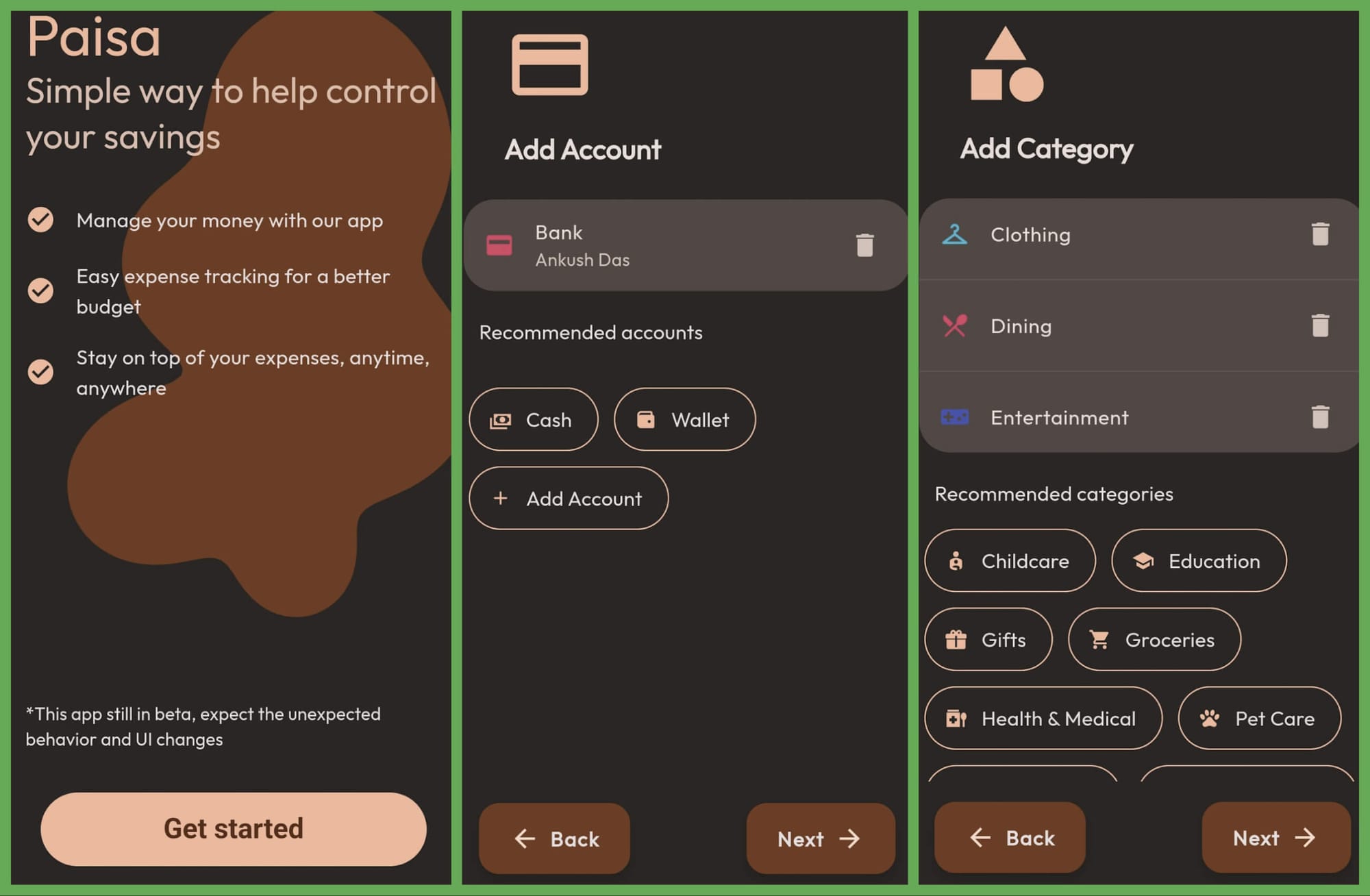
It supports a wide range of currencies, and is not geared towards any particular currency (unlike some finance apps on the Play Store).
For a change, the user experience is attractive and makes you want to interact with it to add expenses and look at the graphs, transactions, and more.
Other features include:
- Overview Graph
- Account card on app homescreen
- Ad-free and open-source
- Backup and restore
- Daily, Monthly, and Yearly filters
- Edit/Update transactions
- Multiple bank accounts
It requires you to enter a name for your expense/income, select the appropriate category, and the account to successfully add an entry. While that is not wrong by any means, I hope it had some default behavior on account selection so we do not need to tap a couple of icons and be able to quickly add the expense/income.
I primarily use Monefy app on Android (proprietary) and I find the user experience a bit faster. Yes, it is not that pretty, but the process is faster I would say.
Maybe I'm just nitpicking, but for a FOSS app, it is already doing plenty of good things.
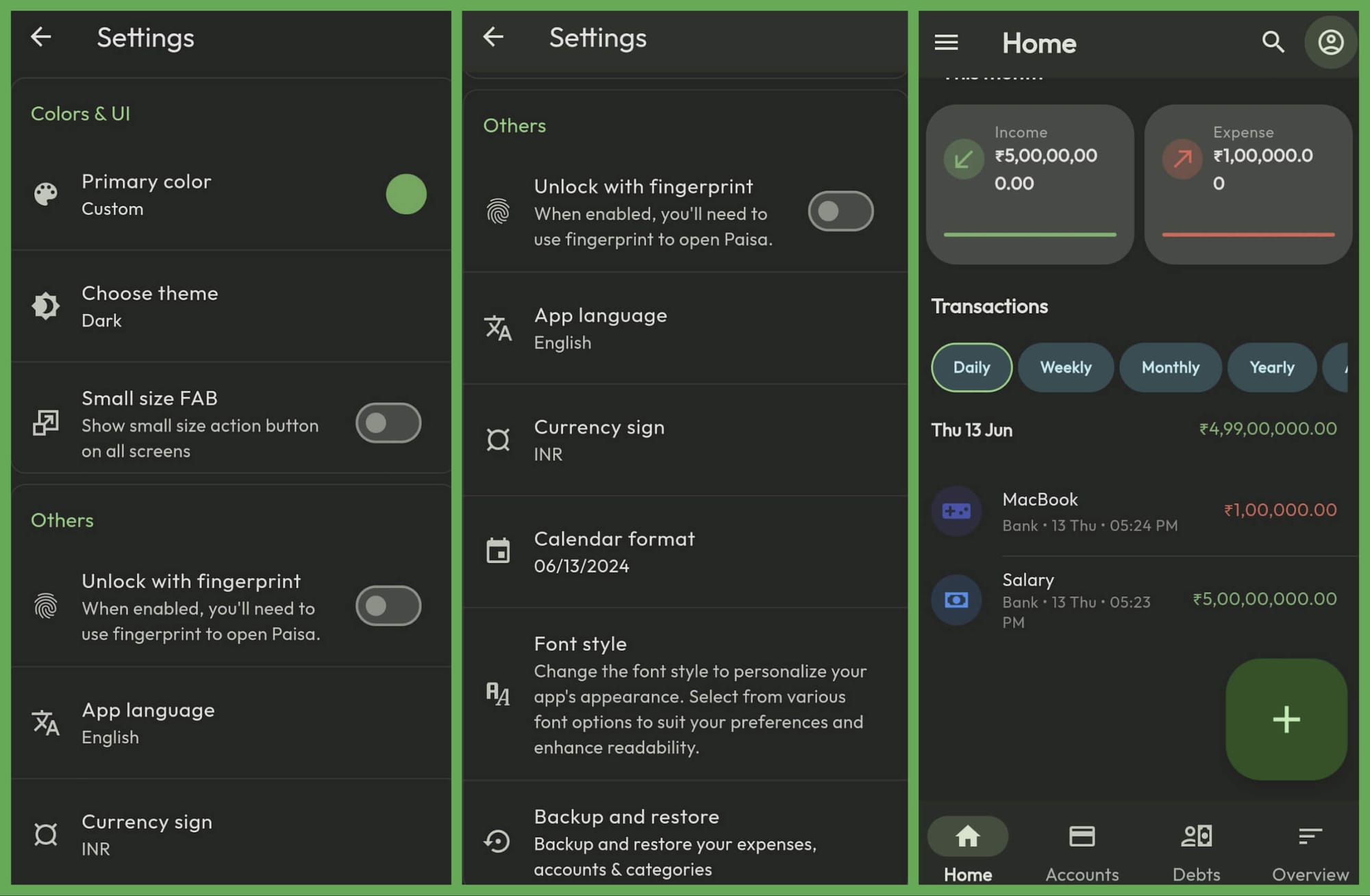
And, other useful features that I should highlight: recurring transactions, and customization of the theme color. So, you can add EMIs and subscriptions with a breeze without needing to add them manually every time, and still make the expenses look cool 😛
Download Paisa Now!
Paisa is a nice-looking expense manager.
It is available on the Google Play Store, and Microsoft Store (for Windows). For more info, you can explore its GitHub page.
💬 What do you think of Paisa? Did you know about this? Do you use something else as your expense manager app?
Suggested Read 📖
 Ankush Das