


Firefox has a new look that brings it up to 2026 web browser standards, where having a clean, minimal user experience is a growing phenomenon.
Called "Nova," the redesign leaked before an official announcement was ever made, with Mozilla playing catch-up a few months later via a technical blog outlining how they were approaching this major transition.
That transition turned out to be more work than the mockups made it look.
Six months after the leak
When the internal design files were made public in March, the mockups looked unlike any Firefox build before it. The tab bar, toolbar, and address bar were pulled into a single floating island at the top, with a visible gap between them and the page below.
Web content got the same treatment in those designs, sitting inside a rounded container lifted away from the browser's edges rather than running along with them. But the thing is, neither idea made it into the final release.
What we see in Firefox 157 is more refined. Tabs, menus, and the address bar are noticeably rounder, with a subtle gradient on the active tab that adds warmth to the interface.
Come, have a look
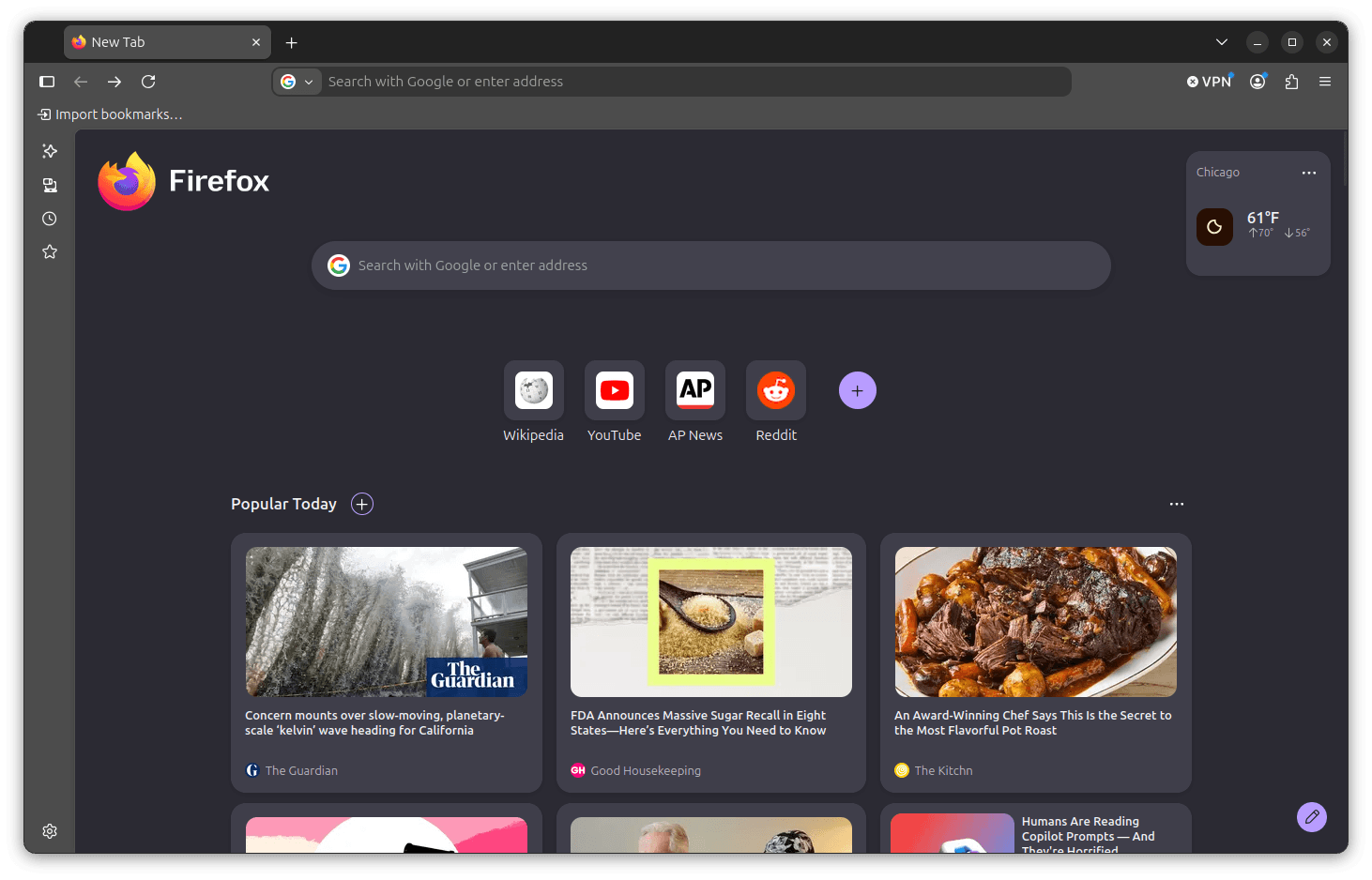
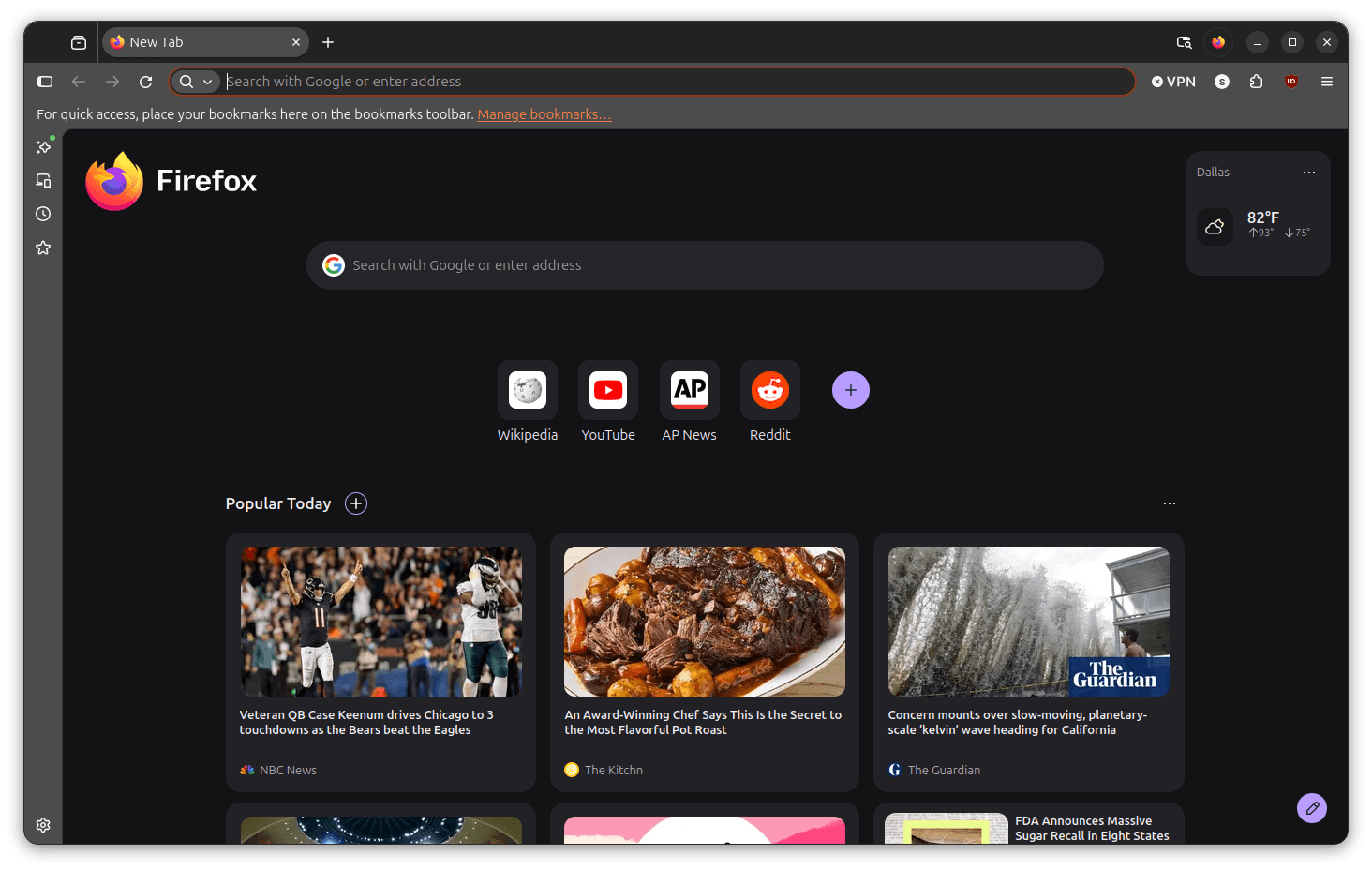
Firefox Nova is on the right.
I pitched Firefox 156 against 157 to see what changed, and I came out impressed.
Opening a new browser tab showed me where the most effort was put, with the tab bar being visibly rounder and the address bar corners being softer, giving the interface a very polished look.
Before this, I was already beginning to dislike the flat/bland look Firefox had; it bugged me whenever I would return from using another browser like Vivaldi or Chrome.
You see, both of them have already embraced a pill-shaped design philosophy that I quite like.
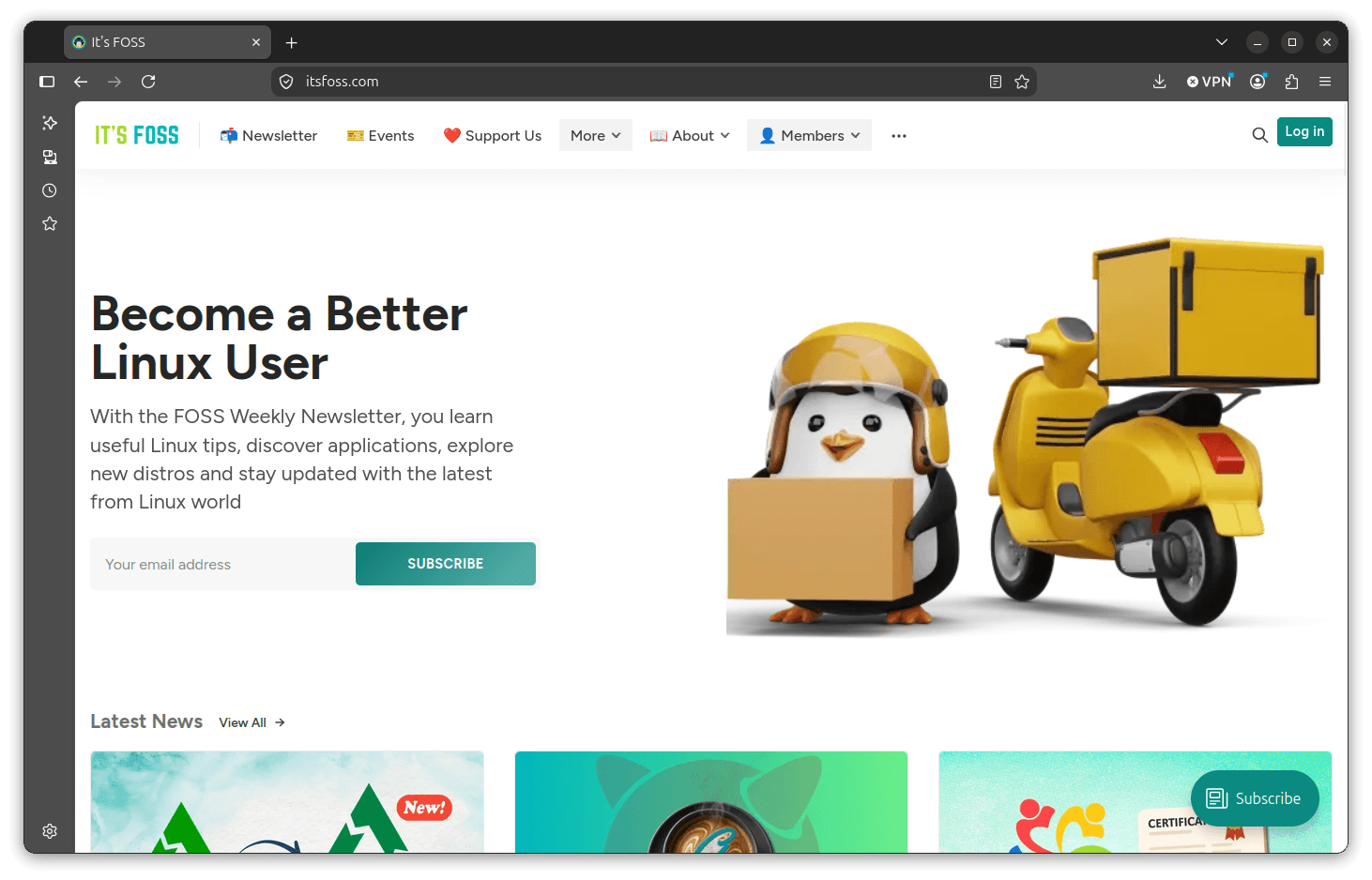
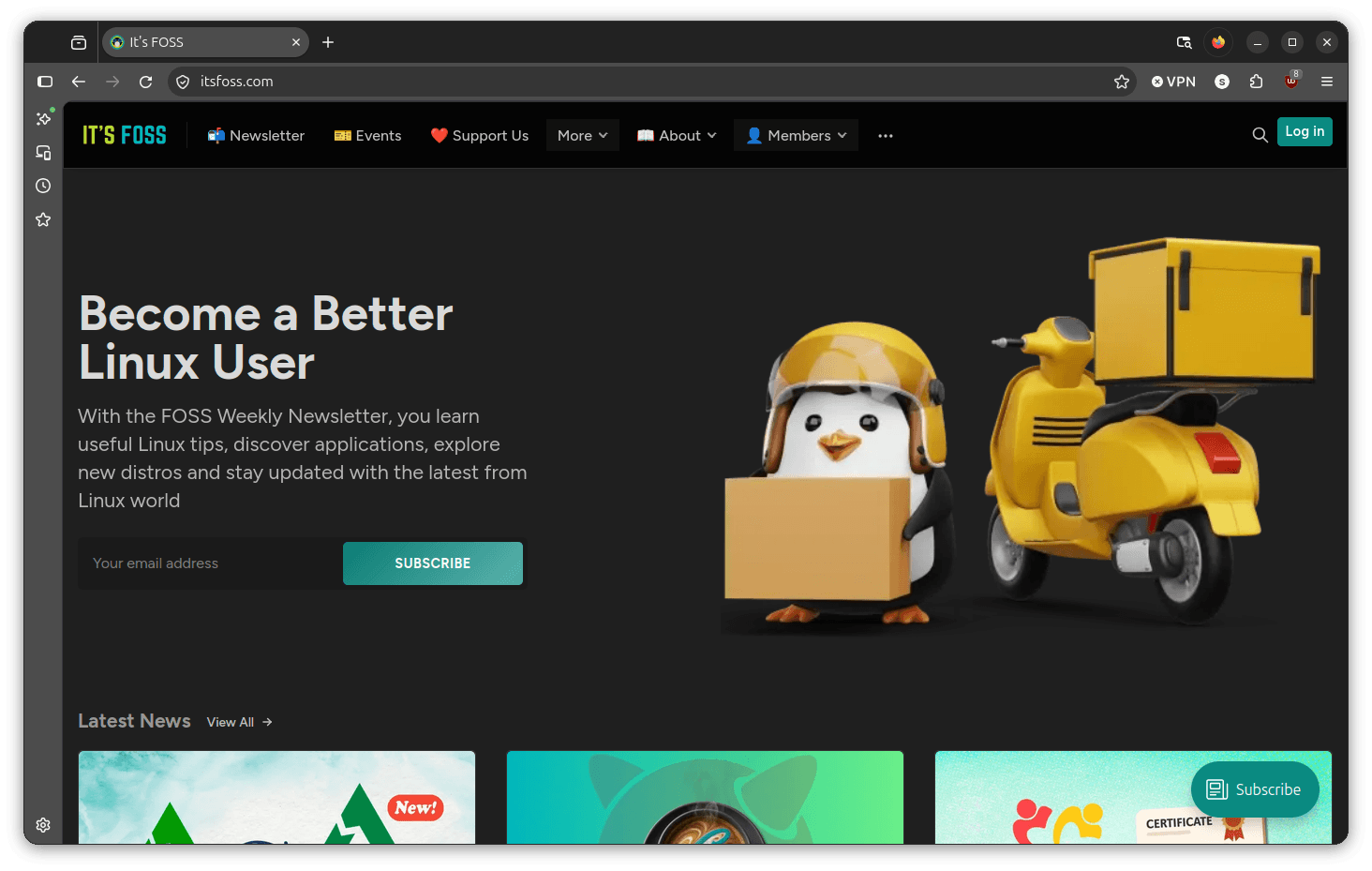
Loading up a website was more of the same, with the slimmer footprint of the interface leaving the webpage more real estate to use, and the toolbar has fewer dividing lines between its elements than before.
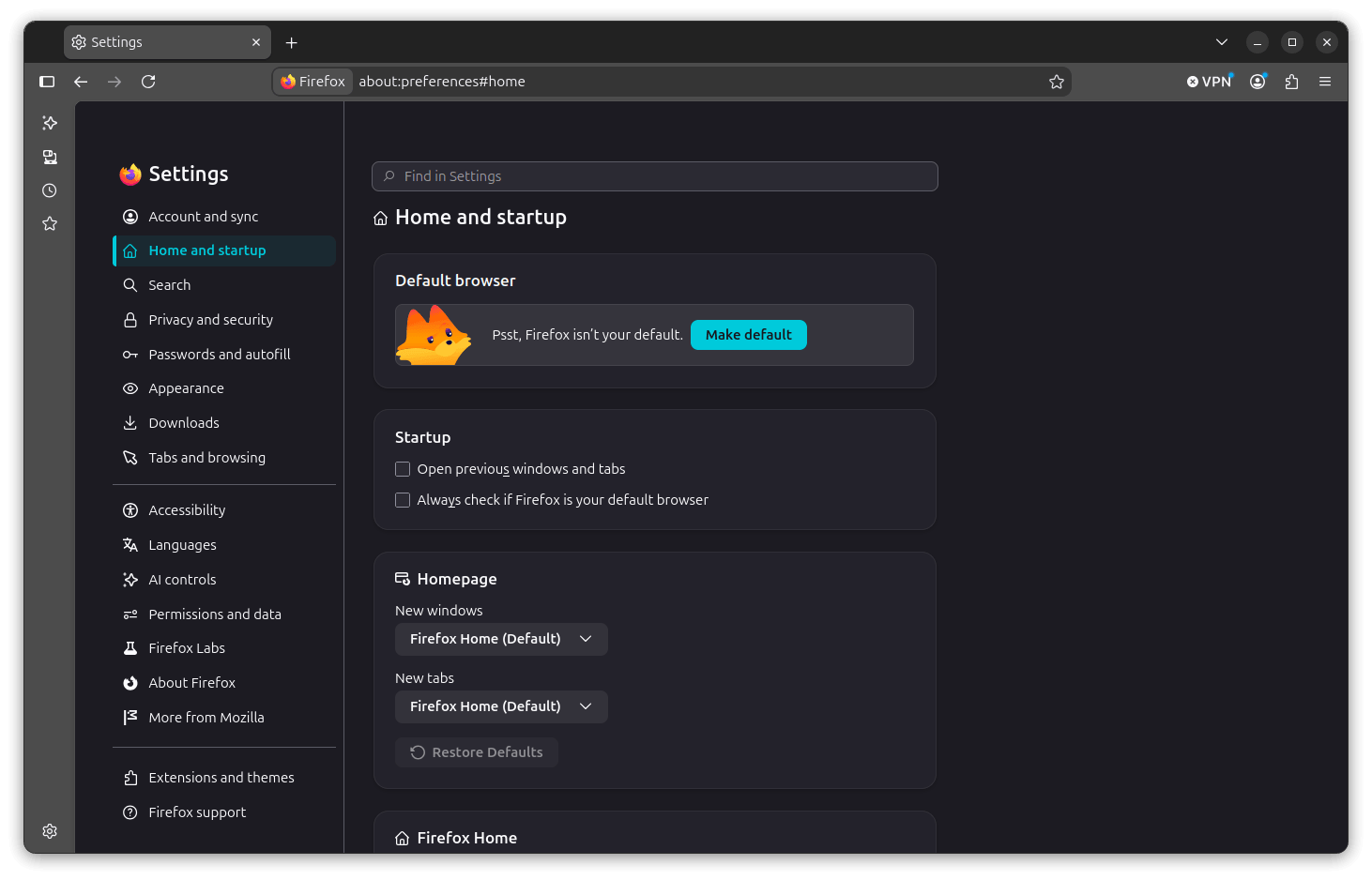
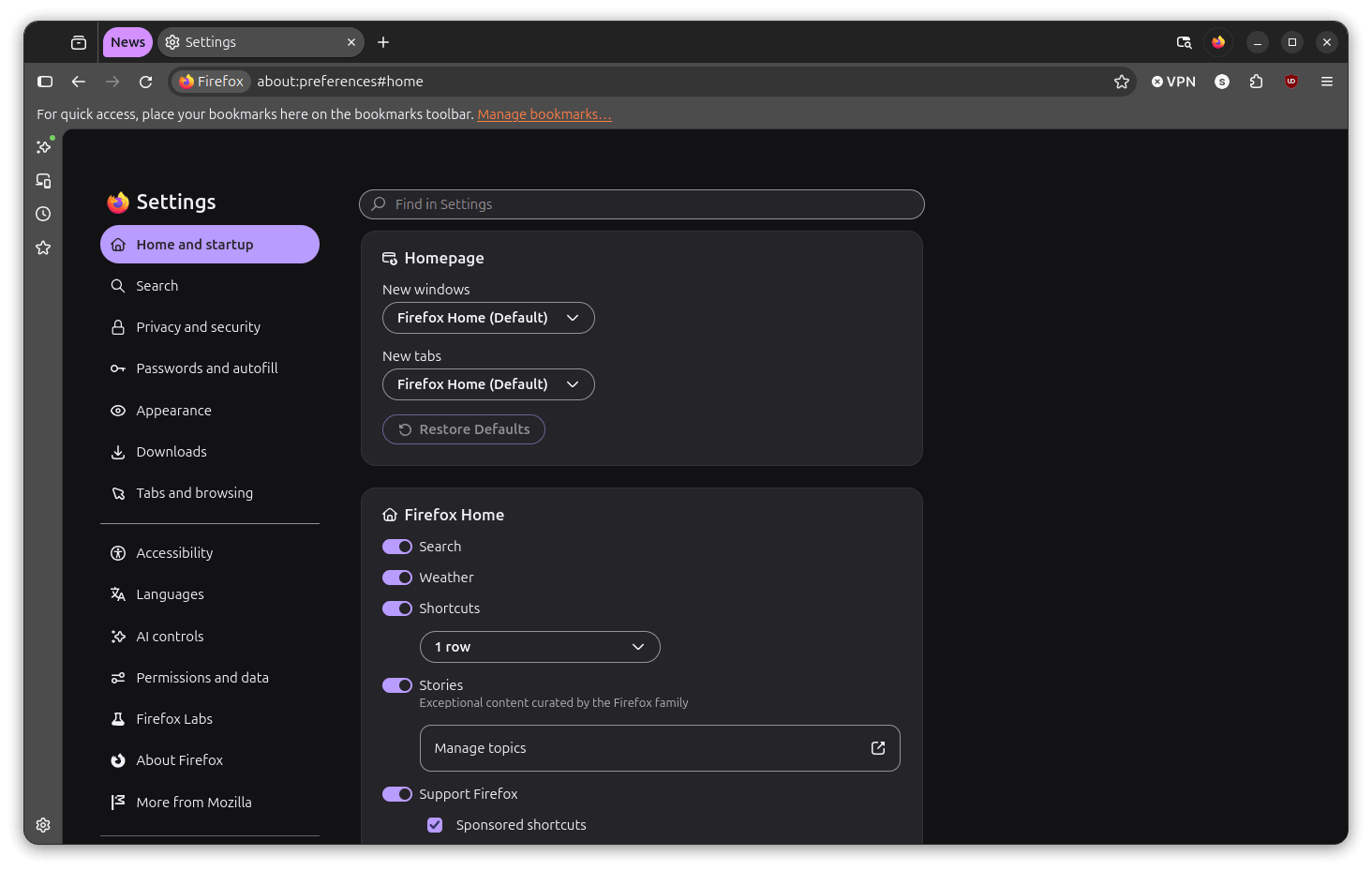
The settings menu has also been refreshed. In 156, the sidebar was presented as a compact list with fairly simple content panels. In 157, those panels sit inside rounded cards, with sections that give each settings area more visual room and better readability.
What else's new?
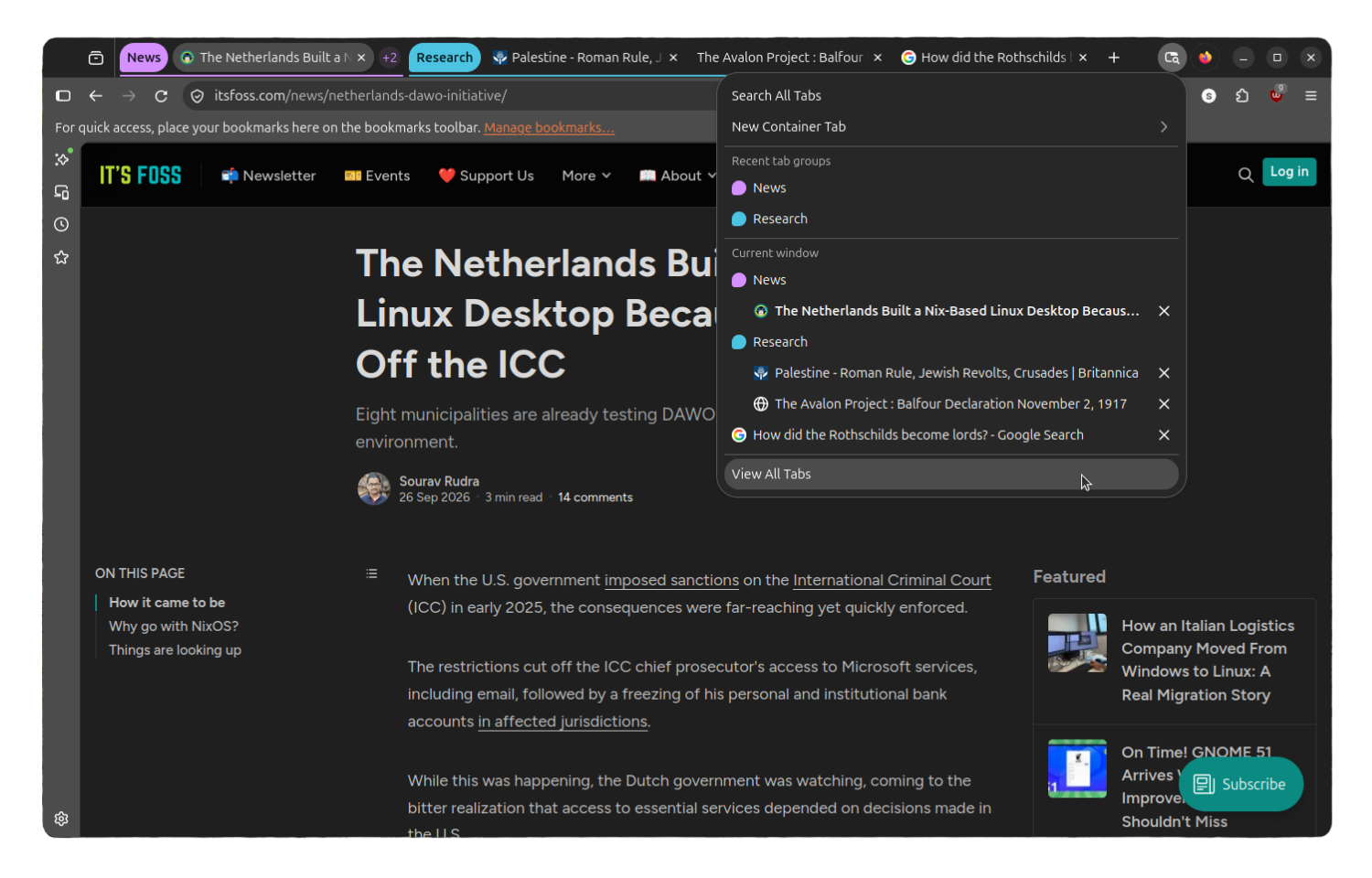
Tab Groups has changed considerably since I last used it. The Nova redesign has given it a more complete feel compared to when the feature first landed in Firefox 138.
Back then, groups showed as colored labeled strips in the tab bar, and management options were limited to naming and collapsing. While the feature worked, it felt like an early implementation.
Now, tab groups sit more naturally in the tab bar, and switching between them or collapsing one out of the way feels less clunky and more intuitive to use.
The "List all tabs" button has been changed too, featuring a different icon (instead of the downward arrow) and visual style that ties well into the overall pill-shaped design. You can use it to get a full view of every tab across all groups at once.
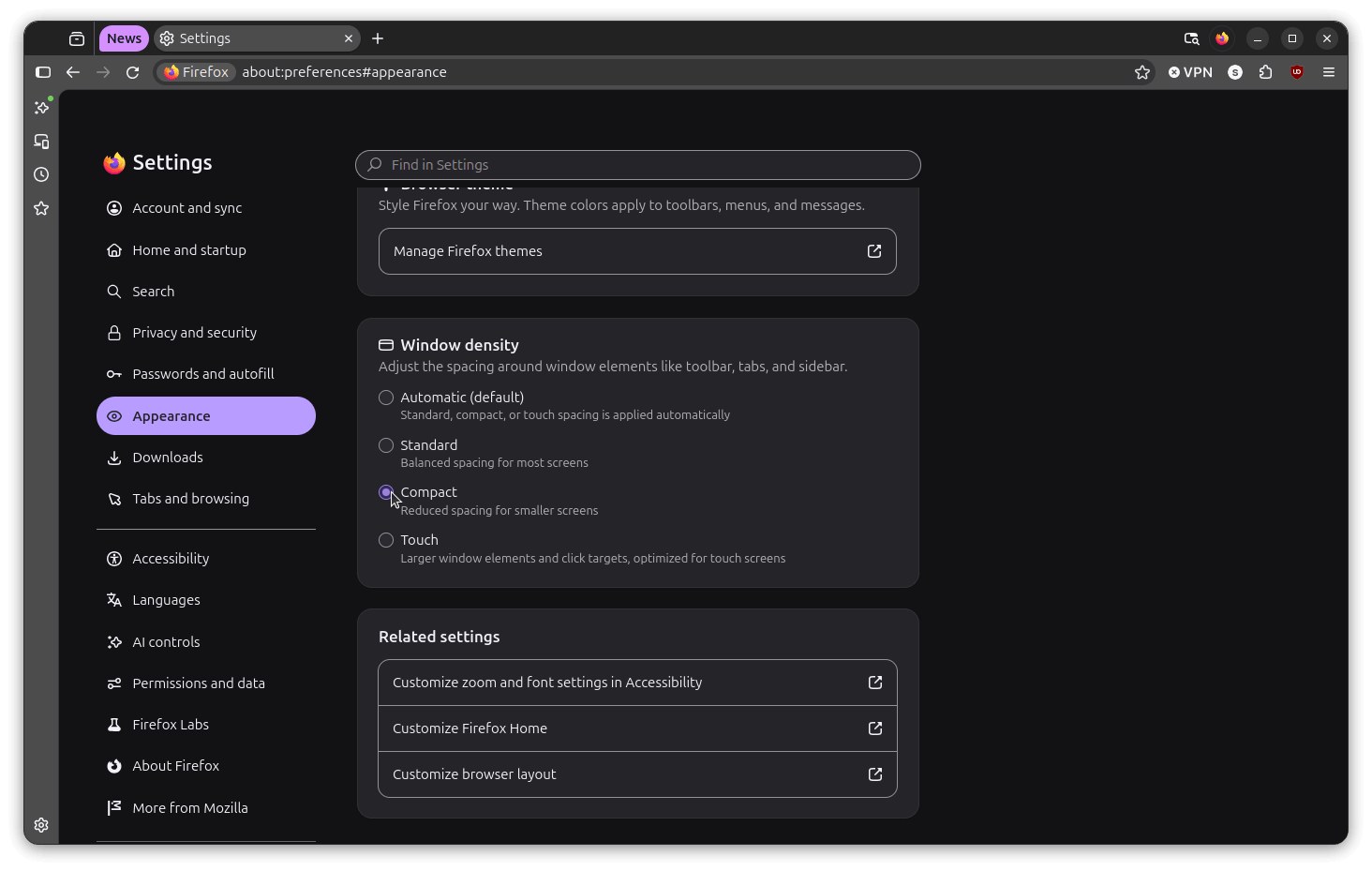
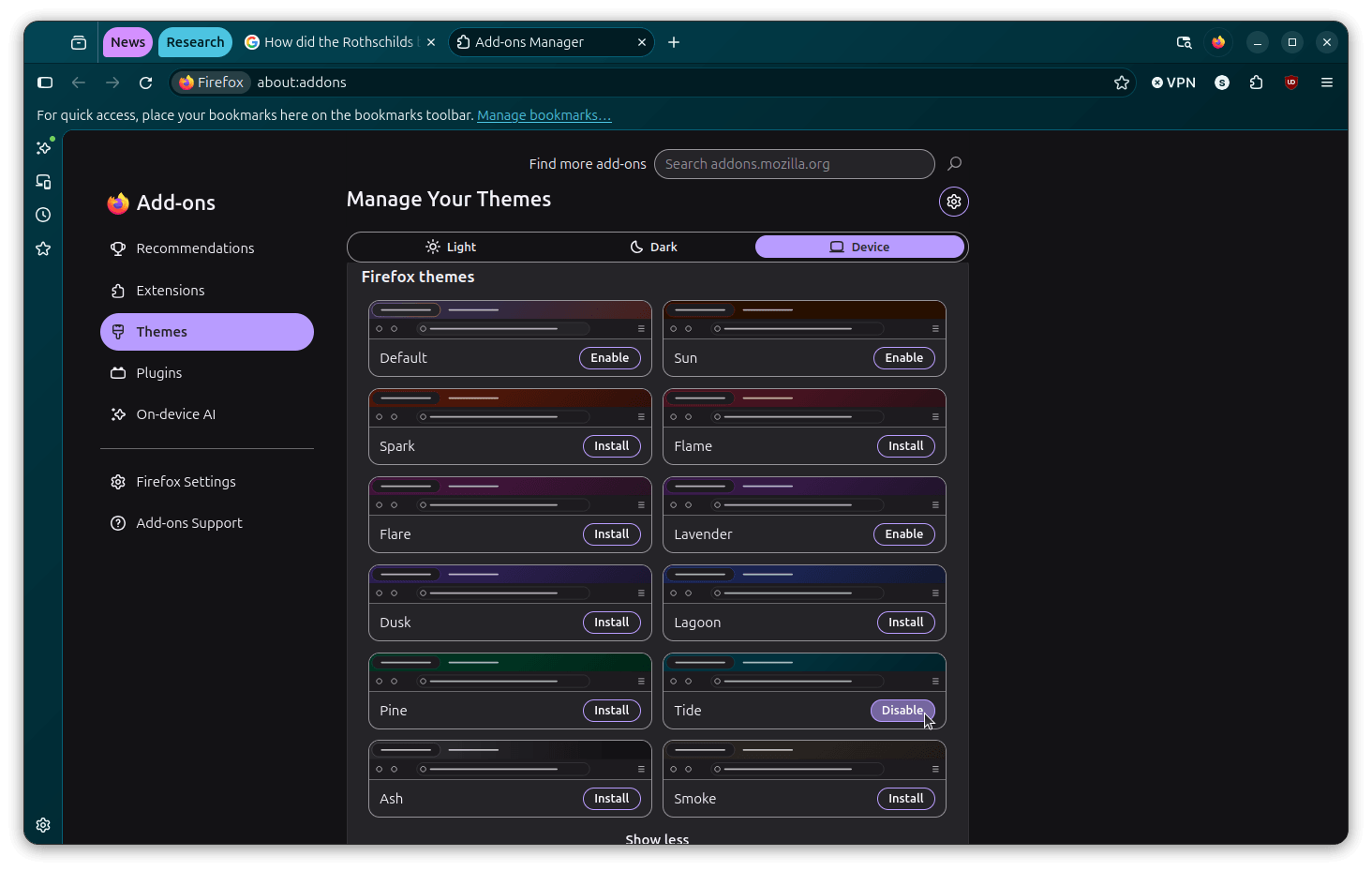
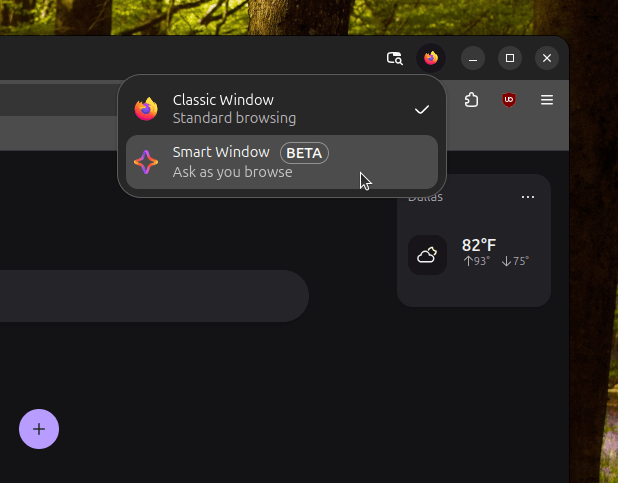
Compact density, new themes, and window switcher.
A feature that was stripped out back in 2021 has made a return. Compact mode is now available in Settings > Appearance under the "Window density" selector in addition to the Automatic, Standard, and Touch options.
You will also find many new themes that can be installed via the Add-ons manager, as well as a new Classic/Smart Window switcher button on top-right for quickly switching between traditional and AI-powered browsing.
You can disable it
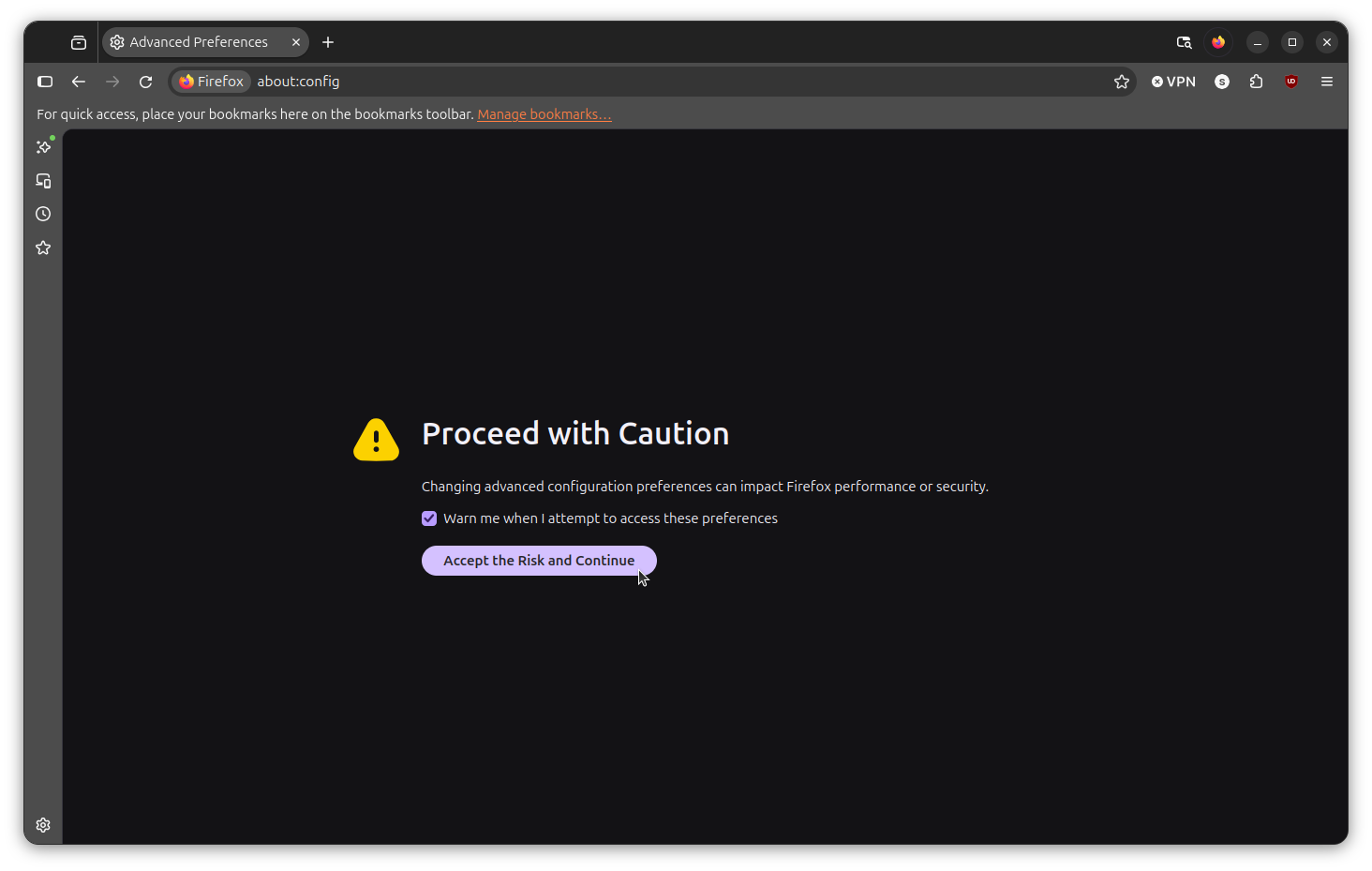
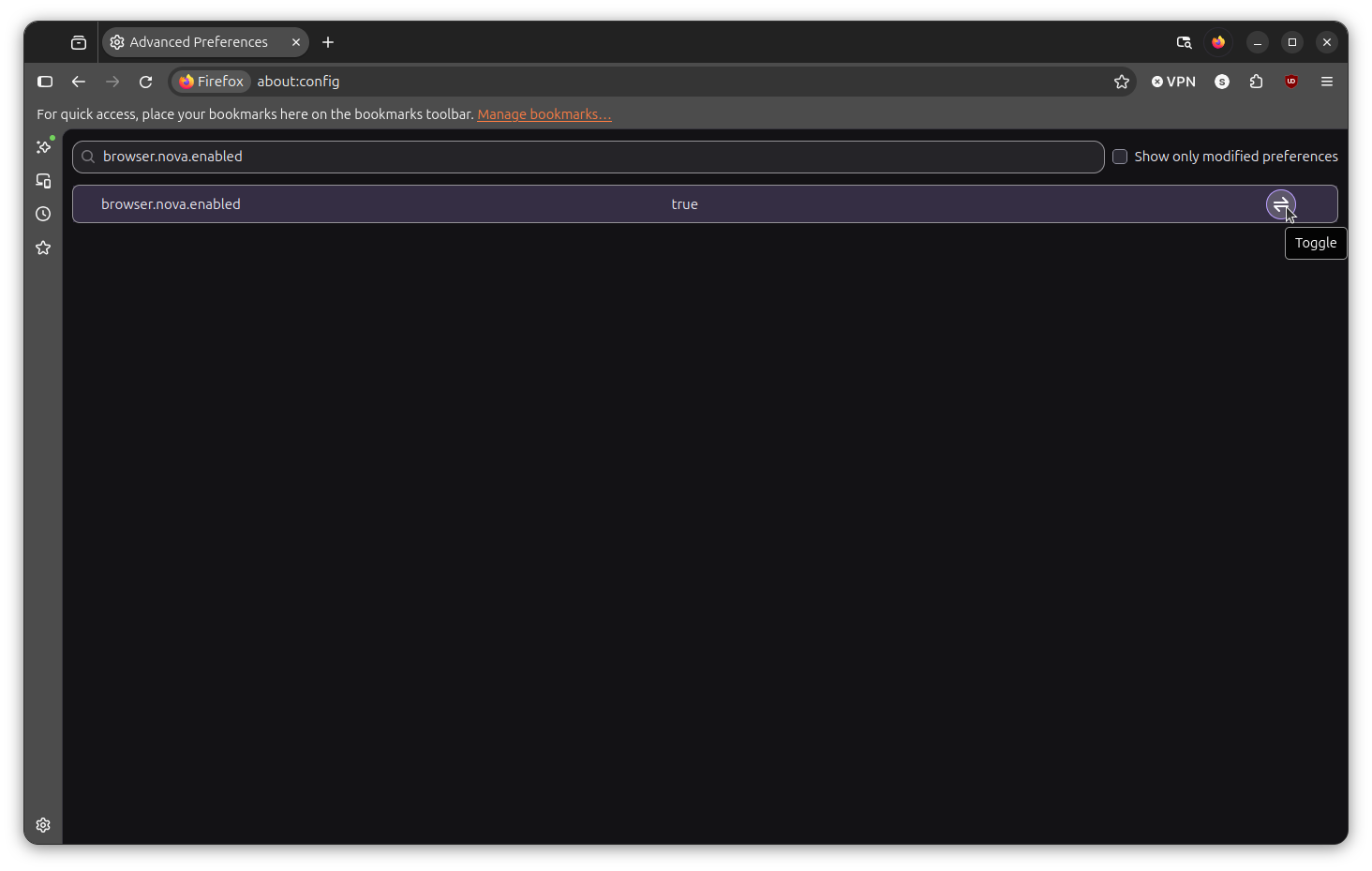
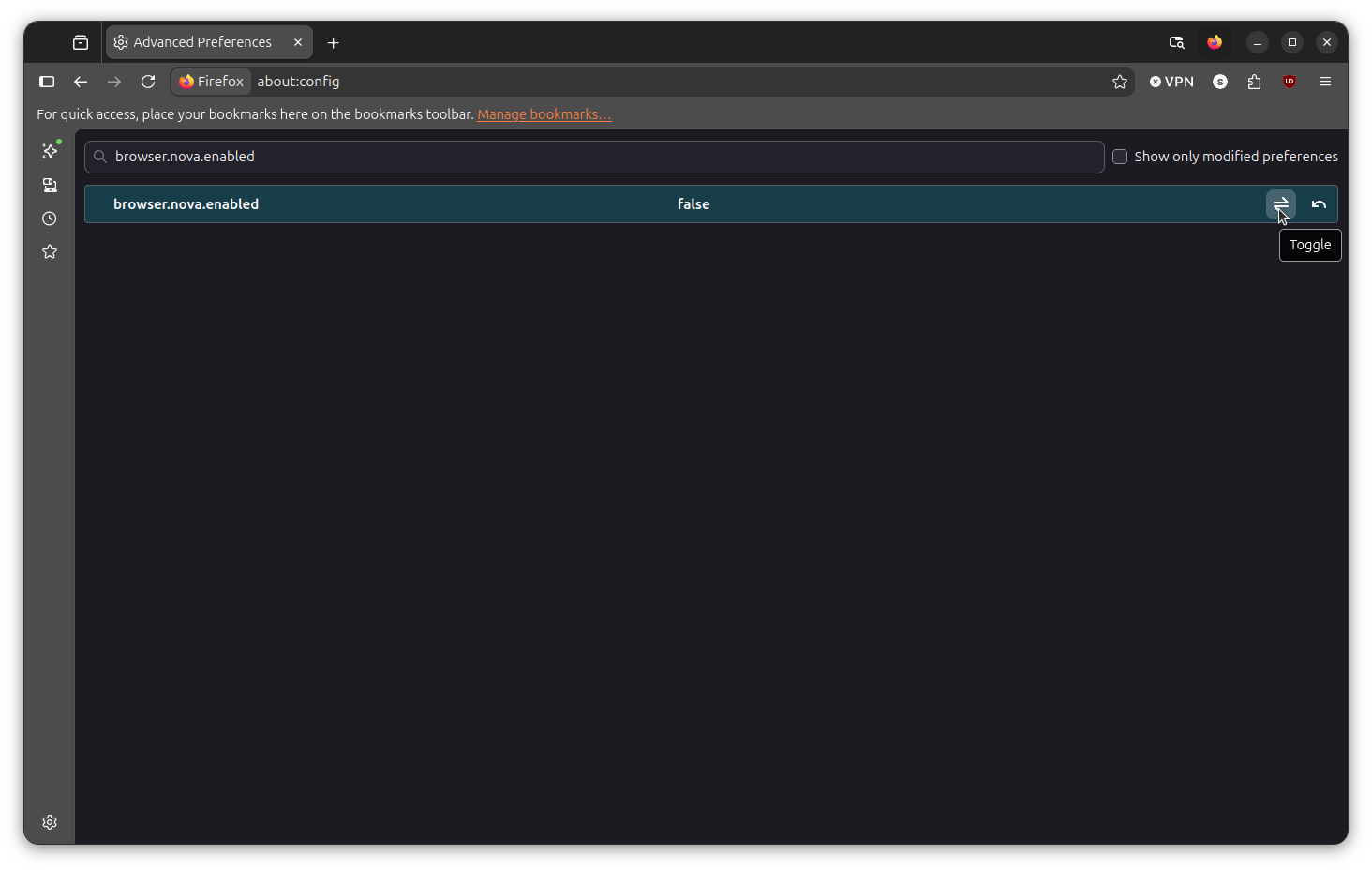
If you are not impressed by what Nova has to offer, then you could disable it to get back the old Firefox experience, and it's quite simple to do. In the address bar, type about:config, and accept the scary-looking warning.
Now, go into the search bar and type this "browser.nova.enabled" without the quotes. The final step is to either double-click on the entry or on the "Toggle" button to move Nova's activation state to "False."
That's it; you have successfully reverted to the earlier design.
Download Firefox
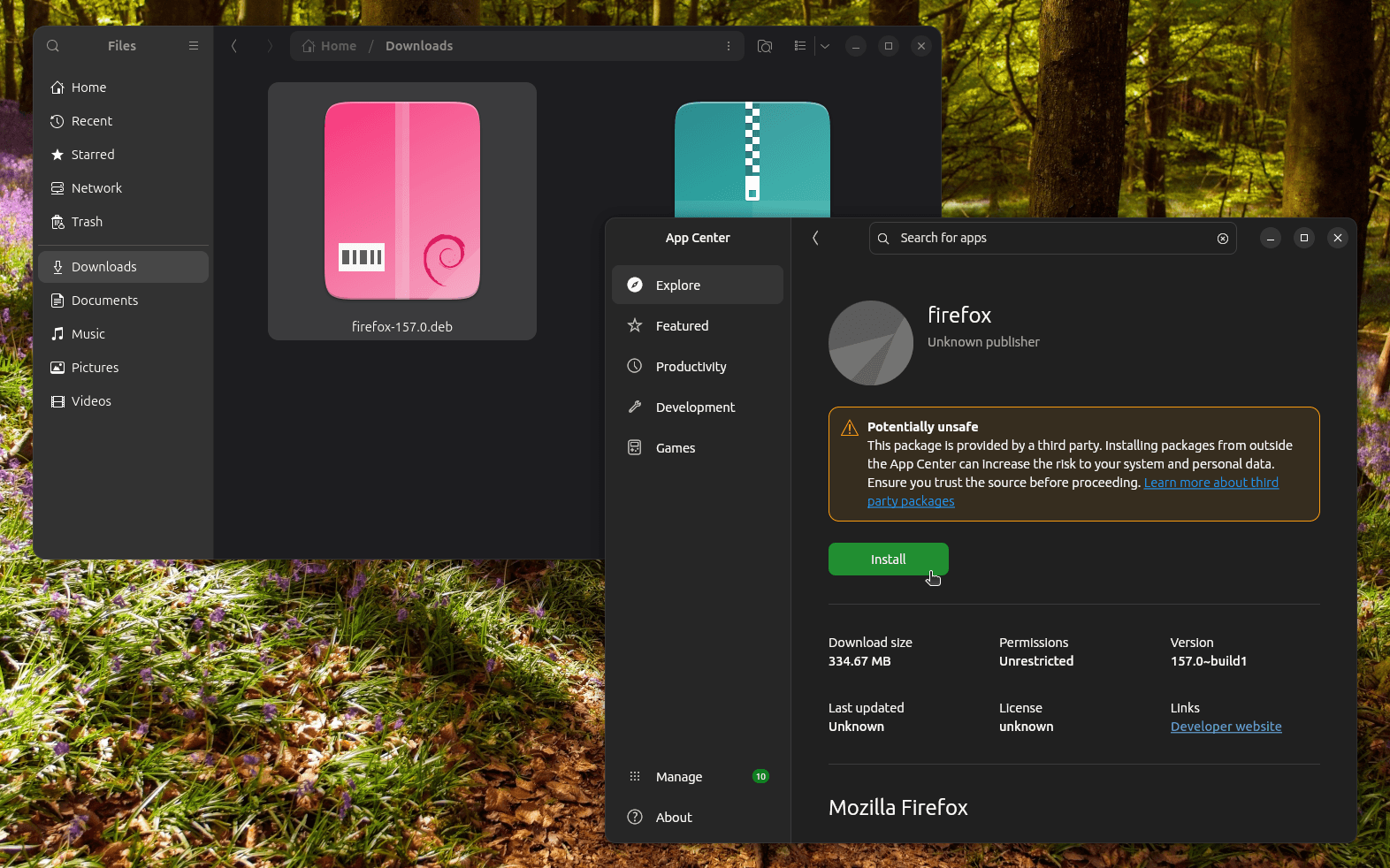
This is the obligatory installation section of the article, where you will find that Firefox can be downloaded from the official website. Though, when I was testing the redesign, I had to rely on Mozilla's FTP mirror to get the Firefox 157 release early.
I went with the package meant for my test setup: linux-x86_64 > en-US > firefox-157.0.deb
If you are on Debian or any of its derivatives, like Ubuntu, you can add the APT repository to get it installed.
And for existing users, by the time you read this, the various mainstream Linux distributions (e.g., Ubuntu/Fedora) should already be serving this redesign as part of a routine system update.
Suggested Read 📖: Smart Window users now get to use French AI.
Enjoyed this update? Support independent Linux news coverage
It's FOSS has been helping people use Linux for the past 14 years. Help us stay independent from big tech. Become a Plus member, enjoy ad-free reading and get 5 eBooks.
Skip the AI slop and SEO spam in your Google results
Tell Google you prefer It's FOSS, and it will show our Linux news and tutorials, created by experienced Linux users, more often when you search. It takes just a click.
Set as preferred sourceGet FOSS Weekly in your inbox

