

Radio Tray provides an effortless way of listening to Internet Radio on Linux desktop.
Listening to streaming radio is always fun. Most of the Linux music player provide option for Internet streaming radio. While you have this option in your favorite music player, you might not always want to open and run your resource hungry media player.
What is the alternative option then, you ask. What about an applet that just sit on the top panel and does what you want it to do, which is to play streaming music from your favorite internet radio channel. Enters Radio Tray: a sleek, lightweight indicator applet to play streaming music from internet radio channels.
Radio Tray features
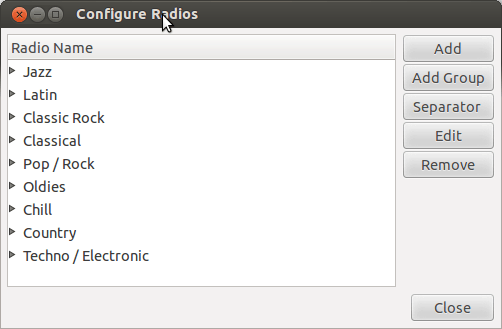
Radio Tray comes with a number of radio channels stored in it. These internet radio channels are grouped as per their genre. Apart from that you can configure it to play your favourite radio channel. You can add a whole new group or just channels.
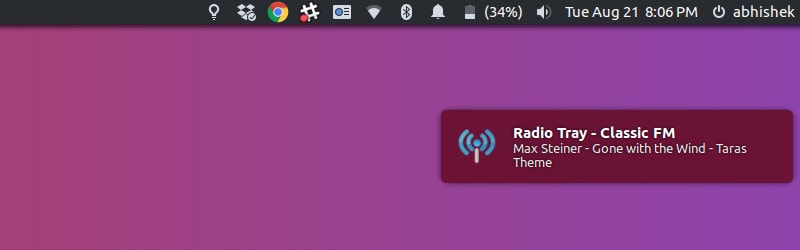
Radio Tray integrates with Ubuntu magnificently. There is a notification every time the song or radio station changes. And that notification mix very well with Ubuntu without disturbing its integrity.
There are several plugins available that further enables you to enhance your experience with Radio Tray. You can also configure it to use Gnome media key. It supports a number of music playlist formats so it should play most (if not all) of your favourite internet radio channels.
How to install Radio Tray in Ubuntu
Since Radio Tray is available
You can also install it using this simple command in terminal (Ctrl+Alt+T):
sudo apt install radiotrayRadio Tray in Ubuntu 20.04
Radio Tray has not been updated for some time but it works for older Ubuntu versions. But it has been removed from Ubuntu 20.04.
One of the features in Ubuntu 20.04 is the removal of Python 2 as it has reached end of life. Since Radio Tray uses Python 2, it has been removed from Ubuntu 20.04 and future releases.
Don’t despair! Some good developer has forked Radio Tray into RadioTray-NG (Next Generation). You can download the DEB file for Ubuntu 20.04 from ts release file.
Is Radio Tray worth trying?
Radio Tray is not a replacement of your media player. It is useful for what it is made for and that is playing internet radio without eating much of resources. If you are an avid streaming radio listener then Radio Tray is definitely worth a try.
The only limitation here is that it doesn’t have a proper user interface as it is more of an indicator applet.
By the way, since we are discussing streaming music, you may want to know about a nifty tool that allows you to record streaming audio on Ubuntu.
Have you ever used Radio Tray? How is your experience with it?
