


Let’s be honest, there’s nothing wrong with the default Visual Studio Code theme. It’s clean, it works, and I actually used it for quite a while.
That is… until one day I stumbled upon a YouTube tutorial where the developer’s editor looked incredible. Sleek colors, stylish syntax highlighting, suddenly, my good ol’ default theme felt a little boring.
That rabbit hole led me to explore the wonderful world of VS Code themes. Since then, I’ve tried a bunch, curated some favorites, and even picked out a few that are massively popular among developers.
This article is my personal roundup to help you get started. It’s not a definitive list, there are hundreds out there but if you’re new to custom VS Code themes, this is a great place to begin.
1. Dracula Official
Dracula is a dark, high-contrast theme that has gained a cult following for good reason. It's stylish without being over-the-top, and it helps reduce eye strain during long coding marathons.
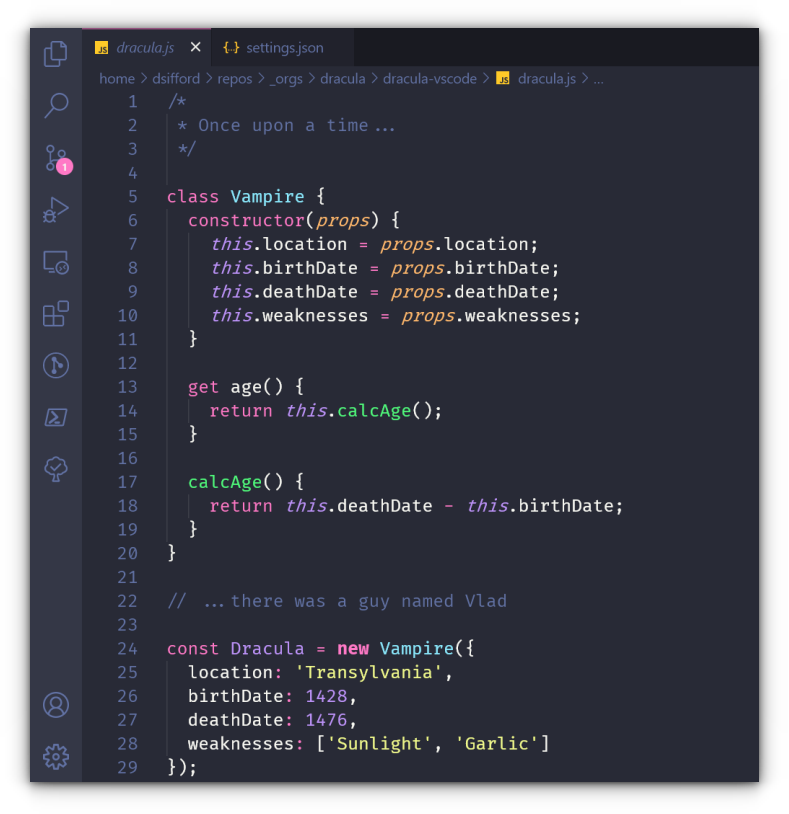
Key Features
✅ Dark, moody aesthetic perfect for low-light environments
✅ Excellent contrast between code elements
✅ Seamless integration across VS Code UI
✅ Used by many developers and YouTubers for its readability
2. One Dark Pro
One Dark Pro brings Atom’s beloved “One Dark” theme to VS Code, and it’s just as sharp and modern as ever. If you want a professional and polished look, this is a reliable pick.
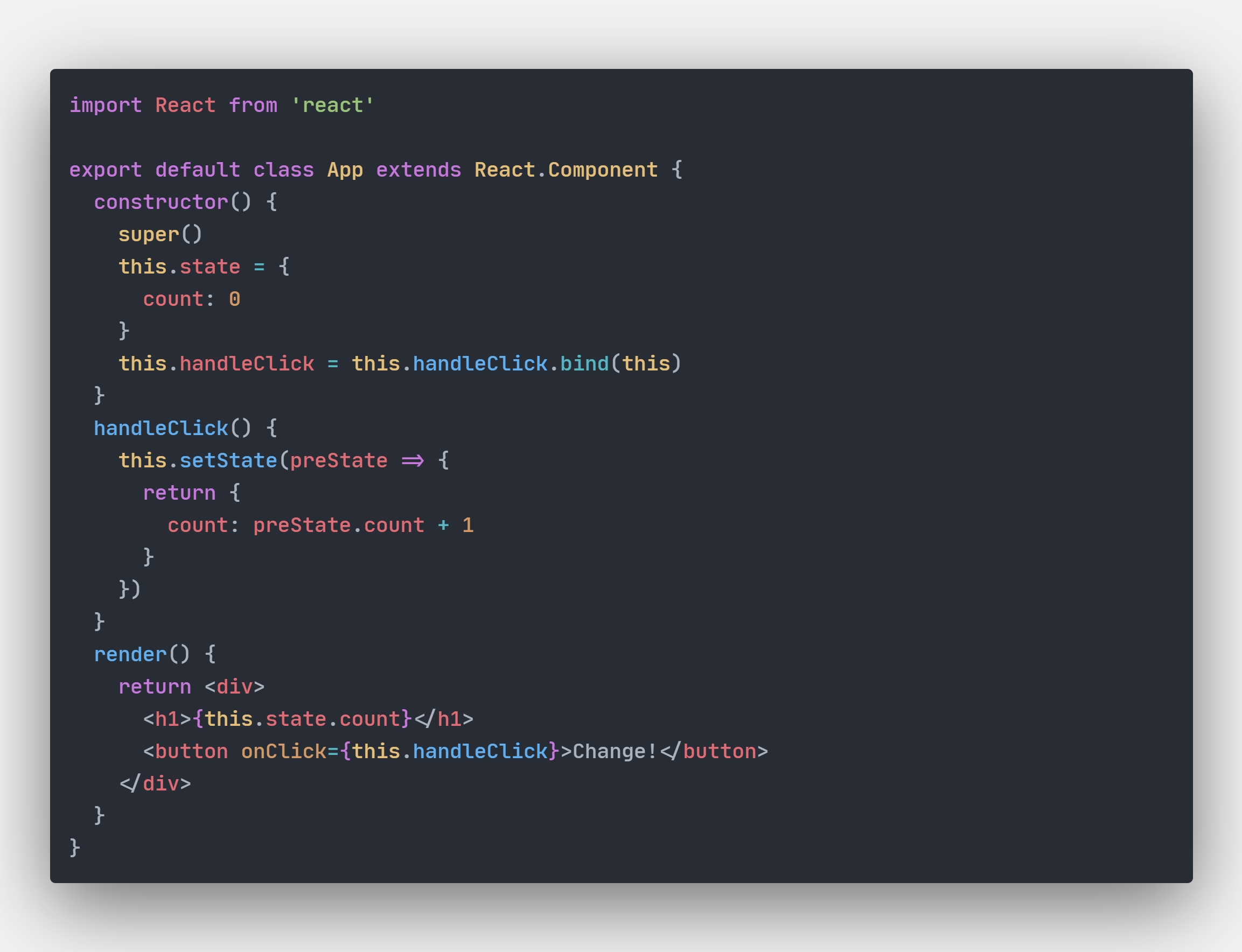
Key Features
✅ Inspired by Atom’s One Dark theme
✅ High readability with strong contrast
✅ Regularly updated and maintained
✅ Works great across many programming languages
3. Ayu
Ayu is minimal, calm, and pleasing to the eyes. It comes in three flavors - Light, Mirage, and Dark, so you can match your coding mood with your environment.
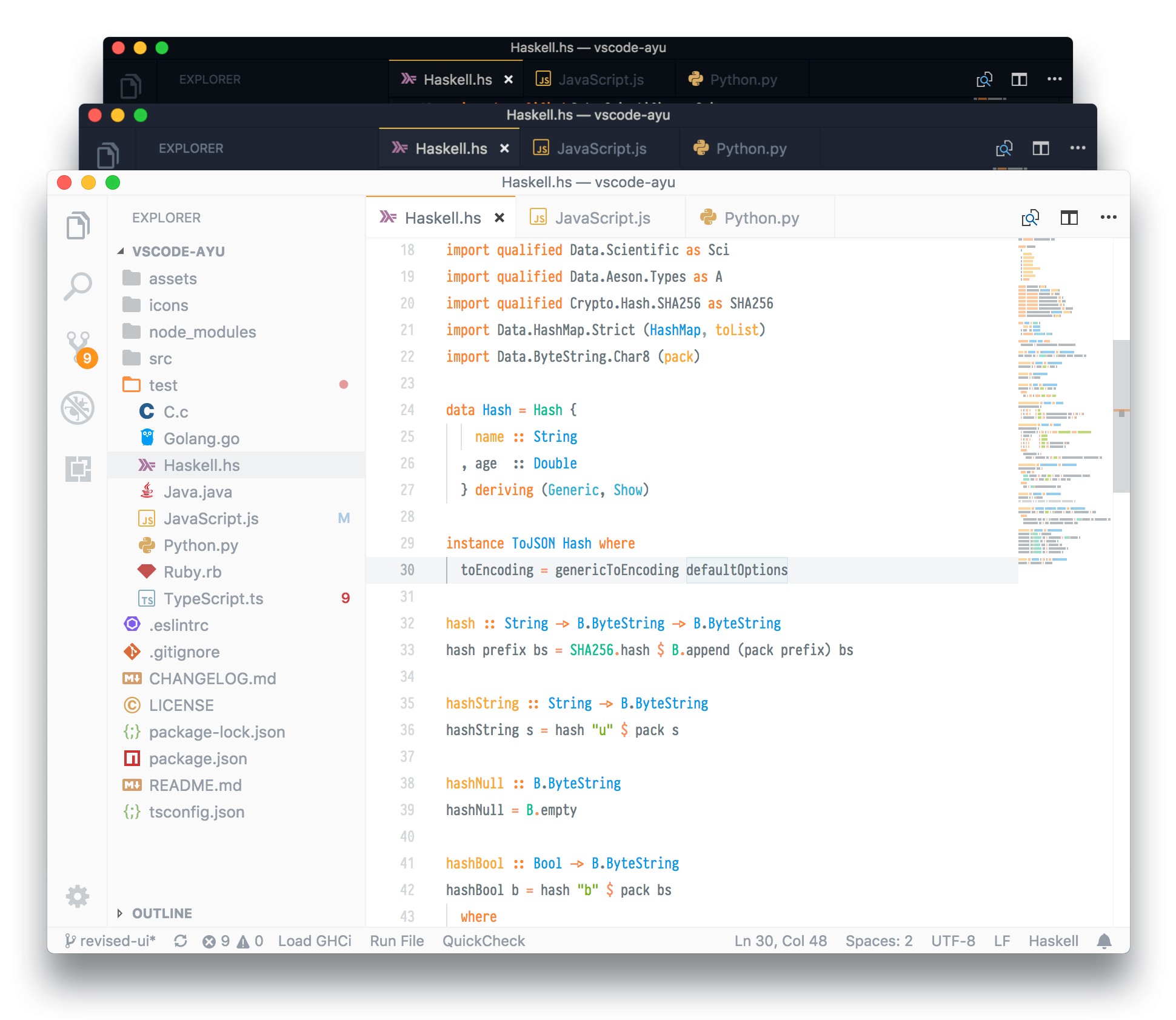
Key Features
✅ Minimalist design with soft color tones
✅ Three versions: Ayu Light, Ayu Mirage, and Ayu Dark
✅ Low distraction, easy-to-read syntax coloring
✅ Favored by course creators like CodeWithMosh
4. Tokyo Night
Inspired by the neon lights of Tokyo, this theme is a stylish blend of cool blues and subtle purples. It's perfect if you want something modern yet easy on the eyes.
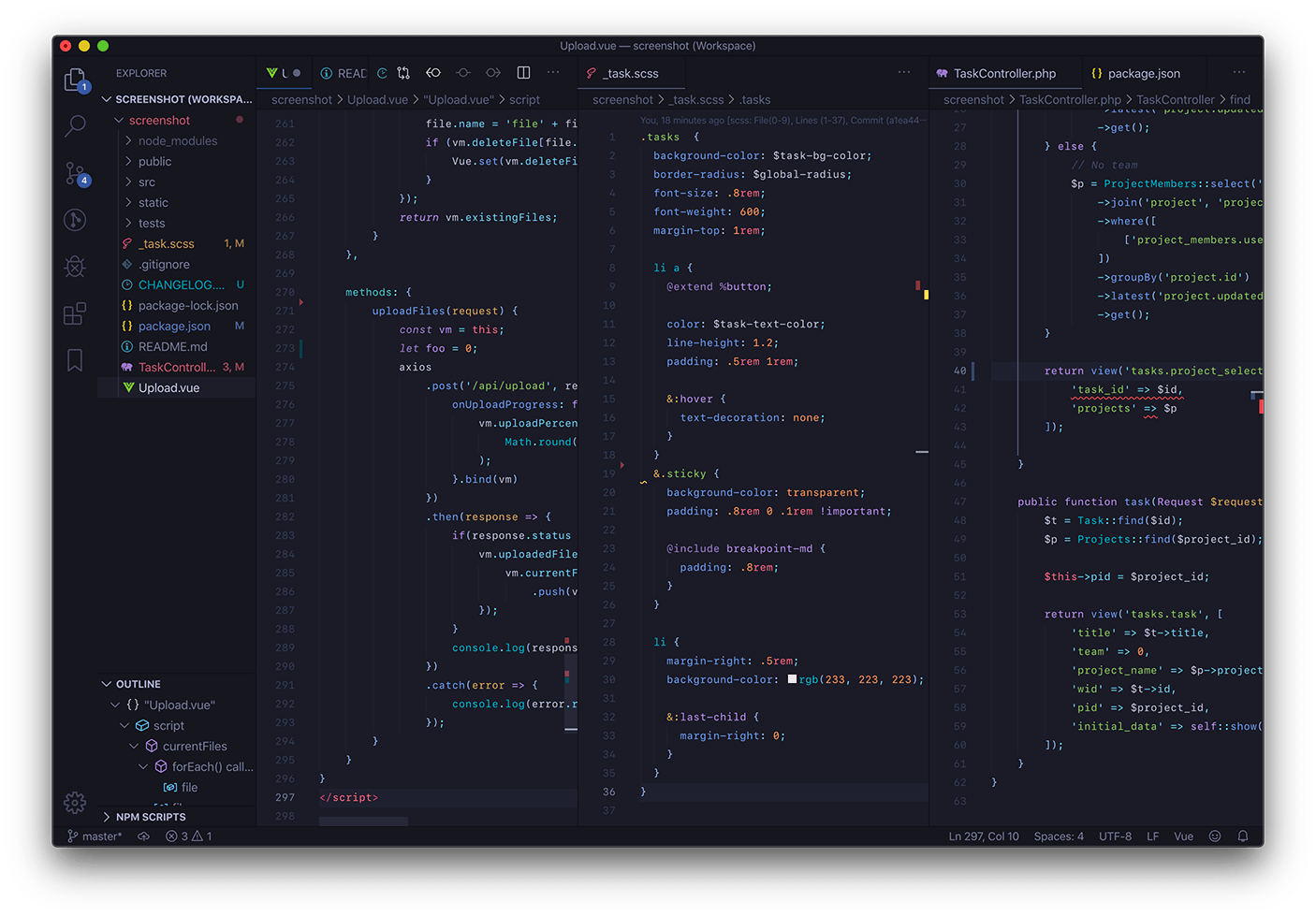
Key Features
✅ Visually rich, inspired by Tokyo’s nightscape
✅ Low-contrast UI with clear syntax highlights
✅ Semantic highlighting for better code clarity
✅ Available for other editors like Vim and iTerm
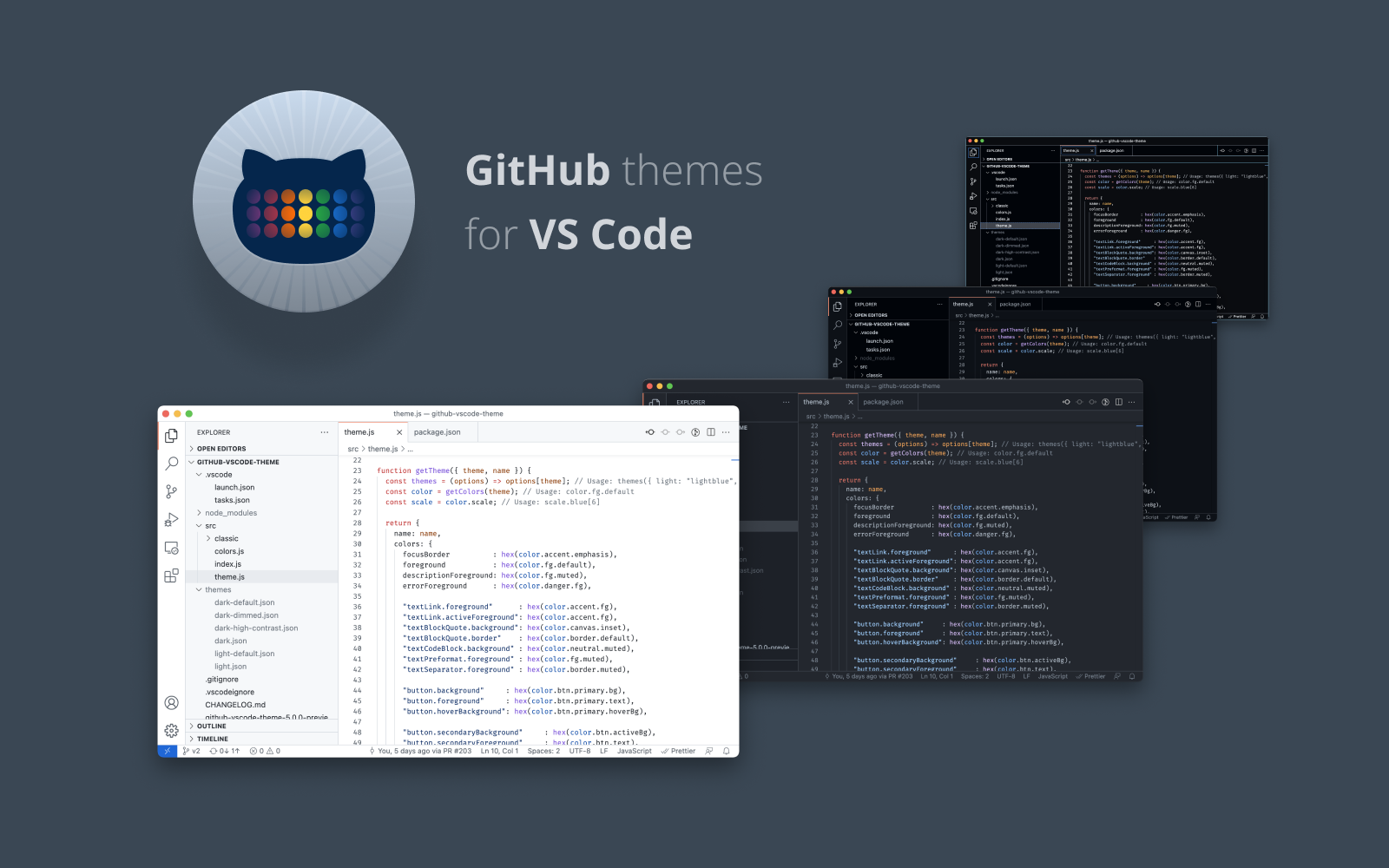
5. GitHub Theme
Want your VS Code to look like GitHub? This official theme does exactly that. It’s familiar, balanced, and comes with modes for different lighting preferences.
Key Features
✅ Light, dark, and colorblind-friendly modes
✅ Clean and familiar GitHub look
✅ Open-source and customizable
✅ Great for developers already using GitHub extensively
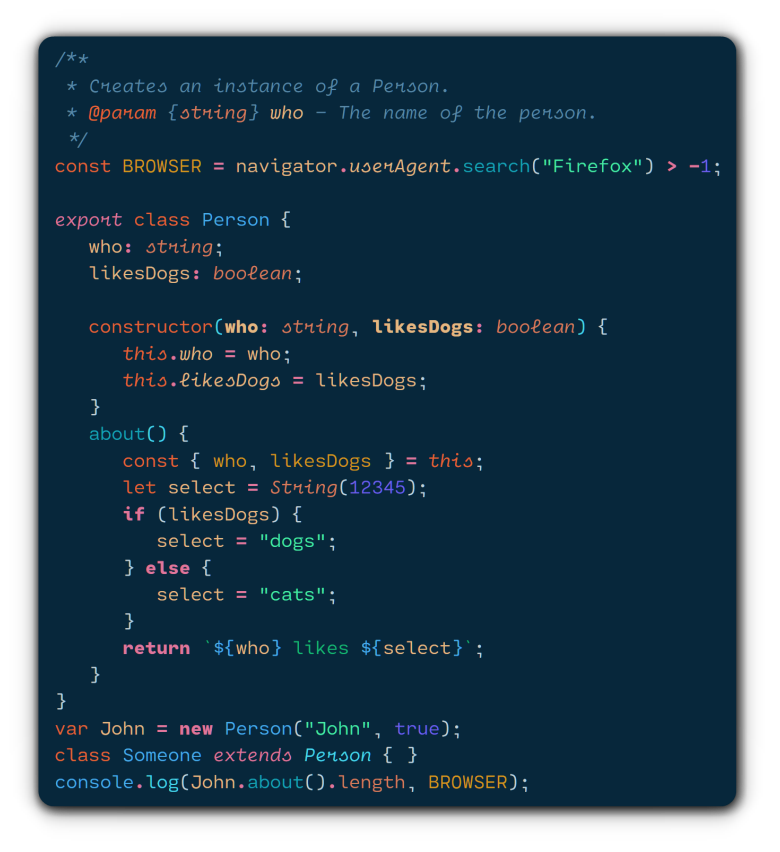
6. Noctis
Noctis is a modern theme that comes in multiple variations - light and dark, to suit any mood. It’s especially great if you want a lighter theme without blinding brightness.
Key Features
✅ Comes in multiple light and dark variations
✅ Elegant design with smart syntax color choices
✅ Clean UI that doesn’t distract from code
✅ Over a million installs and counting
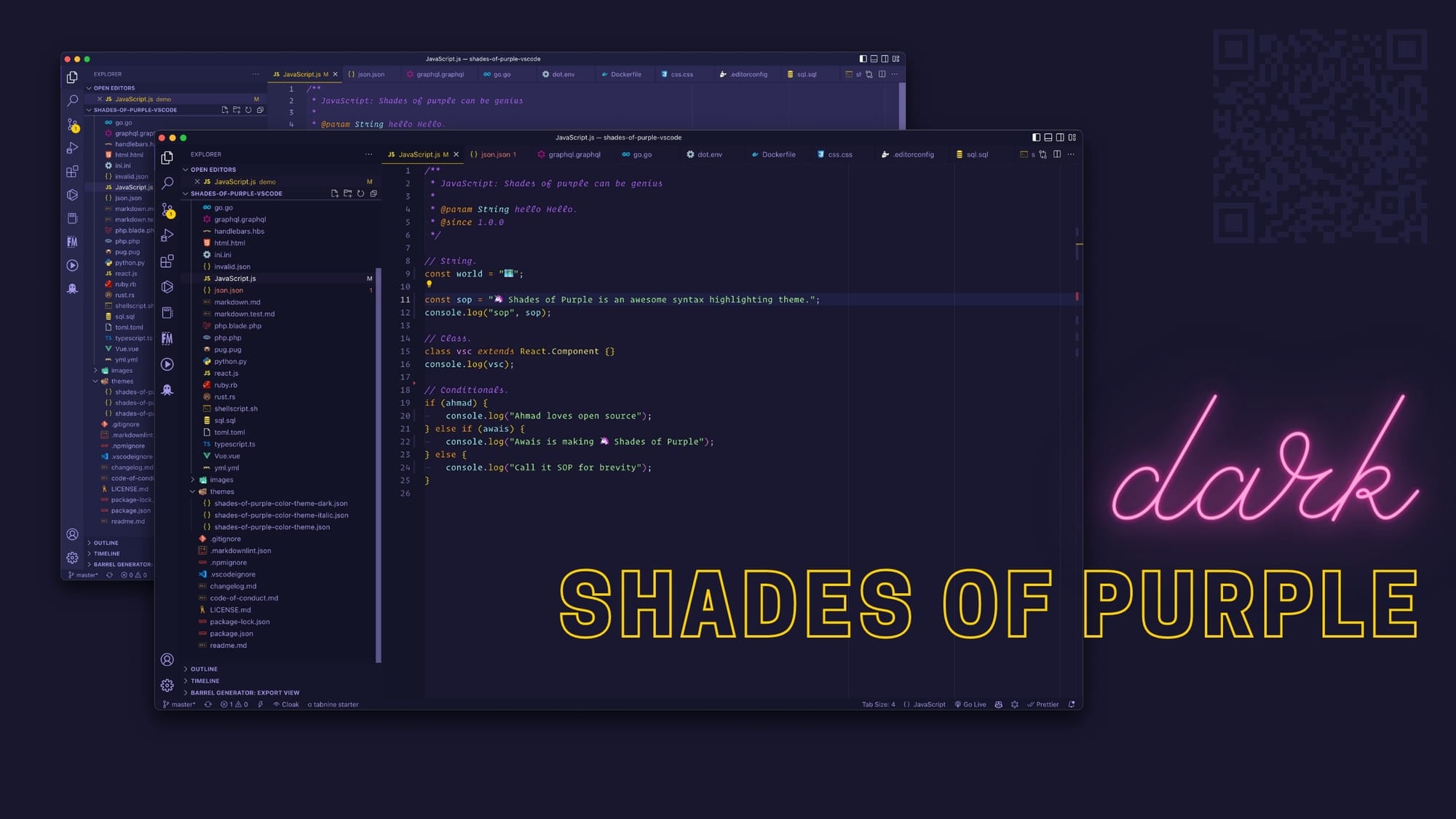
7. Shades of Purple
If you’re into vibrant colors and want your editor to stand out, Shades of Purple might be your new favorite. Created by developer Ahmad Awais, it’s bold and beautiful.
Key Features
✅ Unique purple-toned color palette
✅ Great readability with striking contrast
✅ Open-source and easy to tweak
✅ Adds flair without sacrificing usability
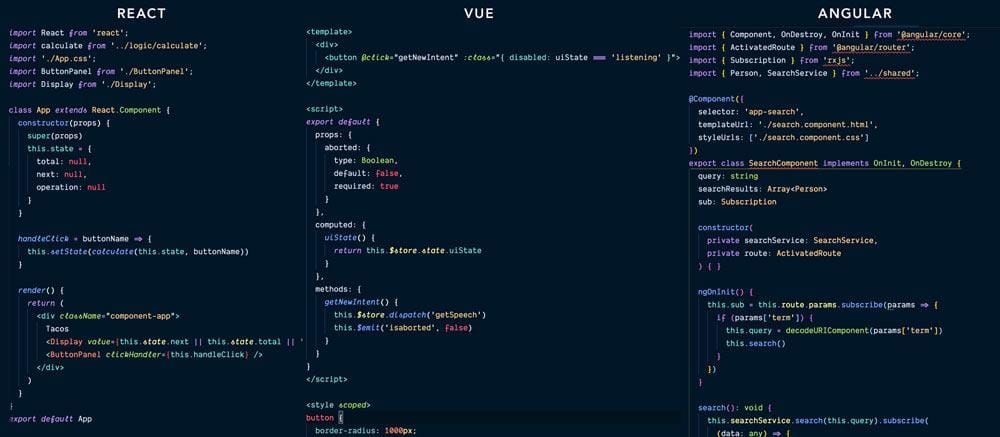
8. Night Owl / Light Owl
Night Owl is designed specifically for night-time coders, with high contrast that’s easy on the eyes. Prefer a brighter option? Light Owl is the lighter counterpart.
Key Features
✅ Designed for readability in low-light settings
✅ Strong contrast without harsh brightness
✅ Light and dark versions available
✅ Cross-platform availability (Hyper, Vim, etc.)
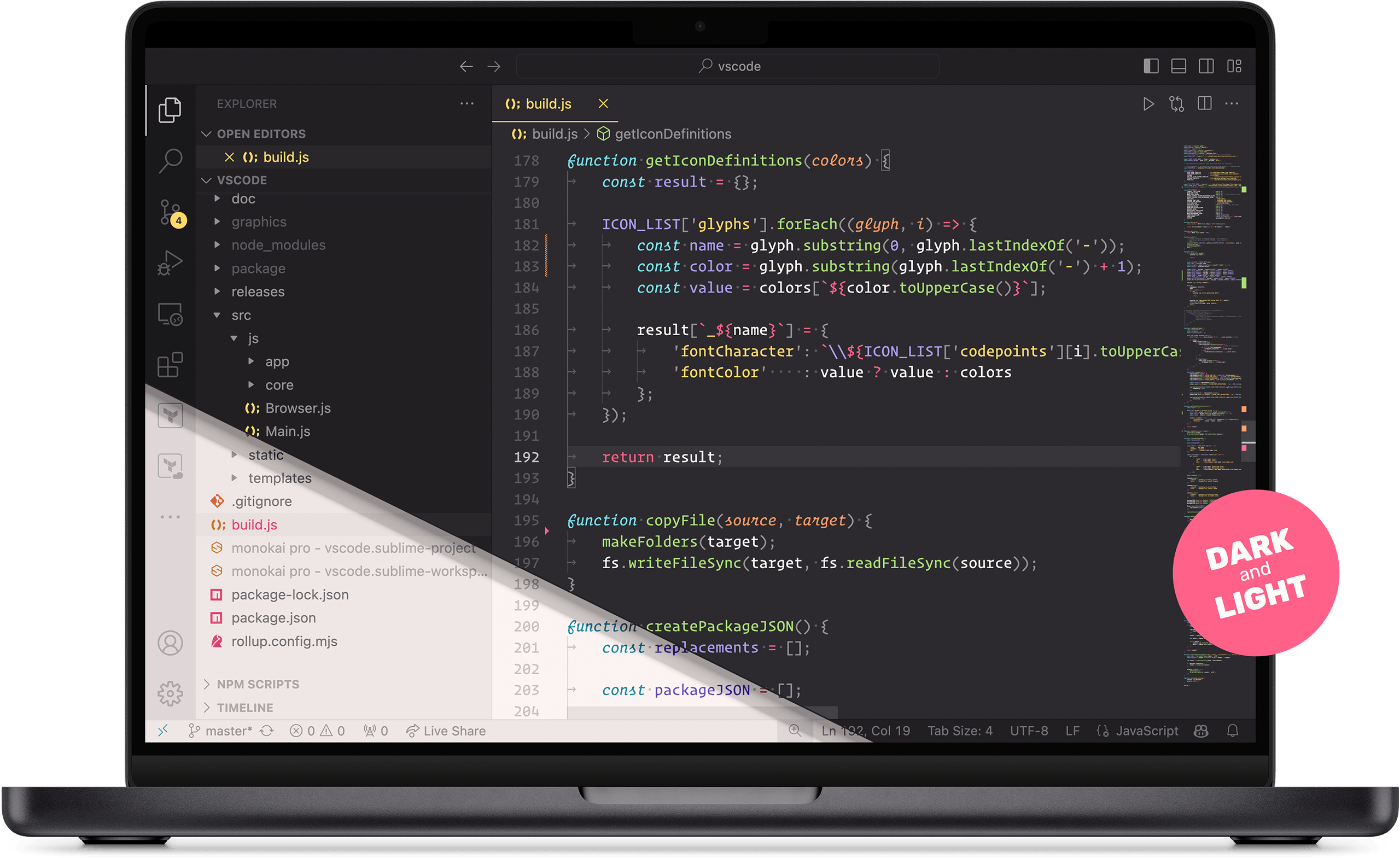
9. Monokai Pro
Monokai Pro adds a polished twist to the classic Monokai theme. With balanced color filters, beautiful syntax highlighting, and pixel-perfect design, this theme feels professional and productive.
Key Features
✅ Polished version of the original Monokai
✅ Customizable filters and UI tweaks
✅ Eye-friendly for long sessions
✅ Available as part of a paid package (with free trial)
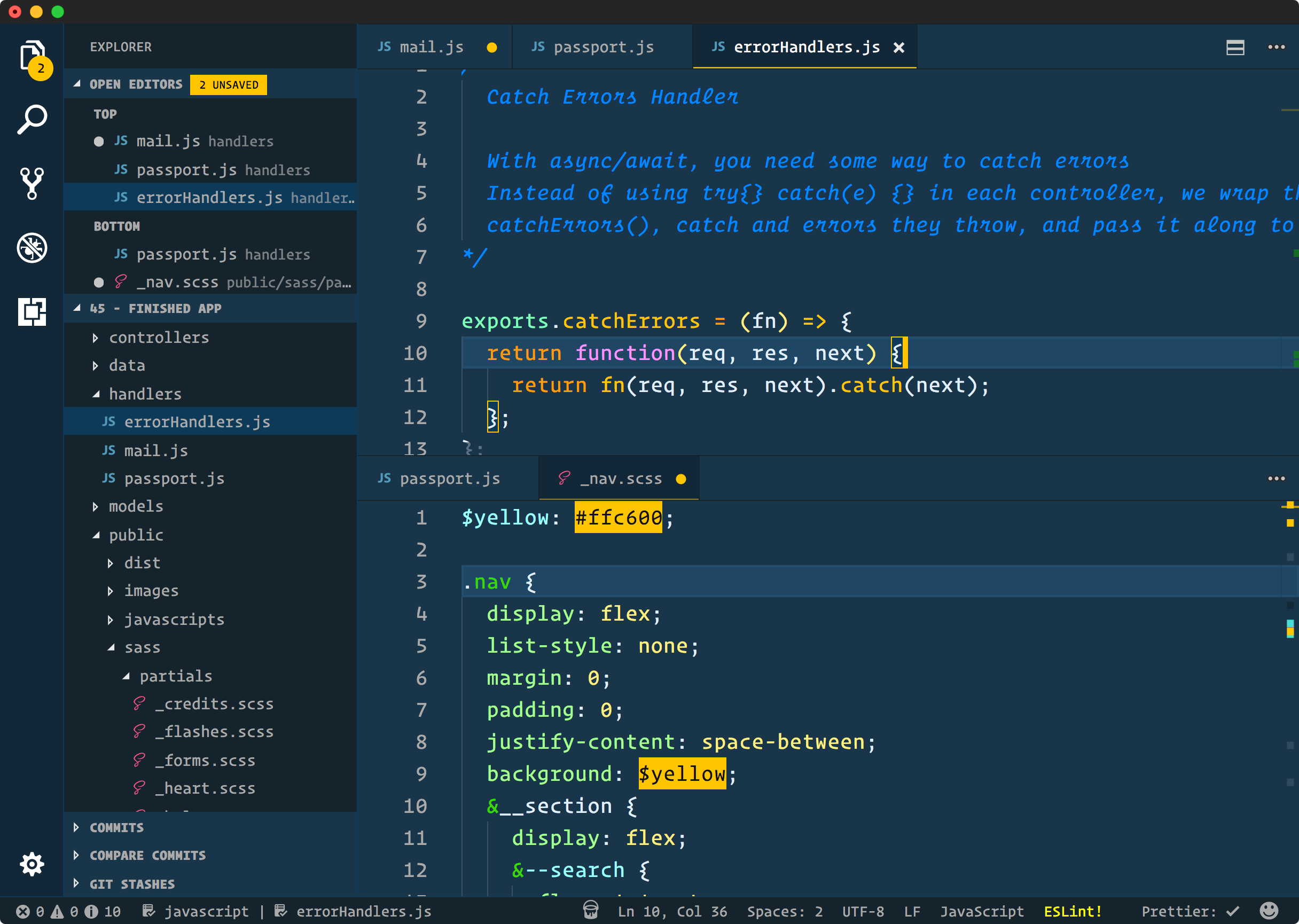
10. Cobalt2
Created by Wes Bos, Cobalt2 is bold and playful without sacrificing usability. Its distinctive blue and yellow color combo stands out and is great if you want something different.
Key Features
✅ Designed by a popular web developer
✅ Unique color palette with good contrast
✅ Works across editors and terminals
✅ Open-source and customizable
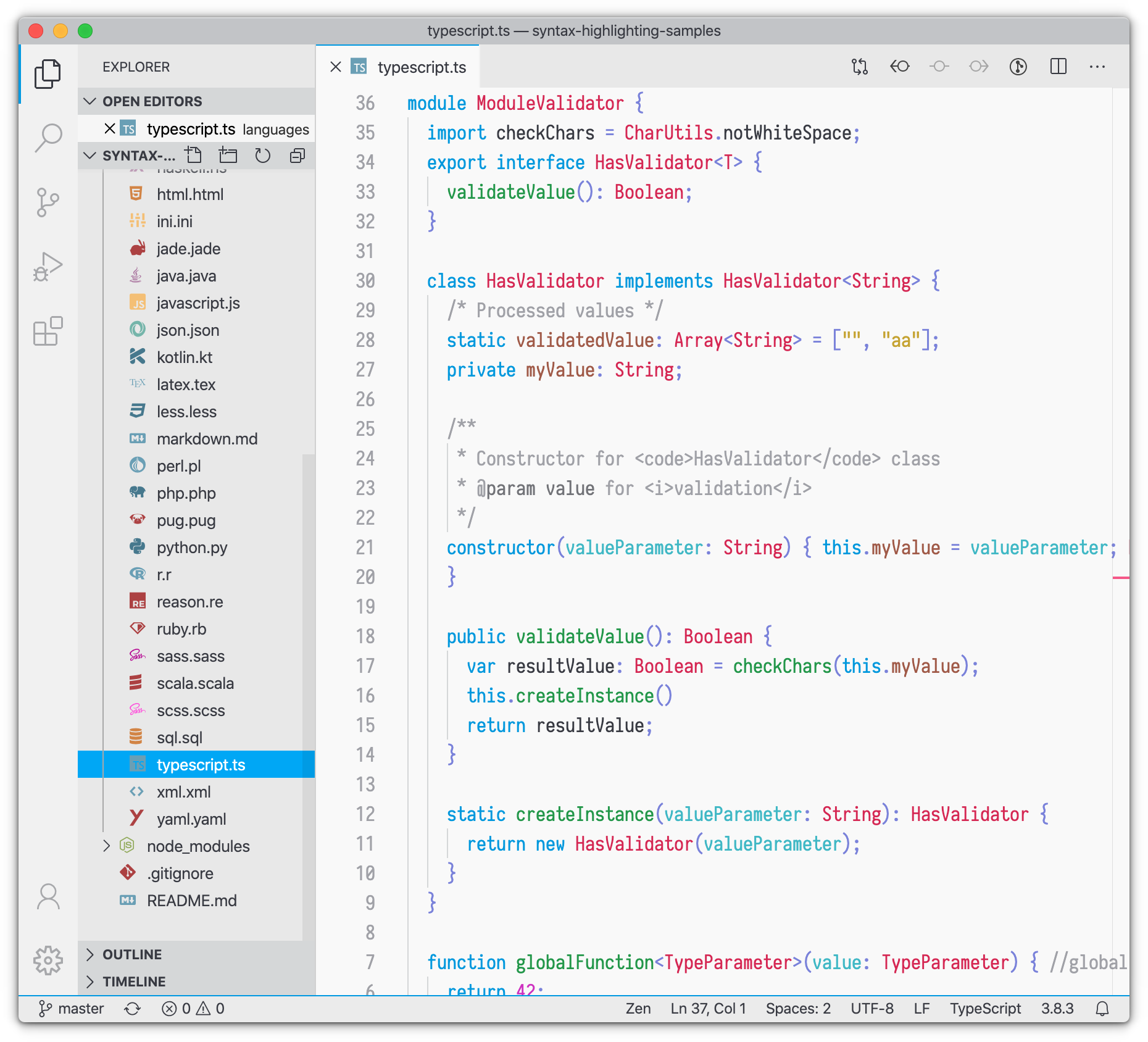
11. Bluloco Light
Bluloco Light offers a clean and airy look with thoughtful design choices. It’s ideal for developers who work in bright environments and want a professional, minimal style.
Key Features
✅ Light theme with a refined, minimal aesthetic
✅ Consistent syntax coloring
✅ Balanced, readable contrast
✅ A great option if you prefer clean and modern
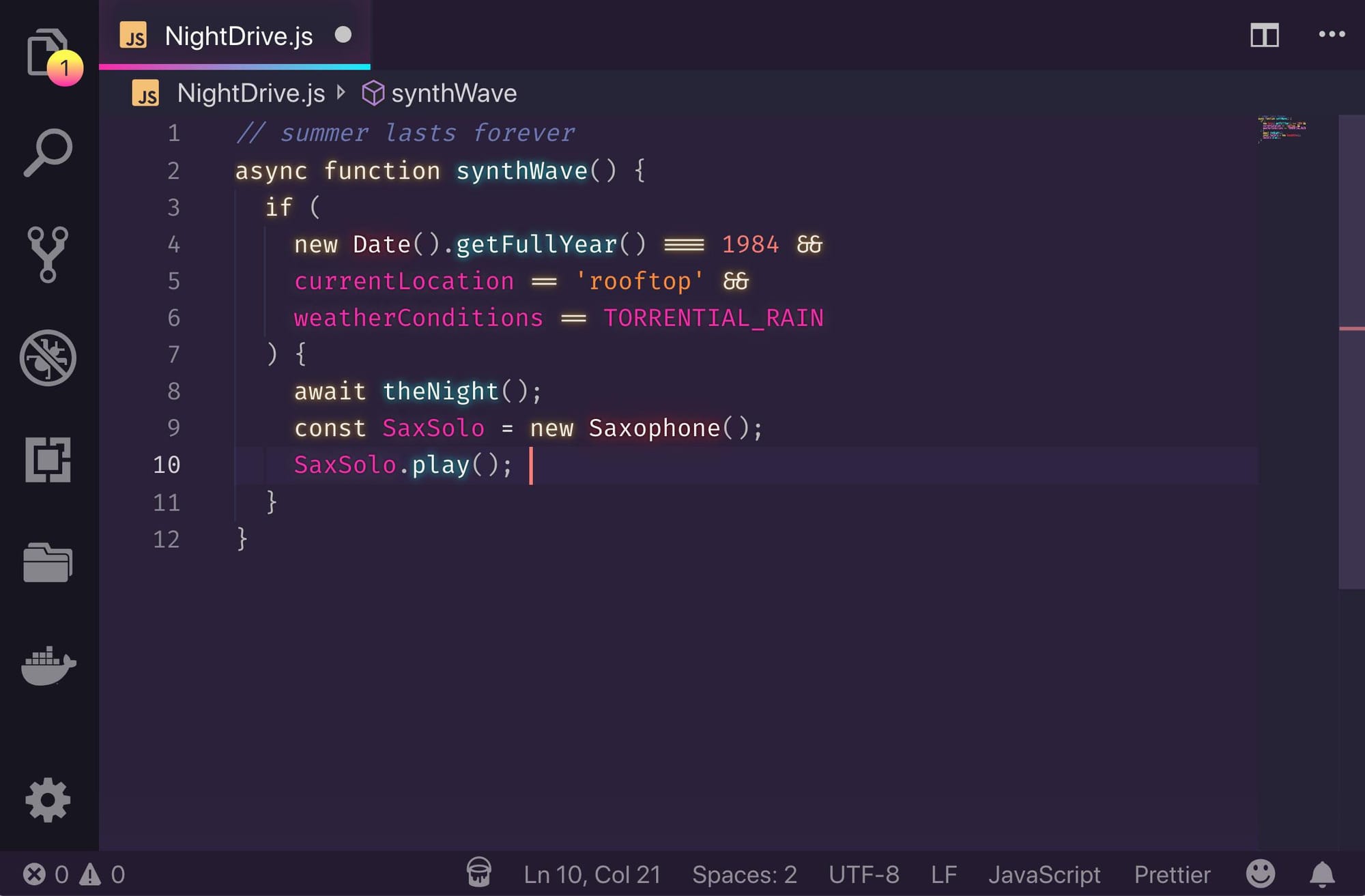
12. SynthWave '84
SynthWave '84 is a retro-futuristic theme inspired by the 1980s, featuring neon colors and even an optional glow effect for extra flair. If you want something bold and eye-catching, this one’s for you.
Key Features
✅ Neon vibes and cyberpunk aesthetic
✅ Optional glow effect (via extension)
✅ Highly popular among front-end developers
✅ Supports syntax across major languages
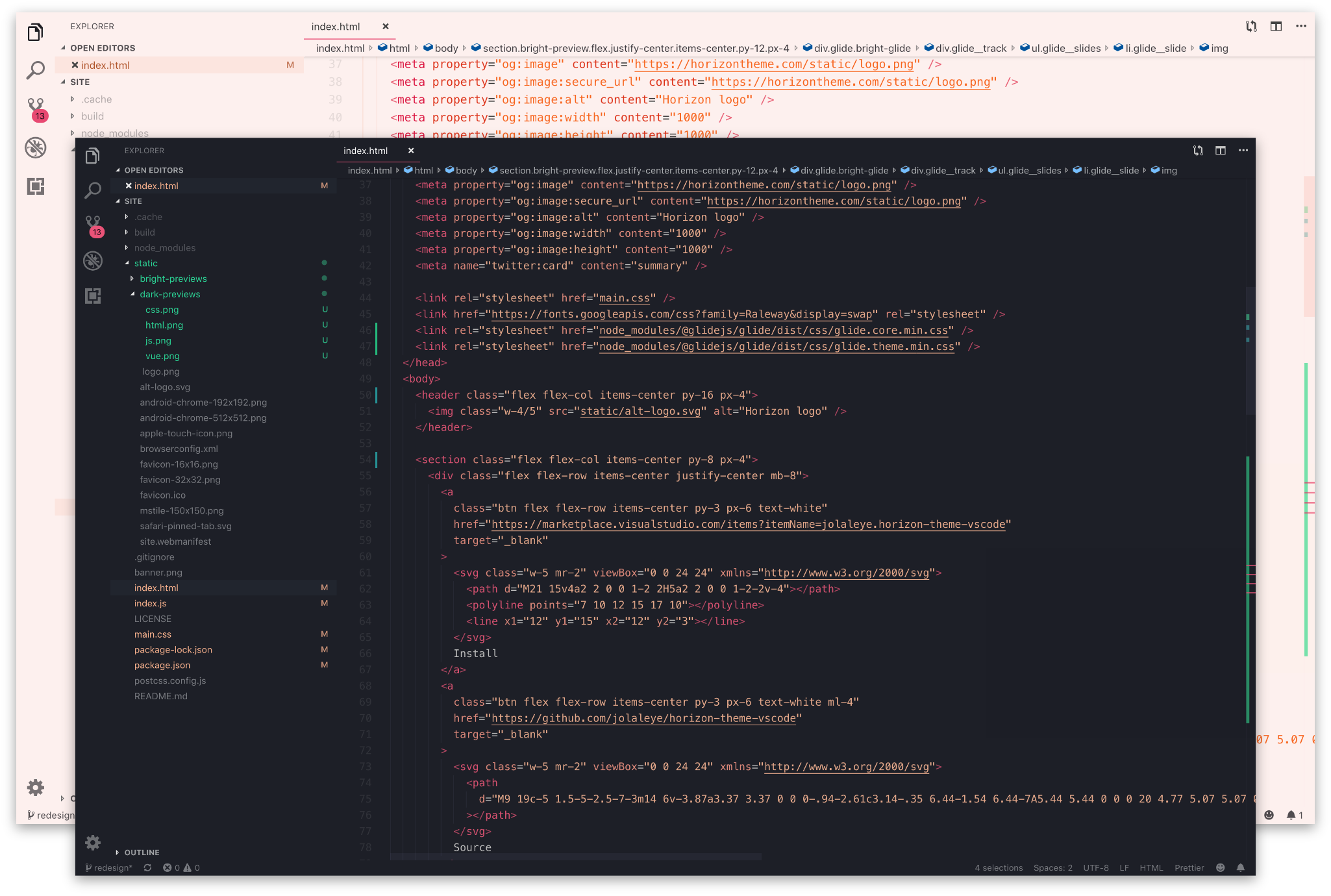
13. Horizon Theme
Horizon is a warm, reddish-orange tinted dark theme. It’s subtle, modern, and carefully designed for comfort over long coding sessions.
Key Features
✅ Warm, earthy color tones
✅ Balanced contrast for daily use
✅ Available in both dark and bright variants
✅ Great for front-end and full-stack development
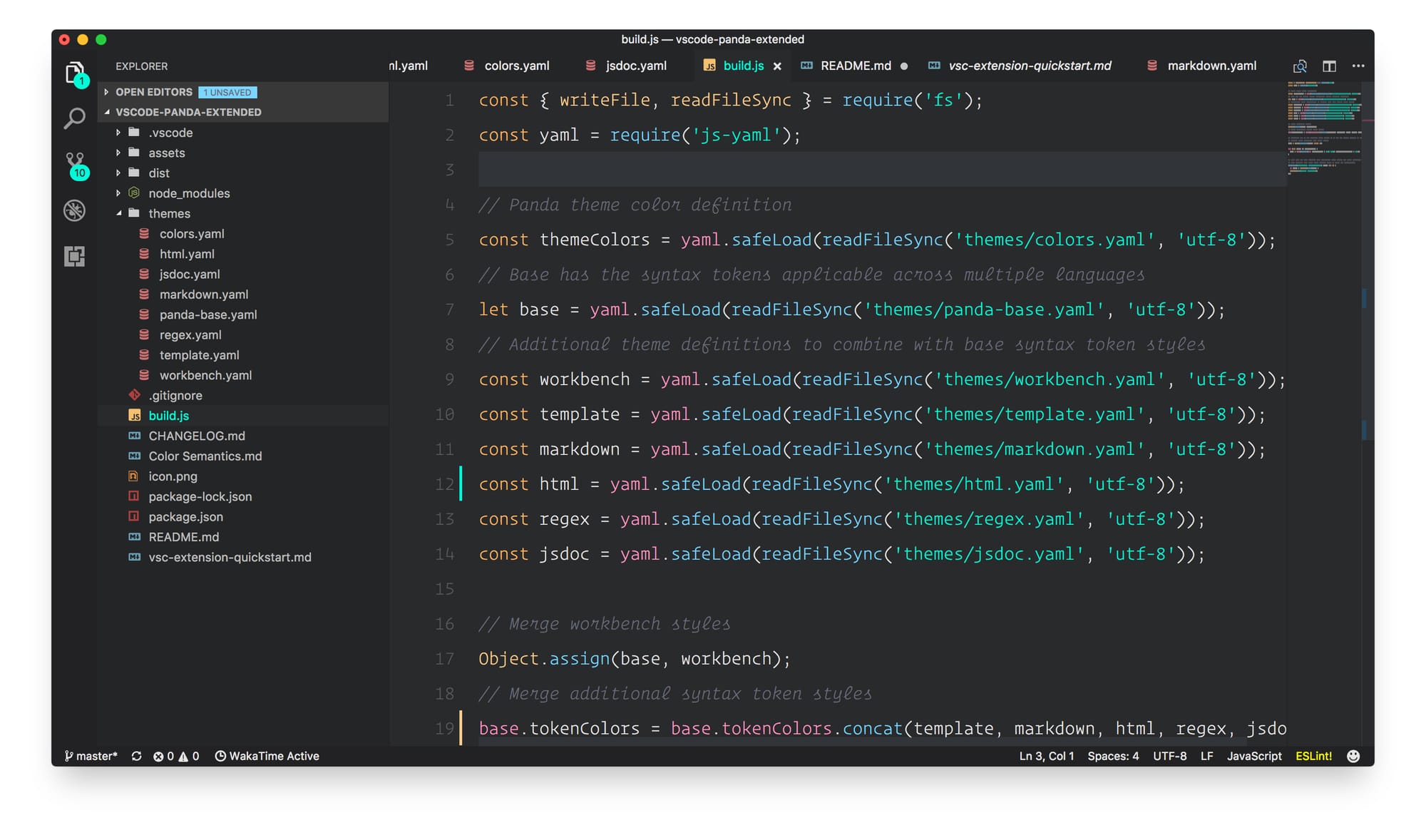
14. Panda Theme
Panda is a soft, minimal dark theme with pastel accents. It's built for readability and calm, avoiding harsh contrasts without sacrificing clarity.
Key Features
✅ Soft pastel syntax coloring
✅ Minimal and distraction-free
✅ Excellent for late-night coding
✅ Available for terminals and editors
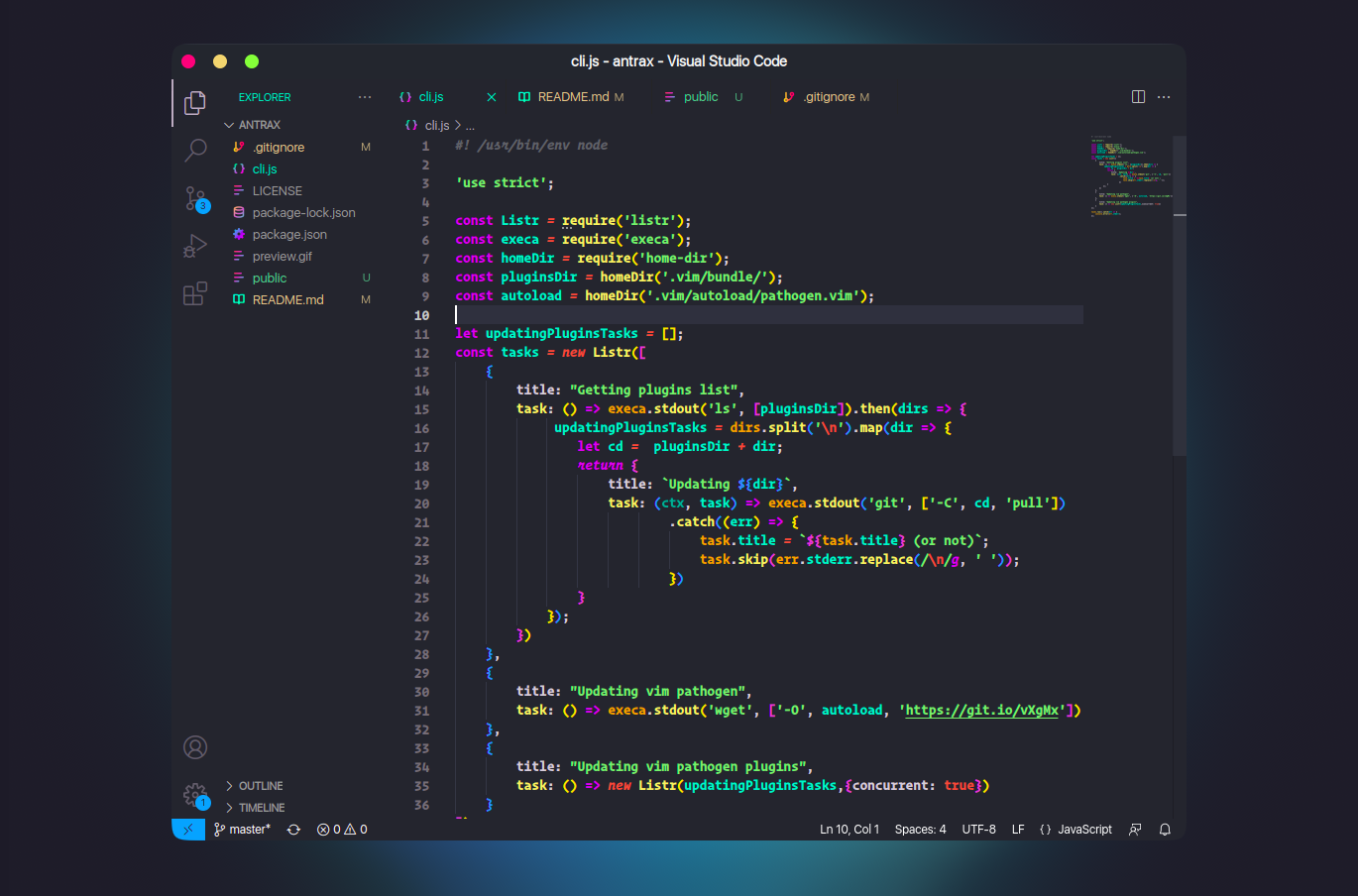
15. Andromeda
Andromeda is a high-contrast dark theme with bold, saturated colors. It’s sharp, vibrant, and particularly suited to developers who like strong visual distinctions in their code.
Key Features
✅ Vibrant colors with high contrast
✅ Great for distinguishing syntax elements
✅ Maintains a clean, focused interface
✅ Works well with dark desktop environments
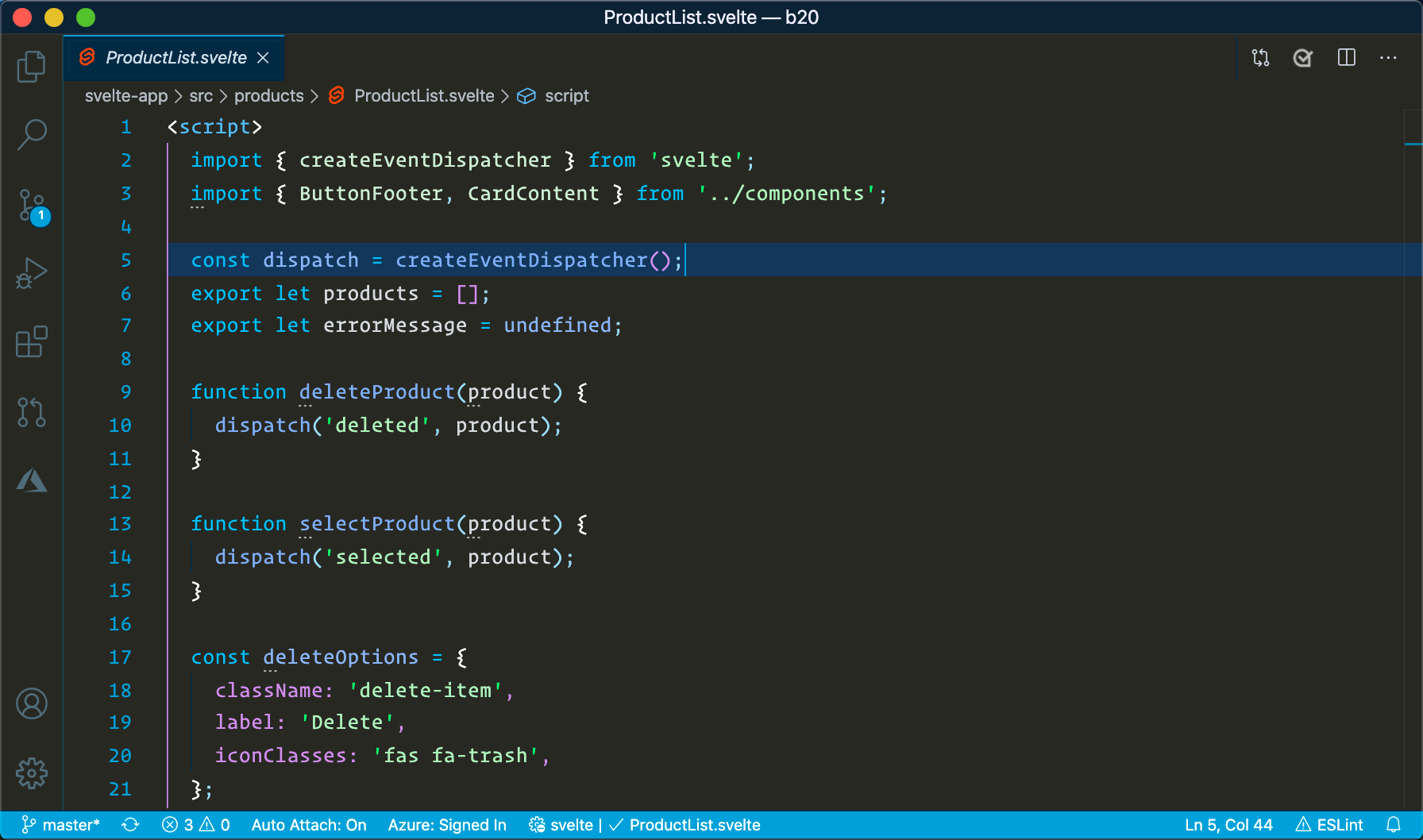
16. Winter is Coming
Winter is Coming offers light, dark, and dark with no italics variants. It’s crisp, elegant, and excellent if you want clarity without visual clutter.
Key Features
✅ Clean, cool-toned color palette
✅ Multiple variants (including no italics)
✅ High readability across languages
✅ Ideal for clean, professional setups
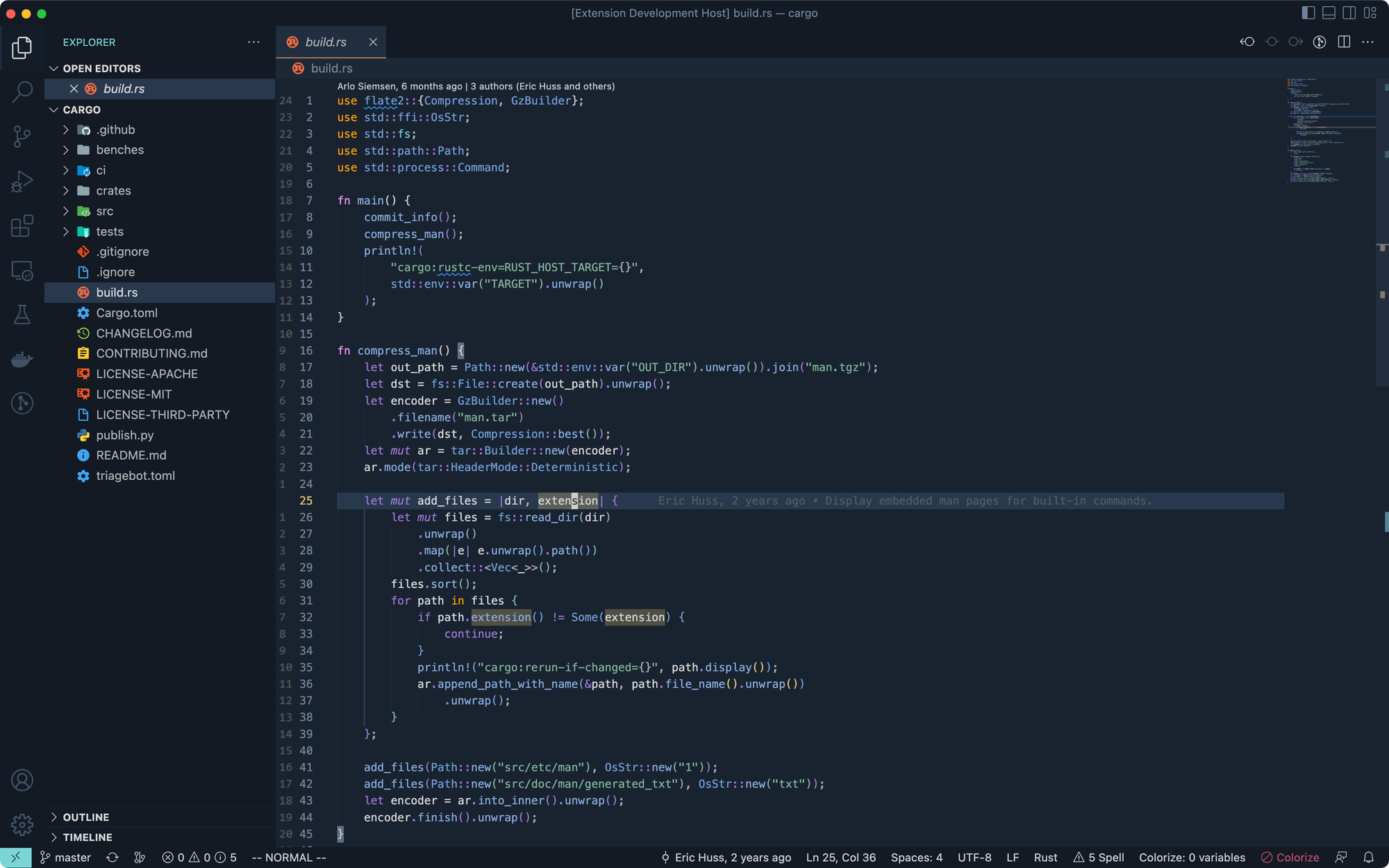
17. NightFox
NightFox is part of the "Fox" theme family (includes NightFox, DayFox, DawnFox, etc.). It's a soothing dark theme with carefully curated contrast for better accessibility.
Key Features
✅ Carefully calibrated color palette
✅ Designed with accessibility in mind
✅ Multiple variants available
✅ Consistent UI and terminal look
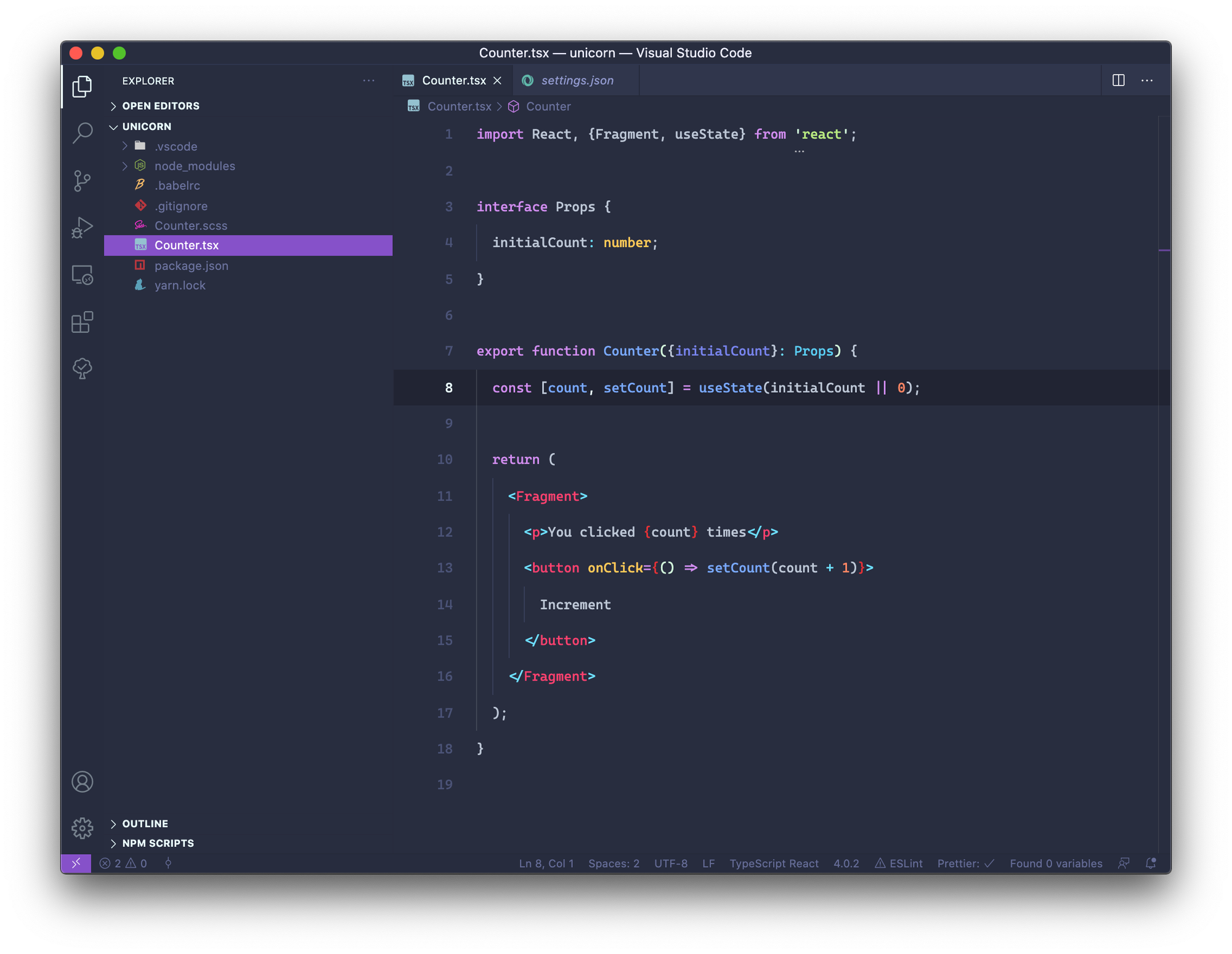
18. Palenight
Palenight is a calm, visually appealing theme with a palette of soft purples, blues, and pinks. It’s stylish without being overwhelming.
✅ Key Features
✅ Soothing colors and modern aesthetic
✅ Strong readability for long hours
✅ Easy on the eyes with subtle contrast
✅ Works well across many languages
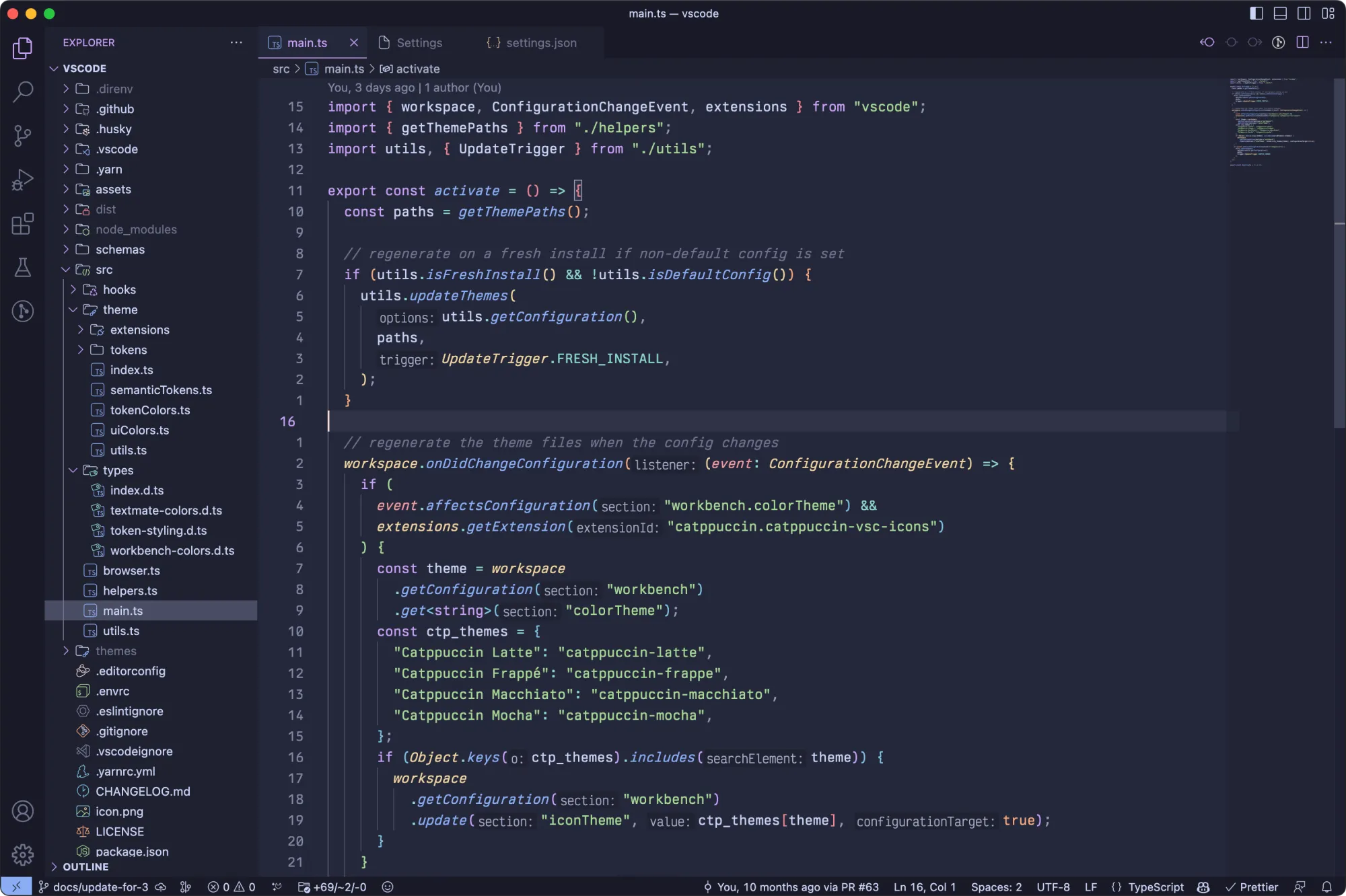
19. Catppuccin
Catppuccin has become the hot favorite among savvy computer users. The soothing, pastel colors have a different charm and it is available for so many applications. From VS Code to Xfce terminal, it is available for more than 300 applications. And that makes it an ideal choice for people who would like the uniform look across various apps.
The Catppuccin theme comes in four variants: Latte, Frappé, Macchiato and Mocha. Except Latte, all of them are dark themed.
✅ Key Features
✅ Soothing pastel colors
✅ Dark and light shades
✅ Highly popular among developers
✅ Available for a huge number of other applications
Wrapping Up
At the end of the day, themes are a very personal part of your coding experience.
As a web developer, I’ve experimented with a wide range of VS Code themes over the years and while I appreciate a good dark theme like Dracula or One Dark Pro, I’ll admit something that might be a bit controversial: I actually prefer light mode or even high contrast themes!
For me, coding in daylight or bright environments feels more natural with a lighter background. But that’s just my preference, and that’s the beauty of themes: there’s something for everyone.
Have a favorite theme I didn’t mention? Or do you swear by dark mode no matter what? Let me know in the comments. I’d love to hear what themes power your VS Code setup!
If this helped you, consider supporting It's FOSS
It's FOSS has been helping people use Linux for the past 14 years. Help us stay independent from big tech. Become a Plus member, enjoy ad-free reading and get 5 eBooks.

