

Brief: Ubuntu 18.04 LTS Bionic Beaver has been finally released. Here is a quick recap of new features and the download links for Ubuntu 18.04.
The wait is over. Ubuntu 18.04 LTS is finally available to download.
Ubuntu lovers have been waiting for the release for hours but the release got held up because of a last minute critical bug. The bug prevented booting into the live session.
The Canonical team worked hard to fix the bug and release Ubuntu 18.04 LTS on 26th April, as per the schedule. Except Ubuntu 6.04, no other release has ever been delayed in the history of Ubuntu. So once again, Ubuntu team has kept its reputation of following the strict release schedule.
Ubuntu 18.04: What’s new?
While there might not be too many visual changes from Ubuntu 17.10, it is still a huge transition from Ubuntu 16.04.
Ubuntu 18.04 uses GNOME desktop instead of its Unity desktop. GNOME has been customized to resemble Unity but it is still a different desktop environment. This is why Ubuntu introduced a welcome screen for the first time in its history.
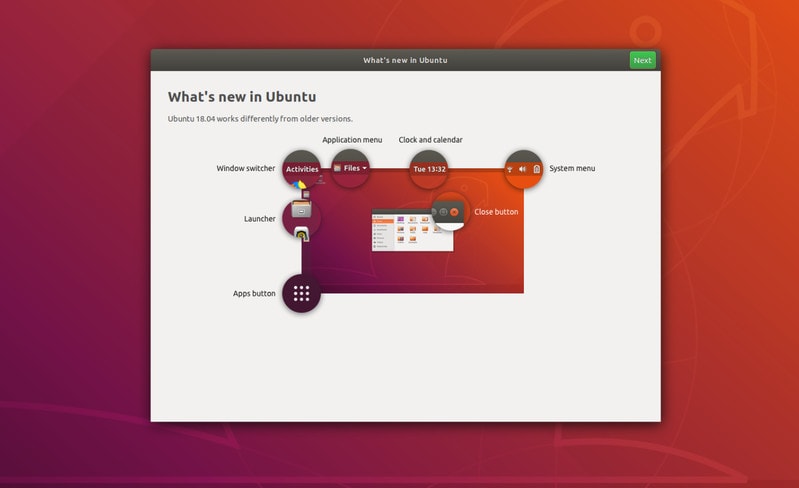
I have covered Ubuntu 18.04 features in detail previously so I am just going to list the changes in 18.04 out here for a quick recap.
- GNOME 3.28 is the default desktop
- Live kernel patching option for desktop
- Minimal install option allows you to install Ubuntu with only the essential utilities and a web browser
- Improved PPA mechanism as adding the repository automatically updates the index
- Linux Kernel 4.15
- Slightly redesigned Nautilus file manager
- Xorg is the default display server again (Wayland was the default in 17.10)
- New installer for Ubuntu 18.04 Server edition
- Native support for color emojis in GTK applications
- Thunderbolt 3 support in GNOME Shell
- Automatic suspend for laptops after 20 minutes of inactivity while on battery
- Updated software
- No new 32-bit ISO downloads
- Python 3.6
- For fresh installs, swap file is used by default instead of the swap partition
- You can no longer encrypt just the home option using ecryptfs-utils at the time of installation. It is recommended to use full-disk encryption instead.
If you want to see the features in detail and in action, please watch this video review of Ubuntu 18.04 LTS:
Subscribe to YouTube Channel for more Ubuntu Videos
Download Ubuntu 18.04 LTS
You can download Ubuntu 18.04 LTS default GNOME edition from the link below:
If you prefer torrents, you may use torrent to download Ubuntu as well.
Torrent Download for Ubuntu 18.04 LTS
For other official flavors of Ubuntu 18.04, please check their official websites for download links.
If you are going to use it, I recommend referring to this list of things to do after installing Ubuntu 18.04. If you have questions, please refer to this article that answers frequently asked questions about Ubuntu 18.04.
Enjoy Ubuntu 18.04 LTS Bionic Beaver!
