


Terramaster F4-425 Plus was the first NAS I ever used in my hoemlab setup. It's a solid device for a NAS. Not too expensive, silent and has a decent operating system. The hybrid HDD+SSD model along with TRAID and built-in backup tools makes it a good NAS choice.
Now Terramaster has refreshed their F4-425 series with a Pro model. The main thing that changes here is the CPU. There is also a revamped operating system in the form of TOS 7 but that should be available on previous F4-425 models, too.
The new F4-425 is still a solid device, hardware wise. Operating system has rough edges and hopefully it will improve in the future updates if Terramaster is serious on this product. They usually are.
I have used the device for a few days as it's a new device and I have been travelling to other cities for most of the past few weeks. So what I am sharing here are more of first impressions. A more thorough review with extended daily use will follow.
Still, there is enough here to give you a useful picture of where the F4-425 Pro stands right now.
The hardware
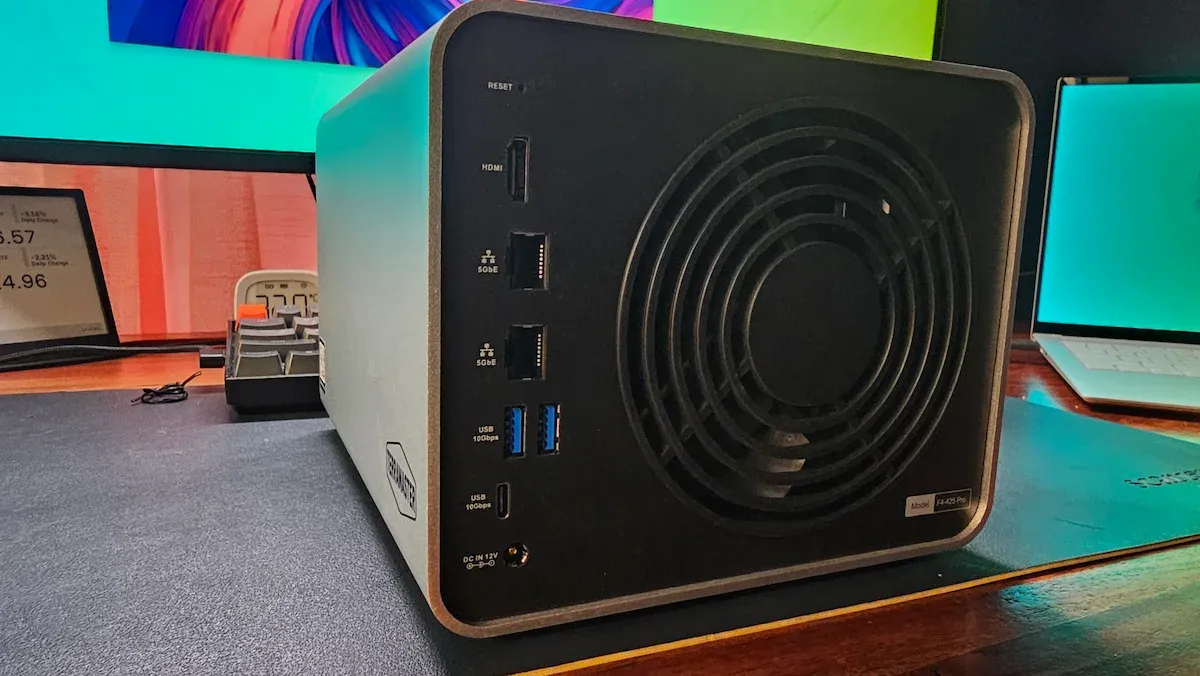
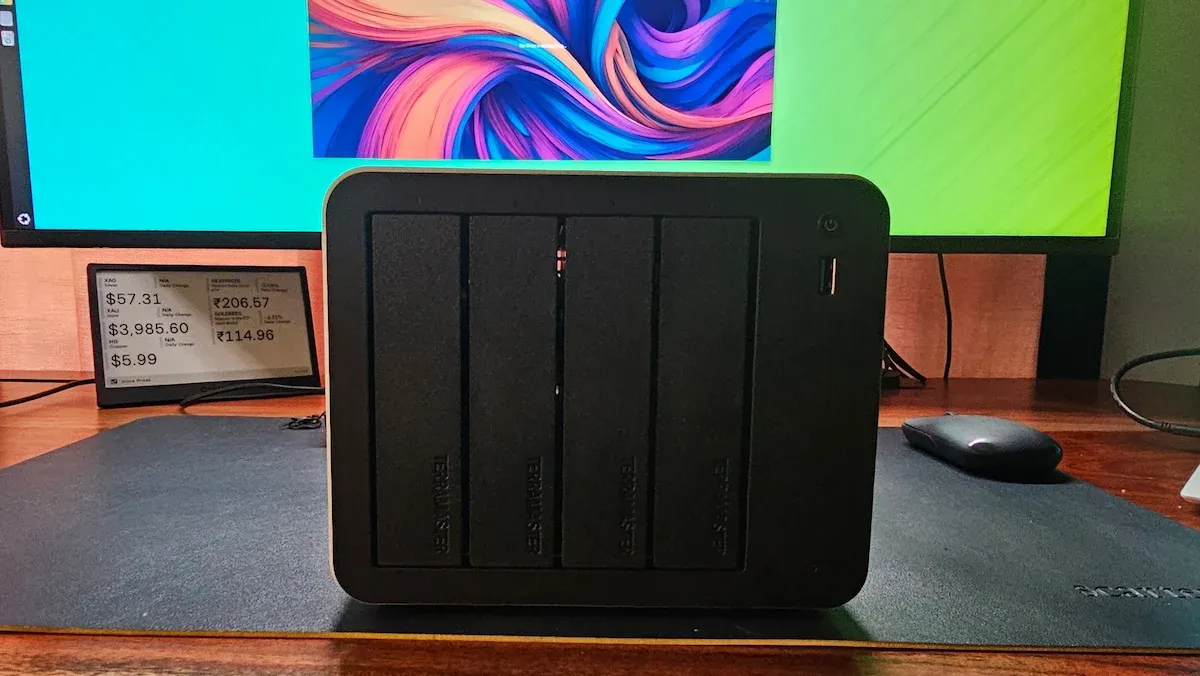
Visually, the F4-425 Pro is identical to the Plus. Same aluminum chassis, same front layout with four HDD bays and a single USB-A port, same rear port arrangement. There is no design refresh here. You cannot distinguish between the two by just looking at them from the outside.
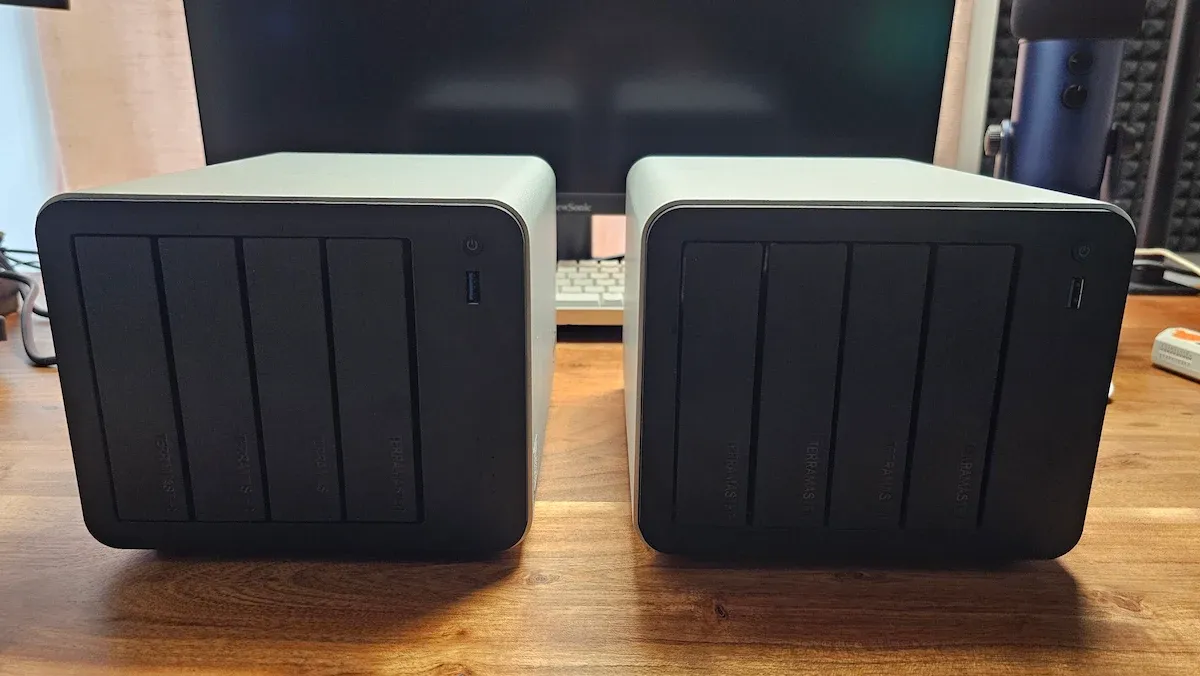
What changed is the processor primarily. The Plus had an Intel N150 with 4 cores. The Pro moves to the Intel Core 3 N350 with 8 cores and a 7W TDP. The integrated GPU gains 32 execution units versus 16 to 24 on the Plus, which matters for hardware-accelerated transcoding. My unit is the top configuration with the N350 and 16GB DDR5.
| Component | F4-425 Pro (this unit) | F4-425 Plus |
|---|---|---|
| CPU | Intel Core 3 N350, 8-core (7W) | Intel N150, 4-core |
| RAM | 16GB DDR5 (single SODIMM slot) | 16GB DDR5 |
| GPU (iGPU) | 32 execution units | 16–24 execution units |
| HDD Bays | 4× SATA hot-swap | 4× SATA hot-swap |
| M.2 Slots | 3× NVMe (PCIe Gen3 x1) | 3× NVMe (PCIe Gen3 x1) |
| Max Storage | 152TB (32TB×4 HDD + 8TB×3 NVMe) | 144TB |
| LAN | Dual 5GbE | Dual 5GbE |
| USB | 3× USB-A + 1× USB-C (all 10Gbps) | 3× USB-A + 1× USB-C (10Gbps) |
| OS | TOS 7 | TOS 6 (upgradeable to TOS 7) |
| Price | $799.99 | $599.99 |
The 8-core upgrade is meaningful for a NAS running multiple Docker containers, simultaneous services, and media transcoding. There is also a cheaper N305 variant at $699.99 with 8GB less RAM, but given how much a NAS tends to do in parallel, I would lean toward this configuration.
One constraint worth noting is that there is only one SODIMM slot. If you want to upgrade beyond 16GB later, you will need a single module of single-rank DDR5.
First, a discovery that changed how I think about TerraMaster migration
Before the hardware rundown, I want to share something I stumbled into during setup that I did not know before and found genuinely useful.
Terrmaster's operating system, TOS, does not live on the NAS device itself. There is no onboard eMMC storage. The operating system is installed directly on one of the user-inserted disks.
When I moved some of my existing drives from the Plus into the Pro, it booted straight into TOS 6 with my old user credentials already present. The Pro just picked up where the Plus left off because the OS was on the drives, not the device.
If that was amusing, the story gets better.
I then inserted those same drives into my ZimaCube Pro as I wanted to format them. And the strangest thing happened. The ZimaCube started presenting itself as a TerraMaster NAS running TOS. The TOS installation on disk was only about 280 MB but that was enough to 'hijack' the boot process.
I formatted the SSDs by putting them in my Terramaster D1 SSD enclosure and connecting it to my Ubuntu laptop. I formatted the drives using GParted via my TerraMaster USB DAS, reinserted them in the Pro, and it initialized fresh with TOS 7.
The OS installation experience
No, I am not talking about installing an open source NAS OS on the Terramaster F4-425 Pro. I am talking about TOS itself.
Since the device doesn't come with on-board storage, the OS is installed when you boot (with fresh hard disks).
I used two SSDs to test the NAS. Only SSDs, no HDDs (don't judge me). I think in total, I have 8 SSDs of various size. I started buying them 2 years back when I started exploring homelab setup. My collection of disks would have grown as my interest and devices grew in my homelab but the increased price have put a stop on them for now. From what I see, the SSDs that I bought 2 years ago, cost 2 to 3 times more these days. I'll wait for the prices to come down.

Enough of my sob story. So, I used two disks and they were combined into one with TRAID.
The TOS 7 was downloaded and installed in 25 minutes or so.
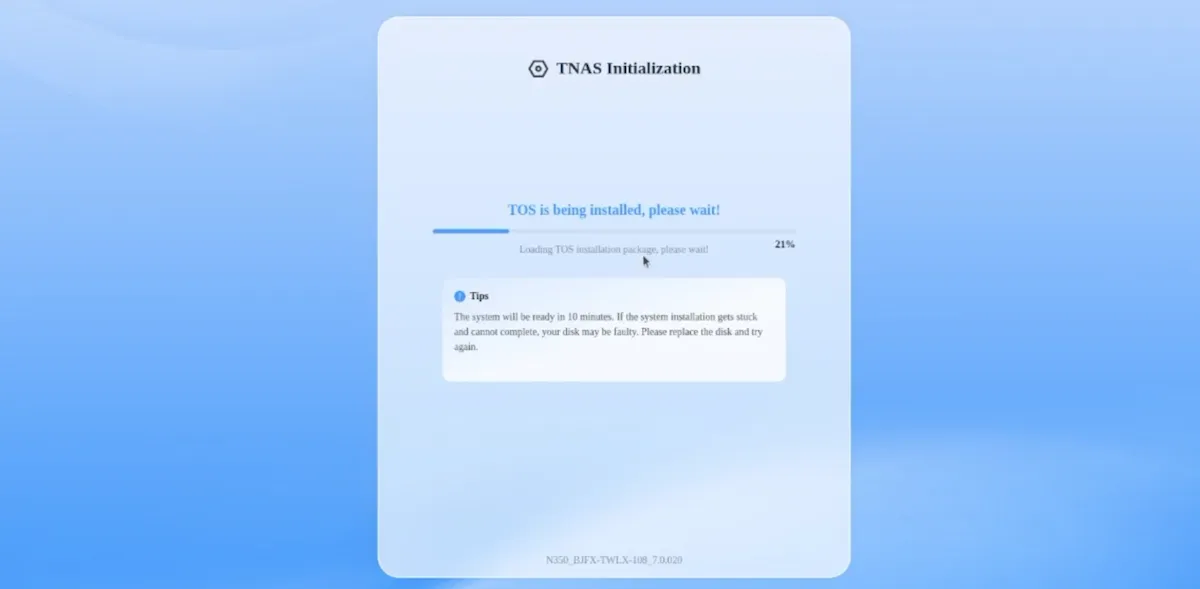
Once it is installed, you get the option to create a "super user" locally:
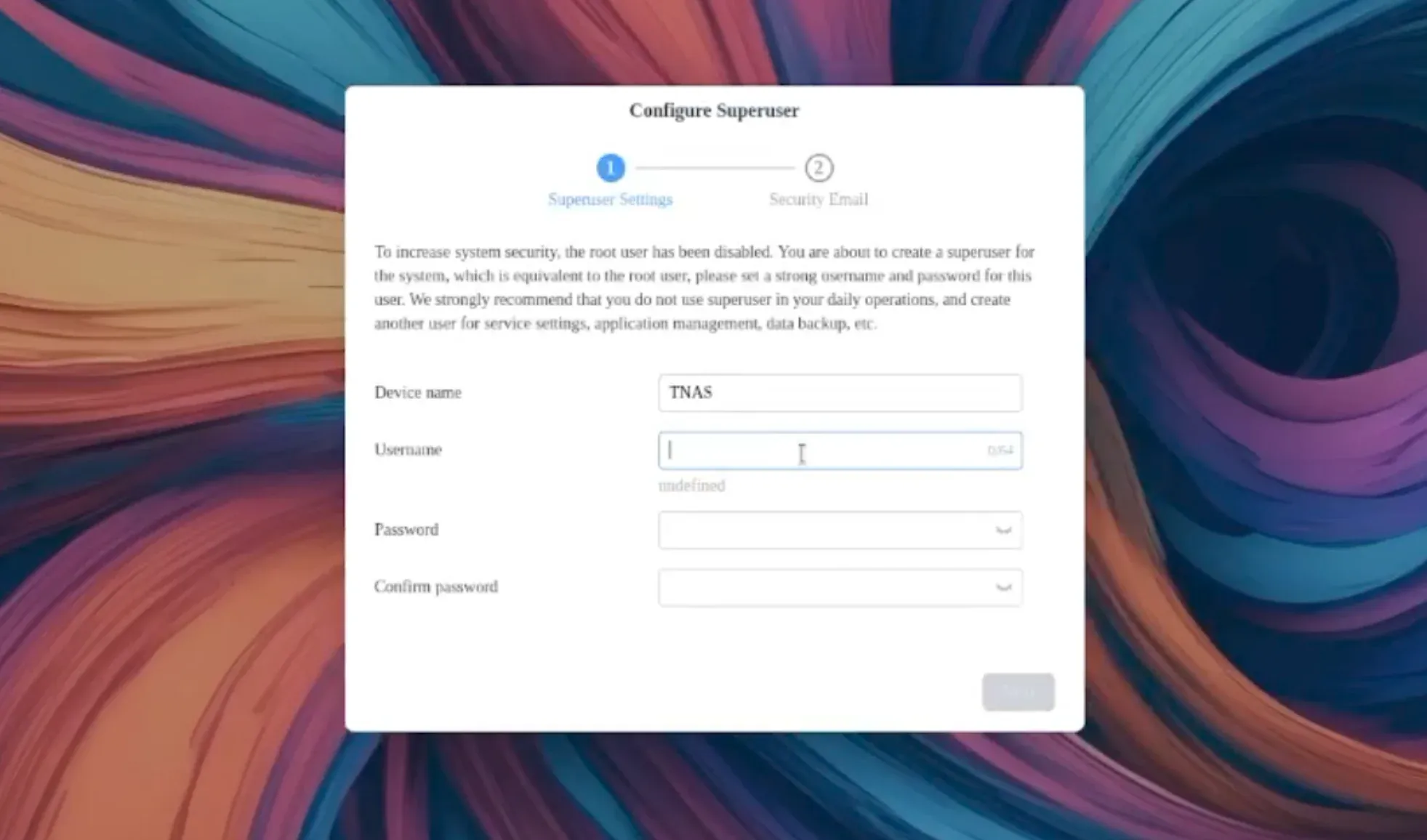
And then you get the option to add an email account. You have to provide an email address and you may provide a fake or temporary one and skip verification, I think. However, this email address is used to send notification about certain events like NAS being rebooted, shutdown and more. You can also configure custom notification for when disks are full or they encounter issues.
Here's a video of the TNAS OS installation and initilization. It's a raw, unedited video of about 35 minutes. Mostly the first and last few minutes are of interest.
You'll notice some errors when I first log in to the TOS. Those errors went away after the reboot.
Using TOS 7: Improvement on TOS 6, but the "AI-native" label is not justified (yet)
TOS 7 is surely an improvement over the previous TOS 6. The interface is cleaner, navigation is more intuitive, and the storage management tools feel more coherent. The addition of system monitor in the sidebar is a good move and overall, the TOS seems to have a good user interface at first look.
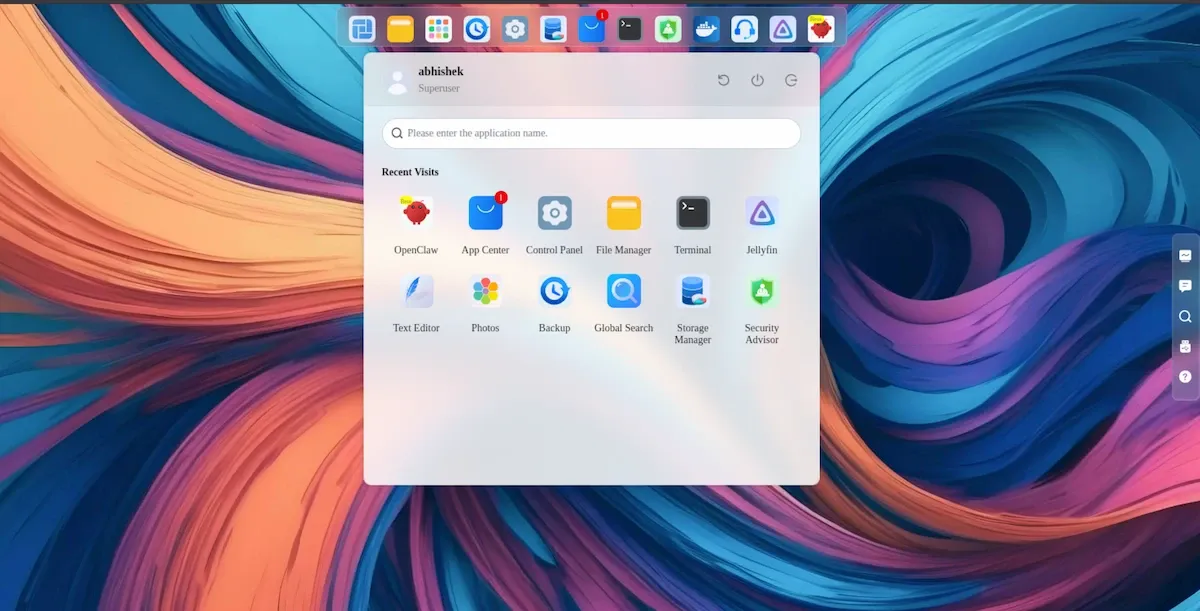
The redesign is evident, sepecially if you have used TOS 6 in the past.
That said, TerraMaster is marketing TOS 7 as "the world's first AI-native NAS OS" and I think that's more of marketing than actual AI features.
The "Ai-native" tag needs a lot more work
The main AI feature is the inclusion of OpenClaw, which lets you interact with the NAS using natural language. Sounds compelling. But OpenClaw is an orchestration layer, not an AI model itself. It acts as a middleman between you and whatever LLM you connect it to, which could be a cloud service or a local model running on current or another device. The NAS itself is not doing any AI inference. So "AI-native" means "designed to connect to AI", which is a different thing.
The idea Terramaster showcased in their TOS7 video was that OpenClaw could be used to manage the NAS more easily by asking the AI to configure a few things instead of doing it all by yourself.
If that was the idea, it would have made more sense to include some open source model pretrained data on Terramaster docs or at least have some custom skills added to it (for the lack of good enough GPU for local AI). There is no scope for adding a GPU for more local AI capabilities.
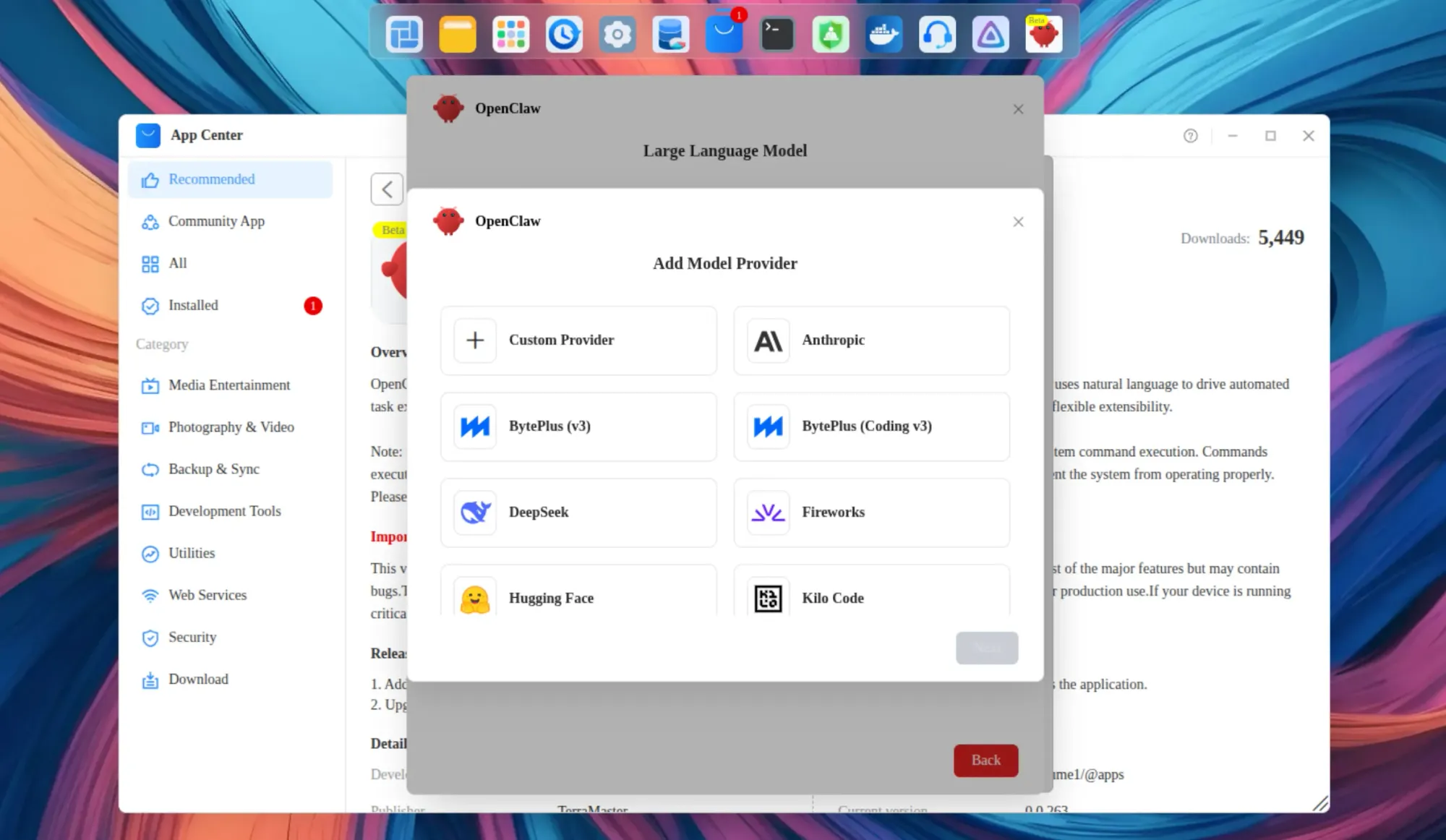
I tried pointing OpenClaw at Ollama running on my ZimaCube Pro. The configuration is not straightforward. There are networking details to sort out and Ollama's API endpoint format matters. It is doable (and I'll revisit this scenario later), but it is not the one-click experience the marketing implies.
Of course, OpenClaw can be connected with Claude and other cloud LLMs but then it won't be native, local AI. I also don't have Claude Max plan to connect it to OpenClaw.
Personally, I would not trust AI automation with my private data, especially when I plan to use this as my primary local data backup. That said, the idea of including AI assistance is not entirely bad. People are increasingly using AI and they want it built into the tools they already use, rather than switching to a browser tab or a terminal.
The other AI feature is in the Photos app. It scans your library to recognize faces, places, and scenes. This is useful but nothing new or revolutionary, it was already there in TOS version 6. Tools like Immich and PhotoPrism already do this, and they are both open source options you can install on the NAS itself. What would actually differentiate this is something like OCR on scanned documents, which neither Photos nor most self-hosted tools handle well. That opportunity is sitting right there.
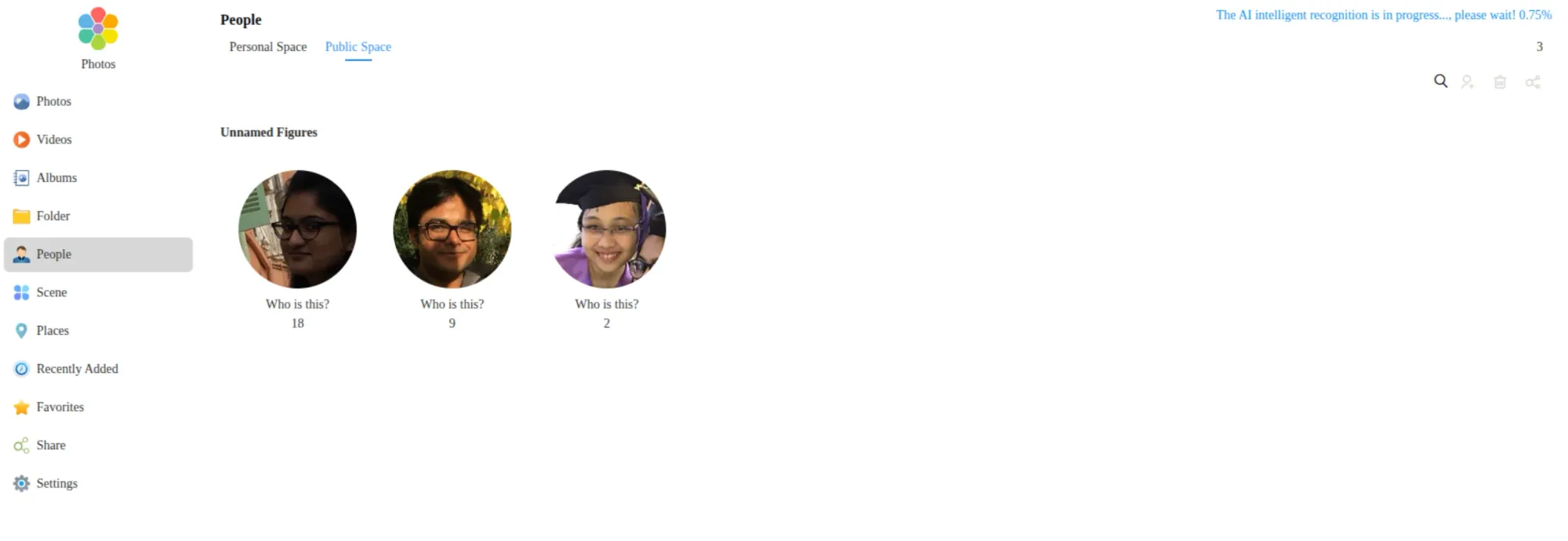
The AI recognition in Photos is also not enabled by default. You have to go into settings and turn it on manually. Once enabled, it takes a while to process a large library.
There is a Linux terminal, too
TOS 7 provides terminal access to a Linux environment running underneath. I guess this is good for people who do not want to rely on the provided graphical user interface and want to take matters into their own hands by using the command line.
Now, the Linux environment is Ubuntu. Ubuntu 22.04 specifically. That version reaches end of life in April 2027, almost a year from now. For a device just launched in mid-2026 and expected to run for years, shipping with a near-EOL Ubuntu base is not a good move. I would have expected 24.04 at minimum.
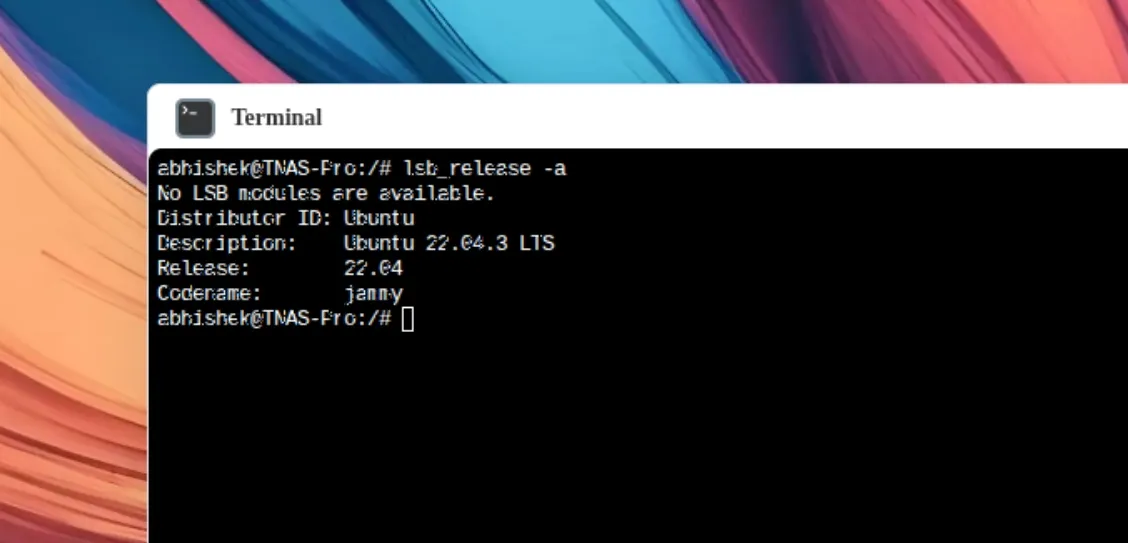
Another thing is that I could see pending updates in the terminal but it threw a warning when I tried to run apt upgrade.
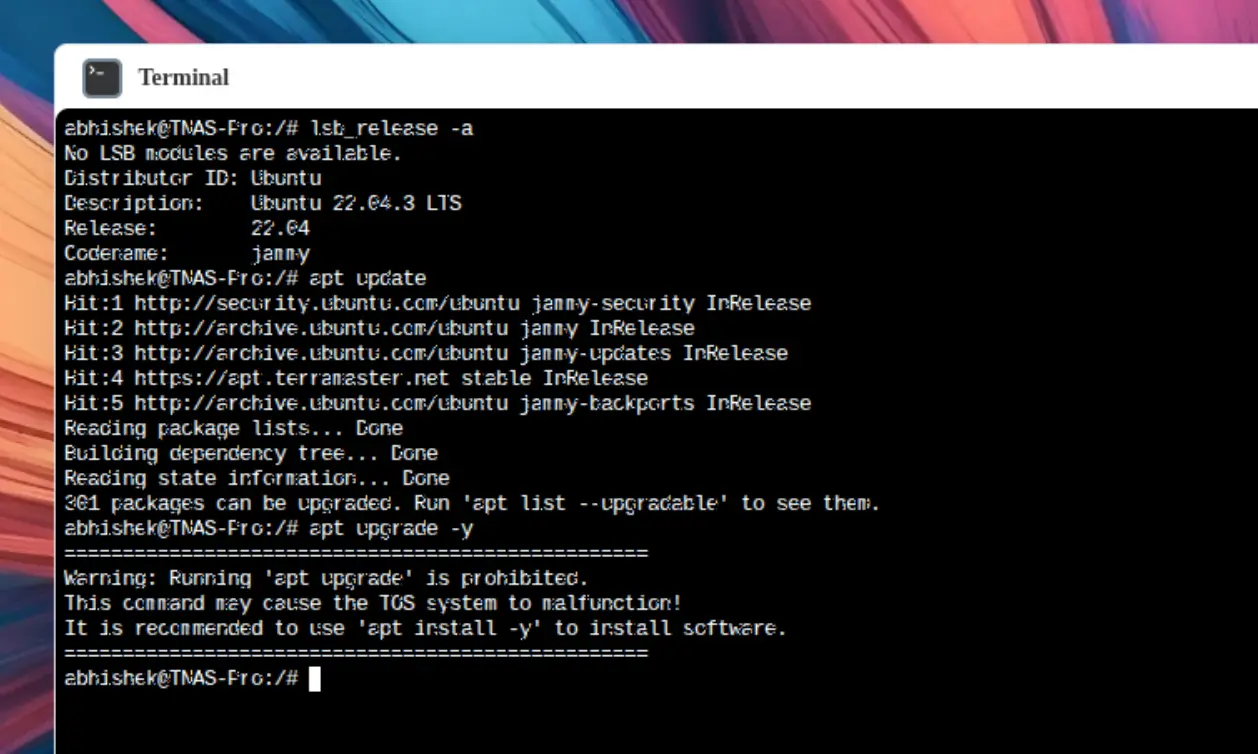
Which makes sense to some extent. Terramaster doesn't want you to upgrade the system on your own. Rather, they will provide OTA updates. If you install a package on your own, you can upgrade it with "apt install package_name" way. And of course, the terminal is at your disposal to configure docker, development tools etc from the command line because a few things are rather easy in the terminal than fiddling around in the GUI menu.
Easy remote access through
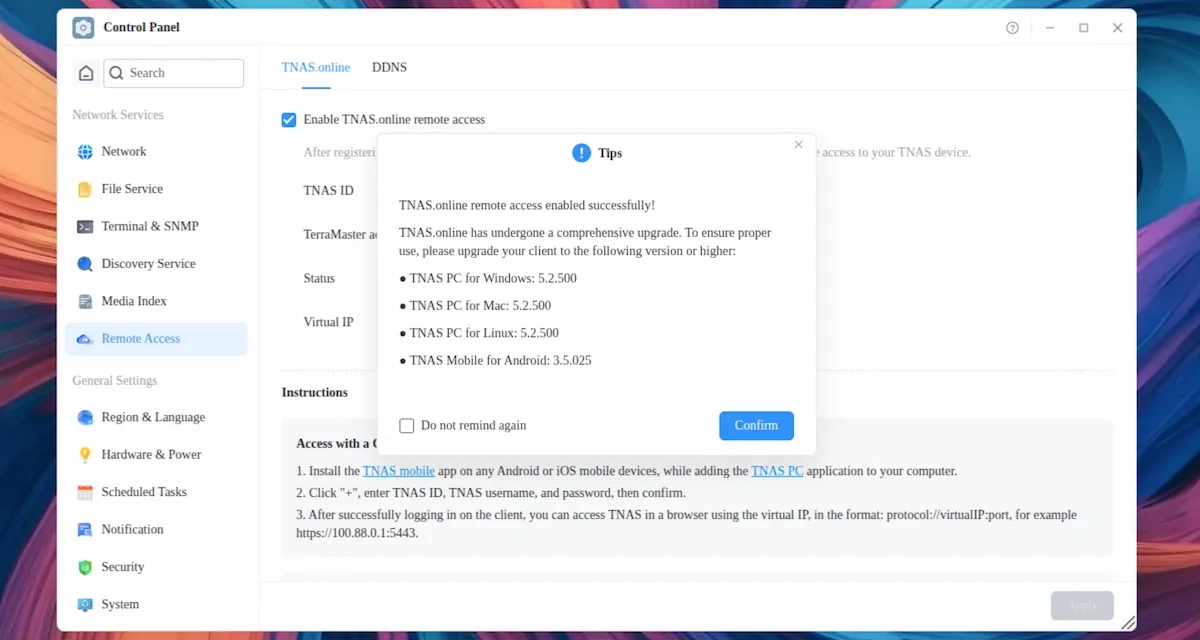
Terramaster also has this new feature (I think) calles TNAS.online remote access. So, if you register an account with Terramaster, you can enable remote acces to your NAS device. This makes it easier for you to access data when you are not on your home network.
Rough edges worth knowing about
These are not dealbreakers but they add up and are worth calling out early. I hope Terramaster team reads this and provides software updates to address these issues.
Global search has a scope problem. TOS 7 has a distinction between your personal space (home directory) and the shared public space. A global search only returns results from your home directory. Files stored elsewhere on the device did not appear. Even files I copied into the home directory did not show up in search results immediately, possibly due to indexing time. But the lack of clear guidance on what the two spaces mean, and which one search actually covers, will confuse new users.
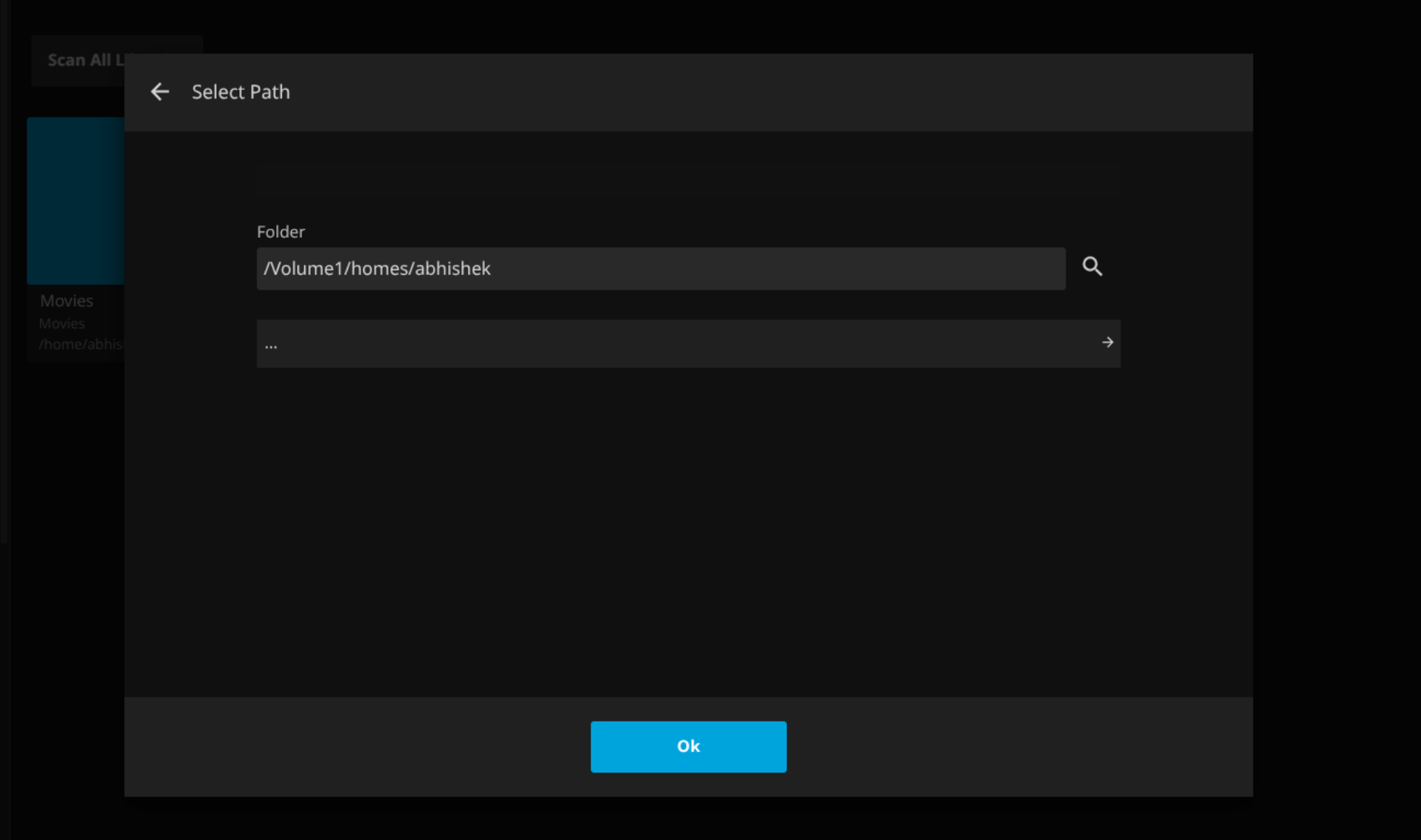
Jellyfin cannot browse subdirectories inside the home directory. I set up a Movies folder inside my home directory but Jellyfin would not display subdirectories when I tried to add it as a media library. It wanted to use /Volume1/jellyfin by default, which means media gets tied to the application path. If Jellyfin gets uninstalled, the data location becomes a concern.
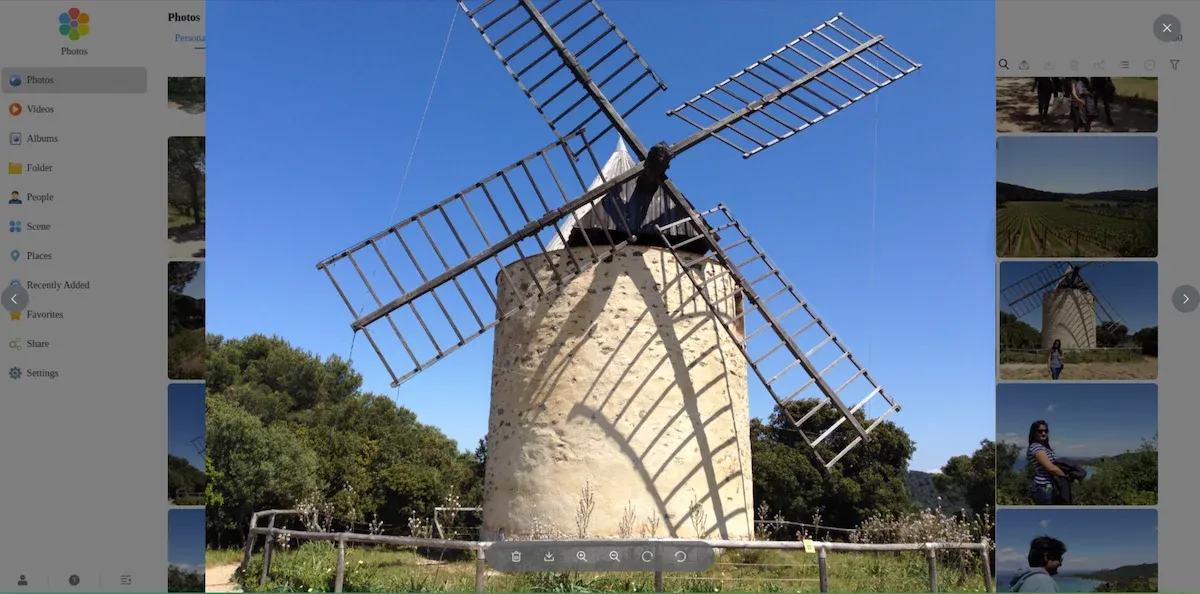
No keyboard navigation in Photos. Browsing photos requires mouse clicks throughout. You cannot use arrow keys to move between images in the viewer. The app search bar launched from the top bar also does not dismiss with Escape. These are minor but they signal a UI that was not fully tested for keyboard users.
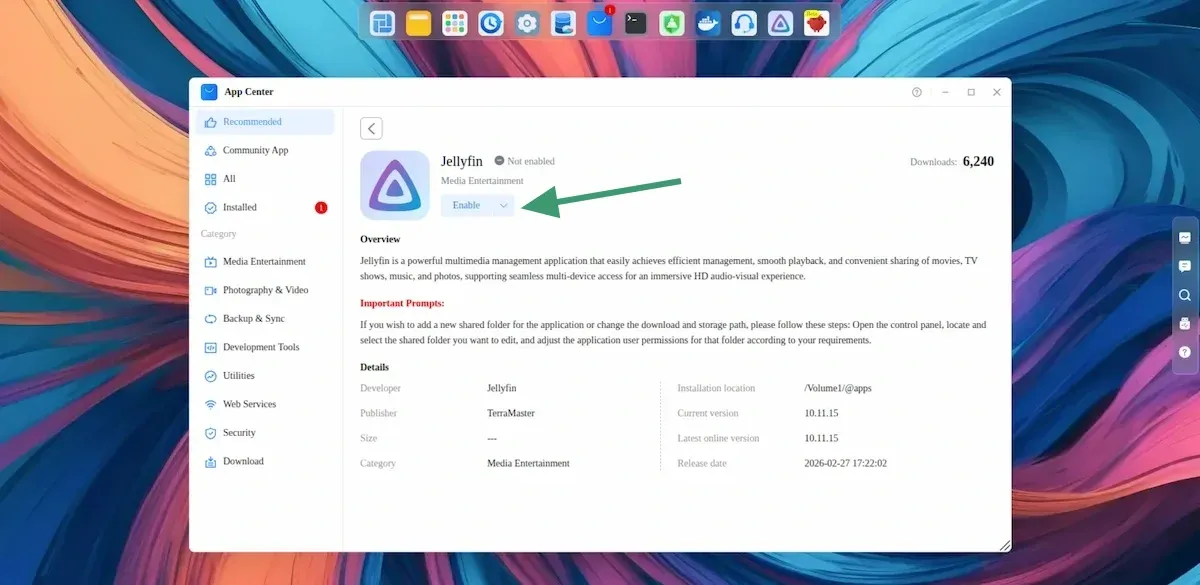
The absurd need to enable apps after each reboot. Unless Terramaster really want to discourage shutting down the NAS device, I see no reason why an installed application needs to be enabled again after rebooting the device. I noticed it with OpenClaw, Jellyfin and even Terramaster's Photos application. It makes no sense to me.
Still excellent hardware wise
I liked the previous F4-425 Plus device. This one is not much different other than a (needed) CPU upgrade. It's the same aluminium chasis, same small form factor and the same silent device.
Yes, F4-425 Pro is also a 'silent machine'. You'll probably won't notice it running even if it is sitting on your disk and its fan is running.
The hybrid model to include 4 HDDs and 3 SSDs is good. It's just that you need to pull out the outer casing to access the SSD compartment. HDDs can be easily accessed from the front.
It seems that TOS's software is capable of handling the hot swap. I could not test it for the lack of disks.
It measures 181 mm wide, 219 mm deep, and 150 mm tall. Basically a small form factor device that doesn't take much desk space.
The USB-C port is still at the back. I said this in my F4-425 Plus review, too. The single USB-C port is on the rear of the device. For quick external SSD connections, this is inconvenient for a lazy person like me.
I added around 125 GB of pictures and watched the resource consumption. It remained under 20% CPU and RAM load.
Similarly, I streamed a 4K movie in mkv format. The load remained under 10%. So the processor is quite capable here as a NAS and a casual media hub.
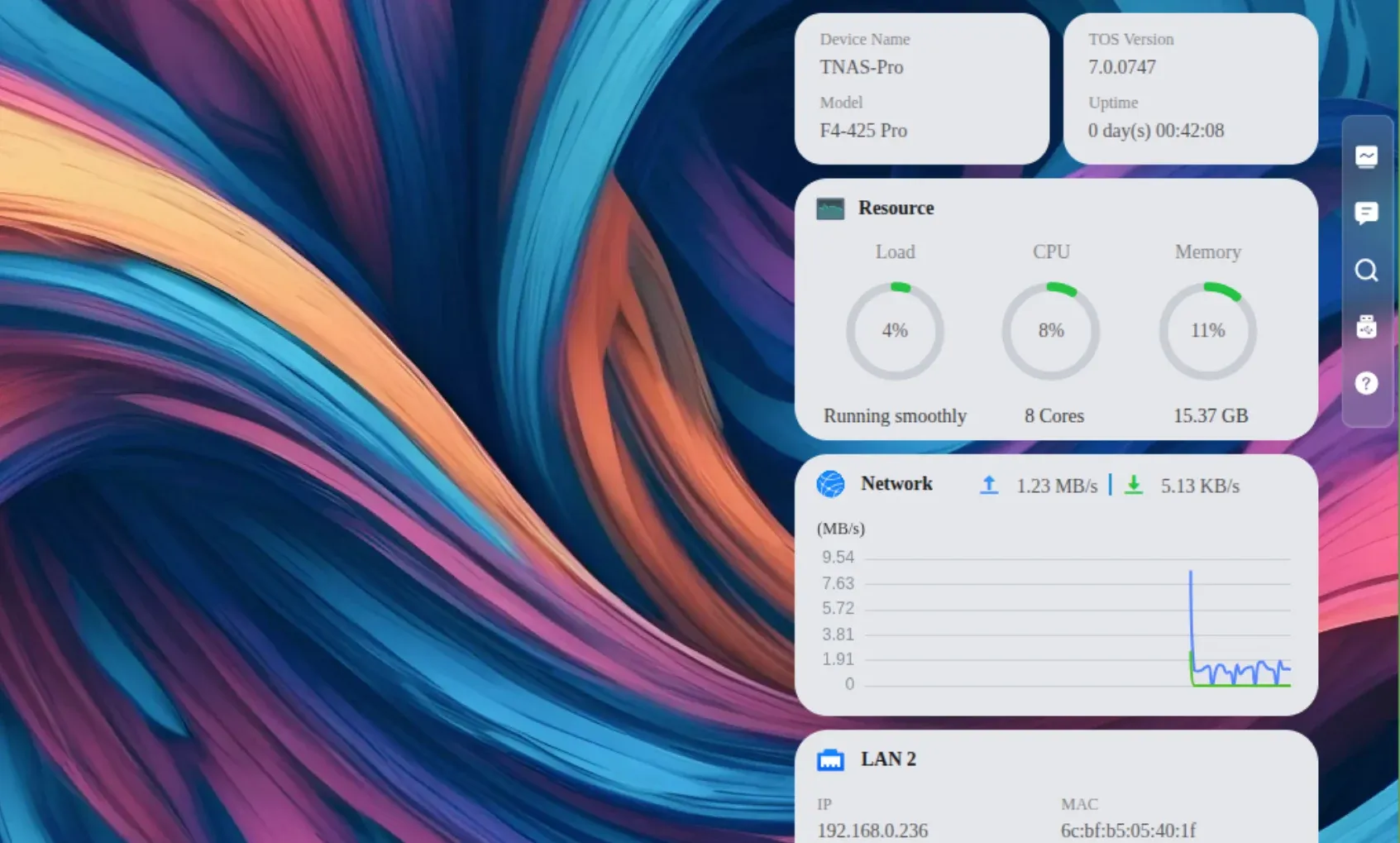
I am not a professional and don't really run benchmark tests. Just sharing what I observed as a novice homelabber.
Verdict: promising hardware, software still maturing
Based on a few days of use, the F4-425 Pro is a capable device with a hardware upgrade that makes sense. The 8-core processor and improved iGPU are relevant improvements for anyone running multiple services. The TOS-on-disk design makes migration genuinely easier than it has any right to be.
TOS 7 is a better version of TOS 6 by a clear margin. But the AI features are far from a finished product. OpenClaw requires external configuration to work so the native AI part is not there yet.
I will be putting the Pro through more extensive use as a daily driver and sharing a full review a few month later perhaps. There is more to test, including sustained performance under load, RAID behavior with multiple disks (if I can afford them), mobile apps and whether Ollama installed directly on the device makes OpenClaw actually useful. Stay tuned for that.
The NAS itself is $799.99 for this configuration. That is the entry point, not the total cost. If you do not already have drives, HDDs and SSDs have increased substantially in price over the past year. Building a usable NAS with populated bays is a meaningfully larger investment than the device price alone suggests. Factor that in before buying.
If you already have the previous F4-425 model, I don't think you should upgrade just because there is a new model. If you are buying a NAS for the first time or upgrading your NAS for several years, F4-425 Pro is an option worth considering. Sure, the provided operating system may not be to everyone's liking but you can always install a different operating system. The hardware is solid.
If this helped you, consider supporting It's FOSS
It's FOSS has been helping people use Linux for the past 14 years. Help us stay independent from big tech. Become a Plus member, enjoy ad-free reading and get 5 eBooks.
Skip the AI slop and SEO spam in your Google results
Tell Google you prefer It's FOSS, and it will show our Linux news and tutorials, created by experienced Linux users, more often when you search. It takes just a click.
Set as preferred sourceGet FOSS Weekly in your inbox
