

Looking for a collage maker application for Linux? You can use various Linux image applications such as GIMP, Inkscape etc for this purpose but these are full-featured applications and may be overwhelming for the average user. Why not use a standalone application which has the sole aim of generating a collage?
In this article, I’ll show you two free and open source applications that you can use to quickly make a photo collage.
1. PhotoCollage
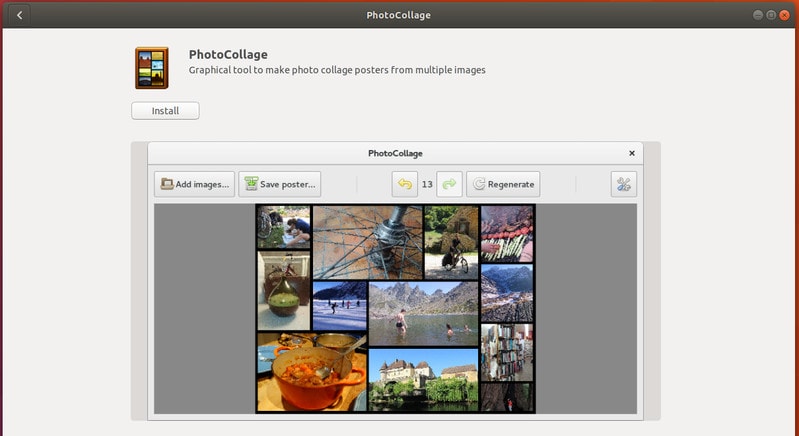
Meet PhotoCollage, a free and open source application for generating collages, easily and quickly. Let’s see how can you install PhotoCollage in various Linux distributions.
Install collage maker app PhotoCollage in Ubuntu
You can install PhotoCollage in newer versions of Ubuntu from the software center itself. Just search for it.
Alternatively, if you are a terminal fan, you can use the command below:
sudo apt install photocollageYou can install PhotoCollage in Ubuntu 14.04, 16.04 and Linux Mint 17 using the following PPA:
sudo add-apt-repository ppa:dhor/myway
sudo apt-get update
sudo apt-get install photocollage
Install PhotoCollage in Fedora
Use the command below to install PhotoCollage in Fedora:
sudo dnf install photocollageInstall PhotoCollage in other Linux distributions
You can install PhotoCollage in any Linux distribution by cloning its git repository:
git clone https://github.com/adrienverge/PhotoCollage.git
cd PhotoCollage
sudo python3 setup.py install
How to use PhotoCollage
Once you have installed PhotoCollage, let’s see how can you use it. In fact, you don’t need to be a genius to figure it out.
Open PhotoCollage and you will find few options on. Basically, all you have to do is to select a bunch of photos, choose a layout of your choice, preview it and then save it.
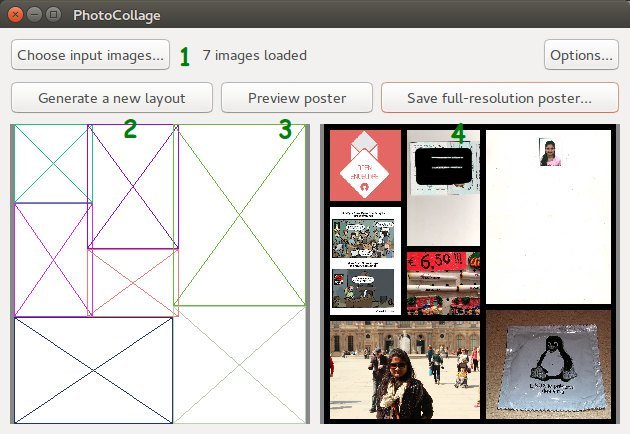
Quick features of PhotoCollage include:
- generate random new layouts
- choose border color and width
- save as high-resolution image
- works even with over 100 photos at the same time
I did have some hiccups with PhotoCollage while saving the images. Also, the layout generator should have the option to select the previously generated layout. It may not be as feature rich collage maker but overall a nice little app for a specific purpose and have plenty of scope for improvements.
[irp posts=”10502″ name=”5 Best Linux Photo Management Software”]
2. Mountain Tapir Collage Maker
Mountain Tapir is another collage maker that you can use on Ubuntu or any other Linux distribution. I am not sure why it is called Mountain Tapir though. It has nothing to do with Tapir unless the developer of the application is a Tapir fan.
Install Mountain Tapir collage maker on Ubuntu Linux
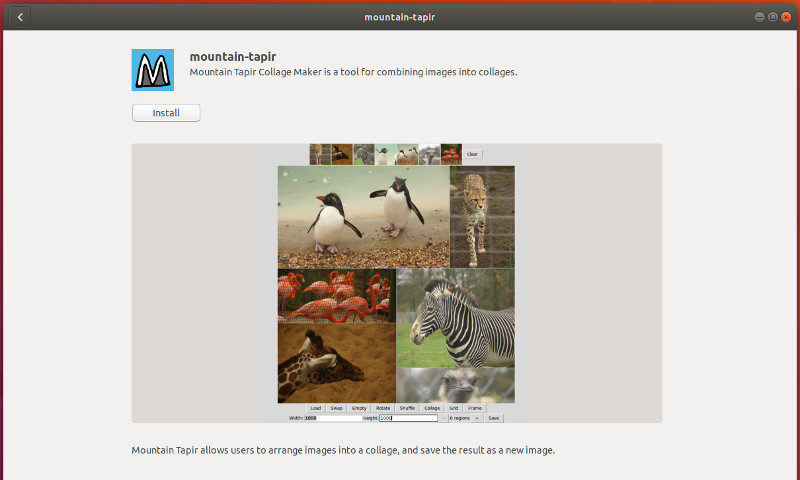
Mountain Tapir is available as a Snap package in Ubuntu Software Center. You can search for it and install it from there.
Install Mountain Tapir on other Linux distributions
You can use Snap commands to install Mountain Tapir on any Linux distribution. Just make sure that your system has Snap support enabled.
All you have to do is to use the command below:
sudo snap install mountain-tapirHow to use Mountain Tapir to create collage
Using Mountain Tapir is simple as well. Start the application, set the size of the collage you want, set the number of images on the collage and choose a layout. After that, you click on the various parts of collage to load the images. This is actually tedious. I wasn’t able to use the ‘load’ feature to load several images at once. Inserting images one by one is big negative point here. Limited number of layouts is another let down.
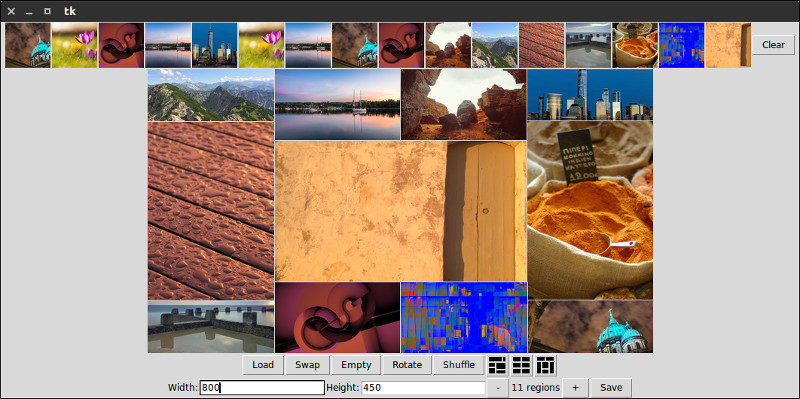
Quick features of Mountain Tapir:
- Generate three types of layouts
- Select number of photos in the collage
- Set the size of collage
- Shuffle and rotate images in the collage
How do you make collage on Linux?
Such small apps contribute to a better desktop Linux experience, don’t you think the same? I just listed two free and open source collage makers that you can use on Linux. I hope you find them useful.
If you use some other tool for making collages, why don’t you share it with the rest of us in the comment section below?
