Ubuntu 26.04 LTS "Resolute Raccoon" is not out yet, but its release notes have an unexpected change that missed my eyes completely. Canonical has bumped the minimum RAM requirement for Ubuntu Desktop to 6 GB for this upcoming LTS release.
While it is a major shift for desktop users, on the server side, things remain far more flexible. Ubuntu Server's documentation lists a minimum of 1.5 GB for ISO installs, with a suggested minimum of 3 GB to account for real-world workloads.
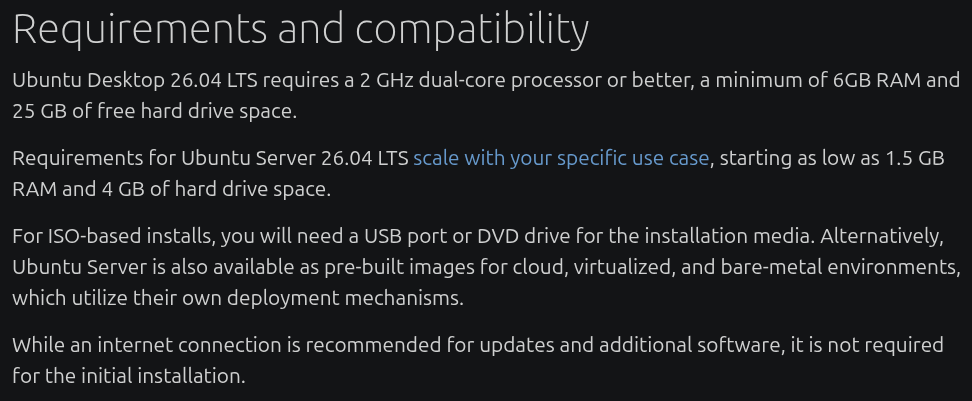
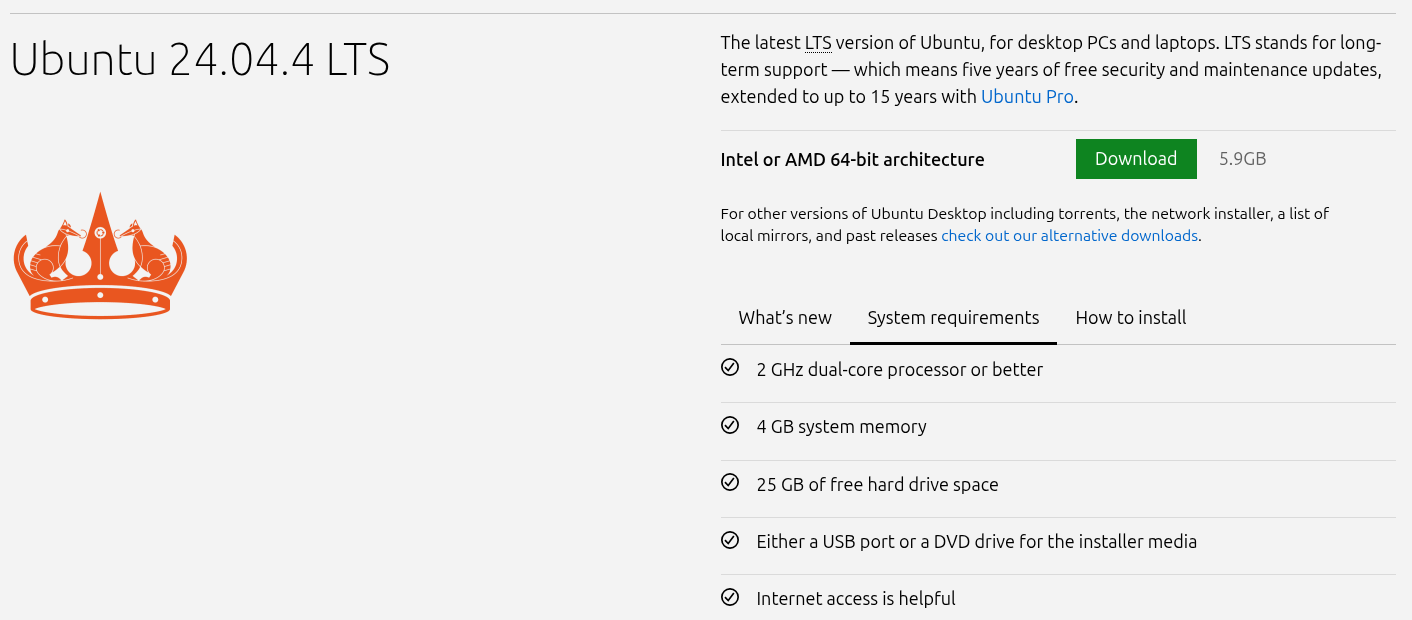
Ubuntu 26.04 LTS system requirements on the left, Ubuntu 24.04 LTS' on the right.
Ubuntu 24.04 LTS, the current long-term support release, lists 4 GB of RAM alongside a 2 GHz dual-core processor and 25 GB of storage as its minimum requirements. Those requirements were carried over to Ubuntu 25.10 as well. So the jump to 6 GB in 26.04 marks the first time Canonical has raised the desktop RAM ceiling in a while.
But Windows requires less?
Microsoft lists 4GB as the minimum required RAM for Windows 11, which on paper looks more generous than what Ubuntu 26.04 is asking for. But that number is worth looking at a little more closely, though.
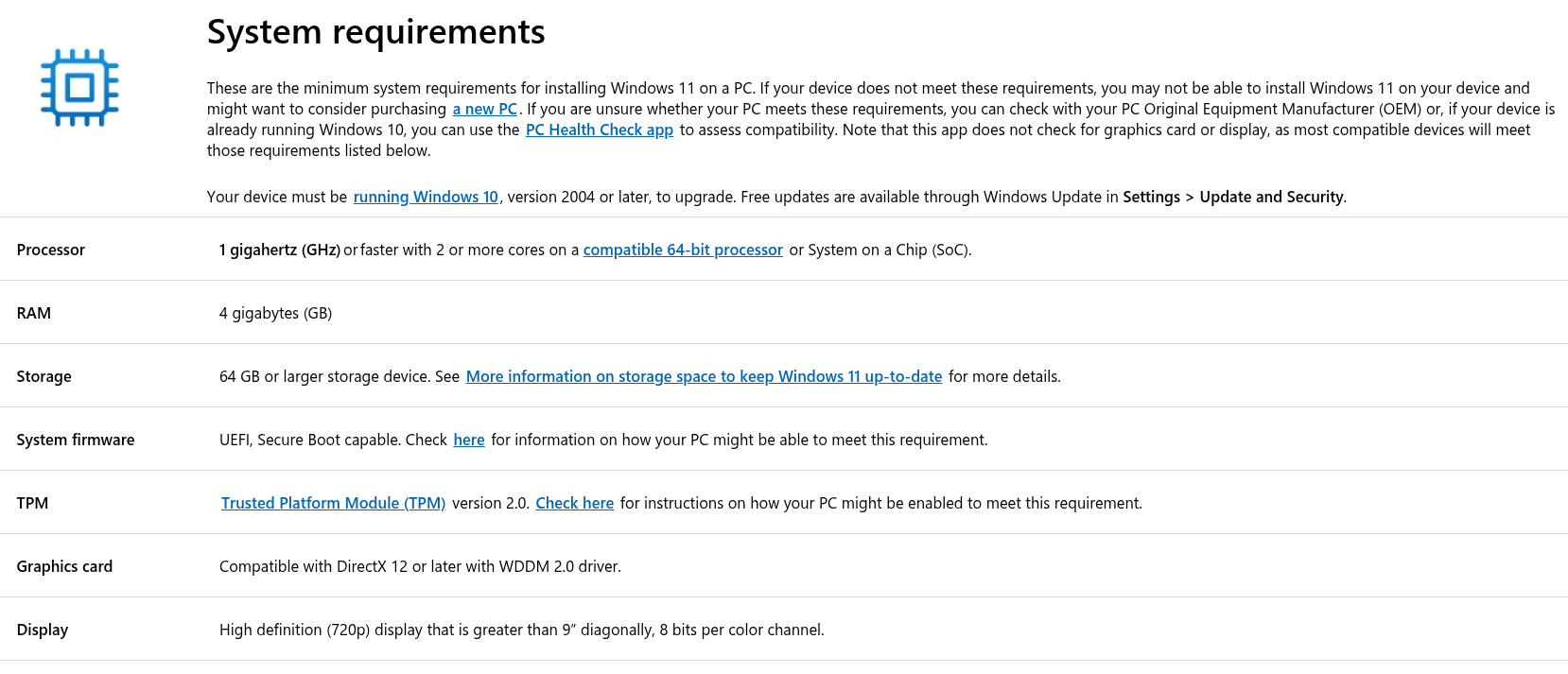
I say that because it is also mandatory to have Trusted Platform Module (TPM) version 2.0 to run Windows 11. If you didn't know (or care about), TPM is a dedicated security chip built into your motherboard that handles cryptographic keys used by features like Windows Hello and BitLocker.
The thing is, most computers that have shipped with TPM in the past few years (at least the Windows-focused ones) come with at least 8 GB of RAM, and if you draw a parallel with how badly 4 GB of RAM performs (check the comments) on a Windows 11 install, you will see that the claim sounds sloppy.
Canonical appears to be taking the more straightforward approach here. Ubuntu with GNOME has been known to be fairly hungry on RAM once you start actually using it.
Open a browser, load a handful of tabs, and the available memory starts to disappear quickly. The 4 GB figure that covered Ubuntu 24.04 seems closer to a technical floor than a practical ceiling, and moving it to 6 GB in 26.04 reflects that reality more honestly.
The TLDR is that both operating systems need headroom well above their listed minimums the moment you start doing anything beyond light use; one lists in clearly, while the other doesn't.
What about systems with 4 GB of RAM?
If your machine has 4 GB of RAM, Ubuntu 26.04 LTS should still be a decent fit, but if you are a power user who likes to multitask, then Lubuntu, the official Ubuntu flavor can be a better fit for you. It is built on the LXQt desktop environment, runs relatively comfortably with a minimum of 1 GB of RAM and 2 GB recommended. Xubuntu is also a good candidate here.
For systems where even that is a stretch, opting for a window manager like i3 or bspwm instead of a full desktop environment will give you a functional Linux setup on hardware that a standard Ubuntu install would likely struggle with.
Suggested Read 📖: Best lightweight Linux distributions
 Ankush Das