


The development for Ubuntu 26.04 codenamed "Resolute Raccoon" has concluded. It is a long-term support (LTS) release and a particularly important one as we venture further into the Wayland-only era of Linux.
Let's take a look at Ubuntu 26.04 and its features.
Ubuntu 26.04 Release Schedule
Ubuntu 26.04 LTS is releasing on 23 April, 2026. Here's the release schedule with important milestones that this release followed:
| Date | Event |
|---|---|
| February 19 | Feature Freeze |
| March 12 | User Interface Freeze |
| March 19 | Kernel Feature Freeze |
| March 26 | Beta Release |
| April 9 | Kernel Freeze |
| April 16 | Release Candidate |
| April 23 | Final Release |
New features in Ubuntu 26.04 "Resolute Raccoon"
I have included features that made it into the stable release. Some screenshots and videos included below were taken in the beta build, but are still relevant for the final release.
GNOME 50
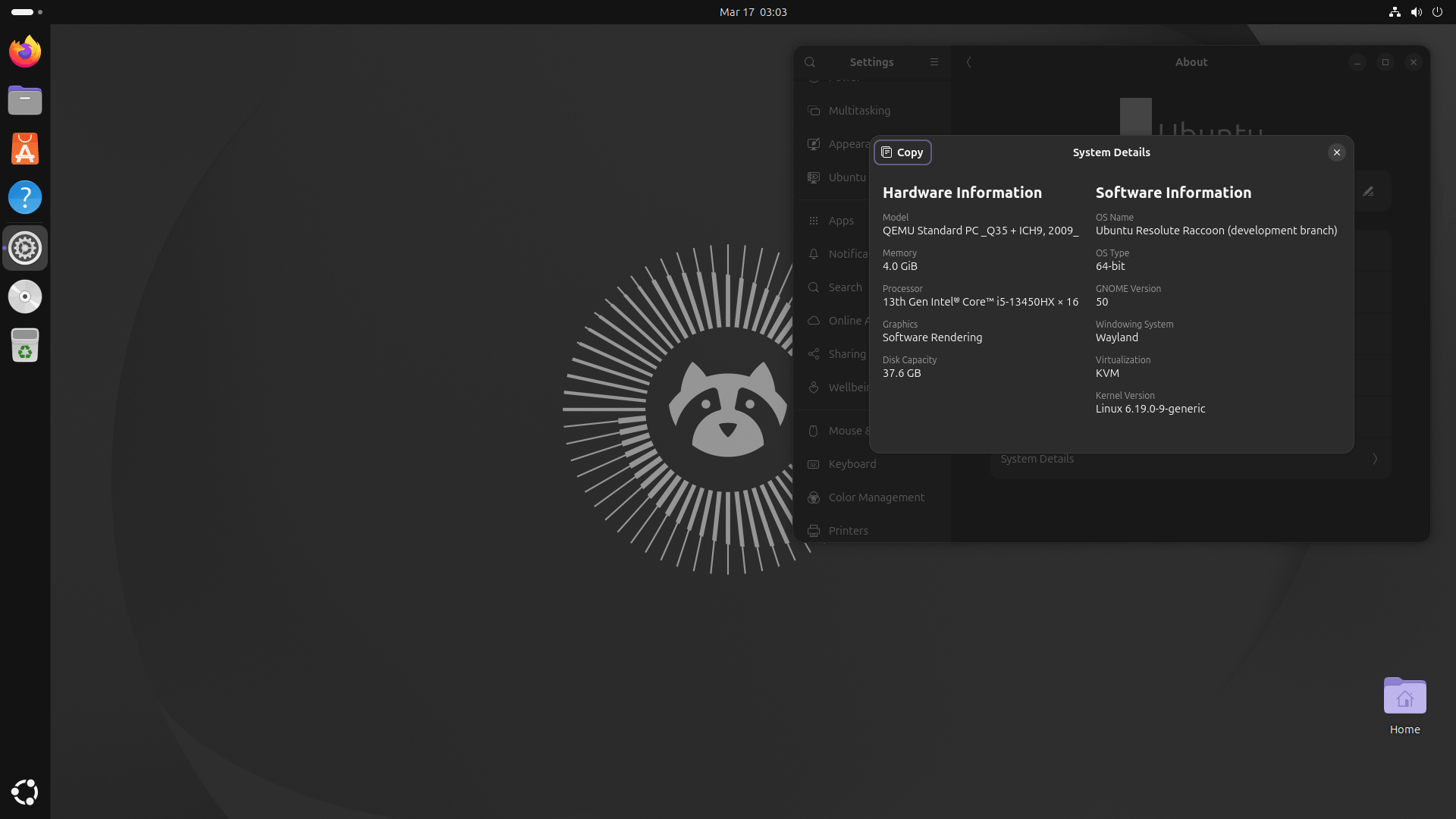
GNOME 50 is included, and it is a significant release. X11 support has been fully removed from GDM, so GNOME's sessions are now entirely Wayland-only. This was supposed to happen in GNOME 49 but got rolled back due to a last-minute bug.
On the display side, variable refresh rate and fractional scaling are no longer experimental features. Both are now treated as stable in Mutter, which is good news if you have a high refresh rate monitor and have been sitting on the fence about enabling them.
The Orca screen reader gets a meaningful overhaul too. There is a redesigned preferences window, settings are now global by default instead of needing to be saved per application, and it has moved from JSON config files to GSettings for storage.
There are plenty of smaller changes across the board as well, including Nautilus improvements, better color management support, and GTK 4 dropping its Librsvg dependency to render SVGs natively.
New folder icons
Ubuntu 26.04 is getting a visual refresh, and the folder icons are the first thing you will notice. The new folders are shorter and squatter, with rounder edges, featuring a soft emboss across the top and an engraved emblem. They now conform to the standard size used across the rest of the Yaru icon set, which apparently was not the case before.
The accent color effect on folders is also more visible now. Previously, it was a subtle tint. In 26.04, your chosen accent color applies to the entire folder, which makes the feature feel like it actually exists.
The Desktop folder icon has been updated too. It now shows a folder motif instead of a miniature desktop graphic. More logical, given that it is, well, a folder.
Other icon updates include a reworked Calculator icon that picks up your accent color on the equals button and updated LibreOffice icons shaped more uniformly into the Yaru style.
New default video player
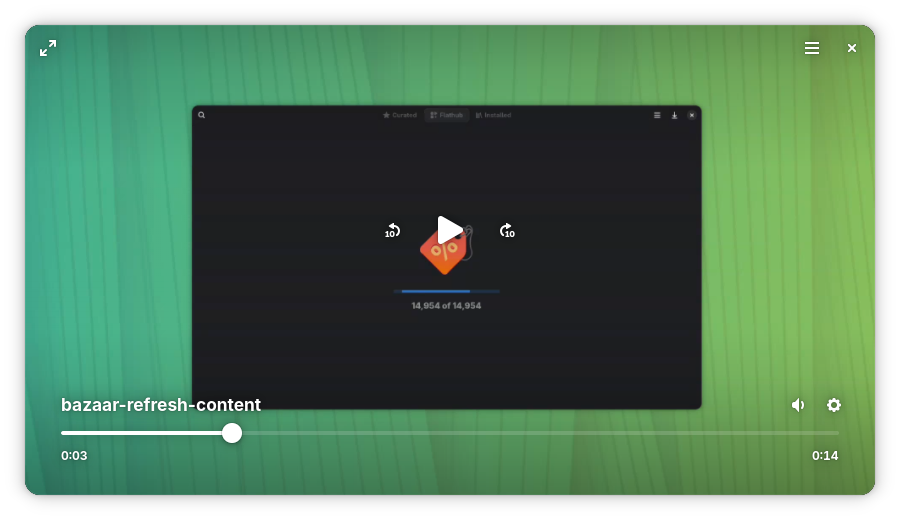
Totem has been the default video player in Ubuntu for as long as I remember. Not that I can remember like an elephant, but I am not Leonard Shelby from Memento either.
Showtime feels sleek and modern and fits quite well with the new GNOME design principles that is libadwaita.
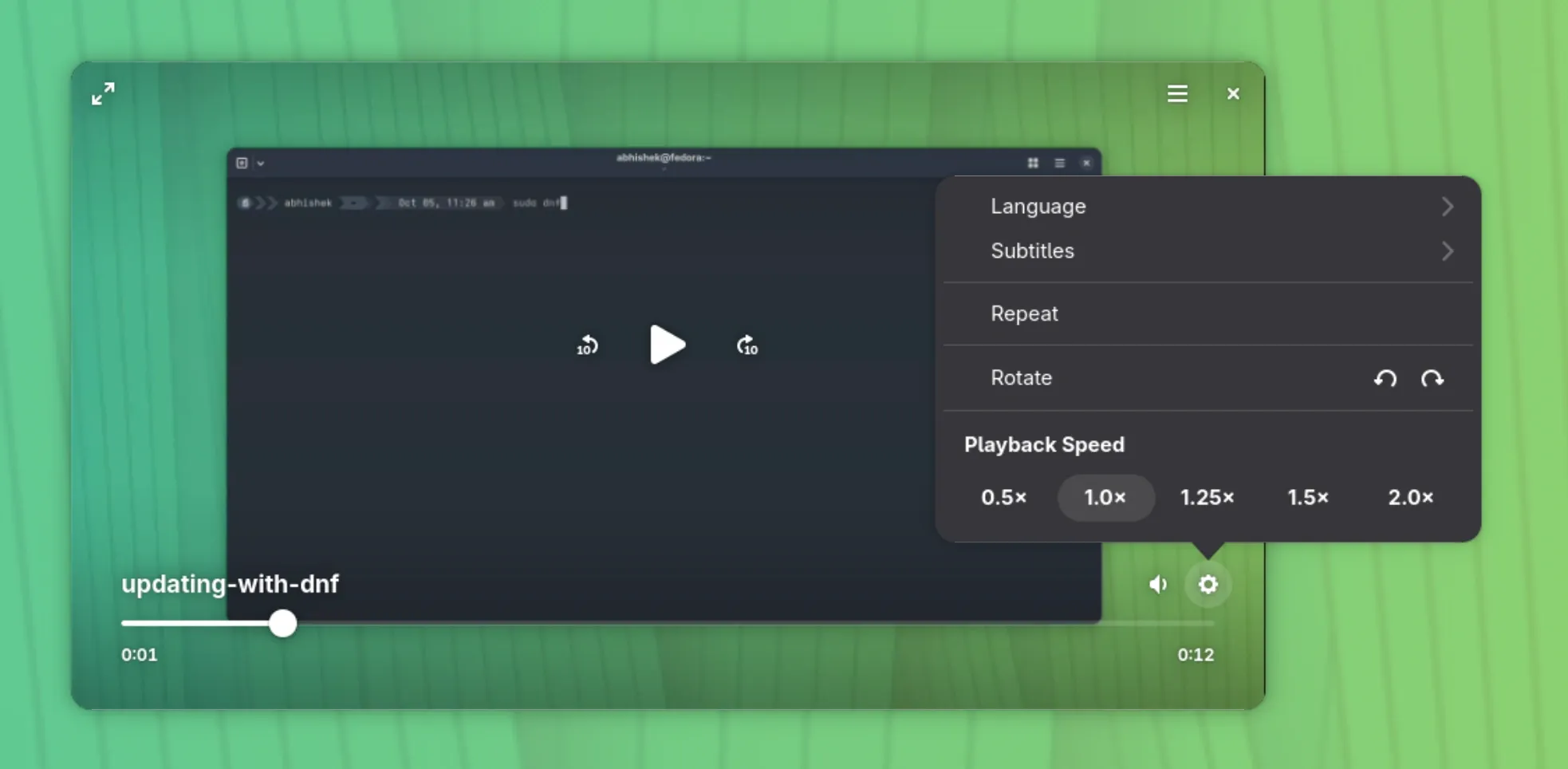
Interface is minimalist, but you still get some controls. You can click the gear symbol at bottom right or right click anywhere in the player for that.
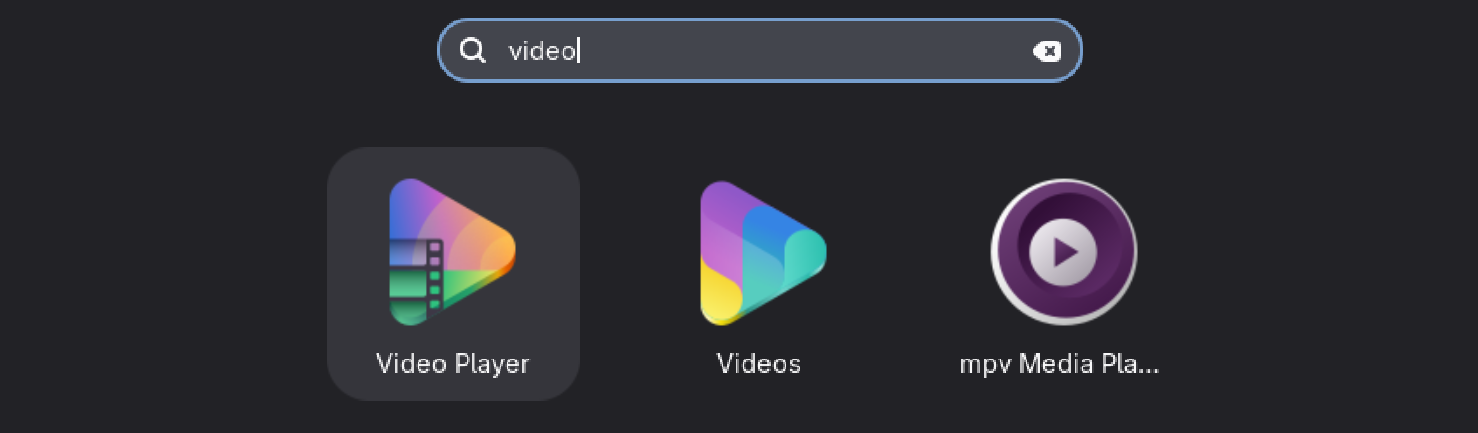
In Ubuntu 26.04 LTS, this is labeled as "Video Player" and the icon is similar to Totem (Videos) as shown in the screenshot below.
New default system monitor
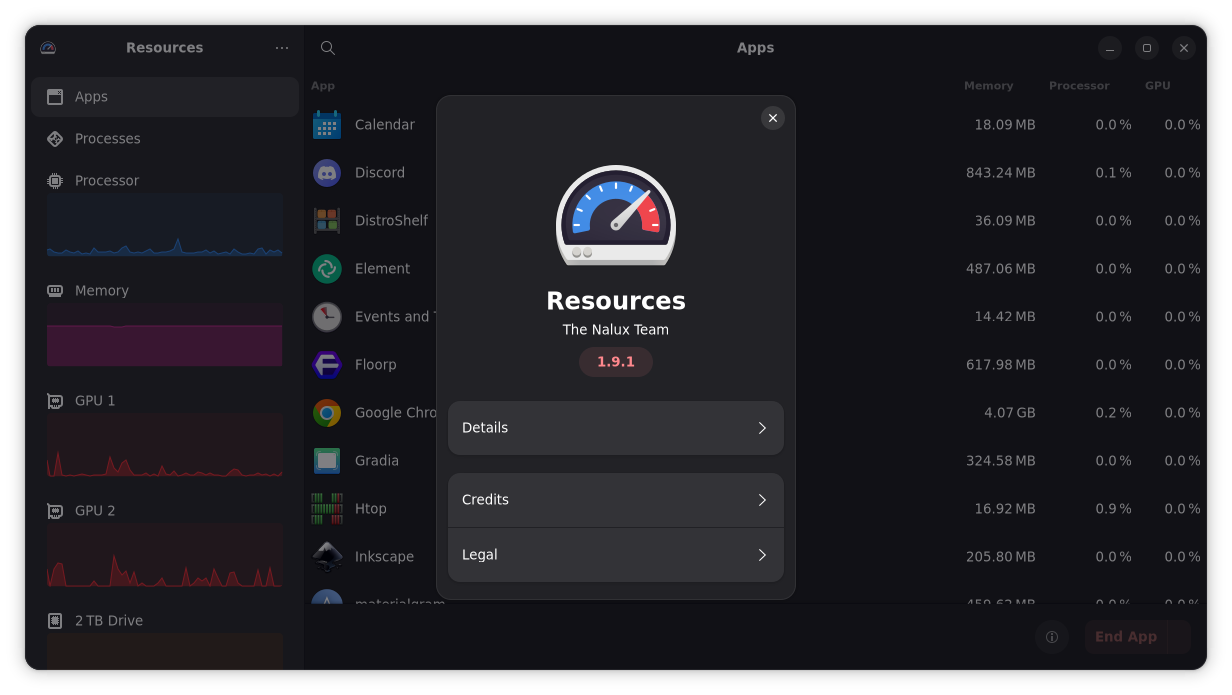
There is also a new default system monitor, Resources. It's addition is surprising because it is not a GNOME Core app, although it's a GNOME Circle app, which means that it is a community-made tool that meets the GNOME standards.
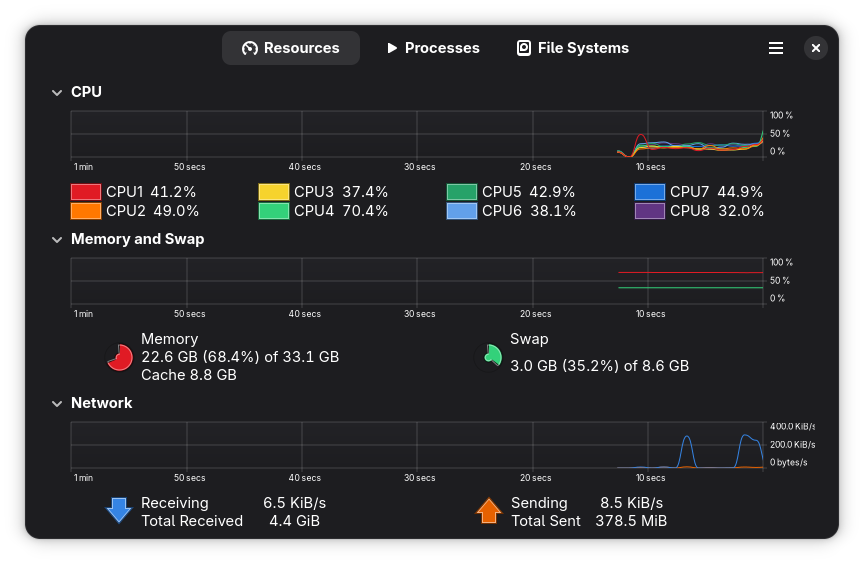
Although the outgoing system monitor is not that bad in my opinion. 👇
New Terminal
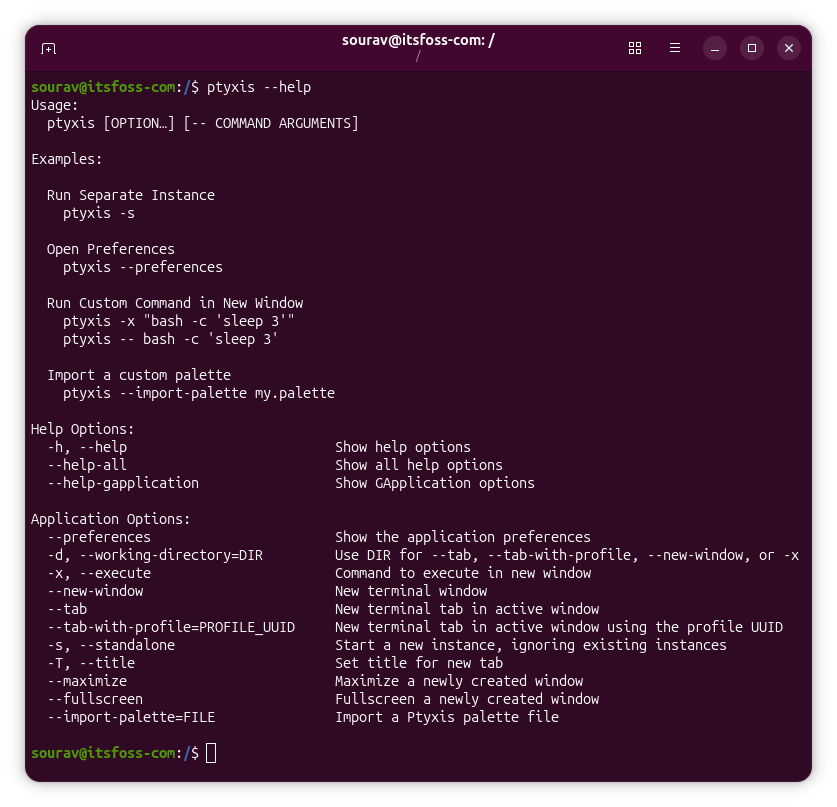
Ubuntu 26.04 replaces the long-serving GNOME Terminal with Ptyxis as the default terminal emulator. Alright! This change has already been in Ubuntu 25.10 but for the LTS users, this will be a significant new change.
It is built on GTK4 and uses GPU-accelerated rendering, so it feels noticeably snappier than its predecessor. You get a tabbed interface with a tab overview, switchable profiles, custom themes, and configurable keyboard shortcuts.
There's also container support, and Ptyxis remembers which container you were working in last time when you open a new tab. You get built-in support for Podman, Toolbox, Distrobox, and more.
One small but amusing detail is that the header bar turns red when you invoke sudo. It's a useful reminder, truly.
APT 3.2
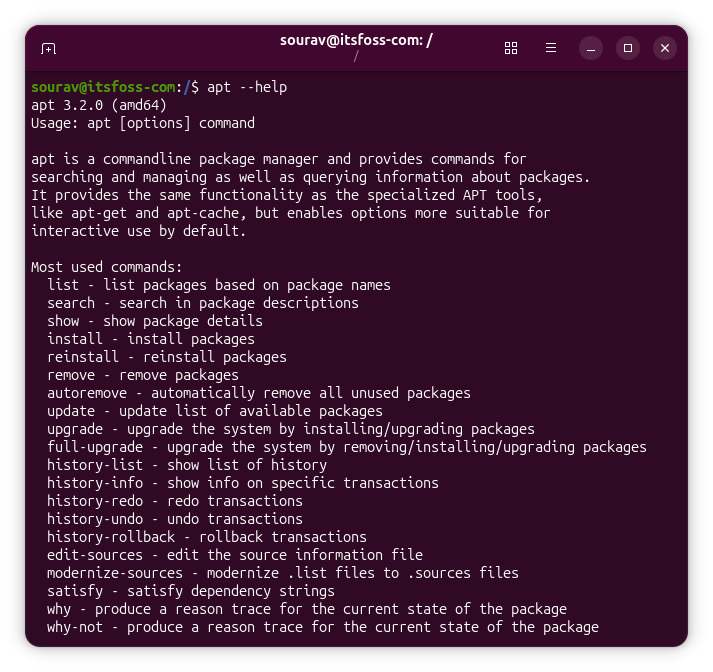
If you use apt regularly, you will notice this change right away. Ubuntu 26.04 ships with APT 3.2, and the biggest addition is transaction history with rollback support.
Every package install, upgrade, and removal is now logged. apt history-list shows all past operations with an ID for each, apt history-undo reverses a specific one, and apt history-rollback takes your system back to the state it was in at a particular point.
There are also two new commands, apt why and apt why-not, that trace the dependency chain behind any package so you know exactly what pulled it in or why it is absent.
 Sourav Rudra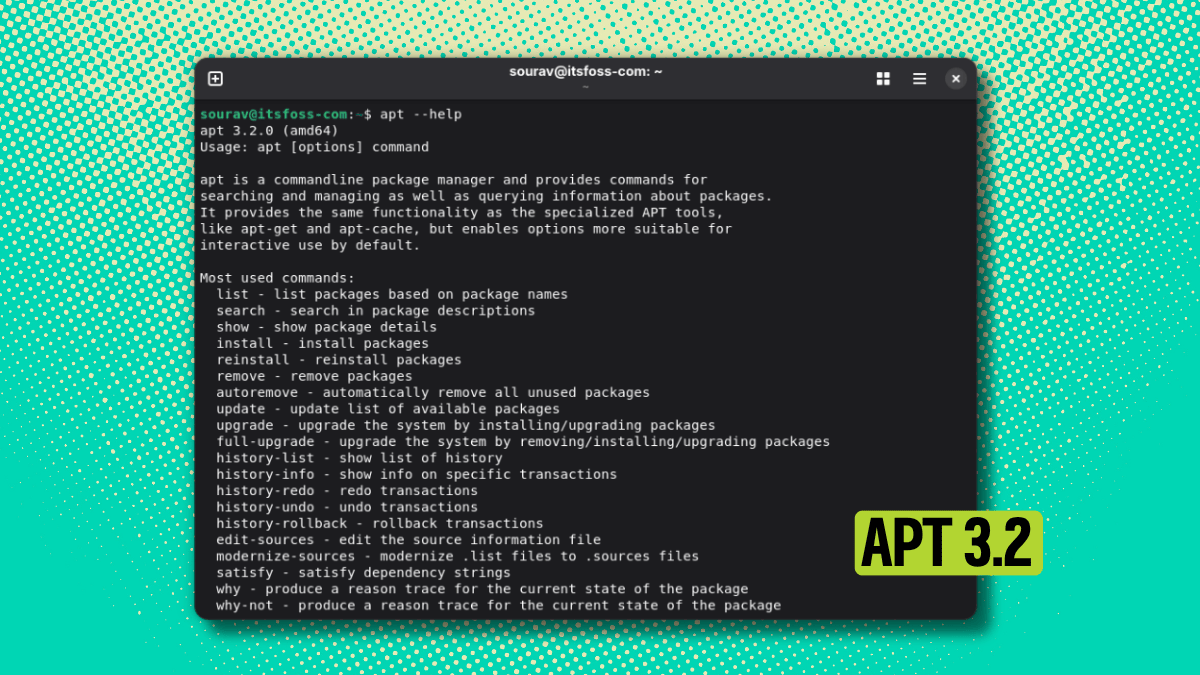
Removal of Software and Updates
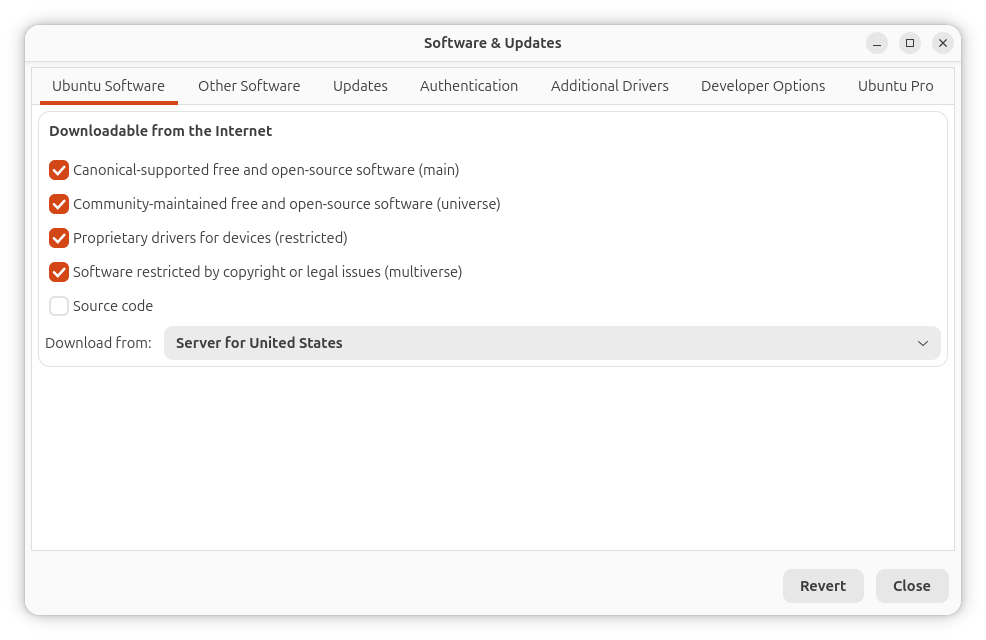
Ubuntu 26.04 doesn't ship with the Software & Updates application pre-installed. This is the graphical tool for managing repositories, PPAs, and update settings that is being removed from default desktop builds.
Why? Canonical says some features are too dangerous for regular users. Accidentally disabling the main repository through the GUI breaks system updates and software installation. Enabling proposed or source repositories without understanding them is risky too.
Ubuntu Pro settings have moved to the Security Center app. Command-line tools stay intact. The software-properties-common package remains, so terminal-based repository management works exactly as before with commands like add-apt-repository.
Fresh Ubuntu 26.04 installations won't have it, but the package stays in repositories.
TPM-backed Full Disk Encryption
TPM-backed full disk encryption, which was experimental in earlier Ubuntu releases, is now a stable, first-class option in the Ubuntu installer.
What this means in practice is that instead of typing a passphrase every time you boot, your disk encryption key is sealed to the TPM 2.0 chip on your motherboard. The system unlocks automatically at boot, but only if the boot environment has not been tampered with.
If something changes, the TPM withholds the key, making it significantly harder for someone to access your data if they get their hands on your device. You will need UEFI Secure Boot enabled and a compatible TPM 2.0 chip for this to work.
More Rustification
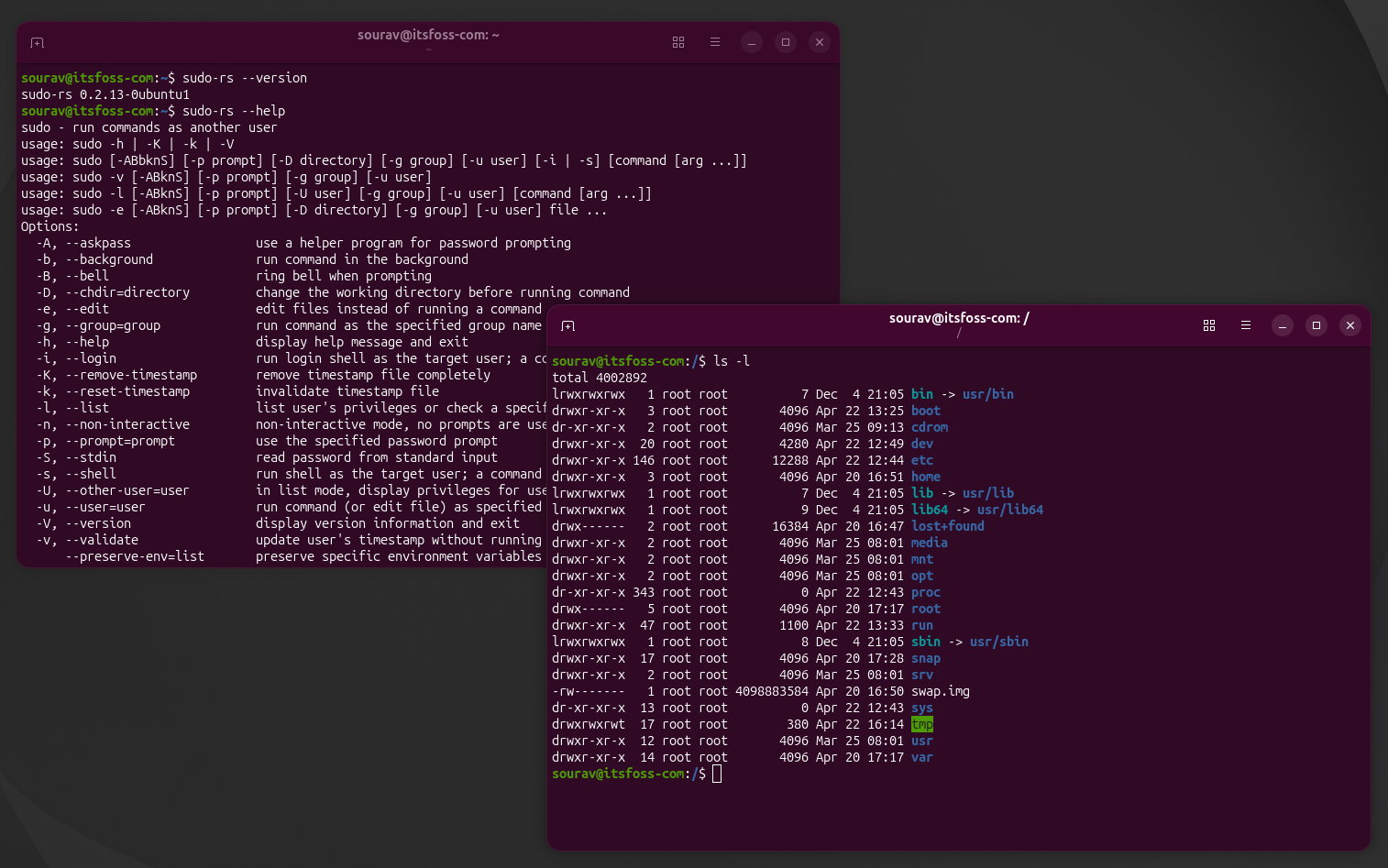
Ubuntu has been gradually replacing core system components with Rust equivalents over the past few releases, and Ubuntu 26.04 takes that further with two notable additions.
sudo is now provided by sudo-rs, a memory-safe rewrite of the classic tool. The command itself has not changed, so nothing in your workflow breaks. One small quality-of-life change that comes with it is password feedback now being enabled by default, meaning you will see asterisks as you type your sudo password in the terminal.
The core command-line utilities, think ls, cp, mv, cat .etc. are now handled by the rust-coreutils package, replacing GNU coreutils. Again, the commands themselves work the same way.
If you run into an edge case where something behaves differently, both the original sudo (packaged as sudo-ws) and GNU coreutils remain available in the repositories.
A Better App Center
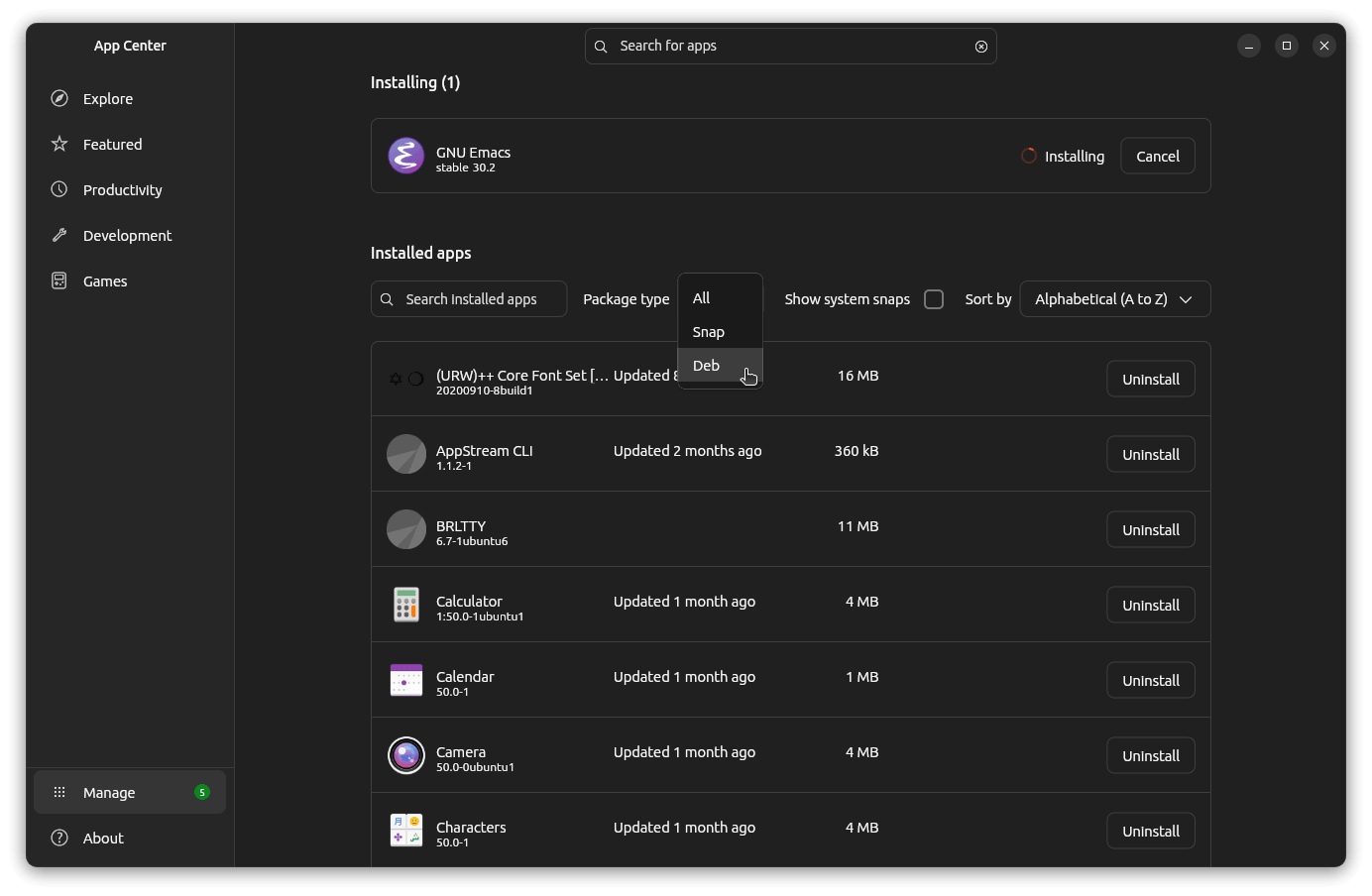
For a while, Ubuntu's App Center felt like it had forgotten that Deb packages exist. In Ubuntu 26.04, that changes.
The Manage section now lists your installed Deb packages alongside Snaps, with a filter to view them separately or together. More importantly, you can uninstall Deb packages directly from this view, which sounds basic but was genuinely not possible before without hunting down the package's listing page manually.
Some Deb updates can also be applied from within App Center now, though for most system updates you will still want to use apt or the Software Updater.
Snap packages still enjoy a few extras that Deb packages do not, like an open button on the listing page and a revert option for updates. Canonical's preference for its own packaging format is not going away.
But at least Deb packages are no longer treated as second-class citizens in the GUI. I have a separate writeup on this change if you want the full picture.
x86-64-v3 and amd64v3 version for all packages
Ubuntu 26.04 will have amd64v3/x86-64-v3 variants for all the packages, and they will be well tested, too. Some packages are already available in this format in the recently released Ubuntu 25.10, the LTS release will have all the packages in this variant.
What is x86-64-v3? Well, you know what x86-64 and amd64 are, right? Yes, it is the 64-bit for Intel CPU and amd64 is the 64-bit AMD processor. And they have been in existence for nearly two decades now.
But not all 64 bit processors are created equal. The newer generation of CPUs supports more instruction sets than their predecessors. And that's why they are labeled as v2/v3/v4 architecture variants.
Basically, if you have a newer CPU, you can switch to the v3 variants of the packages and you should have some performance improvements.
Don't worry. The v3 variant won't be default. Nothing to bother about if you are rocking an older machine.
 mwhudson
Two flavors dropped from LTS
Ubuntu 26.04 won't be a long-term support release for all flavors. Ubuntu MATE and Ubuntu Unity have decided to skip the LTS status this time around.
The rest of the official flavors are going ahead with LTS: Xubuntu, Lubuntu, Ubuntu Budgie, Ubuntu Cinnamon, Ubuntu Studio, Edubuntu, Ubuntu Kylin, and Kubuntu (though Kubuntu hasn't been officially confirmed yet, the daily builds indicate it will be LTS).
The reason behind this? Both flavors are short on contributors. Ubuntu Unity's lead developer had to focus on university studies, and the maintainers had to sound the alarm.
Ubuntu MATE, despite being an official flavor since 2015 and consistently delivering LTS versions, is in a similar boat with limited hands on deck.
This doesn't mean it's over for either flavor. They can still put out regular releases, and users should continue receiving updates. The main difference is they won't commit to the extended support period that LTS provides.
 Joey Sneddon
AMD ROCm native packages
If you are running AMD graphics hardware and dabbling in AI or machine learning, then Ubuntu 26.04 brings excellent news. Canonical is working directly with AMD to package ROCm for Ubuntu.
ROCm is AMD's open source platform that lets you use AMD GPUs for AI, machine learning, and high-performance computing tasks. Until now, getting it set up required jumping through hoops.
Starting with Ubuntu 26.04, ROCm will be available straight from Ubuntu's repositories. That means a simple sudo apt install rocm is all you'll need. Updates and security fixes will come through the normal system update process too.
 Sourav Rudra
Linux Kernel 7.0
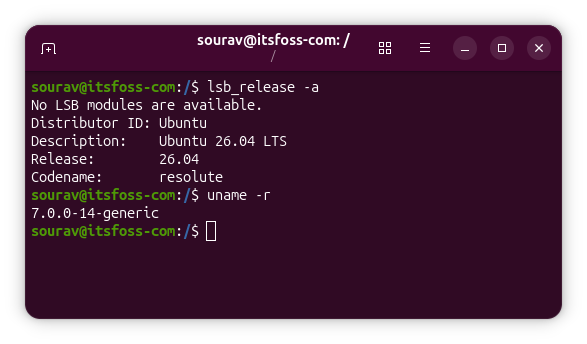
Ubuntu 26.04 ships with Linux kernel 7.0, up from 6.8 in Ubuntu 24.04 LTS, as you can see in the screenshot above.
This kernel brings better Intel and AMD hardware support, improved storage handling across XFS, Btrfs, and EXT4, and officially stable Rust support in the kernel tree. We have a full breakdown of Linux 7.0 if you want the details.
One thing to keep in mind if you do audio or real-time work is that the linux-lowlatency package has been retired. The replacement is lowlatency-kernel, which applies the same tweak at boot via GRUB alongside the kernel.
Download Ubuntu 26.04
Stable ISOs of Ubuntu 26.04 LTS are available to download from the official website and the Ubuntu release portal.
There is a wide variety of variants to choose from; go with "Desktop" if you are a regular user on x86 hardware.
If this helped you, consider supporting It's FOSS
It's FOSS has been helping people use Linux for the past 14 years. Help us stay independent from big tech. Become a Plus member, enjoy ad-free reading and get 5 eBooks.
Skip the AI slop and SEO spam in your Google results
Tell Google you prefer It's FOSS, and it will show our Linux news and tutorials, created by experienced Linux users, more often when you search. It takes just a click.
Set as preferred sourceGet FOSS Weekly in your inbox
