


Valve's October 15 Steam Client Beta changes how the Linux client is built and run. It moves the client to a 64-bit build and runs it inside a Steam Runtime container. Alongside that, a fix for the updater window failing to show up is included, as is the new Achievement Sets feature.
According to Valve, the client has run in an older setup that layers Steam Runtime libraries over the ones on the host system. The runtime documentation adds that this only works while the host is newer than the runtime.
Games on Steam can already run in containers, which give an application its own set of libraries rather than blending them with the host's. The tool behind those containers, pressure-vessel, still takes graphics drivers from the host system.
Valve says running the client in a container should make it behave more consistently across distros. Its games already run on the same technology.
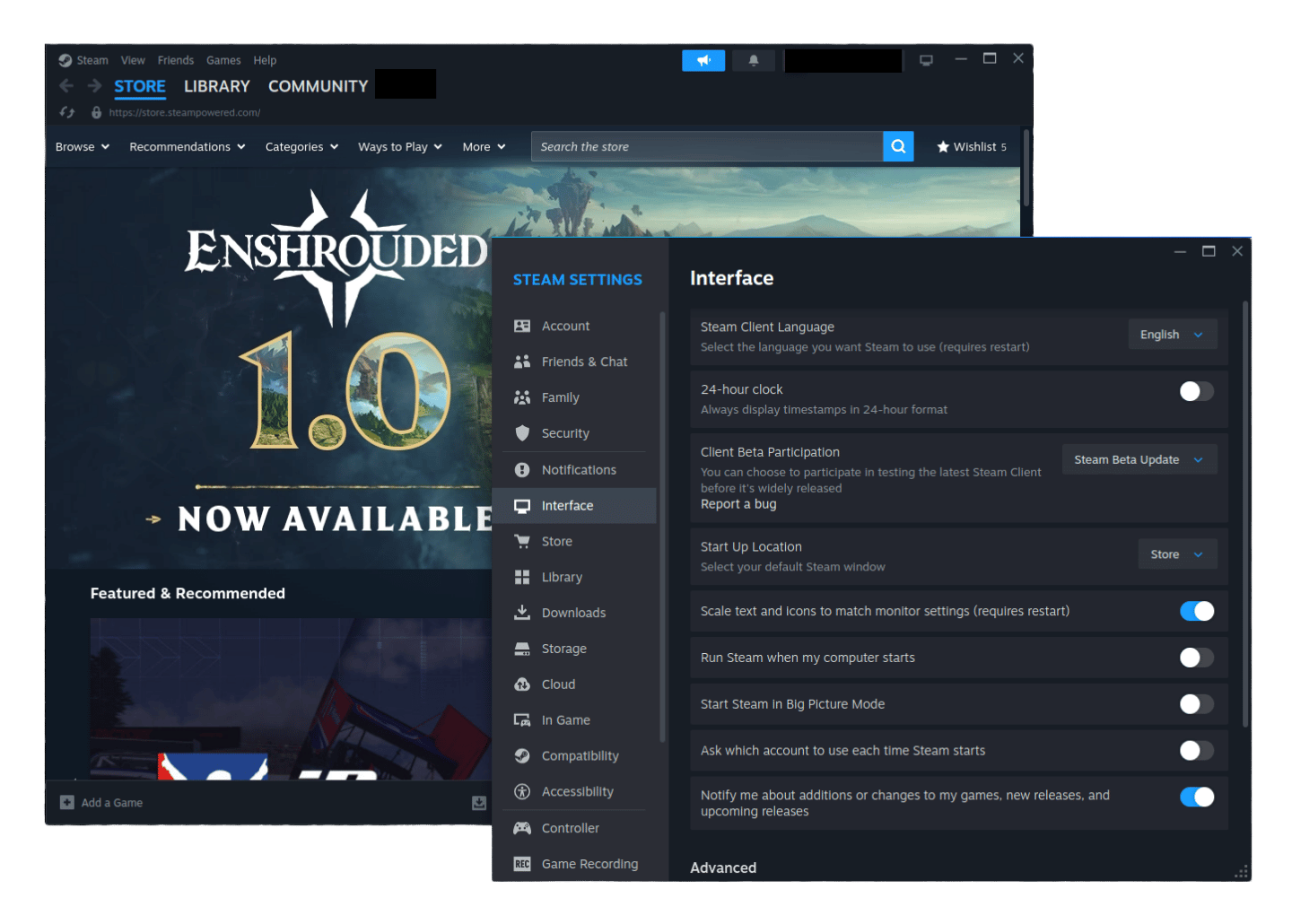
The release notes for the beta client do not name the container, but its runtime release notes tie the 64-bit client to one called steamrt3c. The README describes it as a variant of the sniper runtime made for use inside the Steam client.
The groundwork for this can be traced back to March, when Valve put the container and the early 64-bit client out as the Linux SteamRT3 Beta.
And don't assume that opting for a 64-bit client removes the need for 32-bit libraries.
The requirements for the beta client still call for both 32-bit and 64-bit versions of the required libraries and graphics drivers on x86_64 systems.
They also list 64-bit-only setups as unsupported. The steamrt3c README from earlier notes that its containers ship i386 libraries for compatibility with older software.
Test it now
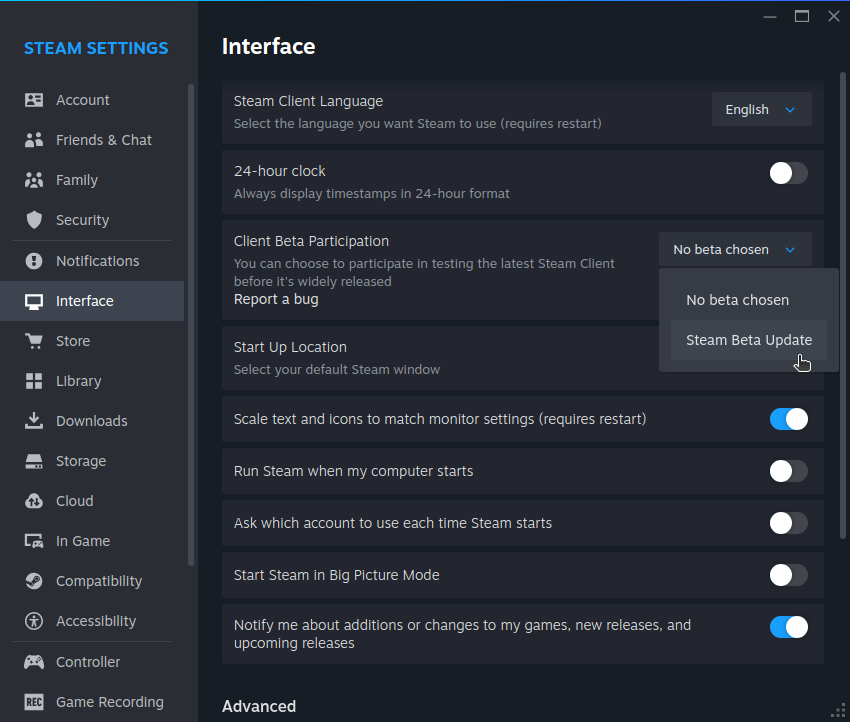
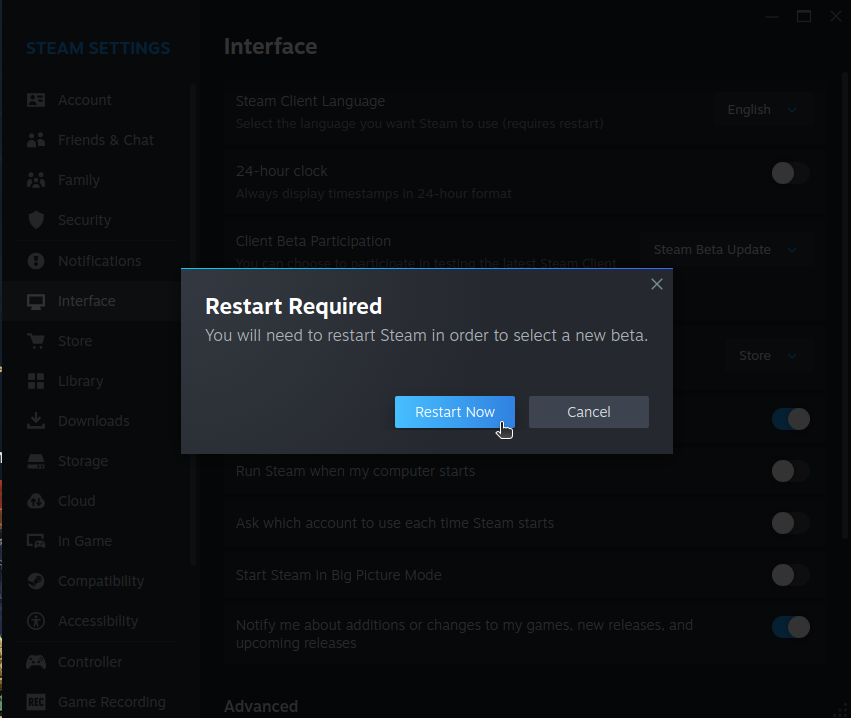
I switched to the beta on Ubuntu 26.04 LTS, and it only took me four steps. If Steam is not already on your system, you need to get the official DEB package for the client and install it.
Next, follow these steps. 👇
- Open Steam, click Steam at the top left, and choose Settings.
- Go into the Interface tab and find Client Beta Participation.
- Open the dropdown and select Steam Beta Update.
- Click Restart Now when Steam asks you to restart.
That is all it takes, and Steam is now on the beta channel. Valve welcomes bug reports from testers, so if you run into an issue, use the "Report a bug" button in the Interface page.
Suggested Read 📖: Epic Games is looking to entice Linux gamers with its anti-cheat move.
 Sourav Rudra
Enjoyed this update? Support independent Linux news coverage
It's FOSS has been helping people use Linux for the past 14 years. Help us stay independent from big tech. Become a Plus member, enjoy ad-free reading and get 5 eBooks.
Skip the AI slop and SEO spam in your Google results
Tell Google you prefer It's FOSS, and it will show our Linux news and tutorials, created by experienced Linux users, more often when you search. It takes just a click.
Set as preferred sourceGet FOSS Weekly in your inbox

