


The man leading GhostBSD, Eric Turgeon, has come up with Mocka, a new desktop for this BSD distribution that would eventually replace MATE. So far, he has unveiled the dock that will go into it, as well as some preliminary concepts and specifications that show us where Mocka will head next.
Existing users of GhostBSD don't need to do anything now since nothing has changed on their machines. All of this is still under heavy development after all. 🤷
Grammar nazis won't like this
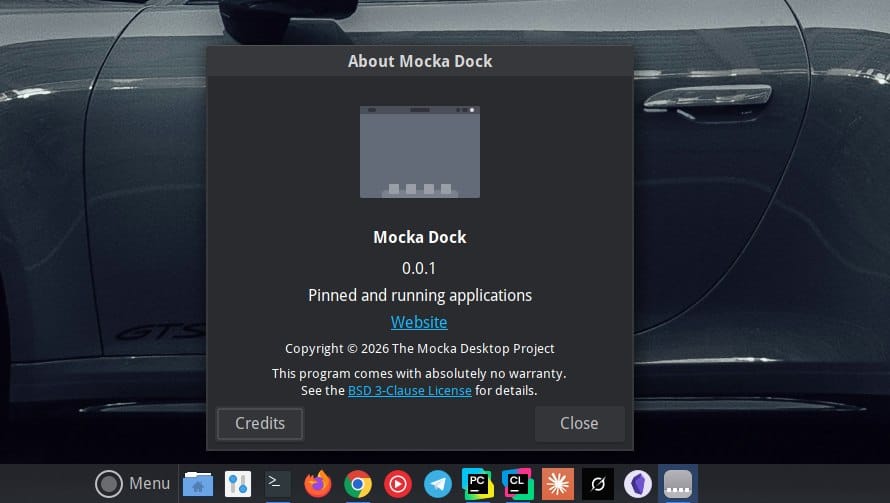
In his search for projects named "Mocha," the caffeinated drink, Eric made a typo and ended up naming his new creation "Mocka," where every component has been built from scratch, taking in nothing from the MATE project.
He plans to replace one component at a time, reverse-engineering what MATE already provides until full feature parity has been achieved. Once this is complete, I assume that GhostBSD will default to using Mocka as its default desktop environment.
And this is not his first time carrying out such a major change. In February, he came to the conclusion that MATE was not ready for Wayland and GhostBSD would switch to XLibre to keep its X11 session intact.
That line of thinking also checks out with what Eric's doing now.
The desktop's first component, a taskbar-style dock applet for the MATE panel called Mocka Dock, is already out now as an alpha for early testers. It lets you open apps, view their thumbnails, bring them forward into focus, and manage multiple windows of an app—basically doing what a dock worth its salt should do.
People who have the skills can build it from source right now to see what it offers, while the rest of us will have to wait for it to show up as an GhostBSD package update. Though it is not becoming the default experience yet, you will have to manually set it using the "Add to Panel" button on the taskbar.
What's planned?
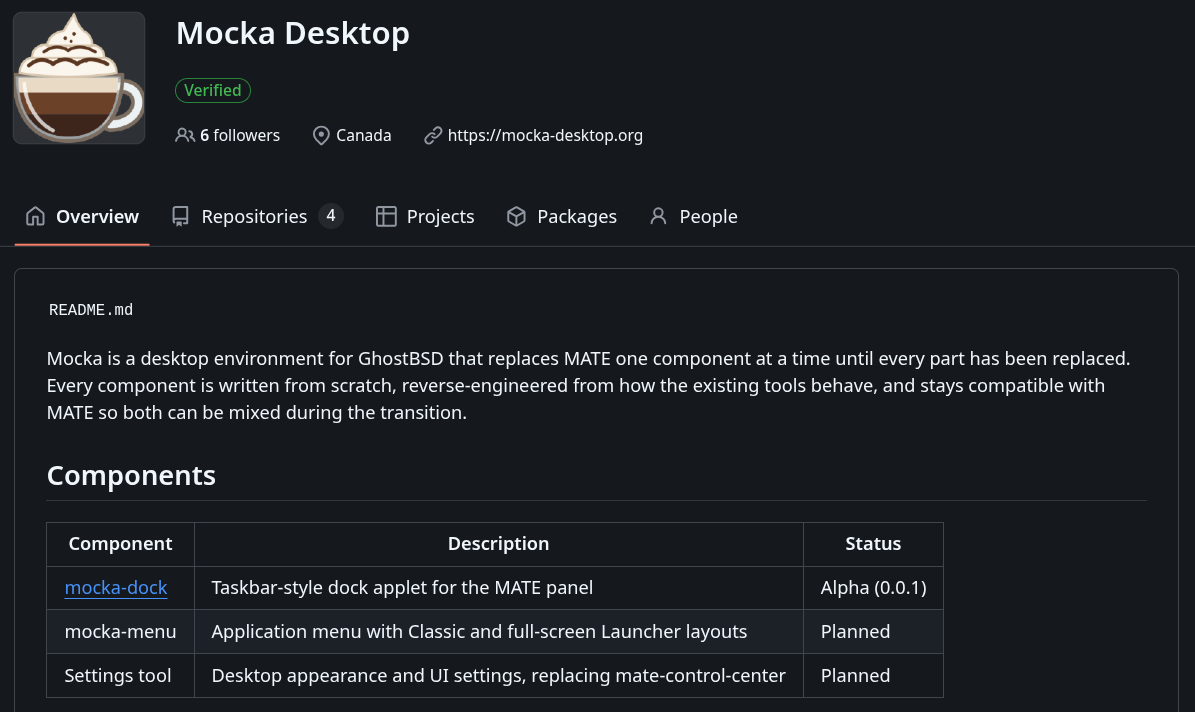
If you take a look at Mocka's GitHub page, you will get a better understanding of what's being worked on apart from the dock. There's Mocka Menu, which has a proper PLAN.md file that lays out what work has already been completed and what's to be done.
The document shows us how a meson build and schema work has been done, with a long list of work yet to be carried out. This would give Mocka the ability to show a menu with listed items, the ability to handle search and keyboard inputs, integrate with the dock, and much more.
Eric has plans for a settings app too. Once complete, it would give users a single-access point for managing their GhostBSD machine's desktop appearance, network config, power management, keyboard layouts, and other UI-focused options.
There's also a separate repo that hosts the code for Mocka's official website. It is considerably behind in terms of development than the menu component we saw earlier and only contained placeholder content at the time of writing.
The project is hoping to ensure that these new Mocka components remain compatible with MATE so that users can mix-match during this transitional phase to a full Mocka desktop on GhostBSD.
Enjoyed this update? Support independent Linux news coverage
It's FOSS has been helping people use Linux for the past 14 years. Help us stay independent from big tech. Become a Plus member, enjoy ad-free reading and get 5 eBooks.
Skip the AI slop and SEO spam in your Google results
Tell Google you prefer It's FOSS, and it will show our Linux news and tutorials, created by experienced Linux users, more often when you search. It takes just a click.
Set as preferred sourceGet FOSS Weekly in your inbox

