

Find answers to the most common questions about your account, membership, and content.
🔐 ACCOUNT & LOGIN
Q: How do I log in?
We use magic links. There's no password to remember. Here's how it works:
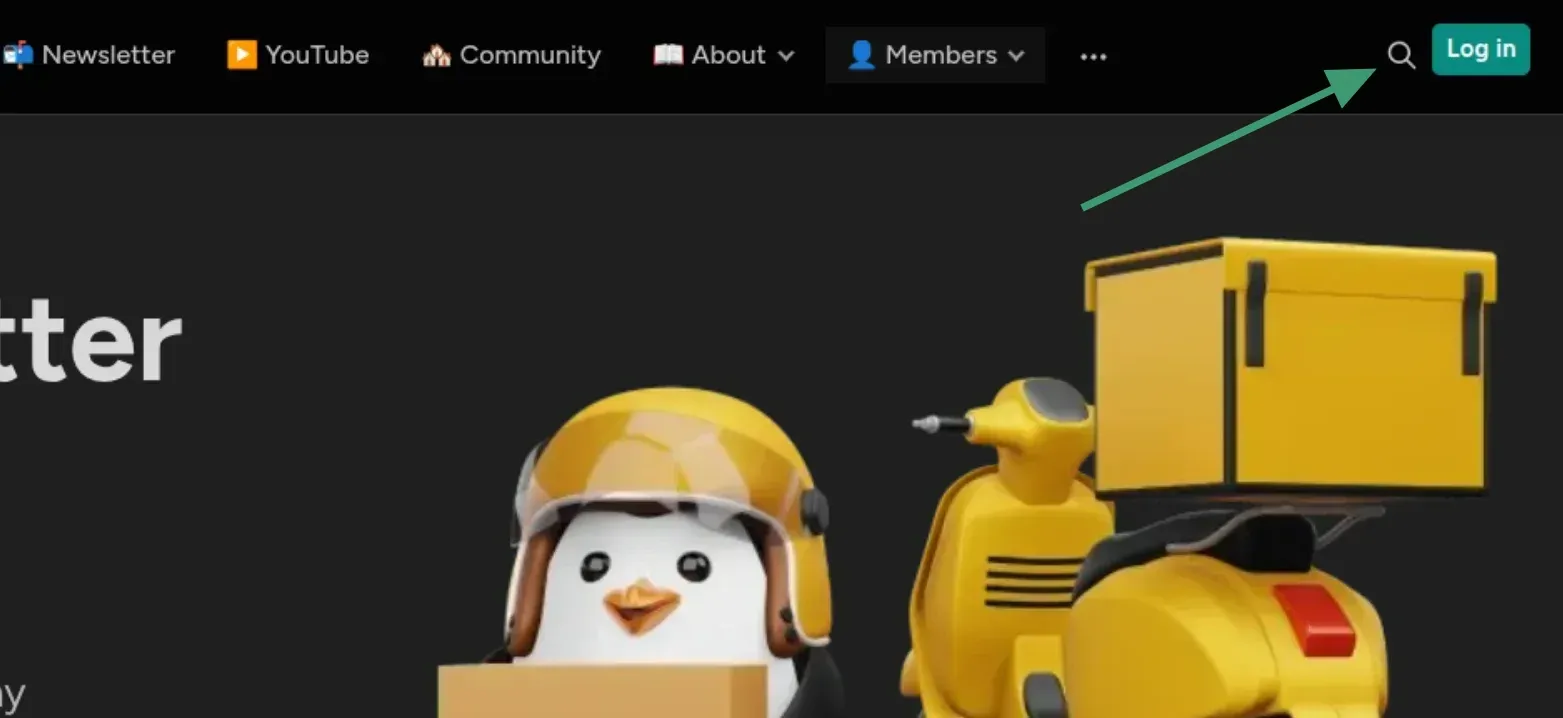
Click "Log in" on any page of the site. It's in top-right corner.
Enter the email address you used to sign up.
Check your inbox for an email with the subject line "Your login link".
Click the link inside or enter the provided code, you'll be signed in instantly.
Q: I didn't receive my login email. What do I do?
If your login email hasn't arrived within a minute or two, try these steps:
- Check your spam or junk folder. Login emails sometimes end up there.
- Search your inbox for the sender address or the subject "Your login link".
- Make sure you're using the same email address you signed up with.
- Try requesting a new link. Go back to the sign-in page and enter your email again.
Q: How do I change my display name or email?
Make sure that you are logged in to your account. Click your profile icon in the top-right corner of the site.
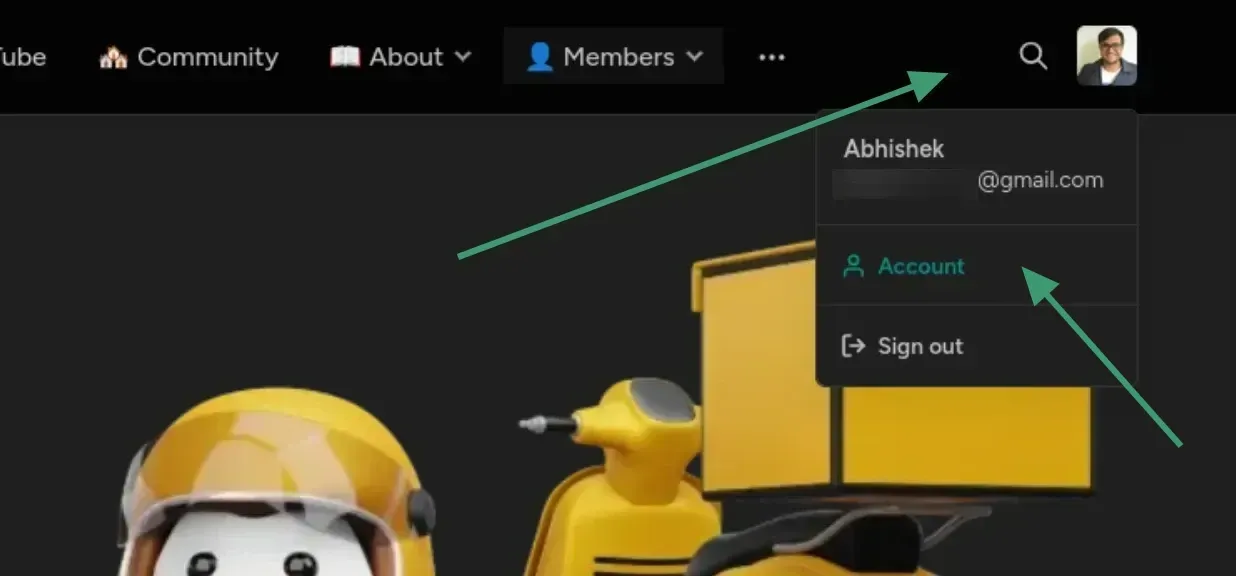
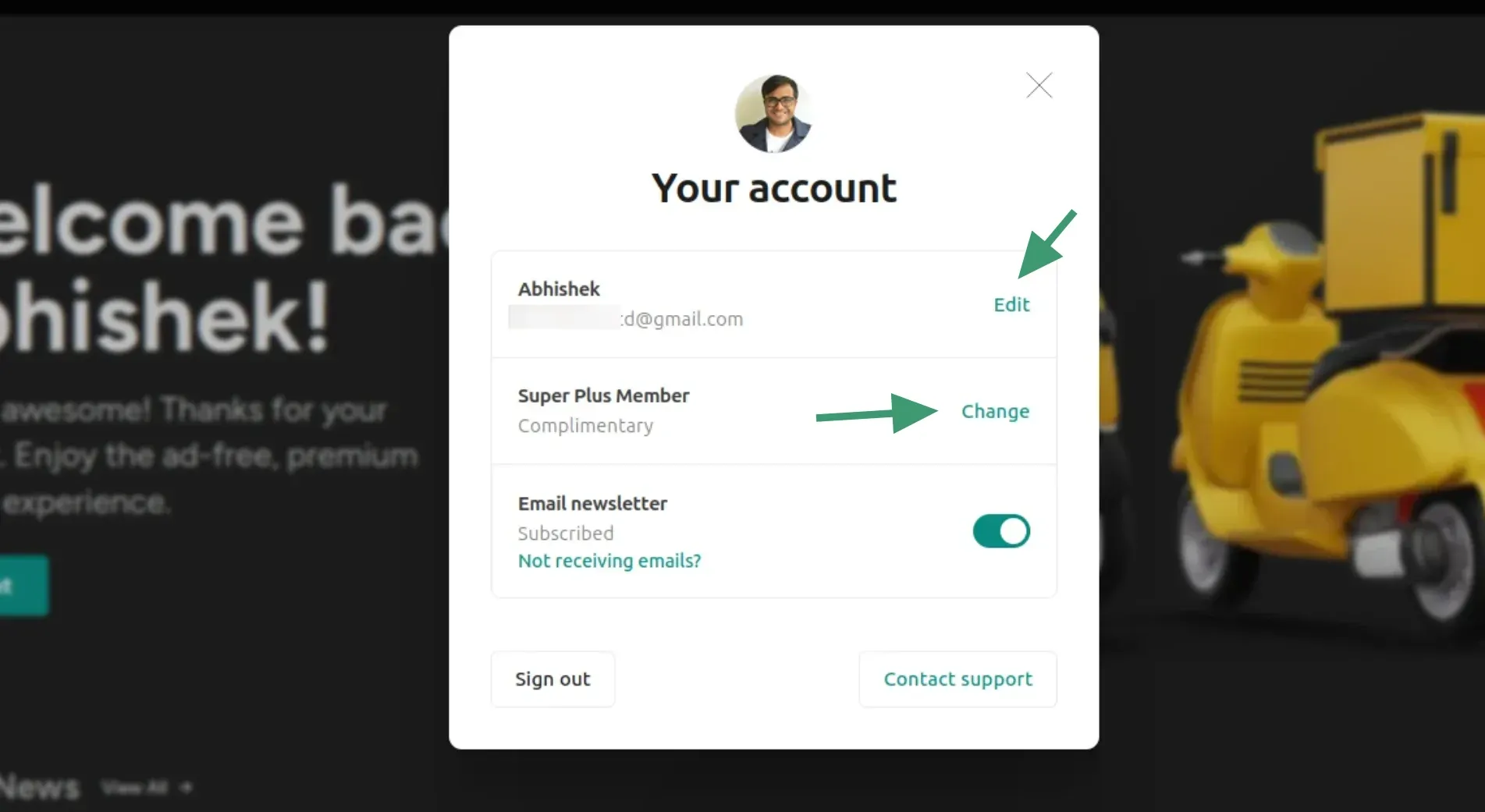
Select Account here and you'll see a pop up with your details.
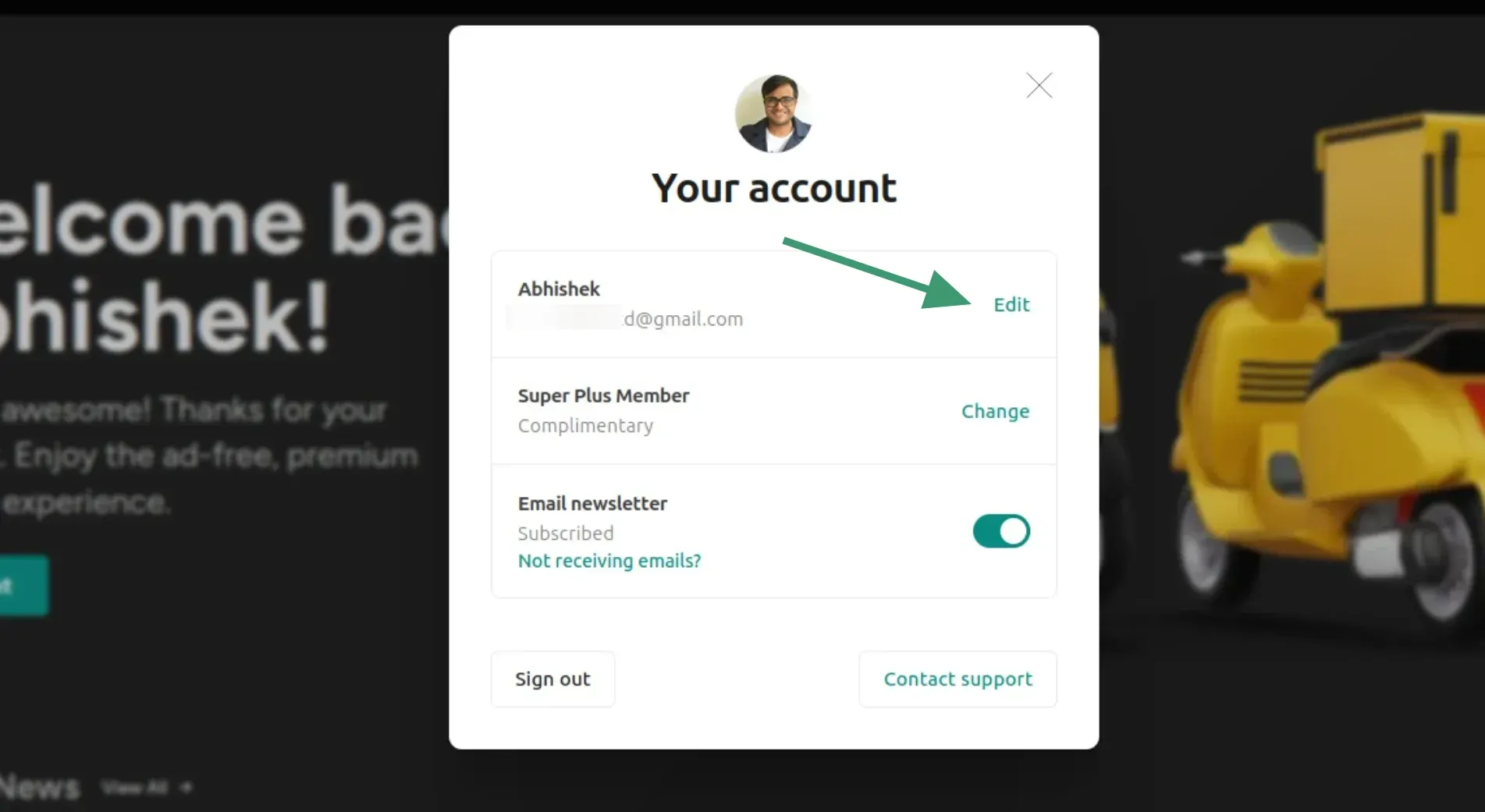
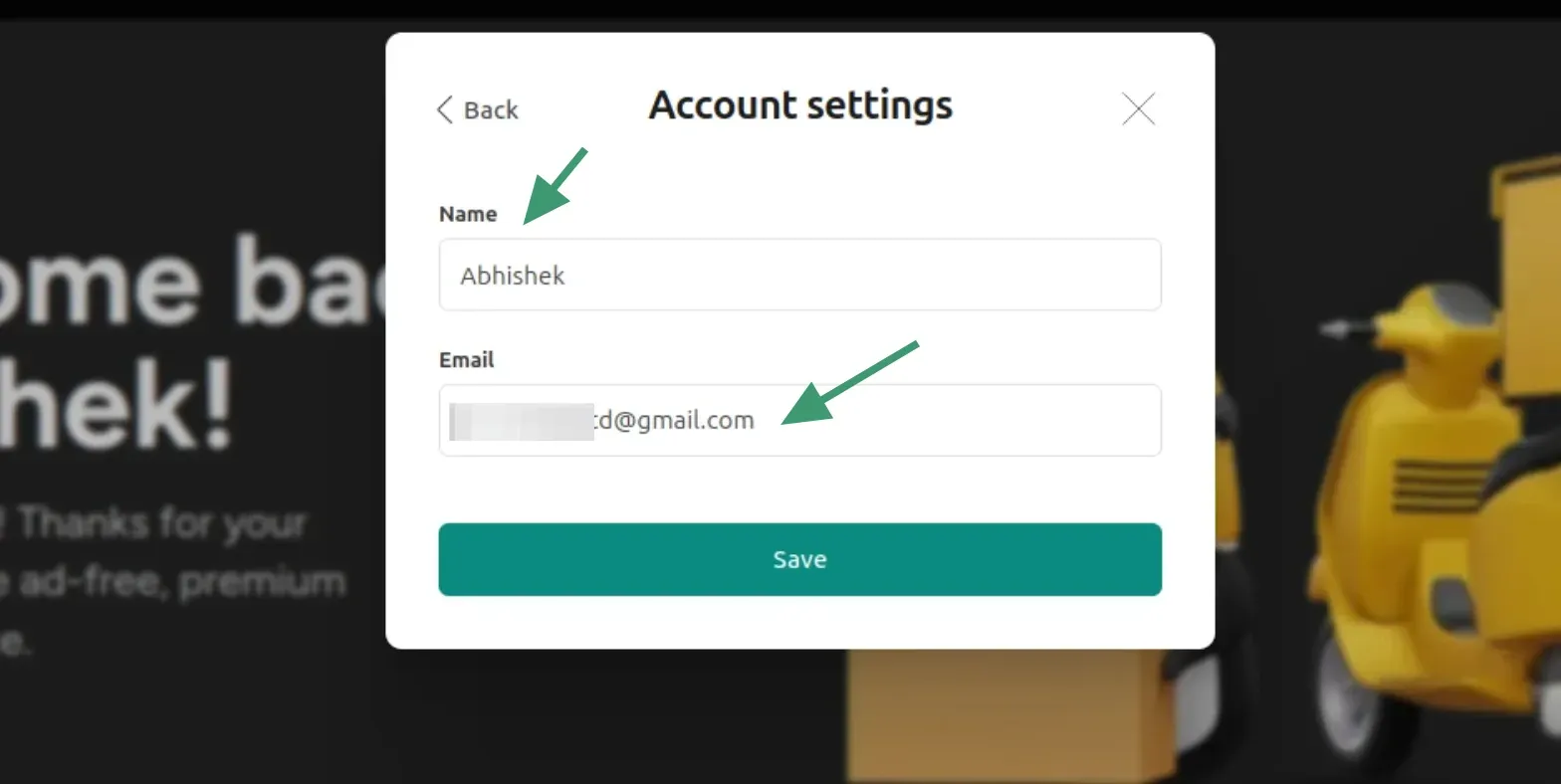
Click the Name field and update it to your preferred name. Click Save.
Q: How do I change my profile picture?
Your profile picture is pulled from Gravatar, a free service by WordPress that links a photo to your email address. To update it:
- Go to gravatar.com and create a free account using the same email you use here.
- Upload a photo and set it as your default image.
- Your new picture will appear on your account within a few minutes.
Q: Why do I see "It's FOSS Member" when I leave comments?
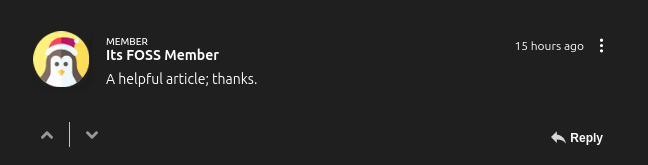
If you see "It's FOSS Member" in the comments, it means the member account doesn't have a name set in it.
While you can have a member account, leaving the name field blank, the comments must display something in the name field. This is why when a member without name leaves a comment, it is displayed with the placeholder text 'It's FOSS Member'.
If you are seeing this with your own account, you can change this by providing a name in your It's FOSS membership account (discussed before).
Q: How do I check my membership status?
Make sure that you are logged in to your account. Click your profile icon in the top-right corner of the site.
Select Account here and you'll see a pop up with your details.
If you see Plus member, Super Plus member or Complimentary, you have paid Plus membership
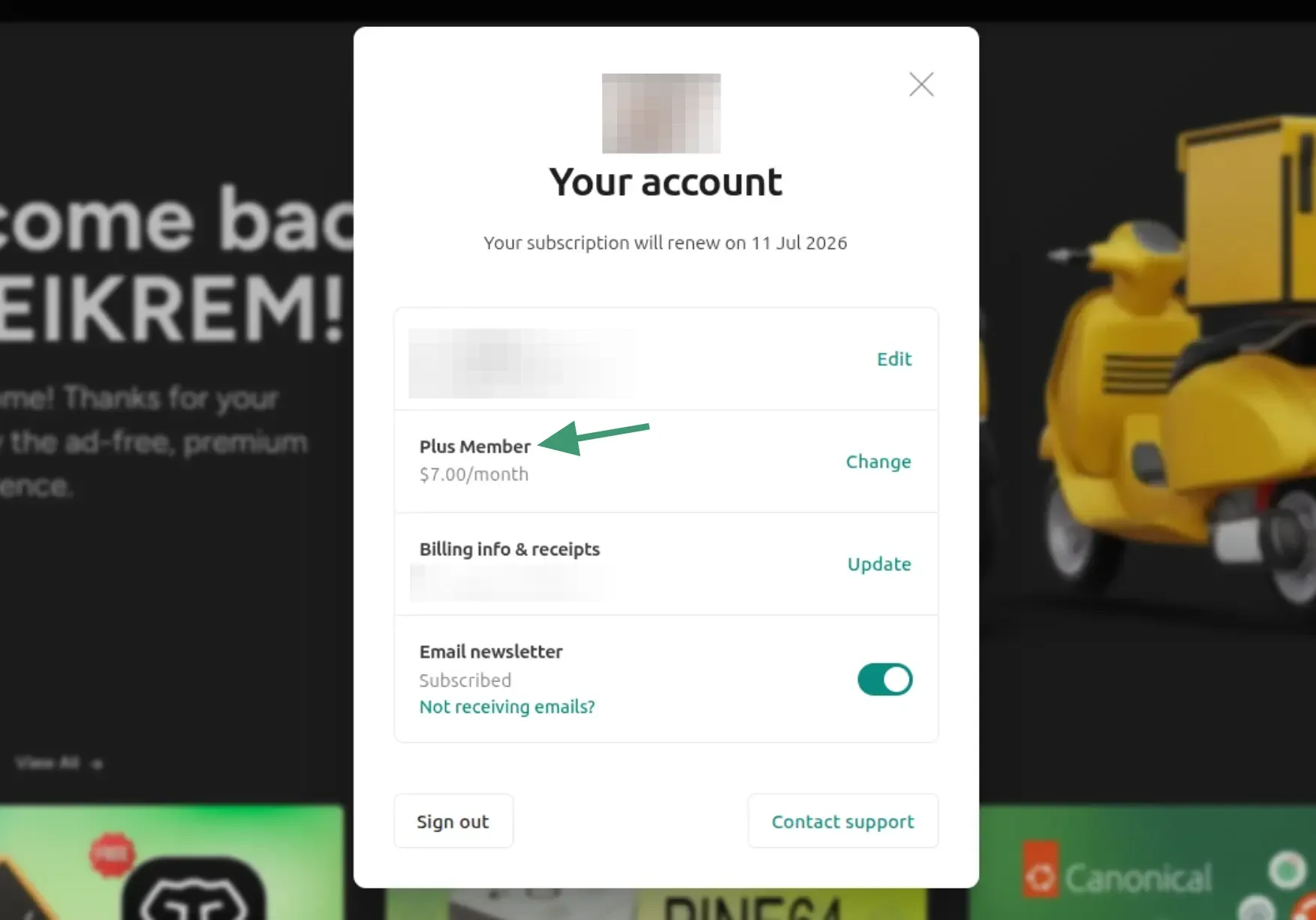
If you see Free members, you have a free membership.
Q: Why does my account is complimentary when I paid for Plus membership?
If you opted for lifetime membership or paid for the yearly plan via PayPal, your membership is added manually through a workarond and thus it shows as complimentary.
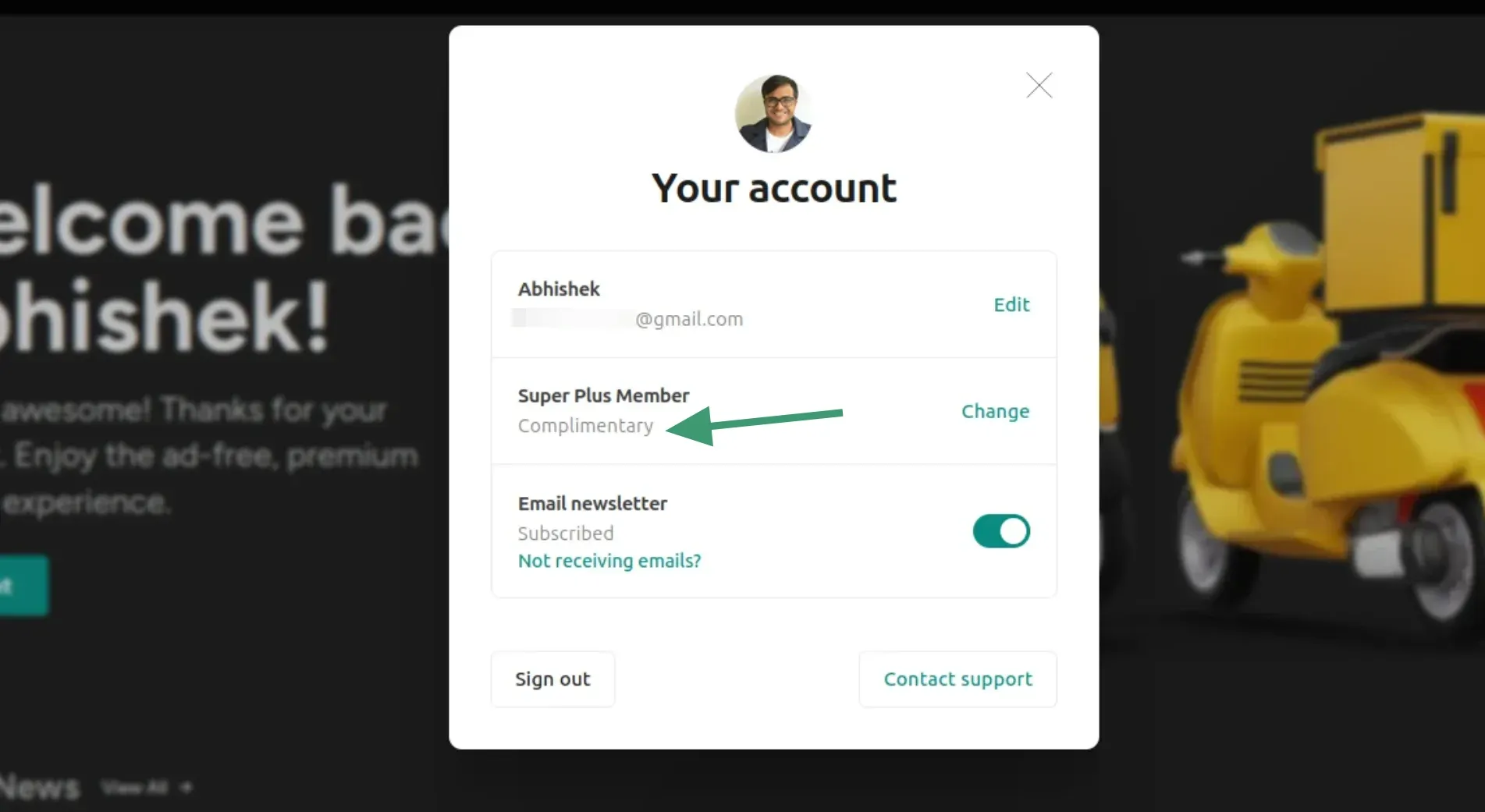
We use Ghost CMS as the technical platform for this website. They have built in Stripe integration for monthly and yearly membership only.
But they allow custom paid access via their complimentary feature.
In other words, it's a technical limitation that it shows the Plus membership as complimentary but don't worry, you get all the same access as any paid member.
Q: How do I delete my account?
We're sorry to see you go. To delete your account, please contact us directly and we'll remove your account and all associated data within 48 hours.
💳 SUBSCRIPTION & BILLING
Q: How do I upgrade from a free to a paid membership?
- Sign in to your account.
- Click your profile icon and go to Account settings.
- Under Your plan, click Upgrade.
- Select a plan and enter your payment details via the secure Stripe checkout.
- Once confirmed, your paid access is activated immediately.
Note: Payments are processed securely by Stripe. We never store your card details.
Q: Can I pay via PayPal?
The built-in payment system only uses Stripe at the moment. However, if you wish to use PayPal, there is an alternate manual way. Please contact us, and we'll share the details of our PayPal account and when the payment is processed, we'll enable the membership for you.
Since it is a manual process, the PayPal option is only available for yearly or lifetime membership.
Q: Can I just not make a one-time donation?
Sure you can. You can support us on Ko-fi.
Q: How do I change or cancel my subscription?
You can manage your subscription directly through your account:
- Go to your Account settings.
- Click Manage subscription — this opens your personal Stripe billing portal.
- From there you can cancel, change your billing frequency, or view upcoming charges.
Tip: If you cancel, you'll keep your paid access until the end of your current billing period.
Q: Can I get a refund?
There are no provisions for refunds. You can cancel your membership any time you want.
Q: How do I update my payment method?
- Go to Account settings → Manage subscription.
- In the Stripe billing portal, click Payment methods.
- Add a new card or update your existing one.
Changes take effect immediately and will be used for your next billing cycle.
Q: Where can I find my invoices or receipts?
- Go to Account settings → Manage subscription.
- In the Stripe billing portal, scroll down to Invoice history.
- Click any invoice to download a PDF receipt.
Stripe also automatically sends a receipt to your email address after every successful payment.
If not reach out to us and we will send a receipt.
Q: What happens to my access when I cancel?
When you cancel your subscription:
- You keep full paid access until the end of your current billing period.
- After that, your account automatically reverts to free membership. You won't be charged again.
- Your account and free content remain accessible. Only paid-only content will be restricted.
- You can re-subscribe at any time from your Account settings.
📚 CONTENT & DOWNLOADS
Q: Where can I find the downloadable eBooks?
All downloadable eBooks are available on the Downloads page. You'll find it in the main navigation.
Make sure you're signed in with your member account to access them.
Q: How do I access member-only content?
Member-only content is unlocked automatically when you're signed in. Simply make sure you're logged into your account and you'll have access to everything included in your plan.
If you're signed in but still seeing a paywall on a piece of content, it may be exclusive to a paid tier. See "Why can't I see certain content?" below for more details.
Q: Why can't I see certain content?
There are a few reasons you might see restricted content (like answers to some puzzles and quizzes):
- You're not signed in. click Sign in and use your email to get a login link.
- The content is paid-only. Some quizzes, downloads, and resources are exclusive to Plus members. You'll see a notice explaining this when you hit the paywall.
- Your subscription has lapsed. If a payment failed or you previously cancelled, your paid access may have expired.
To upgrade to a paid plan, go to Account settings → Upgrade. If you think there's a mistake, get in touch and we'll check your account.
Q: Can I read content on my e-reader or device?
Yes! Our downloadable eBooks are available in PDF and/or EPUB format, which are compatible with most e-readers including Kindle, Kobo, and Apple Books.
- Download the eBook from the Downloads page.
- For Kindle: email the file to your Kindle address, or use the Send to Kindle app.
- For Kobo / Apple Books / others: transfer the EPUB file directly to your device or open it in your reading app.
🎁 MEMBER BENEFITS
Q: What's included in the free membership?
Free members get access to:
- All publicly available articles and posts
- Our weekly newsletter delivered to your inbox
Q: What extra benefits do paid members get?
In addition to everything in the free plan, paid members get:
- All downloadable eBooks and resources
- Access to fun quizzes
- Direct support for independent publishing
Q: What are the differences between the free and paid plans?
| Feature | Free | Paid |
|---|---|---|
| Public articles | Yes | Yes |
| Weekly newsletter | Yes | Yes |
| Member-only articles | No | Yes |
| Downloadable eBooks | Selected only | All |
| Text-only newsletter (coming soon) | No | Yes |
💬 GENERAL QUESTIONS
Q: Is there a free plan I can try before paying?
Yes, you can sign up for a free membership with no credit card required. Free members get access to our public content and weekly newsletter right away, so you can get a feel for what we publish before deciding to go paid.
When you're ready to unlock everything, upgrading takes less than a minute from your Account settings.
Q: Can I pay annually instead of monthly?
Yes! We offer both monthly and annual billing. The annual plan works out to a lower monthly rate, you can see the exact pricing on the membership page.
To switch from monthly to annual billing, go to Account settings → Manage subscription and select the annual option in your Stripe billing portal.
Q: Is my payment information secure?
Absolutely. All payments are processed by Stripe, one of the world's most trusted payment platforms. Your card details are encrypted and handled entirely by Stripe, we never see or store your payment information on our end.
Stripe is PCI DSS Level 1 certified, the highest level of certification in the payments industry.
Q: How do I contact support?
If you can't find the answer you need here, we're happy to help. Reach out to us at: support@itsfoss.com
We aim to respond within 1–2 business days. Please include your account email address so we can look up your membership quickly.
If this helped you, consider supporting It's FOSS
It's FOSS has been helping people use Linux for the past 14 years. Help us stay independent from big tech. Become a Plus member, enjoy ad-free reading and get 5 eBooks.
