


Remember Wubi from the 2000s? For people who were afraid of going into BIOS and booting from CD/DVD/USB, Wubi provided an easy way to install Ubuntu Linux straight from Windows.
This concept has made a comeback in the form of Libertix although the core idea remains the same: install Linux in dual boot from inside the Windows.
Libertix is a Windows application. You use the .exe to install the tool and run it. The tool analyzes your system and if the test passes, it lets you resize the disk to install Linux Mint or Zorin on your system. Those are the two distros supported at the moment.
It configures a dual-boot menu for both BIOS/MBR and UEFI/GPT machines. This way, you do not need to create a live USB.
Libertix: Install Linux from Windows
Libertix is an open source software developed by Ekimia, a French company. From the looks of it, they sell Linux preinstalled computers in France. They launched a €3,000 campaign in June 2026 to pay a full-time contributor over the summer to work on this project.
Here's how it works.
Before touching anything, Libertix runs a compatibility test. It looks at your firmware type (BIOS or UEFI), your disk layout, BitLocker status and how much space can be taken from the Windows partition. If something doesn't fit, it won't proceed.
If everything checks out, it lets you shrink the Windows partition and then it downloads the chosen distro ISO. Checksum is verified before downloading the ISO.
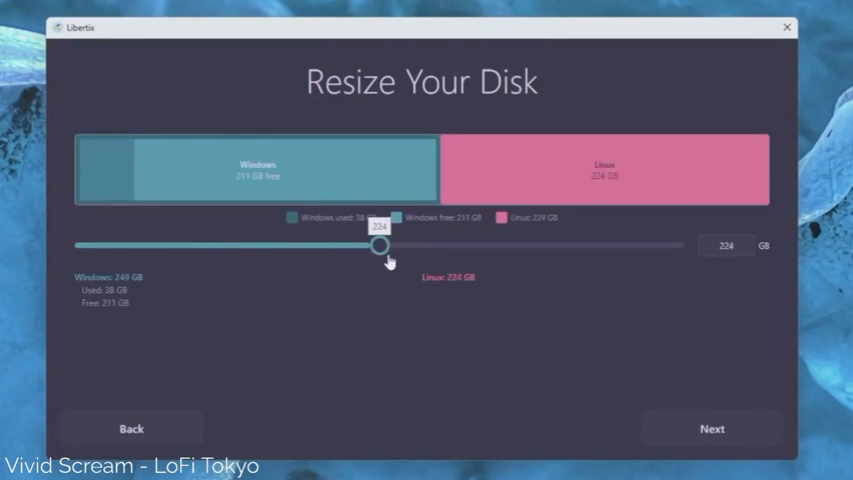
Libertix then stages the files on disk and tells your computer to boot into its own live environment just once. On UEFI systems, that's done through the BootNext firmware variable. On older BIOS systems, it uses GRUB4DOS and a temporary Windows boot entry.
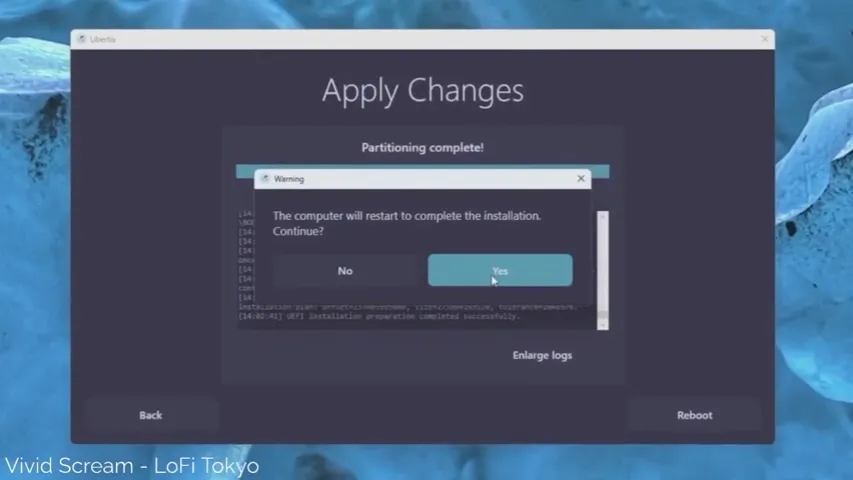
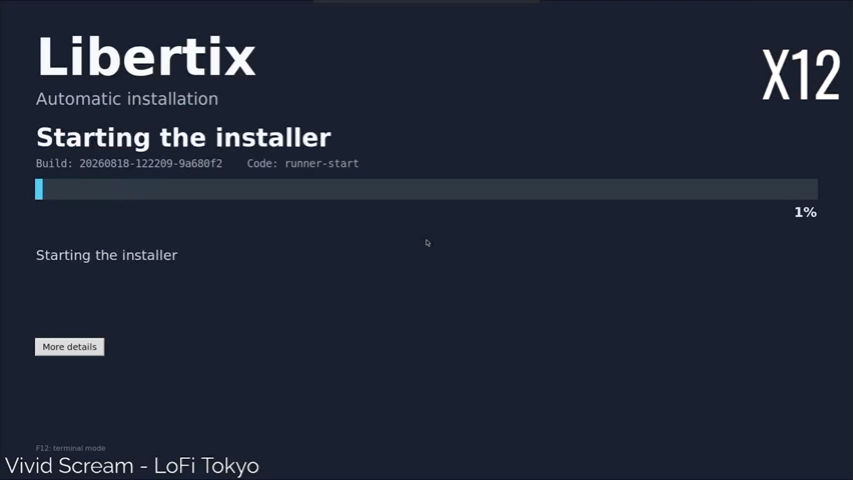
After the reboot, the Libertix live system checks the plan and hardware again, creates an ext4 partition and installs Linux on it.
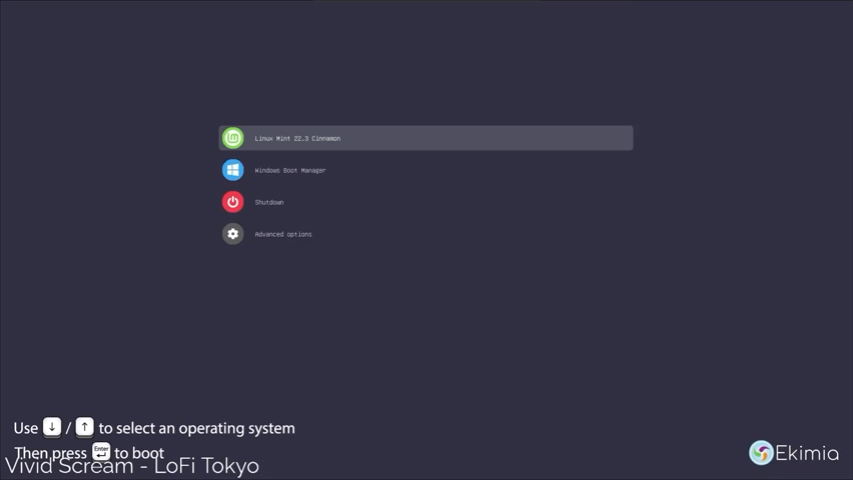
The final setup gives you a customized, beautiful-looking GRUB menu with entries for Linux, Windows, shutdown and advanced options.
If you enabled file sharing, your Windows folders show up in Linux. Your Linux files are also accessible from Windows, but in read-only mode, which makes sense as it avoids filesystem corruption.
I like that there's a recovery path built in. Libertix tracks every stage it completes. If something fails or you cancel midway, it undoes only the steps that were done and restores the Windows boot.
Worth a try?
I wanted to give Libertix a try and show the installer in action. But for that, I would need a functional Windows system. And I don't have one right now. I'll see if I can arrange one and showcase this tool's functioning to you.
Till then, if you feel like, you can give it a try on a spare system because this is in early stages of development. If you are not comfortable with partitions and stuff, don't get over excited and mess up your system.
Still, overall, this is a nice tool to exist and I hope it supports more distros in the future. For many Linux beginners, creating the live USB and dual booting from it seems intimidating. If this tool helps lower that barrier, I am rooting for it.
If you want to explore the project, look at its architecture and technical documentation; head over to its GitHub repo.
If this helped you, consider supporting It's FOSS
It's FOSS has been helping people use Linux for the past 14 years. Help us stay independent from big tech. Become a Plus member, enjoy ad-free reading and get 5 eBooks.
Skip the AI slop and SEO spam in your Google results
Tell Google you prefer It's FOSS, and it will show our Linux news and tutorials, created by experienced Linux users, more often when you search. It takes just a click.
Set as preferred sourceGet FOSS Weekly in your inbox