


Ubuntu 26.04, the much anticipated LTS upgrade to 25.10 and 24.04, is here. This release promises to be one of the more daring and potentially revolutionary releases in quite some time, delivering on many much-awaited features, and laying the foundation for the next generation of Ubuntu and its derivatives. Still, this release is bound to be one of the most controversial, in that it's got quite a lot of good, but to some, a little bit of "bad". To be fair, how you see it is largely a matter of perspective.
In this article, we'll look at 5 of the reasons you should consider upgrading to Ubuntu 26.04, and 3 reasons you might want to sit this one out, or even consider if it's time to set sail for other shores.
Reasons to upgrade
LTS releases are popular among many users, from the casual everyday user, to hardcore developers and creators. Even some gamers feel at home on these releases, and the reasons for all categories of user are typically the same: stability, reliability, and the promise that future updates will bring the best tested elements of the future back to the refuge of the past.
That said, LTS releases also often bring a balanced blend to this island of stability by introducing a well-tested, but relatively fresh tech stack. So what's new in Ubuntu 26.04? Let's have a look.
1. Linux kernel 7.0
One of the highlights of Ubuntu 26.04 is that it ships with Linux kernel 7.0, which brings a much newer hardware and driver stack than version 6.8 in Ubuntu 24.04 LTS. While kernel version numbers aren't typically especially significant, newer kernels still matter because they bring improved compatibility with newer hardware and give Ubuntu a stronger foundation for the years ahead. No doubt, Linux kernel 7.0 does exactly this in some critical areas.
For instance, this release improves support for newer Intel and NVIDIA systems, with full support for Intel's Core Ultra Xe2 integrated graphics and Arc Battlemage GPUs, plus NVIDIA Dynamic Boost enabled by default on supported laptops. NVIDIA users have even more reason to rejoice, in that Ubuntu 26.04 improves suspend and resume behaviour with the proprietary NVIDIA driver. AMD and ARM users aren't left out either, thanks to broadened compatibility for ARM64 desktop systems that boot via UEFI, and initial support for Snapdragon X Elite devices in the new generic ARM64 Desktop ISO.
Also in this LTS are a few practical platform-level improvements around reliability and responsiveness. Crash dumps are now enabled by default on both desktop and server installations, making it easier to diagnose serious failures, while the old linux-lowlatency package has been retired in favour of tuning low-latency behaviour on the generic kernel at boot time.
2. GNOME 50: HDR & VRR improvements, robust parental controls, smoother NVIDIA experience, and more
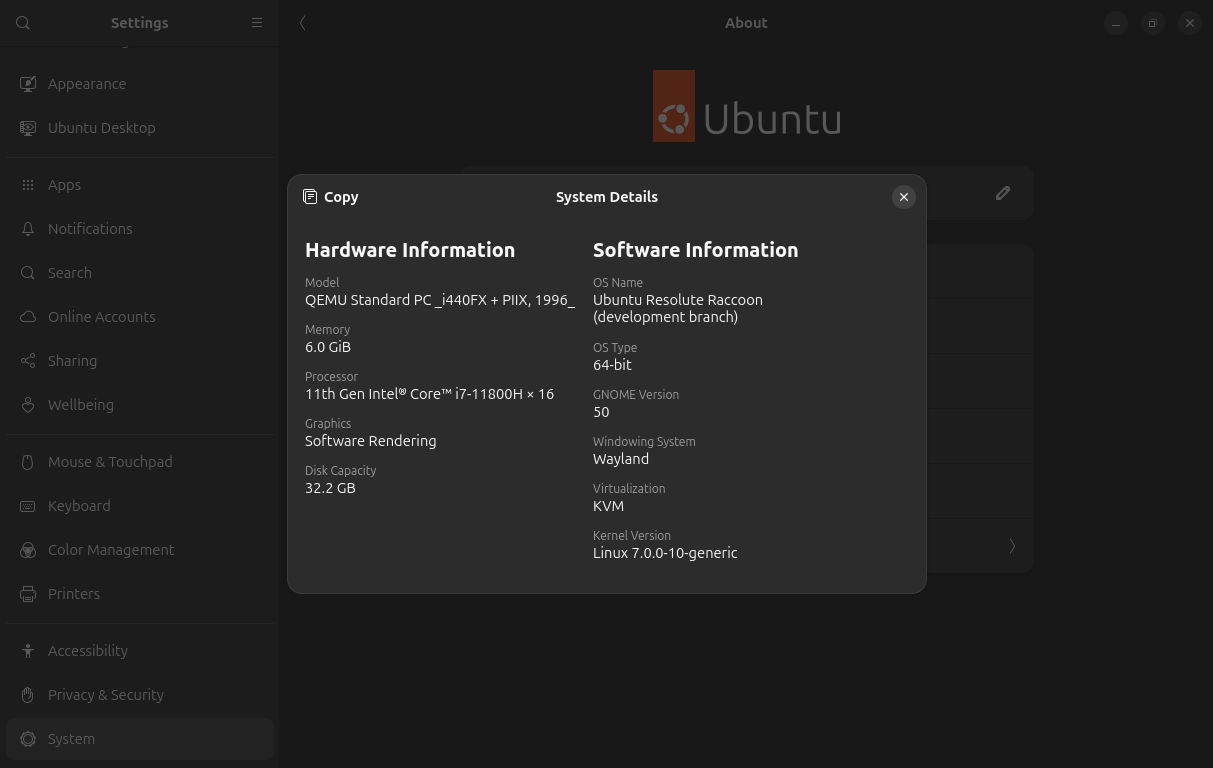
Ubuntu 26.04 comes hot on the heels of GNOME 50, bringing a wave of important refinements that should be noticeable in everyday use.
First up, GNOME 50 builds on the HDR groundwork introduced in GNOME 48 with further colour-management improvements and, at long last, HDR screen sharing support. That should be welcome news for creators, because accurate colour handling matters in professional photography, video, and design work. It also helps modern games to look as intended on supported hardware. Additionally, GNOME 50 improves both Variable Refresh Rate (VRR) and fractional scaling, with bug fixes, stability work, and various user-experience improvements. Some of these features were once treated as experimental across various distributions, but GNOME 50 now enables them by default, making for a smoother out of the box experience.
Rounding out the display improvements, NVIDIA users also have reason to be optimistic. GNOME 50 includes workarounds for NVIDIA driver quirks aimed at reducing stutter and frame-timing issues, which should make window animations and general desktop fluidity feel smoother on affected systems. GNOME 50 also adds a low-latency cursor path while VRR is active, helping the pointer stay responsive even when an application is running below the monitor’s maximum refresh rate.
Accessibility and parental controls
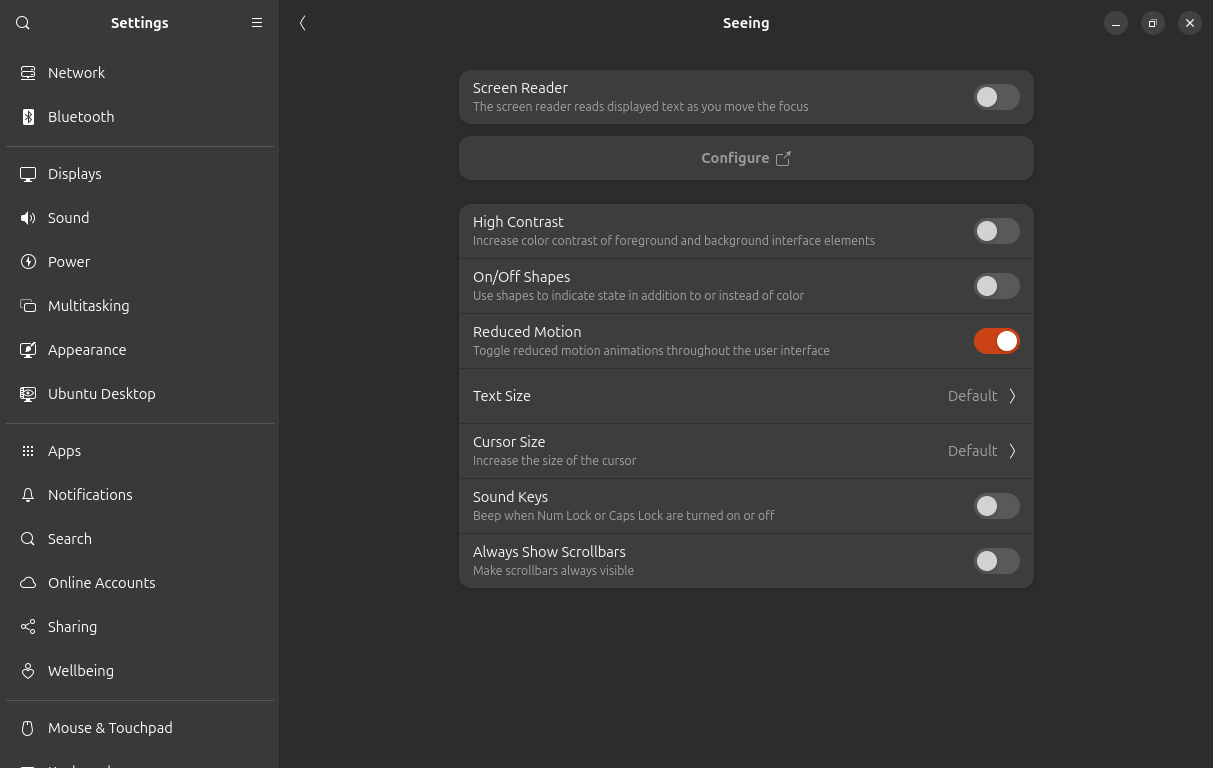
GNOME 50 brings some important accessibility improvements. Orca, the GNOME screen reader, now has a significantly improved preferences window, global settings, automatic language switching for web content and app UI, better Braille support, and Mouse Review support in Wayland sessions. Also new is a new Reduced Motion option in Accessibility settings, which tones down interface animations to reduce discomfort and distraction.
That should come as a real relief for users with vestibular issues or motion sensitivity. For now, the biggest wins will be in GNOME and libadwaita-based apps, while broader support across other toolkits and desktops will take a little more time to mature.
Parents moving to Ubuntu 26.04 will also benefit from much stronger parental controls. GNOME 50 now allows parents and guardians to monitor screen time, set limits for child accounts, define bedtime schedules, and automatically lock the screen once those limits are reached. Time can also be extended when needed. On top of that, GNOME has laid the backend foundations for web filtering, though the user-facing components needed for this part are still to come in a future update.
3. Better gaming potential with NTSYNC

This one is sure to be exciting for the growing number of users choosing to switch to Ubuntu (among other distros), as their home for gaming. NTSYNC is a Linux kernel driver that emulates key Windows NT synchronization primitives directly in the Linux kernel. Wine and Proton can use it to provide a faster, more accurate implementation of these operations in a way that Windows applications expect.
So why does this matter so much for gaming? The answer is simple: modern games often rely heavily on multithreading, which means they constantly need to coordinate tasks and wait on synchronization objects efficiently. Handling these operations entirely in user space can add overhead and make it harder to match Windows behaviour precisely.
By providing a kernel-level interface for these synchronization primitives, NTSYNC improves performance potential and helps deliver behaviour that is closer to what many Windows games and applications expect under Wine and Proton. In some cases, performance has even been shown to be better on Linux than when running the same game natively on Windows.
4. Security Center and better Snap privacy controls
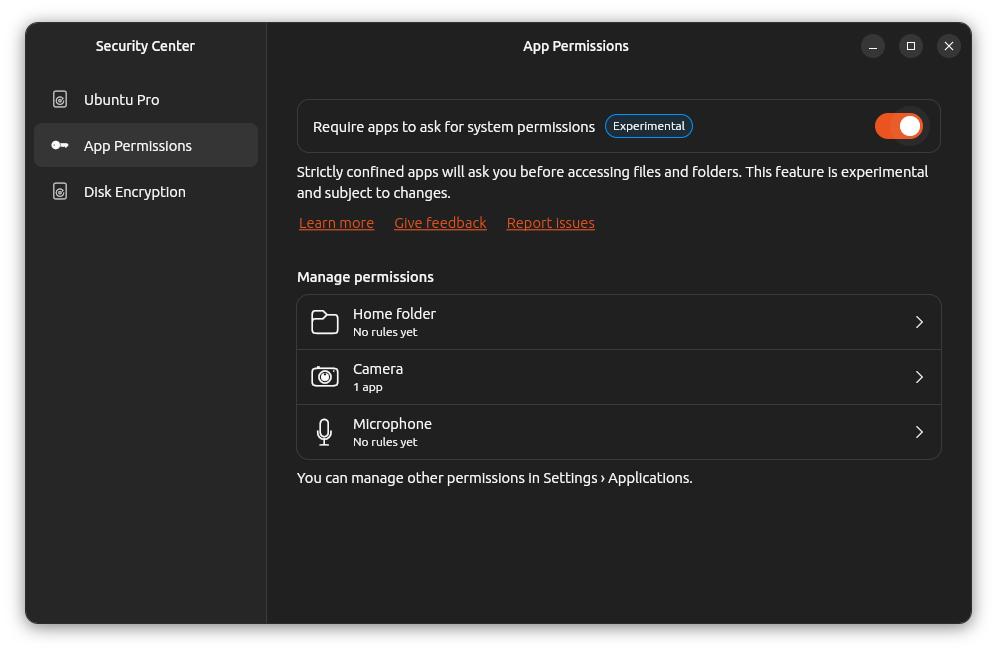
Users upgrading from Ubuntu 24.04 will find the new Security Center and its experimental permissions prompting system for Snap apps. First introduced in 24.10, the Security Center is a critical part of the 26.04 LTS. Traditionally, Snap permissions have been handled mostly through interfaces, which define broad access to system resources.
With the new prompting system, Ubuntu gains a more granular permissions layer by using AppArmor to mediate access at the system-call level, even for applications that were not specifically written to support this behaviour. In its current form, the feature focuses on Home directory, camera, and microphone permissions, giving users more direct control over which locations and features Snap applications can access, and for how long.
It's worth noting that Canonical still describes this feature as experimental, and says the Security Center will expand over time with additional prompting options and other desktop security controls. Ubuntu does have a history of backporting key desktop features over the life of an LTS release, so 26.04 may well benefit from further refinements in this area over its lifetime.
5. Dual-booting with Windows is finally less painful
In recent years, thanks to the ever increasing convolution of Windows, dual-booting Ubuntu alongside Windows has become a far more fragile and awkward affair than it really should be, especially on modern machines protected by BitLocker. Ubuntu 26.04 helps smooth this out, carrying forward recent installer improvements that help Ubuntu get along more comfortably with BitLocker-based Windows systems.
Most importantly, Ubuntu can now be installed alongside existing BitLocker partitions when enough unallocated space is available, or when a large enough partition can be resized safely. The new installer also makes encrypted Ubuntu installs and other advanced options available in dual-boot scenarios — a significant quality-of-life improvement for users who still need to run Windows on the same machine.
Reasons not to upgrade
As mentioned earlier, there are some real reasons you may want to sit this release out, and some users may find these reason to consider sticking with an older release for a little while longer, or even changing distros altogether.
1. Sudo replaced with sudo-rs
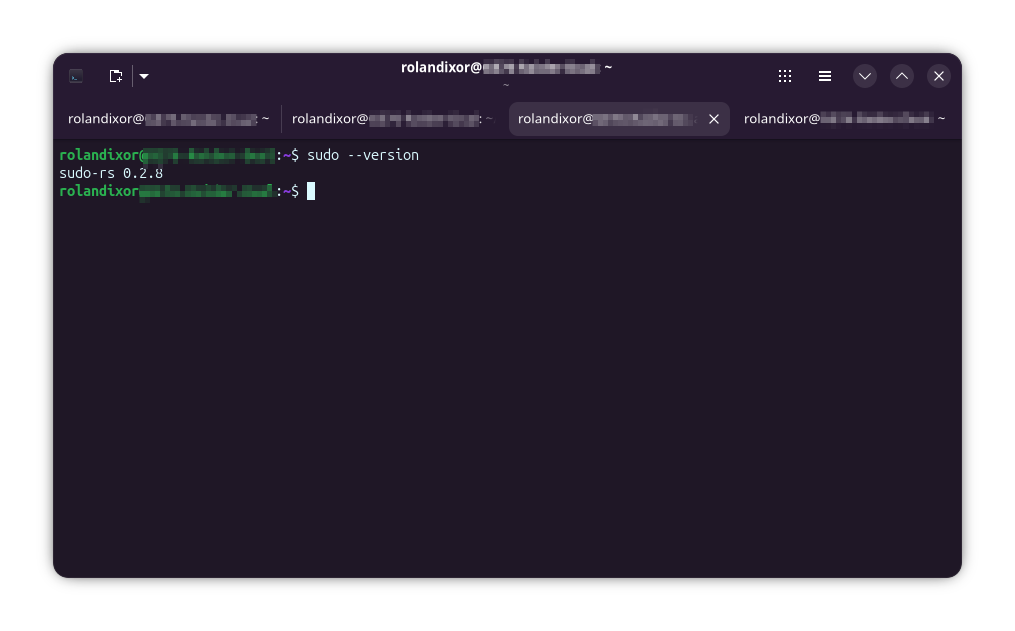
sudo-rs is a Rust implementation of the su and sudo commands. This is definitely one of the more controversial changes, technically introduced in 25.10, that will land for LTS-only users upgrading to 26.04. It's pretty easy to understand the logic here: these are critical security components, and Rust is generally considered a safer language for security-sensitive software. Still, replacing something as deeply trusted as sudo understandably makes some people uneasy.
To be fair, this caution isn't unreasonable. Even though most common use cases should work without issue, sudo-rs isn't yet a 100% compatible replacement. Sure, for everyday desktop users, the differences are likely to be invisible. For system administrators and power users however, there's a risk of some older scripts or applications encountering problems. It's a smaller risk, but still a genuine concern, and may be reason enough to wait until the situation settles.
Read about the difference between classic sudo and rust-based sudo.
 Abhishek Prakash
2. No more X11 session for Ubuntu’s default GNOME desktop
GNOME on Ubuntu is now effectively Wayland-only (as of 25.10), meaning the classic “Ubuntu on Xorg” session is no longer available at login. Users upgrading from 24.04 will need to be aware of this if looking to remain on Xorg. Granted, in practice, this will only affect users who specifically use GNOME on X11 and/or still depend on Xorg features and or hardware quirks that Wayland doesn't handle yet (or at all). Most others likely won't even notice the change and can just keep using Ubuntu as normal.
Alternative desktop environments aren't affected, though. If you install something like XFCE, LXQt, or OpenWM, GDM can still show those sessions at the login screen. This may change in future releases, but at least 26.04 is marked safe for X11 users who aren't yet ready to move on. Just, not for GNOME.
3. Too many changes under-the-hood in one go

Simply put, Ubuntu 26.04 brings a lot of low-level change at once, especially for LTS users, and this alone may be enough reason for some folks to hold off for a while. For instance, this release switches to Dracut as the default initramfs system, removes apt-key, drops support for cgroup v1, and is marked as the last Ubuntu release with support for System V service scripts in systemd.
While many desktop users won't notice the difference, some on older systems, custom setups, or long-lived admin habits, may be at greater risk of something unexpectedly breaking. For cautious users, this may be one of those releases that is better adopted after at least one or more point releases.
Will you be upgrading or sitting this one out?
Ubuntu 26.04 is surely one of the more interesting LTS releases in quite some time. It brings some genuinely exciting improvements, especially for newer hardware, gaming, and some modernization on a few rough edges. At the same time, it does ask advanced users to accept a fair bit of change under the hood, and of course, not everyone will be comfortable making the leap right away.
For some, Ubuntu 26.04 will be an easy yes. For others, it may be the kind of release best approached with caution, and perhaps a good backup plan. Either way, one thing is clear: this LTS is sure to give us a whole lot to talk about.
If this helped you, consider supporting It's FOSS
It's FOSS has been helping people use Linux for the past 14 years. Help us stay independent from big tech. Become a Plus member, enjoy ad-free reading and get 5 eBooks.
Skip the AI slop and SEO spam in your Google results
Tell Google you prefer It's FOSS, and it will show our Linux news and tutorials, created by experienced Linux users, more often when you search. It takes just a click.
Set as preferred sourceGet FOSS Weekly in your inbox
