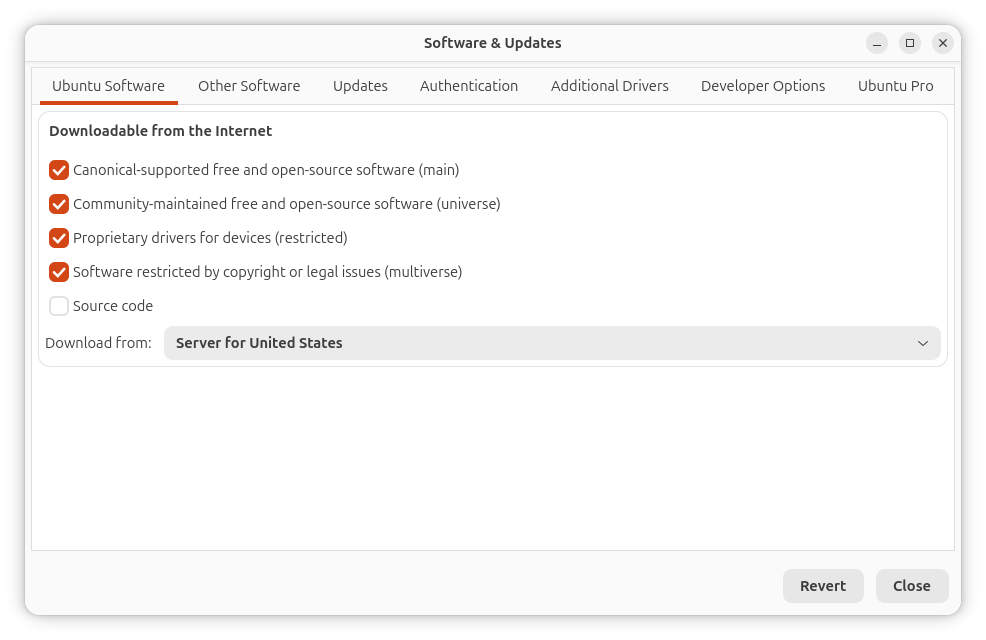
Desktop builds of the upcoming Ubuntu 26.04 LTS won't ship with the Software & Updates application (software-properties-gtk) pre-installed. This is the tool that facilitates the managing of software sources and repository settings on an Ubuntu system.
It handles PPAs, lets users switch between different software channels like main, restricted, universe, and multiverse; pick faster download mirrors; control automatic update behavior; and manage additional drivers.
Now Ubuntu developers are removing it from the desktop image. The package isn't disappearing completely, of course; it just won't be included out of the box.
Why is It Being Ditched?
Canonical's Jean-Baptiste Lallement filed a bug report explaining that several features in Software & Updates are "dangerous or too complex for normal users."
He adds that the tool lets users disable main repositories through the GUI, and accidentally toggling this option could break system updates and software installation.
Another problematic thing is said to be the enabling of the proposed repository (where unstable packages live) by the user.
If you were wondering what happens to the Ubuntu Pro settings, don't worry; that is being moved to the Security Center. It is Ubuntu's dedicated app for simplifying access to security features.
The CLI tools remain untouched, as the software-properties-common package is retained, allowing for command-line based repository management.
What This Means for Users
Upgrading from older Ubuntu versions won't remove Software & Updates. Ubuntu doesn't remove packages that were previously included when users upgrade to new releases.
Fresh Ubuntu 26.04 LTS and later desktop installations won't have Software & Updates pre-installed, but the package stays in Ubuntu's main repository, so installing it takes just one command:
sudo apt install software-properties-gtkUbuntu flavors like Xubuntu, Ubuntu MATE, Ubuntu Budgie, and others can still ship Software & Updates in their default installations. The package remains available for any flavor that wants to include it.
Via: OMG! Ubuntu
 Abhishek Prakash