ONLYOFFICE is an open source office suite that holds its own against the likes of Microsoft Office, with some decent document format compatibility and a self-hosting option for those who prefer to keep their data in-house.
The previous point release brought AI-powered grammar checks, macro recording, and customizable keyboard shortcuts.
Now, the developers have pushed out ONLYOFFICE Docs 9.3, and it is a fairly substantial update.
🆕 ONLYOFFICE Docs 9.3: What's New?
Starting with the Document Editor, you can now use Multipage View to display pages side by side, which makes reviewing layouts in documents a lot more practical.
Comments also got a small but useful upgrade. Now, each user gets a unique color, and the exact start and end points of the comments are shown, so you always know what is being discussed.
The Spreadsheet Editor gets a handful of welcome additions too. The new Solver tool lets you tackle linear optimization problems using the Simplex method. It is accessible from the Data tab.
Three regex functions have been added to the formula library: REGEXTEST, REGEXREPLACE, and REGEXEXTRACT, which should make handling complex text data substantially less painful.
There is also support for dynamic arrays, where a formula can spill results into neighboring cells automatically. Performance-wise, the initial load time for large spreadsheets (over 3 MB) has been improved.
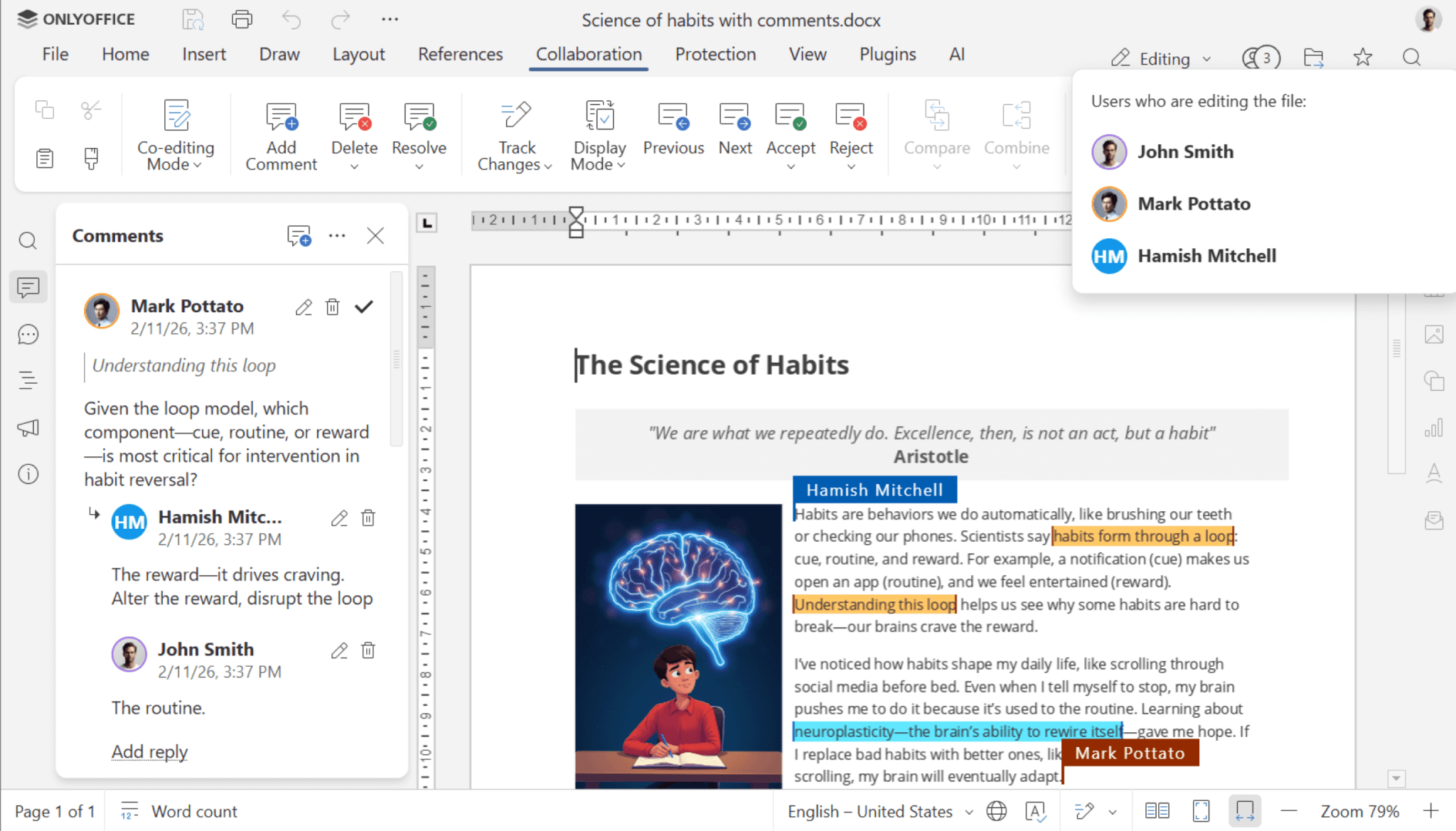
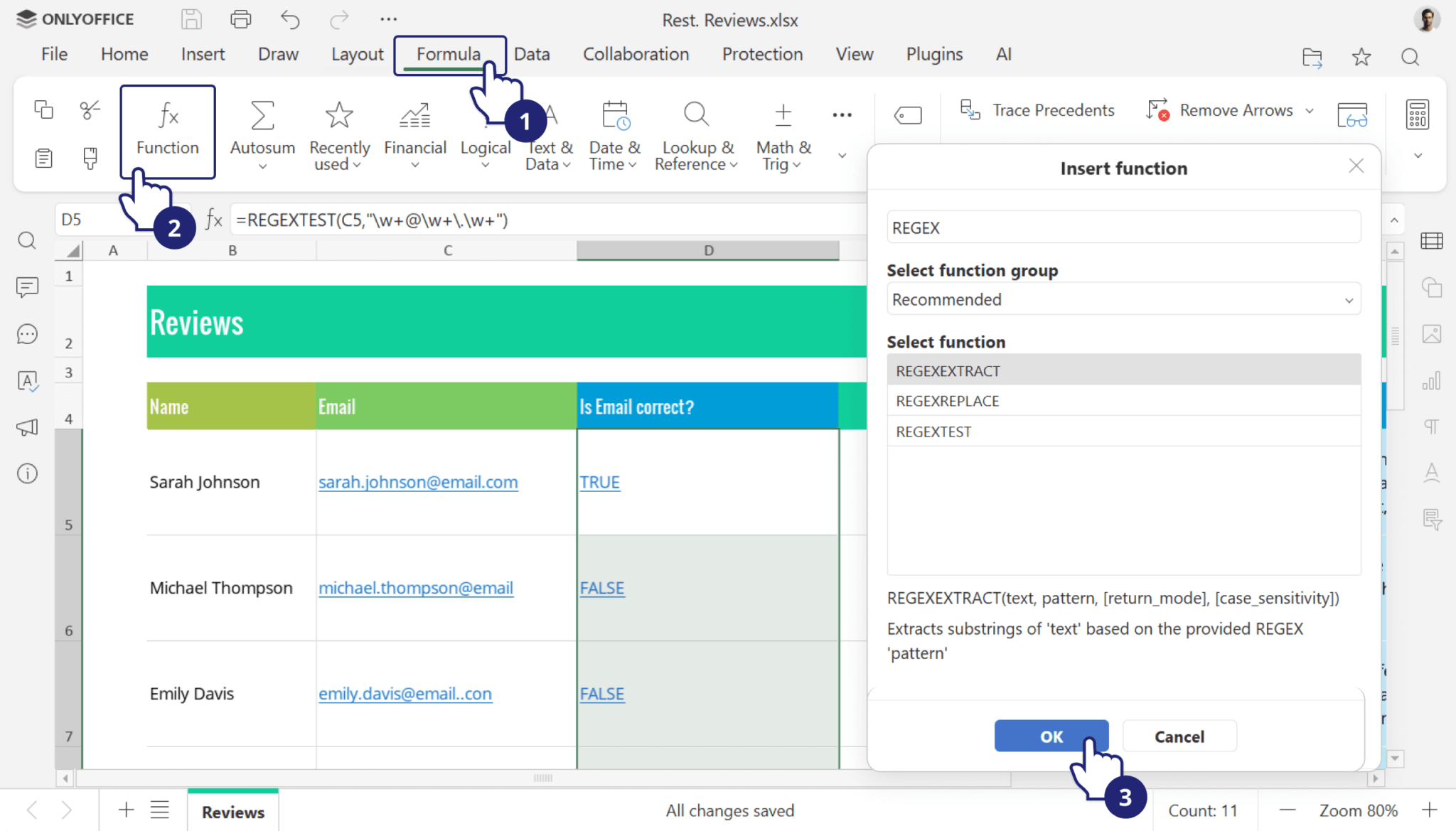
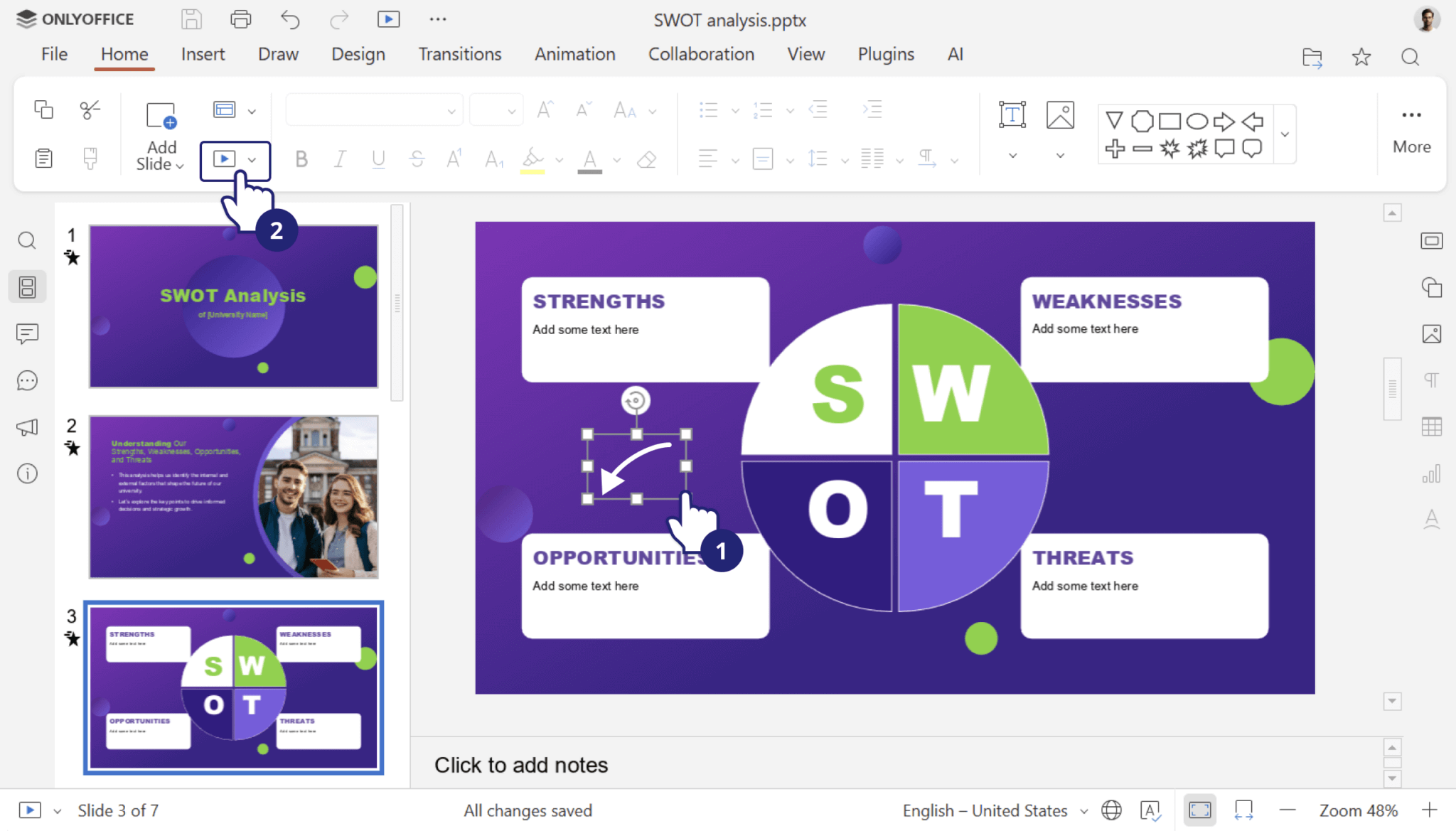
From left to right, the editors are: Document, Spreadsheet, and Presentation.
For Presentations, the editor now supports GIF animations in slideshow mode, so you no longer need to rely on video files or external links for showcasing your cat memes and brainrot content.
The PDF Editor sees the most attention in this release. You can now unlock and edit password-protected PDFs directly, provided you have the password. Link management has been added, letting you insert and edit links to external resources or internal pages, with those links staying active even in the commenting mode.
Signature options in PDF forms have expanded too. On top of uploading an image (now with a background removal option), users can type a signature using a stylized font or draw one directly on screen using a mouse or touch input.
Enterprise users get an additional option to upload a signing certificate through the Admin Panel, enabling trusted digital signatures on submitted forms.
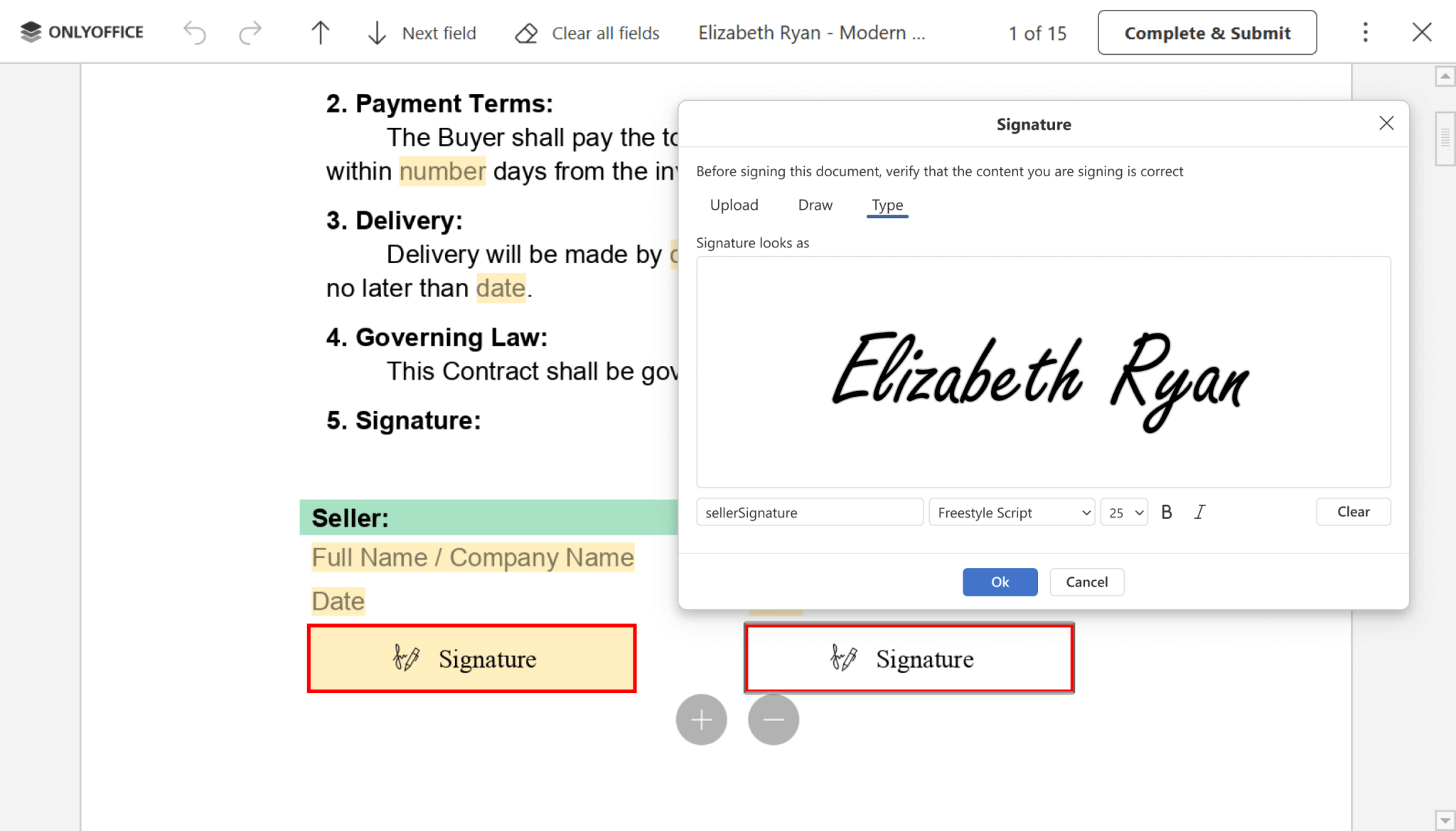
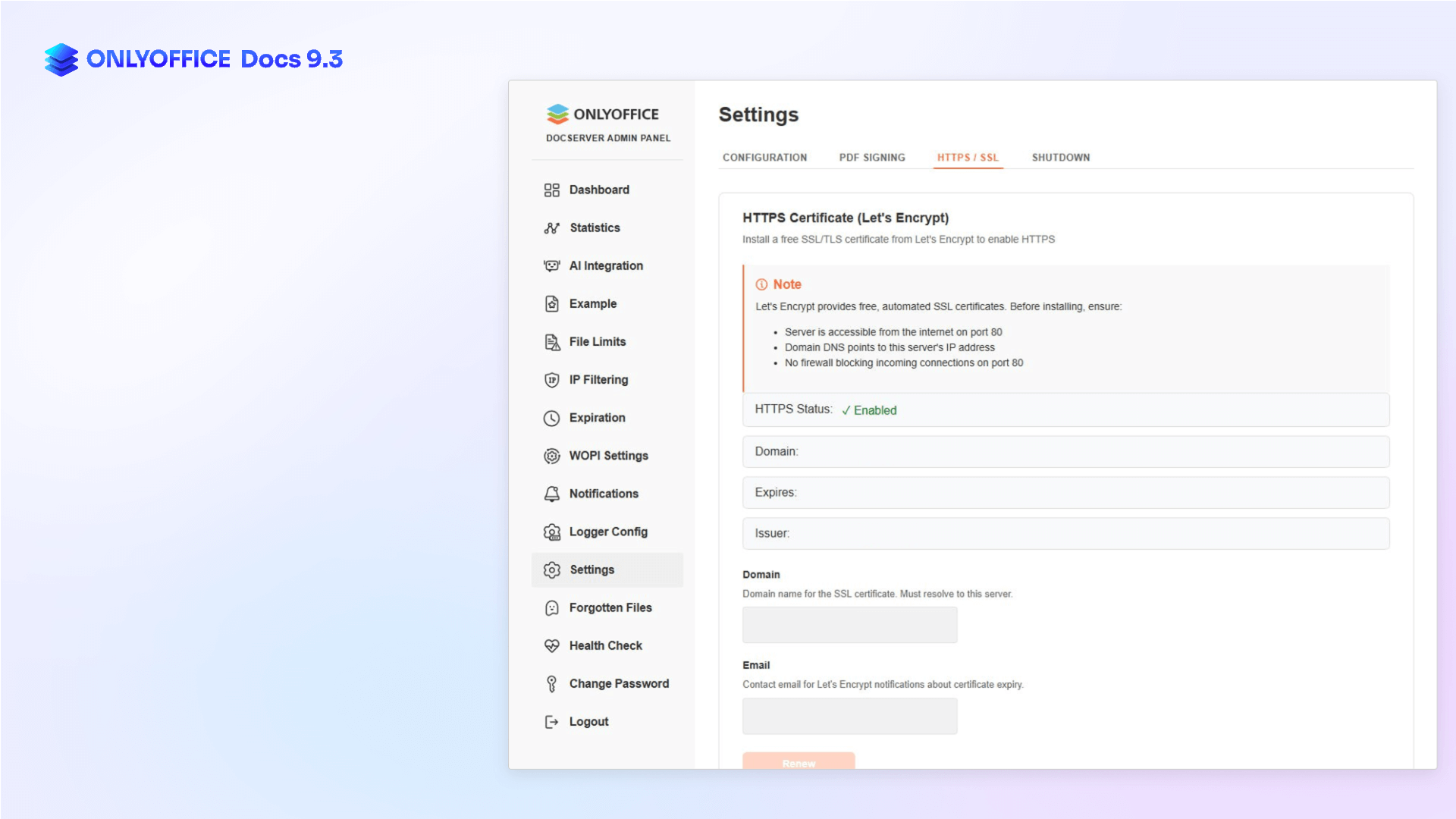
From left to right, the PDF editor and Admin Panel.
Speaking of enterprise, the Admin Panel has picked up several new tools. You can now complete final server configuration from a dedicated window, obtain an HTTPS certificate via script, manage and upload custom fonts, upload a license file, and access per-organization metrics from the Statistics tab.
Across all editors, you can now add hyperlinks to images, shapes, and groups in both documents and spreadsheets. Files can also be saved in the .md format, and TSV files can now be opened for viewing.
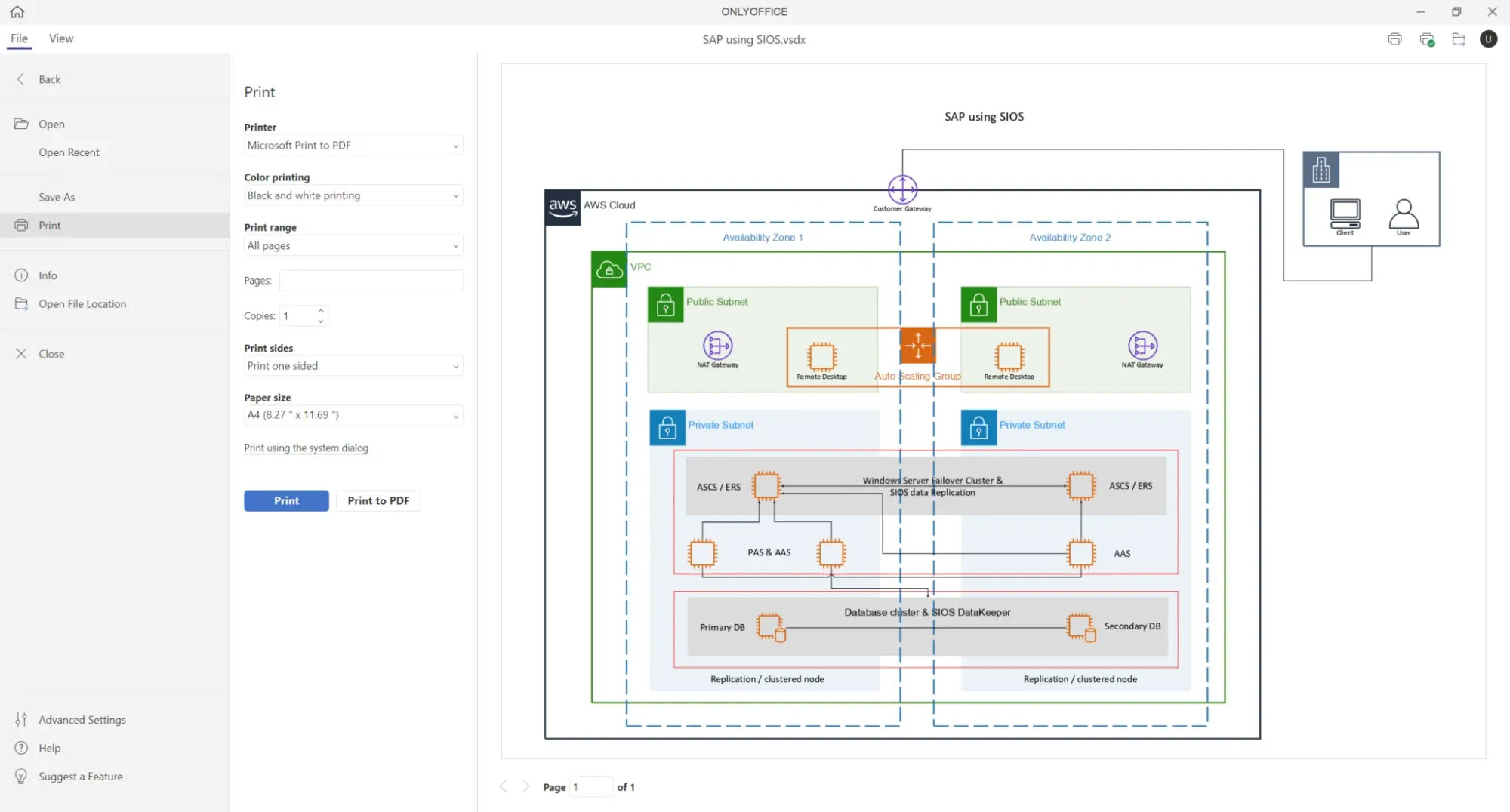
Diagram Viewer comes equipped with a print panel, making it easier to print diagrams with the required parameters.
ONLYOFFICE Desktop Editors now supports Box and Dropbox integration, making it possible to connect these platforms for more convenient file management.
📥 Download ONLYOFFICE Docs 9.3
As always, self-hosting users can grab this release from the official website, and for the rest of us, the desktop editors should be a good download. Just keep in mind that new releases take some time before they are made available.
The changelog summarizes all the changes introduced with ONLYOFFICE Docs 9.3.
Suggested Read 📖: 6 Best Open Source Alternatives to Microsoft Office for Linux
 Abhishek Prakash