


Last week, we saw a wave of developers determined to reverse engineer everything with AI. This week, there's a new wave, and to be honest, I like this one better.
Some people have found an unusual way of using AI for something that actually matters to them. They are making their smart TVs usable again by stripping the operating system of ads and junk.
If you own a budget Android TV, you know the drill. You switch it on, wait for the home screen to load, scroll past a sponsored banner, and only then reach the app you wanted. People are now asking Claude to fix that for them.
It started with a tweet
It all started with Ryan Doyle's tweet where he used Claude to clean up his smart TV.
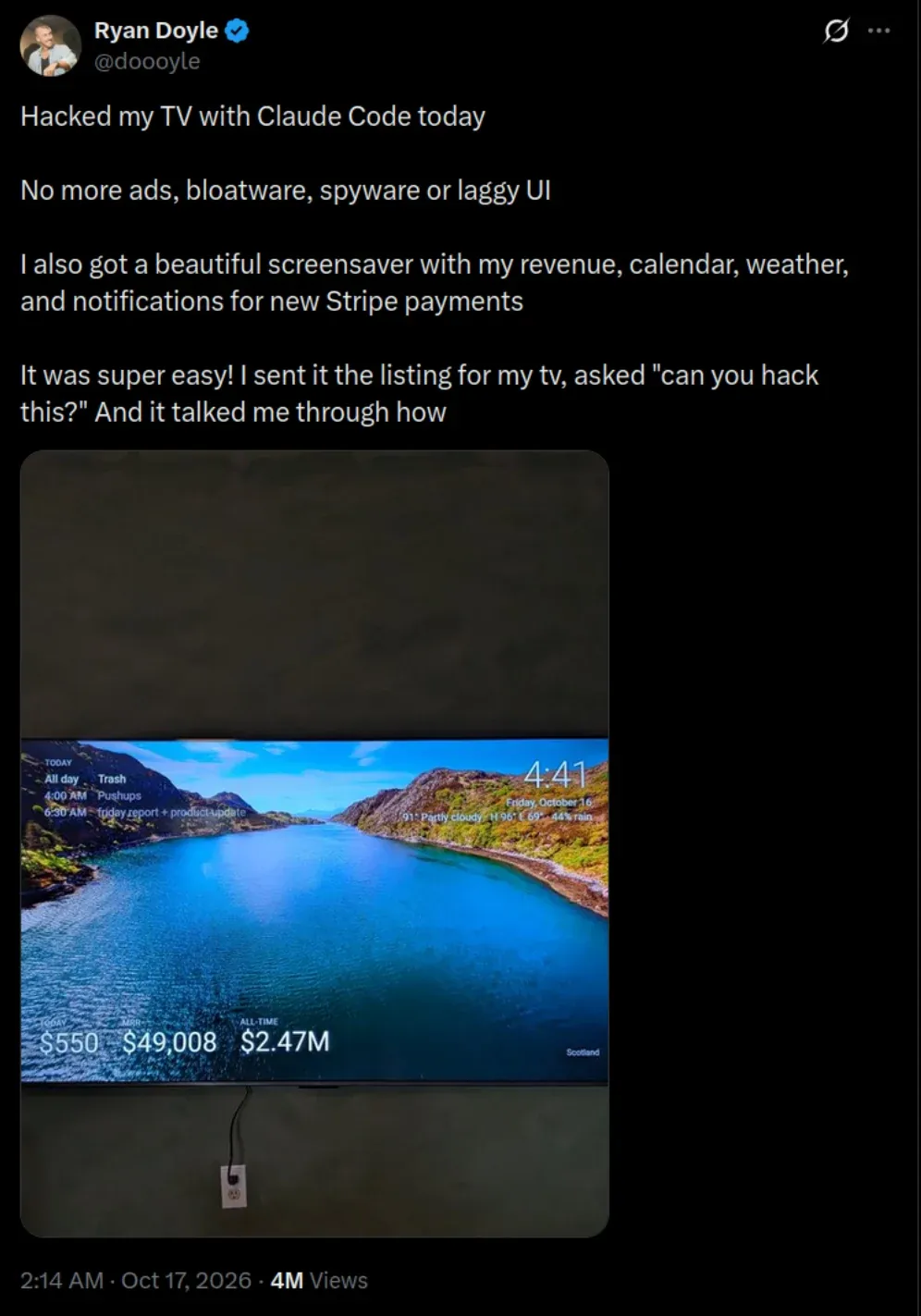
He then followed up with how much faster the TV had become after the cleanup.
Soon, someone else did the same. "Gathin" went a step further and put everything in a GitHub repo called tv-vibehack. It has the prompt, a custom launcher, and a list of gotchas he ran into.
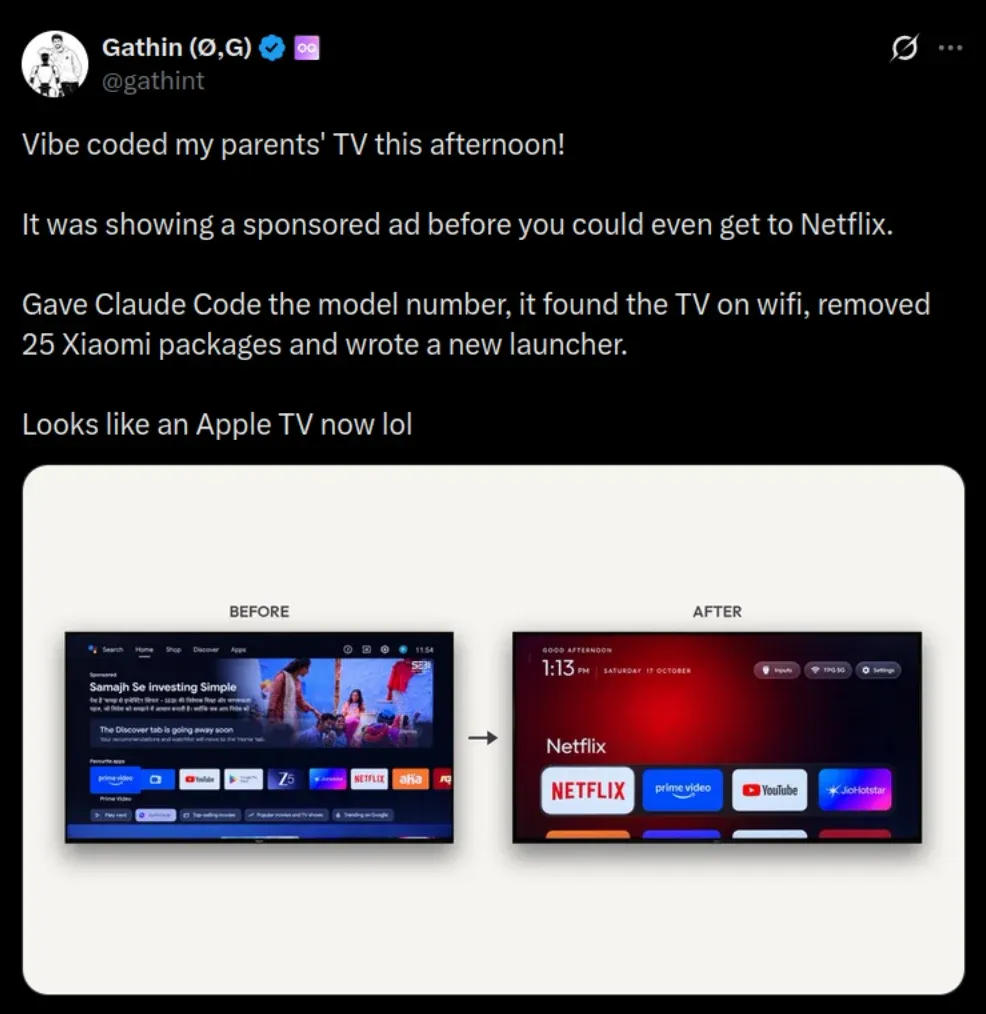
According to the README, it began as an afternoon fixing his parents' Xiaomi Mi TV, which showed them an advert before they could even reach Netflix. The repo is MIT licensed and has crossed 1,300 stars and 146 forks at the time of writing.
How does it all work?
There's no magic here. Android TV has the same Android Debug Bridge (ADB) as your Android phone, and Claude simply does the changes for you.
You enable Developer Options on the TV by going to Settings -> Device Preferences -> About and pressing OK on Build seven times. Then you turn on USB debugging (or wireless debugging, if your TV has it). Some TVs,, like Xiaomi, don't show a wireless debugging toggle at all, but USB debugging alone opens network ADB on port 5555.
Next, you run Claude Code or the Claude desktop app on a computer connected to the same Wi-Fi network. You ask it to connect to the TV's IP address and suggest which non-essential apps can go. Some people use Codex or other coding agents too, but the approach is the same.
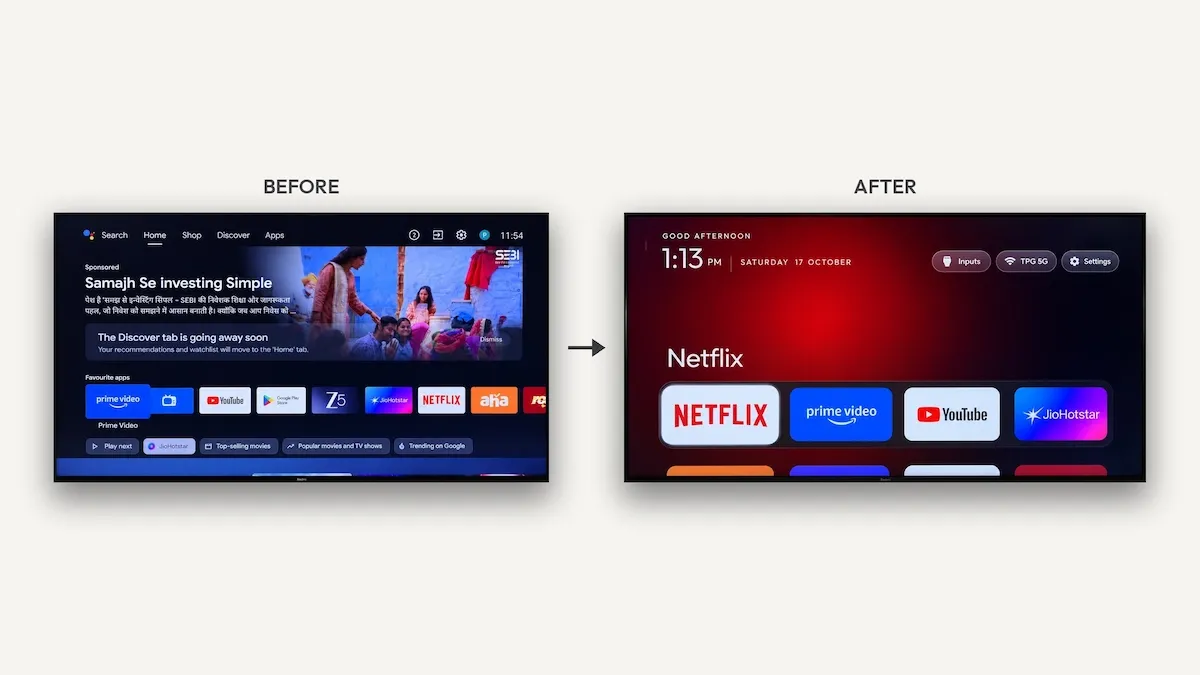
Almost all the working examples I came across follow the same pattern. The target is Android TV or Google TV, which covers Sony, TCL, Xiaomi, Hisense, OnePlus, etc.
Samsung (Tizen), LG (webOS) and Roku are run entirely different systems so the debug trick doesn't work here. Perhaps someone will find a way out here as well. Amazon Fire TV needs extra care (more on that later).
Claude lists the installed packages and disables (not uninstalls) the ads, sponsored rows, telemetry and preloaded bloat with pm disable-user. Many people also install a minimal custom launcher in place of the ad-filled stock home screen and tone down the animations.
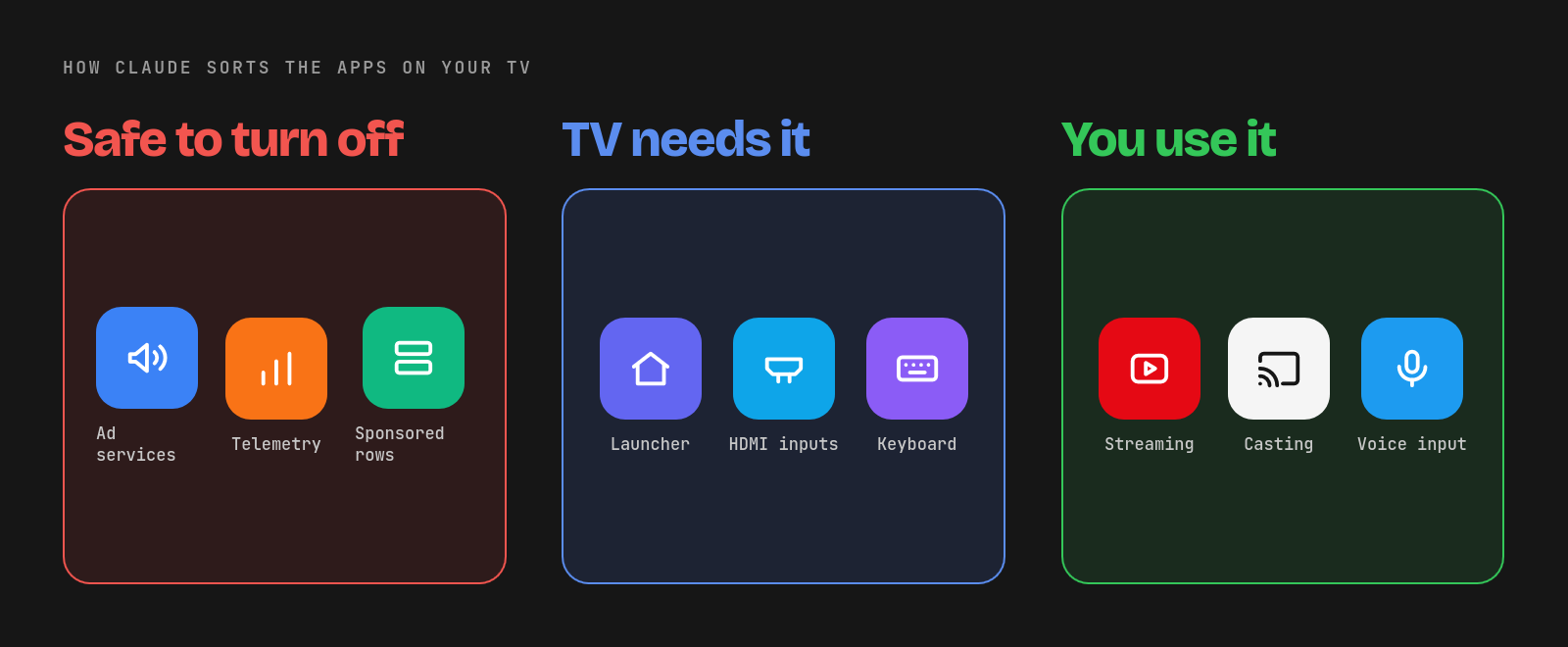
Everything is meant to be reversible. And it should be. Good prompts insist on a backup of the package list first and ask before touching anything important, such as HDMI inputs, firmware updates or the keyboard. The tv-vibehack prompt, for example, quizzes you on which streaming apps you use and whether to keep the voice assistant, Chromecast and updates.e
As per the README, the first run on a 1 GB Mi TV took an afternoon. With the repo as context, people report getting it done in about fifteen minutes.
Gotchas people point out
People who have done it have shared a few lessons, and they are worth reading before you let an AI agent loose on your TV.
The first and biggest one: disable, don't uninstall. Uninstalling system packages is the way to brick the Home button or lose HDMI input switching. Even the order matters. tv-vibehack warns that if you disable the stock launcher before the new one is installed, the Home button lands you on a factory test app.
Turn off USB or wireless debugging when you are done. You don't want an open ADB port sitting on your home network.
Many of the cheap Android TVs ship with only 1 to 2 GB of RAM, so how much faster your TV gets depends on what it shipped with. That's also why the tv-vibehack launcher skips blur, video and background services.
And then there's Claude itself. Some people reported that some sessions refuse when they tried with "hack my TV". You are likely to get better results by sharing the model number and package list first and asking it to clean up ads and speed things up.
Don't disable everything just because you can
In my opinion, you should not disable every service just for the sake of it. Ads and telemetry, sure, get rid of them. But not every background service is bloat.
Disabling voice input and screencast may make the TV a bit faster. But it also takes away the convenience of searching with your voice or casting a YouTube video from your phone to the big screen. If other people in the house use the TV, they may not thank you for that.
The same goes for firmware updates. Most debloat lists turn off the manufacturer's update service, which also means you stop getting fixes. Decide what you actually use before you let AI decide what to cut.
More repos to make your smart TV dumb
Since it became a trend, more GitHub repos have popped up to make the smart TV dumb again. One of them is dumbtv, and it covers a few gaps tv-vibehack leaves.
tv-vibehack doesn't support Amazon Fire TV, while dumbtv is built for it. It has been tested on a Fire TV Edition television running Fire OS 7.7.1.7 (based on Android 9).
It also goes further than just disabling apps. It disables around 65 packages, including Amazon's ACR (screen fingerprinting), ad ID and watch-time analytics. It runs personalDNSfilter on the TV to block Amazon telemetry and update servers, and replaces the home screen with its own 41 KB launcher that has no permissions at all.
This repo is written for AI agents as much as for humans as it ships an AGENTS.md, a CLAUDE.md, an llms.txt and a skill file, so you can point Claude at the repo and let it follow the steps. Still, read the skills or have it vetted on your own.
Taking back the TV you paid for
This is the real way real people are using AI. Finally some good use of AI to take back control of a device you already paid for, and yet see ads anyway.
If you have an old Android TV that is pathetically slow, this might be worth a weekend afternoon. Just mind to disable instead of uninstalling, and keep the features your family actually uses.
Would you use something like this? Comment section is yours.
Enjoyed this update? Support independent Linux news coverage
It's FOSS has been helping people use Linux for the past 14 years. Help us stay independent from big tech. Become a Plus member, enjoy ad-free reading and get 5 eBooks.
Skip the AI slop and SEO spam in your Google results
Tell Google you prefer It's FOSS, and it will show our Linux news and tutorials, created by experienced Linux users, more often when you search. It takes just a click.
Set as preferred sourceGet FOSS Weekly in your inbox
