


People who use Raspberry Pi know that the real strength of Raspberry Pi lies in its ecosystem of tools, documentation and community. This is where Raspberry Pi beats its rivals.
And it all starts with the first step. The imager tool. The Raspbery Pi Imager tool provides features to download and install the correct OS for your Pi, configure it with WiFi and SSH that helps with headless installation and a lot more.
For non-Pi users, now we have a similar flashing utility called Armbian Imager from Armbian.
Armbian is a popular Linux distribution choice among users of small-board computers (SBCs). The project is known for providing a reliable experience, with updates regularly flowing through. It is one of the most prominent projects that supports a huge number of single board computers out there.
Armbian Imager is Almost Here
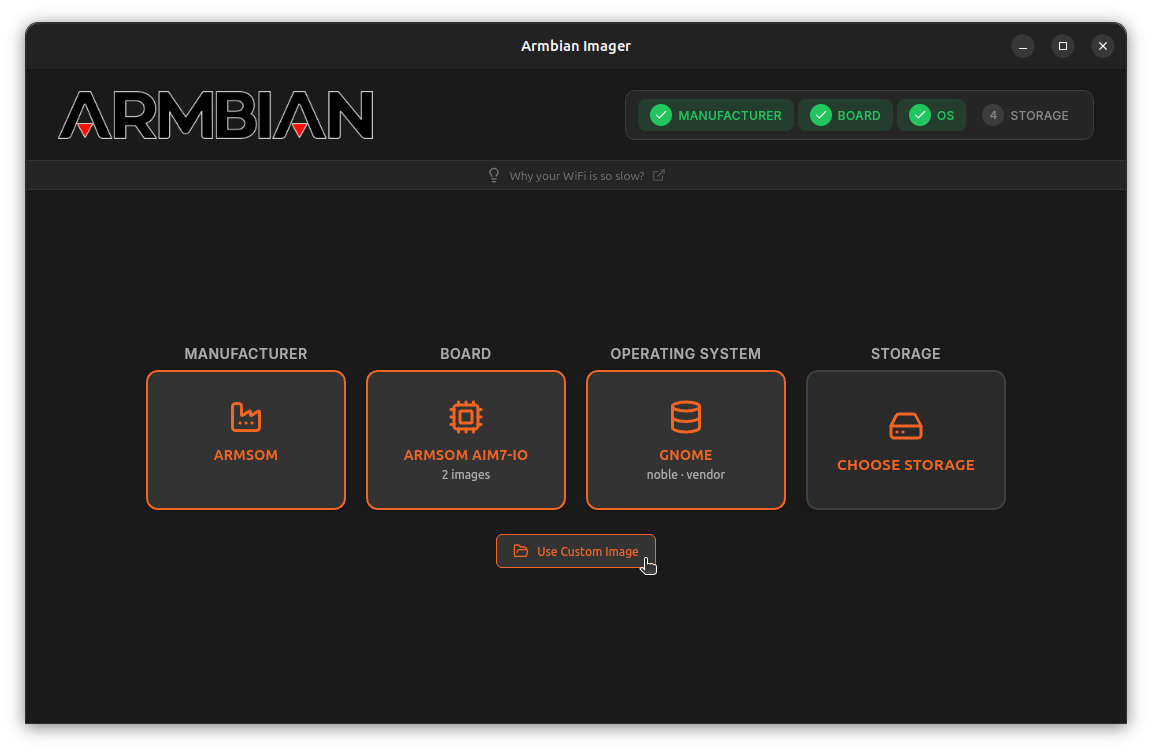
Armbian Imager supports over 300 boards from 70+ manufacturers. The tool walks you through selecting your board's manufacturer, choosing the specific model, picking the image type (desktop, server, or minimal), and flashing to a storage device.
The utility downloads the image, decompresses it, writes to your SD card, and verifies the write with SHA256 checksums. You can filter builds by kernel variant and release type too.
Custom images are supported in various formats, including .img, .img.xz, .img.gz, .img.bz2, and .img.zst.
The imager is built with Tauri and Rust instead of Electron, resulting in a ~15 MB download. In contrast, the developers share that Electron-based applications typically range from 150 to 200 MB due to the bundled Chromium browser.
Platform-specific features include UDisks2 + pkexec on Linux, UAC prompts on Windows, and Touch ID authentication on macOS. The interface supports device hot-swapping and automatically hides system disks to prevent accidental overwrites. Language detection is automatic with support for 15 languages.
Get Armbian Imager (Public Preview)
The developers haven't made an official announcement on this yet, so I have to assume they are testing the waters before the full launch.
Regardless, you can get the latest release or the source code for Armbian Imager on GitHub. Direct downloads from the official website should go live once this tool is officially introduced.
Via: 9to5Linux

