


The gradual shift of technology from buying physical hardware to streaming and subscription has left us with very less ownership of anything. It is quite the sad state of affairs, because even if you have paid for something, it is not you anymore who controls is.
As a result, more and more Linux users have been moving towards self-hosting services for their media, ranging from films, software to books.
And that's exactly what we're talking about today: the best software to self-host your e-book library.
What is an eBook server software?
If you have a good collection of ebooks in various file formats, you probably organize them in various folders based on the genre, reading state and other critera. An digital library software helps you organize it automatically and beautifully with poper thumbnails, author name and other metadata. But this stays on a single computer. An eBook server software lets you access those ebooks from other devices connected to the server. You can read them via web browser, on a supported reader or download them on your eBook reader device. Some software even allows you to sync your reading progress across devices.
Think of it like media server software but for eBooks.
Now, self-hosting any open source software comes with its own set of challenges. Self-hosting ebook server is no different. But this article is not about setting up an eBook server. It's about presenting you with the various options that can be used for your self hosted ebook library.
1. Calibre + Calibre-Web
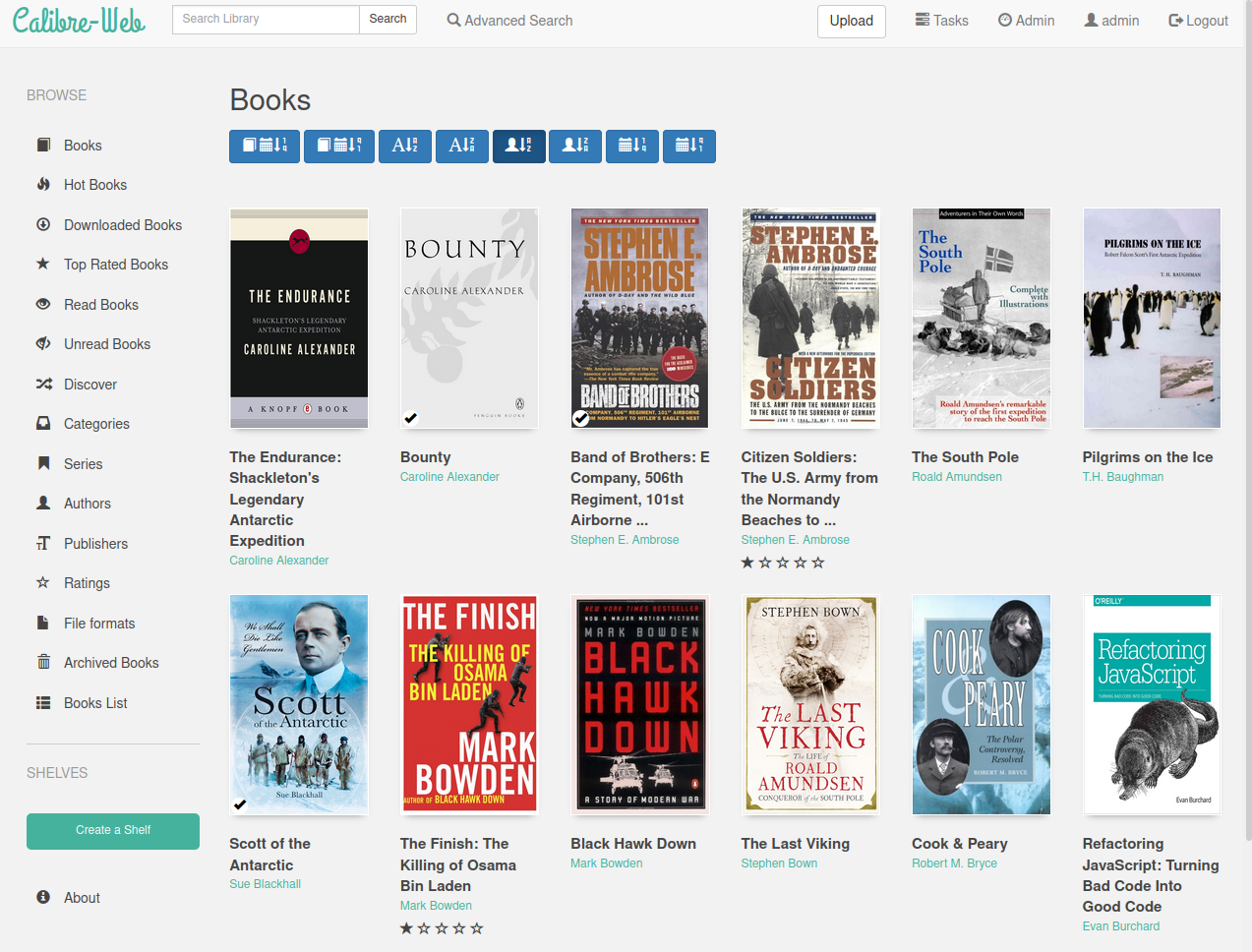
Calibre as an e-book reader has been around for a long time (since 2006, to be exact), and has served as a cornerstone of the open source readers catalogue. Its extension, Calibre-Web, takes it to another level where you can self-host your e-books and make your very own server. Although, the interface my feel clanky, nothing beats Calibre in terms of features it offers.
Some of its highlight features are:
- Interface: Full graphical (multilingual) interface and setup, along with an admin interface.
- Supported Formats: Supports 50+ formats (including audiobooks), so virtually any file you can throw at it will be supported.
- Reader: In-browser reader for multiple formats (even for audiobooks), with customizable views, advanced searching, rating, etc.
- Library Management: Full metadata editing (also can be imported from various sources), tagging, organization, even categorized hiding. You can create custom shelves, as well.
- Installation: Calibre desktop with Calibre-Web on Docker.
- Multi-user: Multiple users are supported, with a public user registration interface also available. You can even restrict the accessible books and permissions for any user.
- Extra Features: e-book conversion between 50+ formats, sending e-books to e-readers in one click, syncing with Kobo devices, self-update capacity, extensible via plugins, and much more.
If you're looking for a one-stop, future-proof solution for your self-hosted library that will be stable and easy on the resources, you have to look no further. It is elaborate, extensible, and will handle anything you throw at it.
2. Kavita
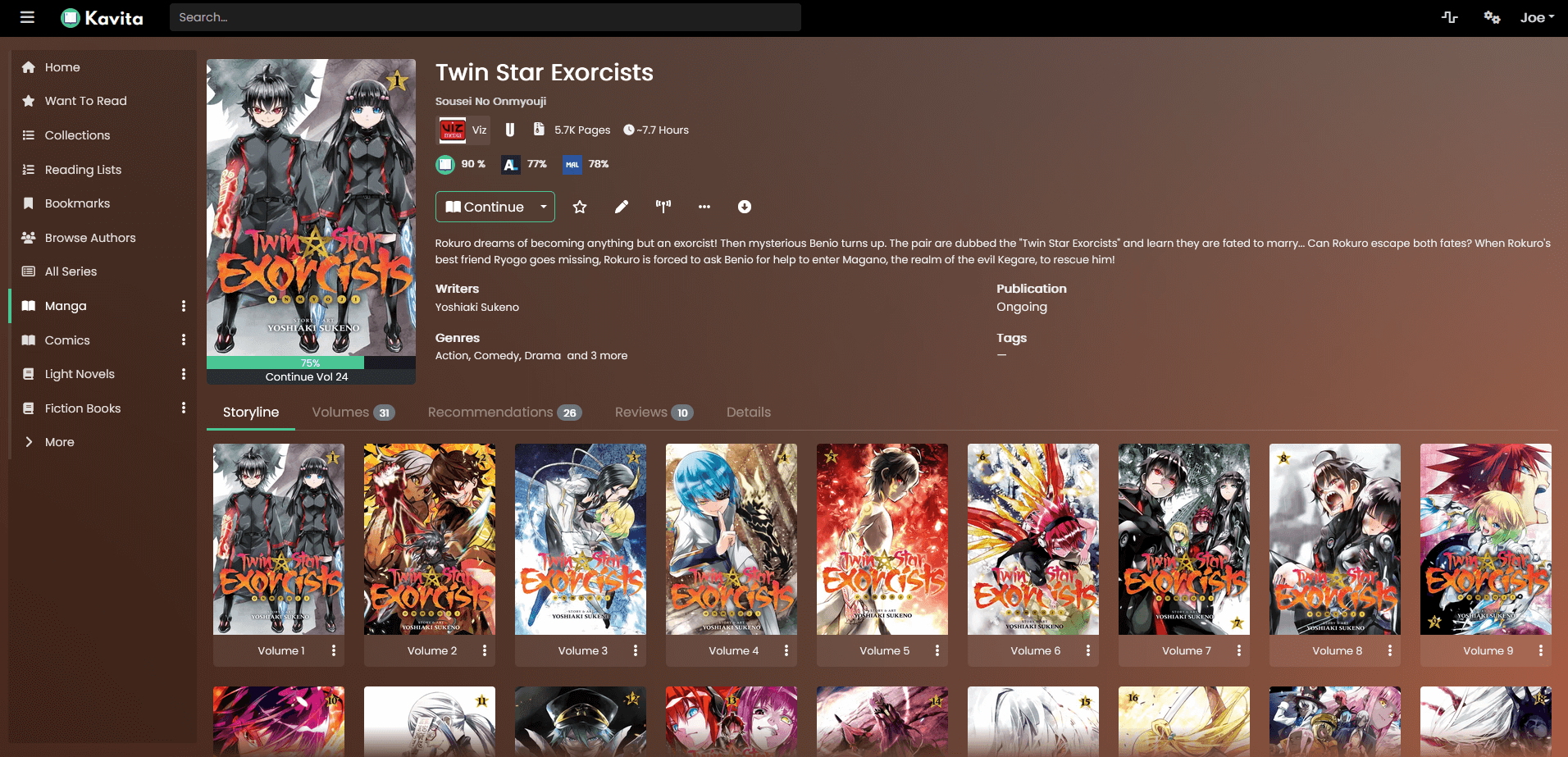
Kavita is a server that seems oriented more towards comic books and mangas. It has a fast, slick and modern design, focusing on ease of usage.
- Interface: It has a modern web UI, with dashboards, quick shelves, dark mode, various themes, etc.
- Supported Formats: PDF, EPUB, Comic book formats such as CBZ, CBR, ZIP, RAR, etc.
- Reader: There is an online reader that is very feature-rich and customizable. You can control the font, theme, margins, webtoon mode, single paged mode, double-paged mode, and reading direction among other things. It even supports annotation.
- Library Management: It has powerful metadata scanning (from online sources like ComicInfo) for smart and proper categorization of the e-books. You can have your own custom tags and filters based on your criteria, which you can then bind to the Homepage or side navigation bar.
- Installation: Single binary or a Docker container.
- Multi-user: Multiple users are allowed (with reading progress and activity tracking), it gives granular control over the permissions, including age and library restrictions.
- Extra Features: OPDS integration, there's an API, and possibility of integration with external apps such as Panels. It also provides a premium tier, Kavita+, which provides external reviews, personalized recommendations, automatic metadata retrieval and more.
For a platform to majorly read comics in a way that also pleases your eyes, Kavita might be your best bet. It delivers simply and stably, and is tailored for an easy experience.
3. Komga
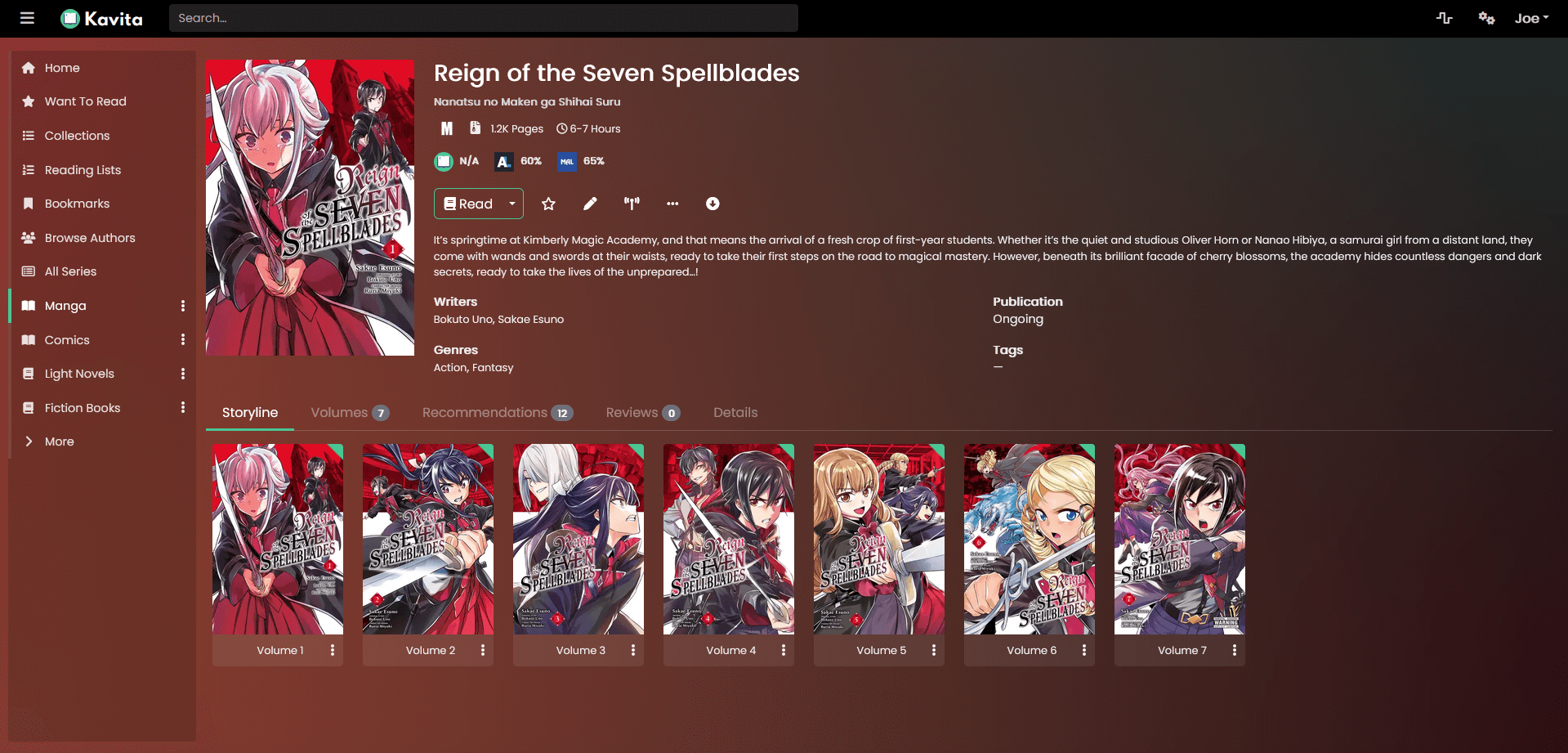
Komga is a media server made primarily for comic books and mangas. It offers ease of usage, a simple interface, and something that works without having to tweak it for hours on end.
- Interface: It has a clean interface, focusing on series/volume based categorization. It has quite a responsive design, making it a pleasure to use.
- Supported Formats: CBR, CBZ, ZIP, RAR, PDF.
- Reader: It has a web reader with page thumbnails, single-page continuous view mode, with configurable reading direction.
- Library Management: Libraries can be divided by type, collections, read lists, metadata editing from ComicInfo and a file/folder structure is available, as well.
- Installation: Java application installed mainly via Docker and standalone JAR.
- Multi-user: User accounts can be made, with library permissions and age restrictions.
- Extra Features: OPDS feeds, API integration and integration with third-party mobile reading apps.
If you want a platform that organizes your comics and mangas with a clean and flexible interface and sharing, Komga is what you're looking for.
4. Atsumeru
Atsumeru is focused on manga, webtoons, comics and light novels. It works natively across platforms and gives a smooth reading experience, without requiring too much setup or customization.
- Interface: It has a web UI as well as a native client for Windows, Linux and MacOS (as well as any NAS device).
- Supported Formats: CBZ/CBR/ZIP/RAR, images, EPUB for light novels.
- Reader: It has a webtoon reader and double-paged reader, with changeable themes, dark mode, and the option to switch the reading direction.
- Library Management: It sorts by categories that can be added either automatically or customized. It fetches metadata from the internet, and can scan through massive libraries very fast.
- Installation: It has a single Java JAR, plus Docker images. It is quite cross-platform.
- Multi-user: It allows multiple users with shared libraries.
- Extra Features: It has an API and offers companion desktop/mobile apps.
To read webtoons and manga with native app support and a smooth interface, with cross-platform coherence, especially for mobile-first users.
5. Ubooquity
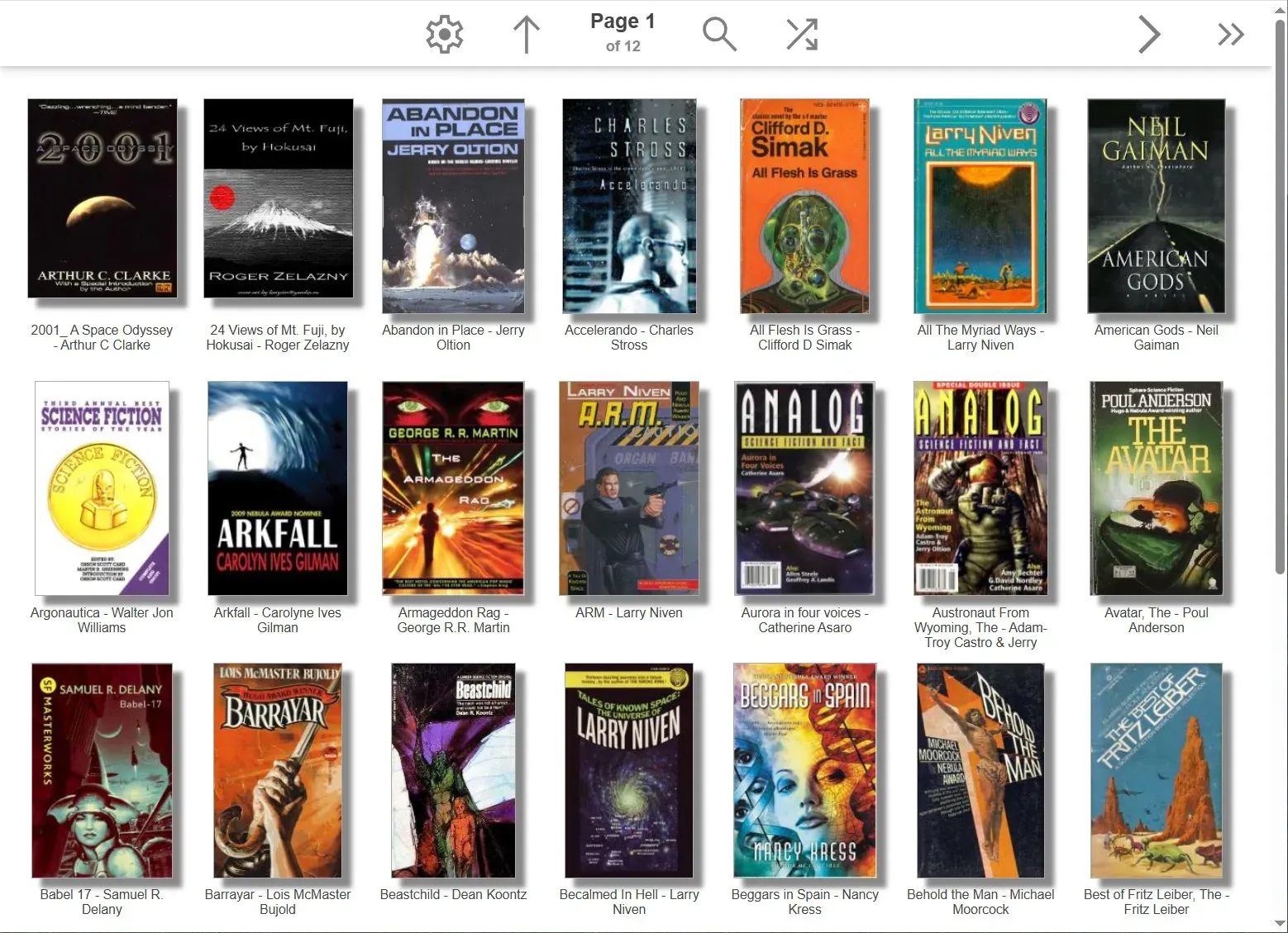
Ubooquity is a lightweight e-book server designed for supporting e-books from folders on any device. It has a simple framework, with instant folder indexing, basic-but-reliable online reading, and other features that are well suited for low-end hardware.
- Interface: Basic interface but doesn't look dated, and gets the job done. It allows you to browse folders, series and books. There is a separate interface for administration.
- Supported Formats: CBZ, CBR, EPUB, PDF.
- Reader: Minimal online reader for comics with page navigation and zoom.
- Library Management: It has folder‑based libraries. Metadata can be import from sidecar files, Calibre and ComicRack. The indexing is simple with scheduled scans.
- Installation: JAR as well as Docker images that can run on low-end systems.
- Multi-user: It lets you create user accounts and set access rights for each shared folder, where the connections can be protected (HTTPS) using your own certificate. There's optional guest support as well.
- Extra Features: It can save generic files, and works well behind reverse proxies.
It is a simple Java home server with a basic web UI and viewer, suited best for low‑power hardware.
6. pyShelf
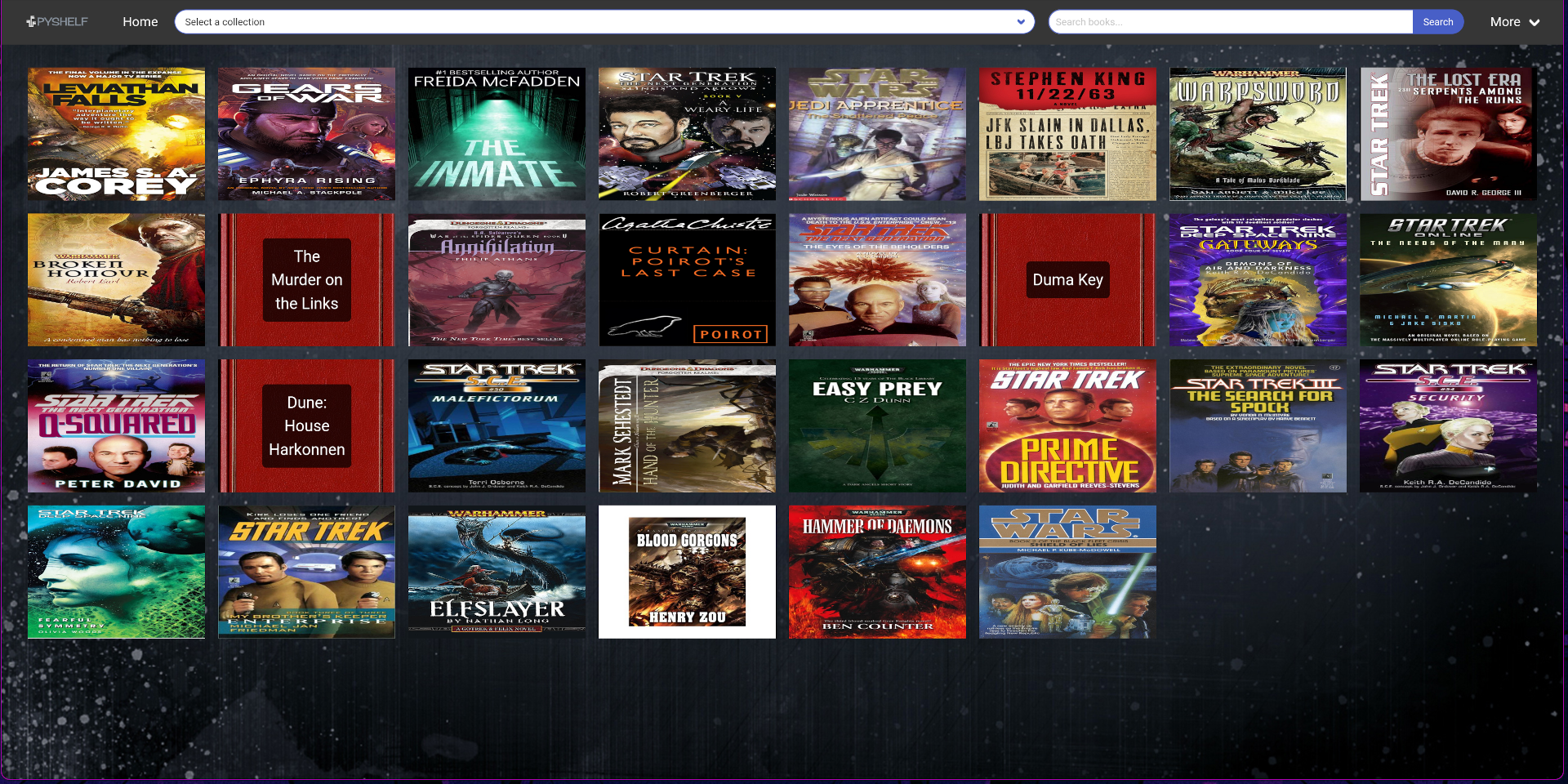
pyShelf is a bare-bones e-book server that indexes your book folders into a searchable catalog. It offers dead-simple scanning, lightweight operation, and downloads without any sort of bloat or configuration required.
- Interface: Very minimal interface, with title, author and cover. There's a search bar to find books.
- Supported Formats: EPUB, MOBI.
- Reader: There's no web reader, the users have to download the books and read them offline on their devices.
- Library Management: Scans directories and stores basic metadata in SQLite, there's very simple search and sort by title, author or tag.
- Installation: It is a Python package, so you just have to clone the repository on your server of choice.
- Multi-user: There's only very basic HTTP access, multiple users have to be done DIY via reverse proxy authentication.
For a platform to quickly index and share e-books without the concept of any complexity, pyShelf might be your best bet.
7. BookLore
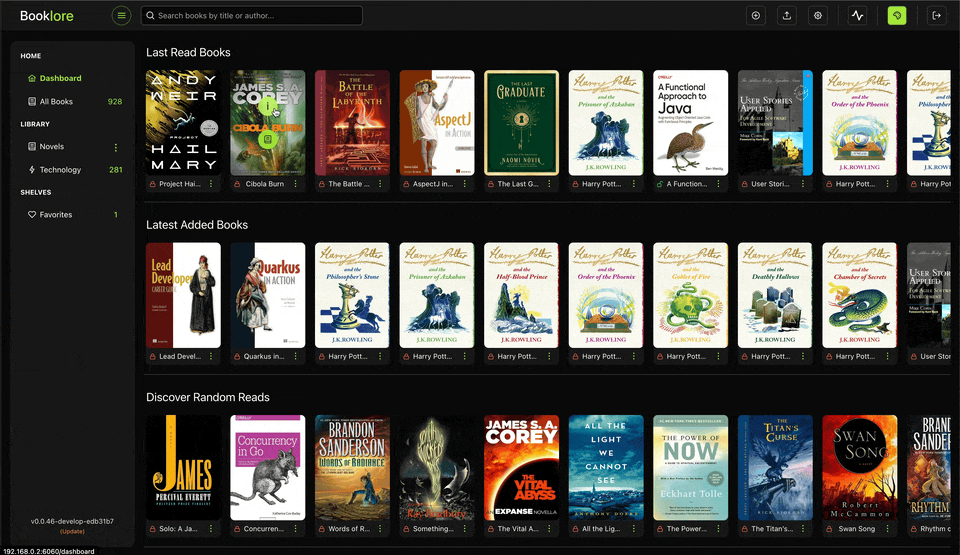
BookLore is a fresh, Jellyfin-inspired e-book server with great looks and equally great features. It offers beautiful shelves, automatic metadata fetching, family sharing, and in-browser reading that leaves very little to be desired.
- Interface: Modern Jellyfin-like interface with shelves, rich covers, search bar, statistics, progress bar and so on. It is optimized and well suited for phone and desktop screens.
- Supported Formats: EPUB, PDF, CBZ/CBR, etc.
- Reader: In‑browser reader for e-books and comics, with tracking for progress and the ability to resume where you left off.
- Library Management: It imports metadata from Goodreads/Google Books, and categorizes books in shelves based on genres, authors, series handling, tags and ratings.
- Installation: It comes as a Docker‑Compose stack (Booklore + MariaDB), pre‑configured images on several self‑hosting platforms
- Multi-user: There is a provision for user accounts and profiles, suitable for families or small groups.
- Extra Features: OPDS feeds, Kobo sync integration, email notifications, reading stats and history.
BookLore has a modern UI, built‑in reader, metadata fetching, OPDS, and family‑friendly multi‑user design. If you want a feature-rich reader that can do it all, this is your best bet.
Conclusion
As is usually the case with the variety in any sort of open source software, there's a range of options available. Some focus on functionality, others focus on aesthetics, and some can do it all, offering something for everyone. Self-hosting keeps becoming more and more prevalent as time goes on, with the scarcity of ownership in the modern, subscription-based era of technology. As such, I hope this has been a helpful read for you. Cheers!

