PeerTube is a free and open source video hosting platform that serves as an alternative to YouTube. Unlike centralized platforms, it allows anyone to create their own video hosting instance while connecting with others through federation.
It is developed by Framasoft, a French non-profit organization focused on digital freedom. Before you ask, the organization keeps itself afloat on donations rather than advertising or scraping people's data.
The project recently hit two milestones: PeerTube v8 was released, bringing collaborative features and design improvements. Just a week later, the mobile app received its long-awaited Creator Mode.
PeerTube v8: What's Fresh?
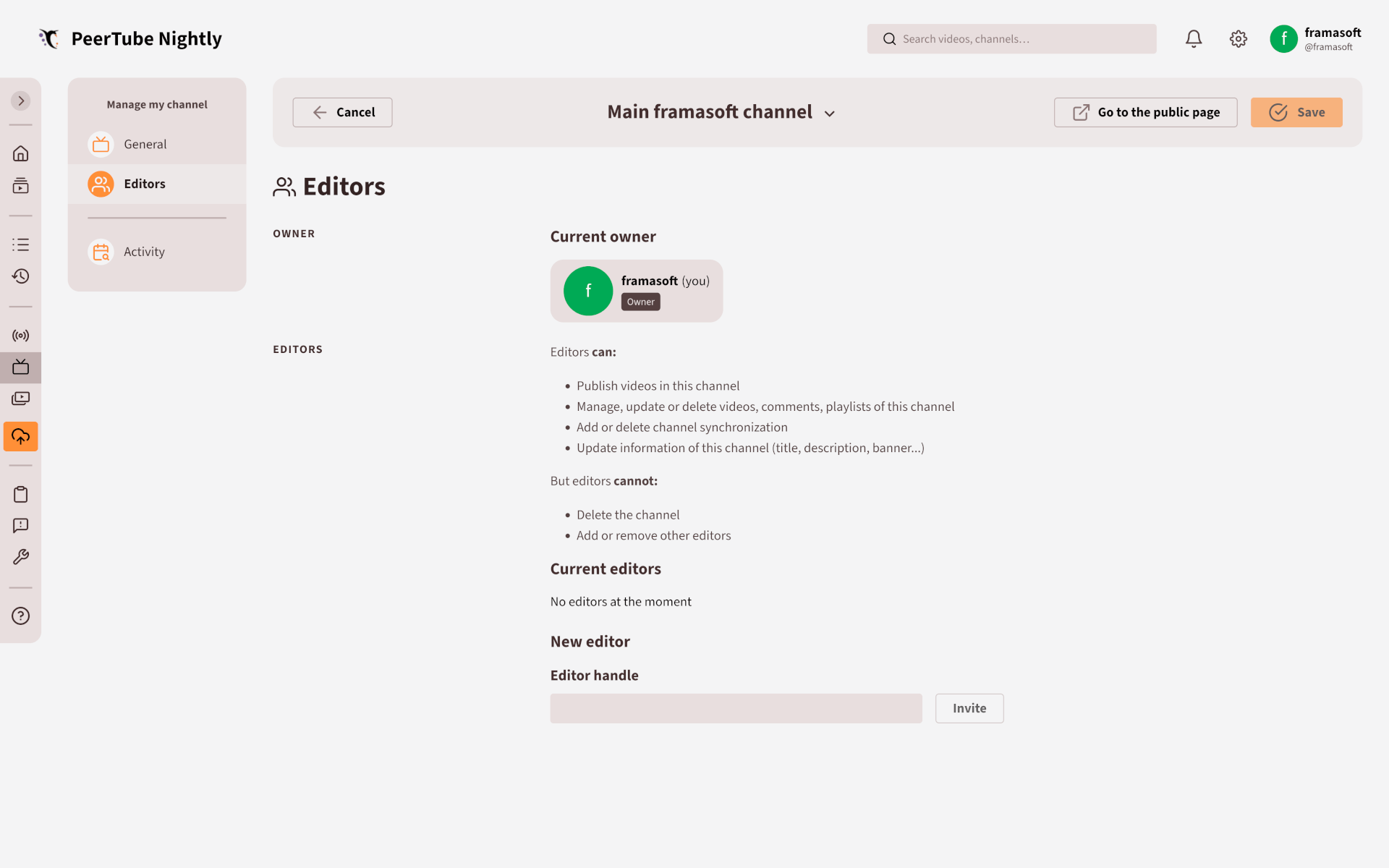
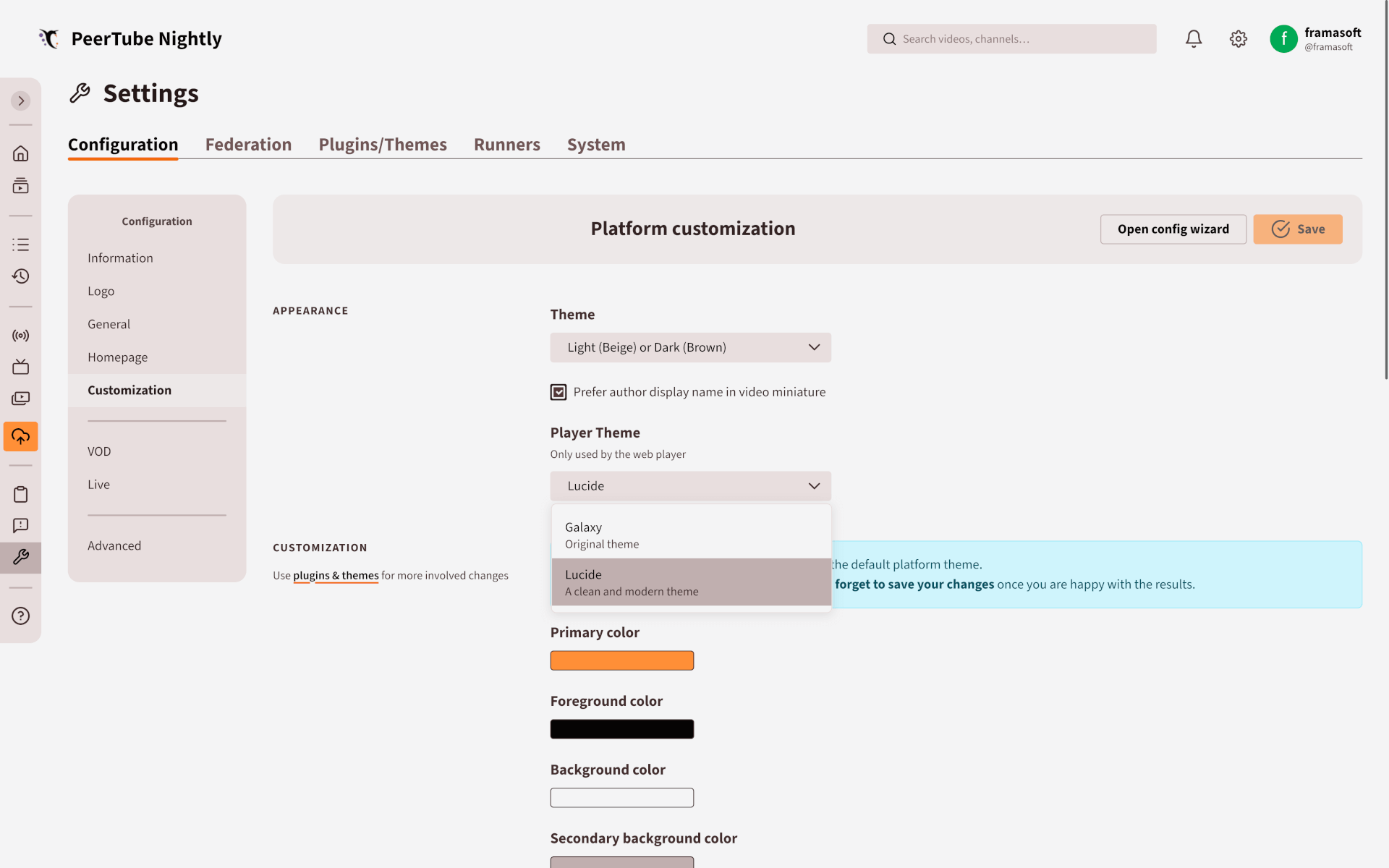
PeerTube V8's team collaboration feature and theme selector. (Source: Framasoft)
The biggest addition is team collaboration for PeerTube channels. You can now add editors to your channel who can help manage content. This was one of the most requested features. Organizations with multiple people handling videos will surely benefit from this.
People with Editors access can publish videos, edit existing ones, manage playlists and comments, handle channel synchronizations, and update channel info. They can't mess around with adding/removing editors or delete the channel though.
The video player got a fresh coat of paint. Say hello to the "Lucide" theme. The old chunky buttons are gone, replaced by a more minimal design that keeps the viewer's focus on the content.
Video imports work better now too. If an import fails, you can manually retry it instead of starting over. It also works during channel synchronization. PeerTube now automatically tries importing the video again at the next check interval (the default value is 1 hour).
The Mobile App Got Some Love Too!
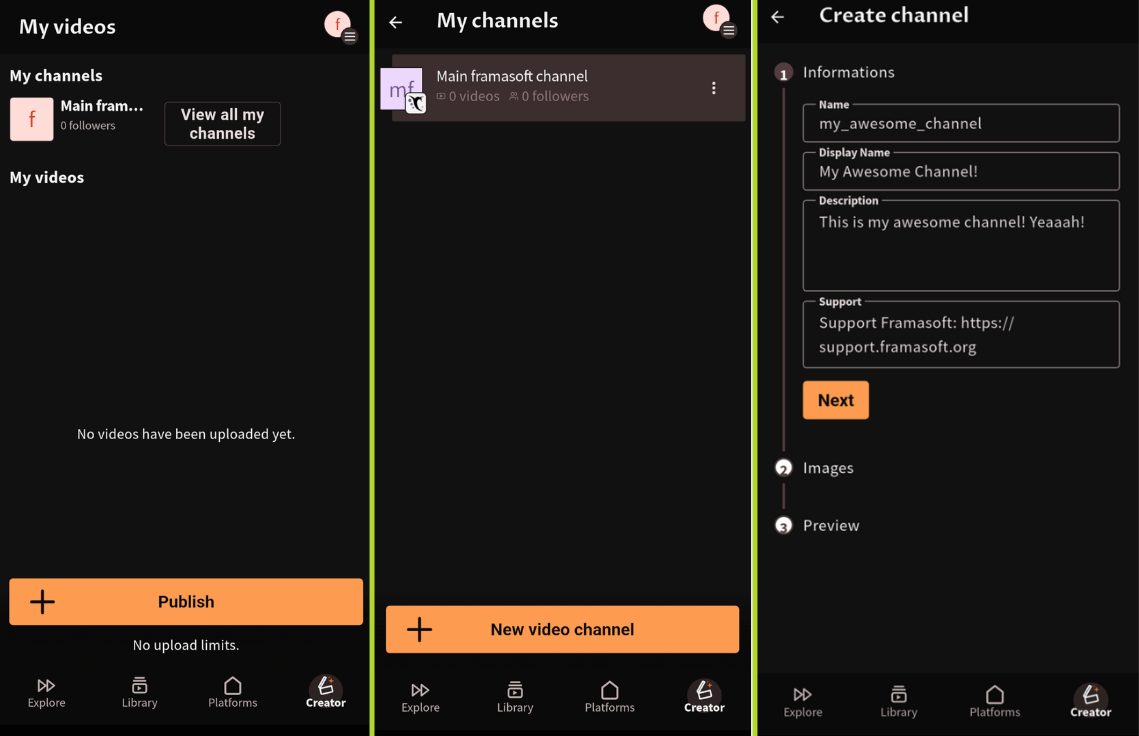
The mobile app now has a Creator page. This was promised during the May 2025 crowdfunding. You can upload videos straight from your phone by either pulling a video from your gallery or recording something new.
When you begin an upload, it happens in the background, with a handy notification letting you know of its progress. These videos live in the new page (located at the bottom-right) that allows you to edit stuff, download videos, move them into playlists, or delete any unwanted content.
Besides that, live streaming and URL imports aren't here yet, but they are coming!
📥 Get PeerTube v8
You will find the source code and all necessary self-hosting files on GitHub. The documentation will take you through the entire setup and configuration process.
Suggested Read 📖: YouTube’s AI is Breaking the Creator Ecosystem
 Theena Kumaragurunathan