


Kagi is best known for its privacy-focused search engine, but the company has been quietly building out a broader ecosystem of tools for people who would rather pay for software than be the product.
One of those tools is Orion, a web browser built on WebKit, the same engine that powers Safari, with a strong focus on privacy and customization.
Unlike most browsers you will come across on Linux, Orion is not a Chromium derivative or a Firefox fork. It is a fresh build that has earned a reputation for being fast, lightweight, and flexible, with support for extensions from Chrome, Firefox, and Safari.
For a long time, that experience was exclusive to macOS and iOS users. But that has changed as Kagi has been working on bringing Orion to Linux. After an alpha phase limited to Orion+ subscribers, the team has opened things up with an early beta build for everyone to try out.
Orion for Linux: What to Expect?
The Beta build has basic browsing functionality in place, with additional bits like password management, browsing history, Dark Mode, and Focus Mode included.
The developers have also addressed a handful of stability issues, including crashes when closing pinned tabs, freezes in Website Settings, and a bug that prevented new tabs from being created on fresh installations.
That said, Kagi Sync and WebKit Extensions are still in development and not available in this beta, so do not go in expecting the full macOS feature set just yet.
A Quick Look
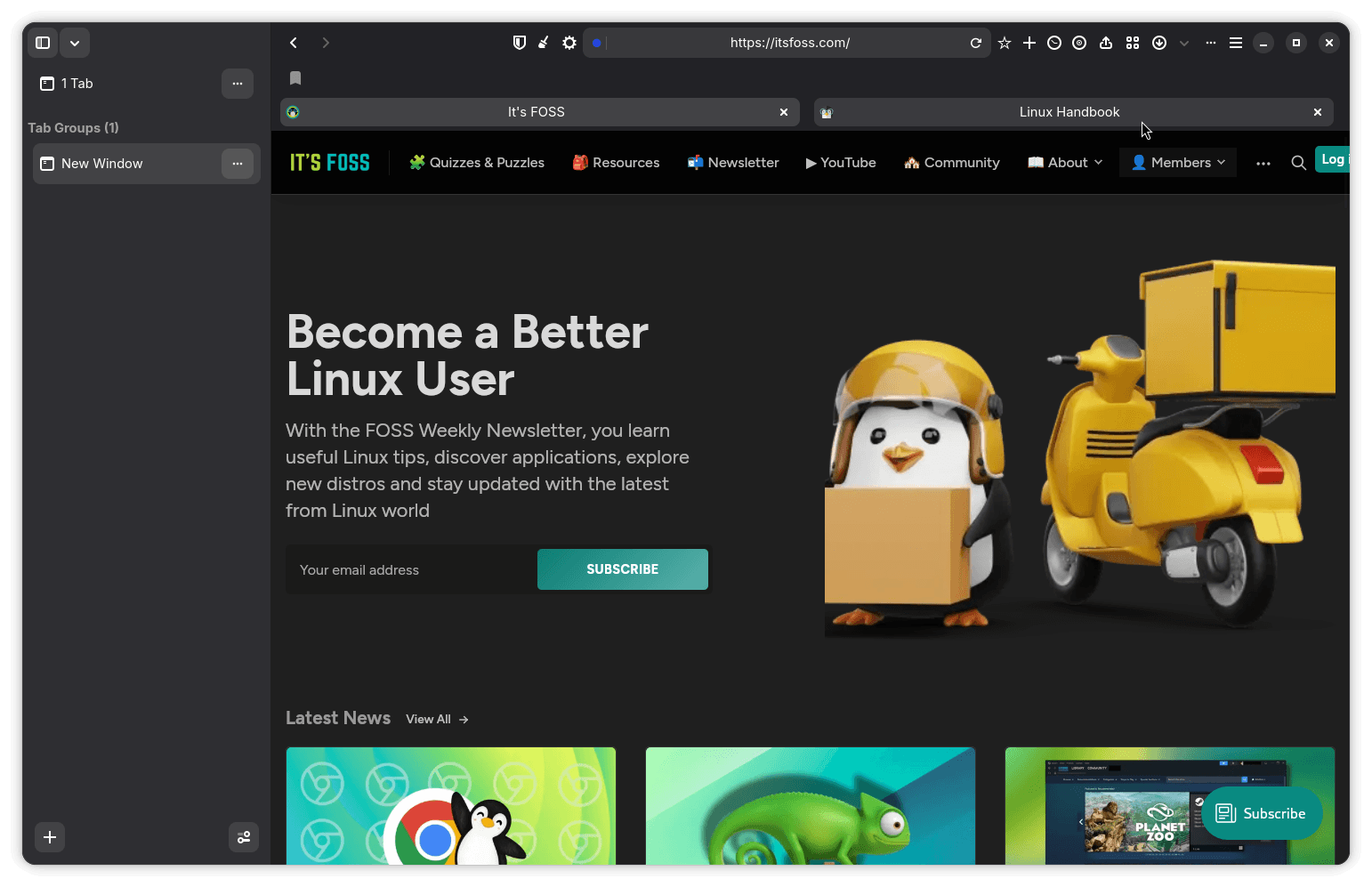
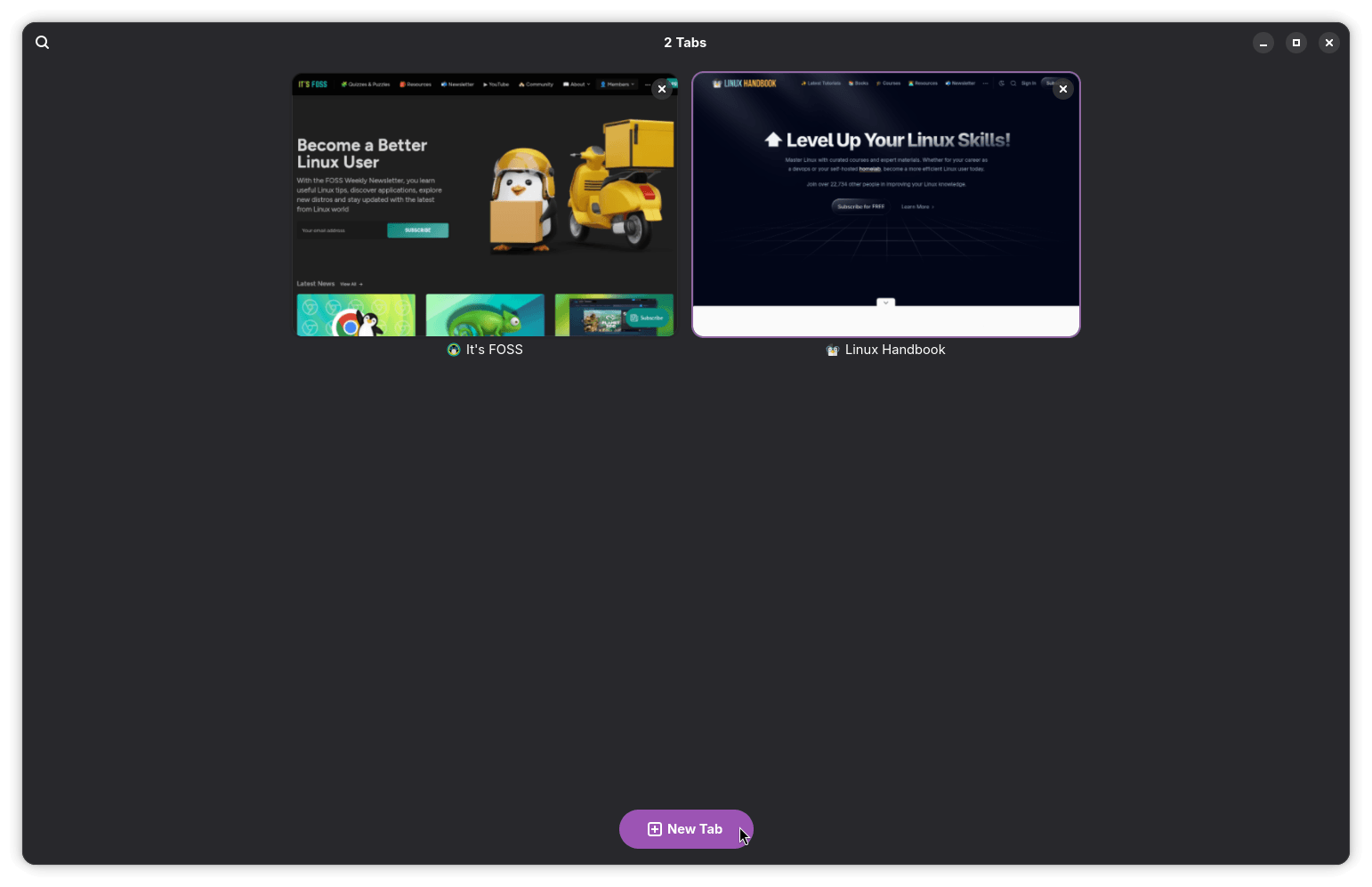
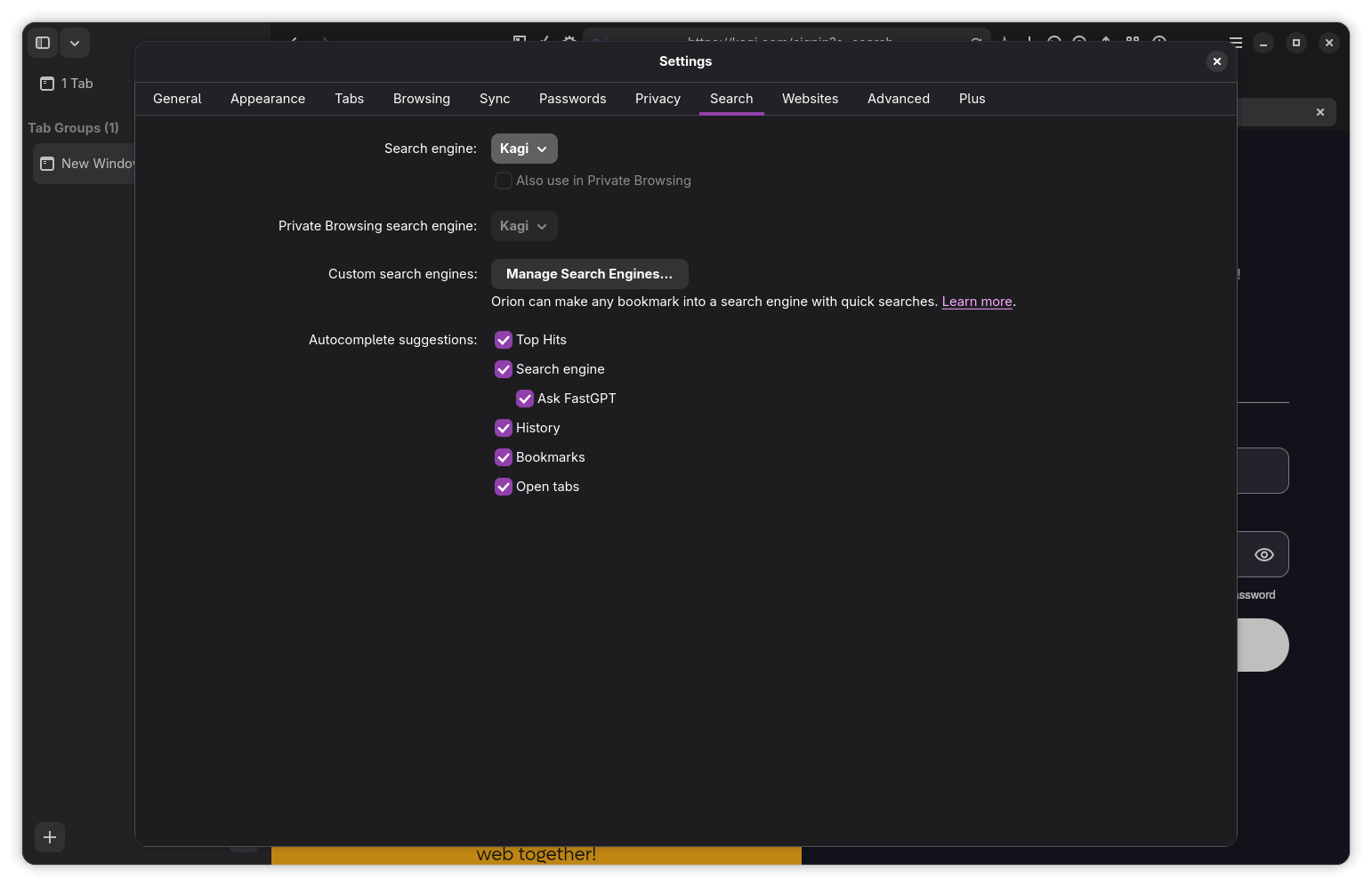
The user interface feels modern and fits in well with GNOME, though the toolbar is a bit cluttered at the top. Kagi Search is set as the default search engine, and you will need to log in to your Kagi account to use it or switch to one of the other search engines via the Settings menu.
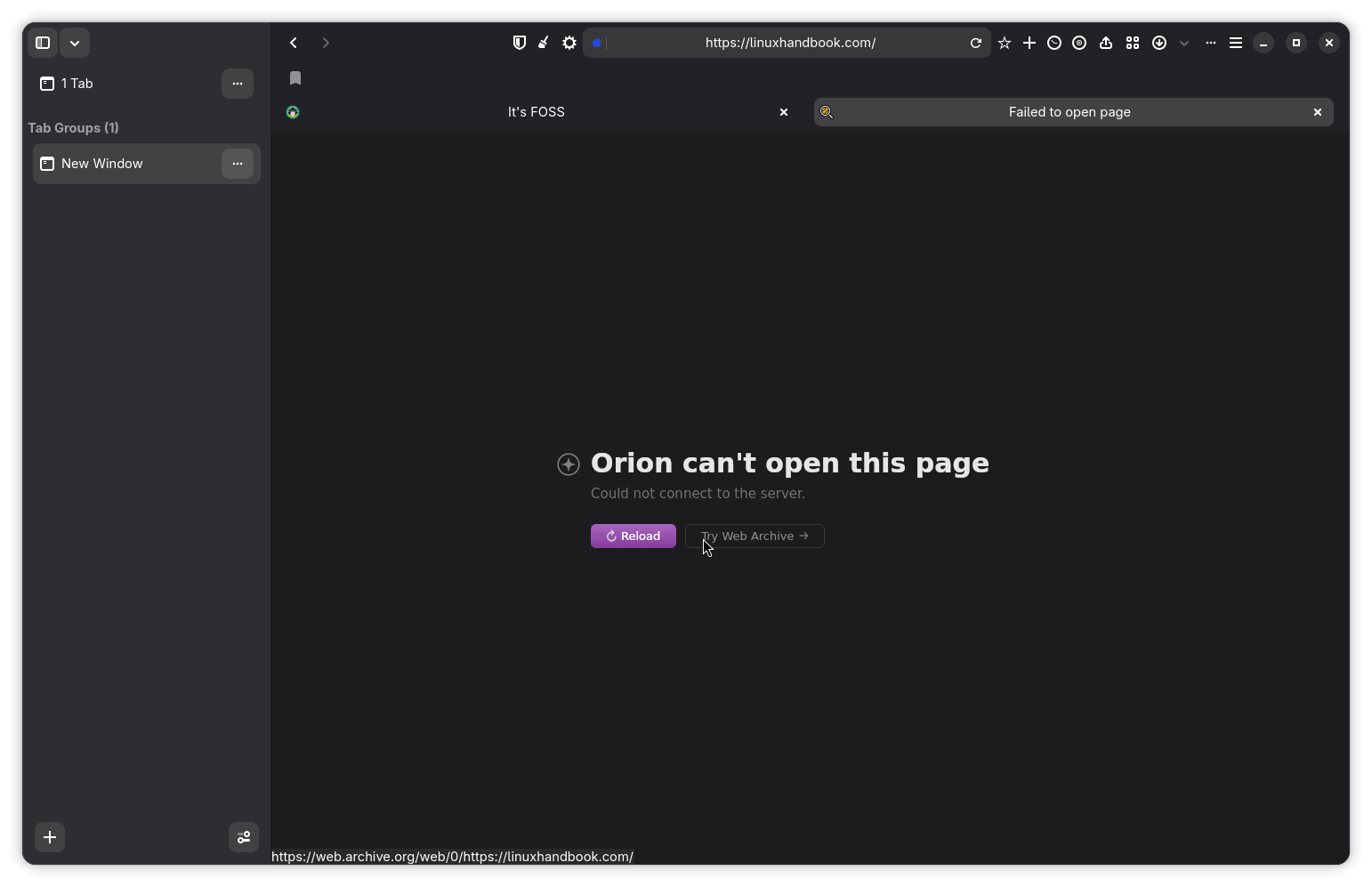
Basic web browsing works for the most part, but every so often, Orion throws an "Orion can't open this page" error without much explanation. More bizarre is what happens when you open a page heavy with ads—Orion randomly launches the file manager.
Media controls work reasonably well on GNOME, though there were multiple duplicate entries for WebKit in the media panel. The one actually tied to whatever is playing was the last one, labeled "Playback Stream."
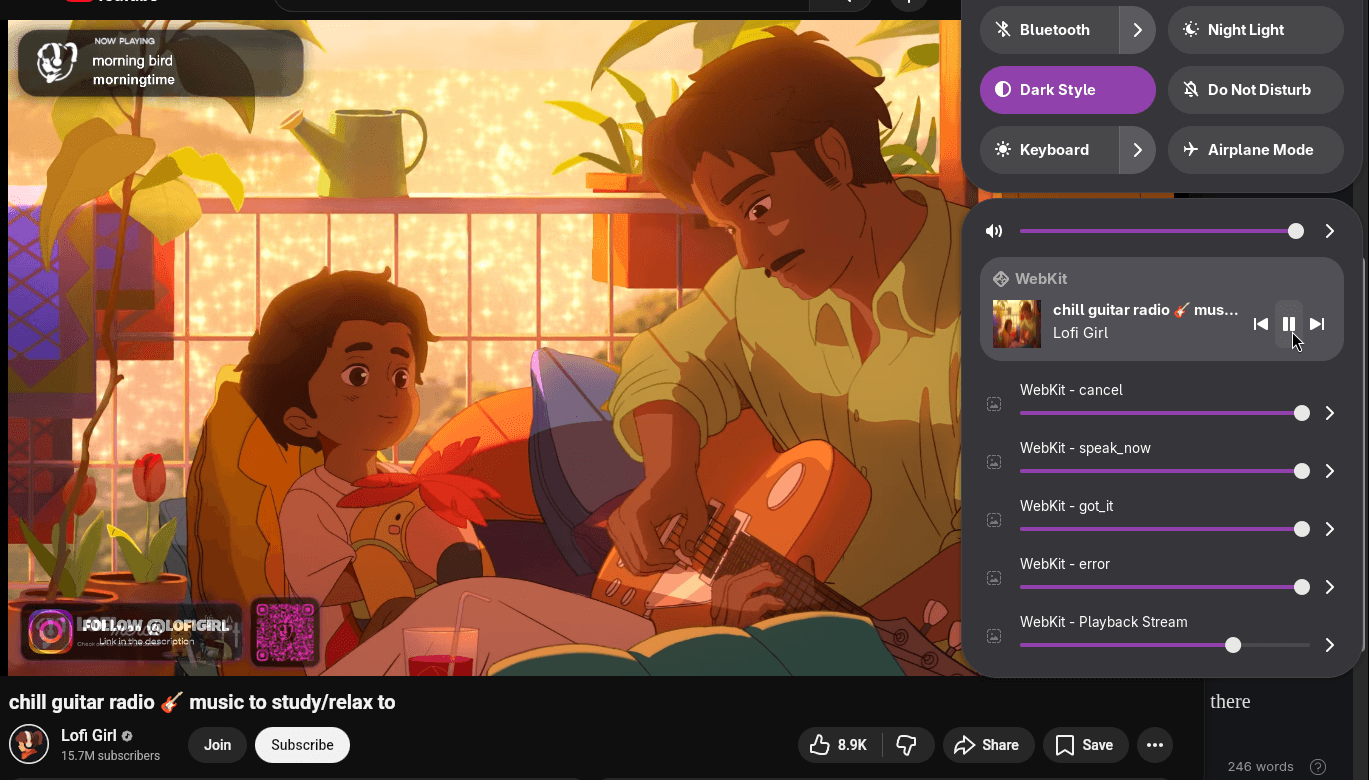
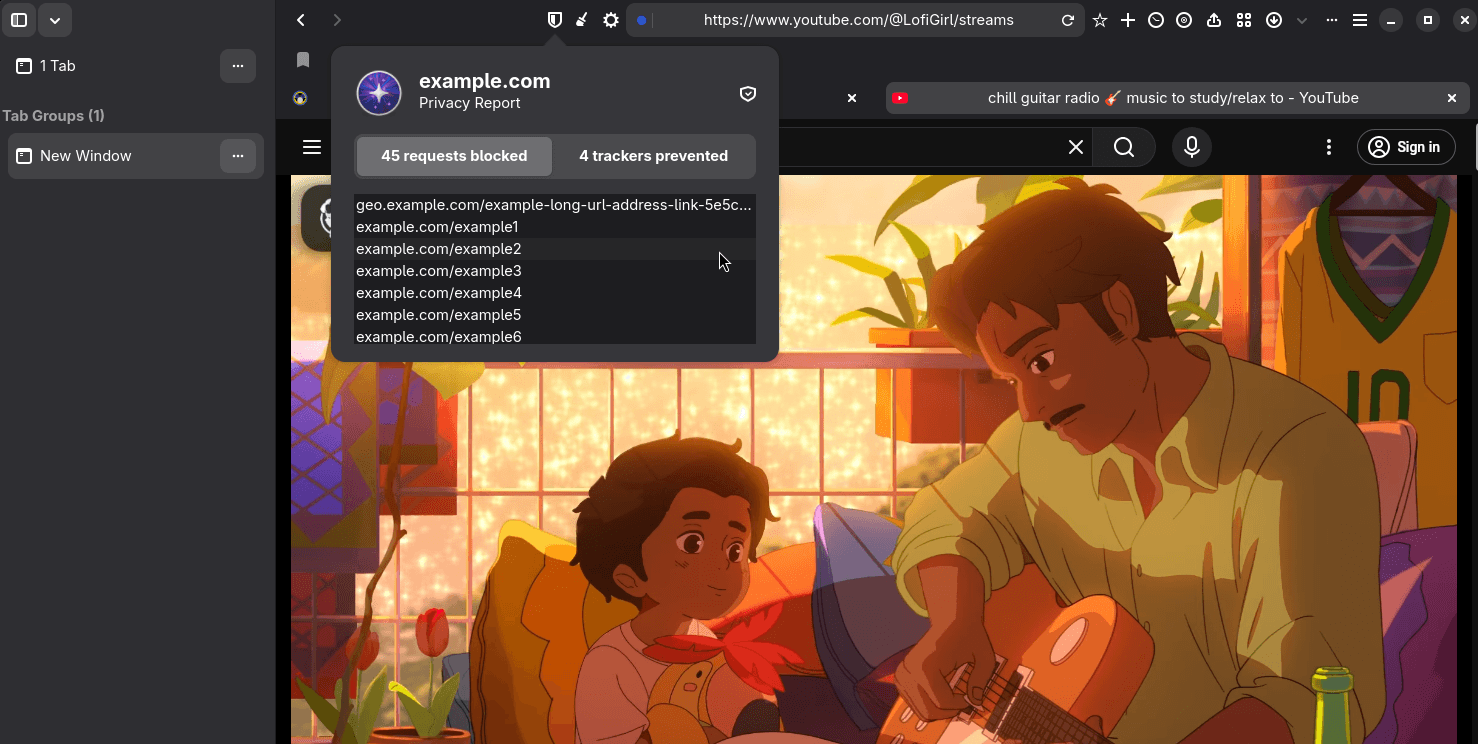
Many other features are either broken or inconsistent at this stage. The sidebar toggle on the top left, Focus Mode, the Share option, Page Tweaks, Website Settings, and Privacy Reports all fall into that bucket. Some of them do nothing and act as placeholders; others behave unpredictably.
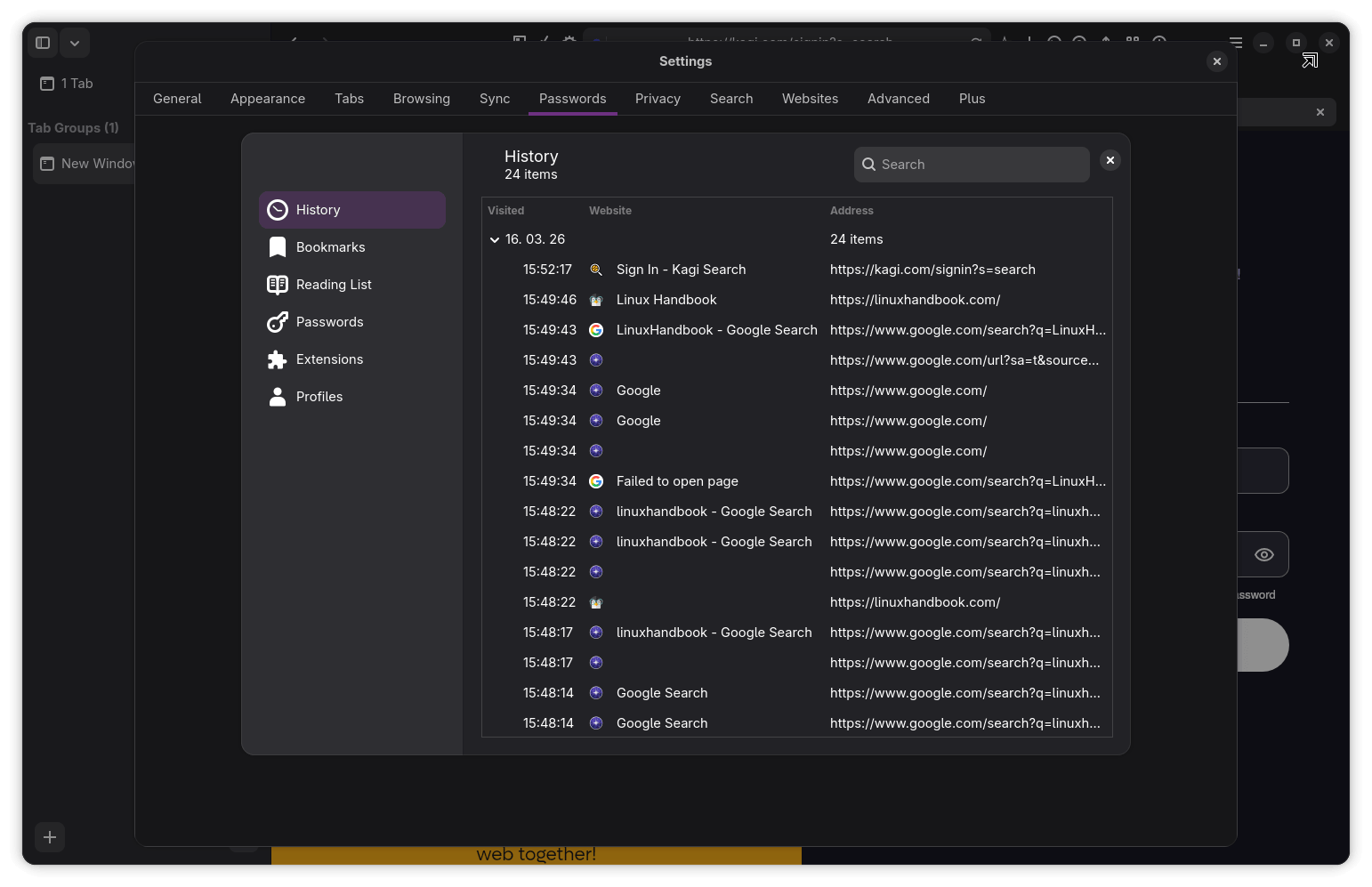
The History page, while functional, refuses to open any of the listed webpages when an entry is double-clicked or even launched via the right-click context menu. It also failed to properly list quite a few of the webpages I visited during testing.
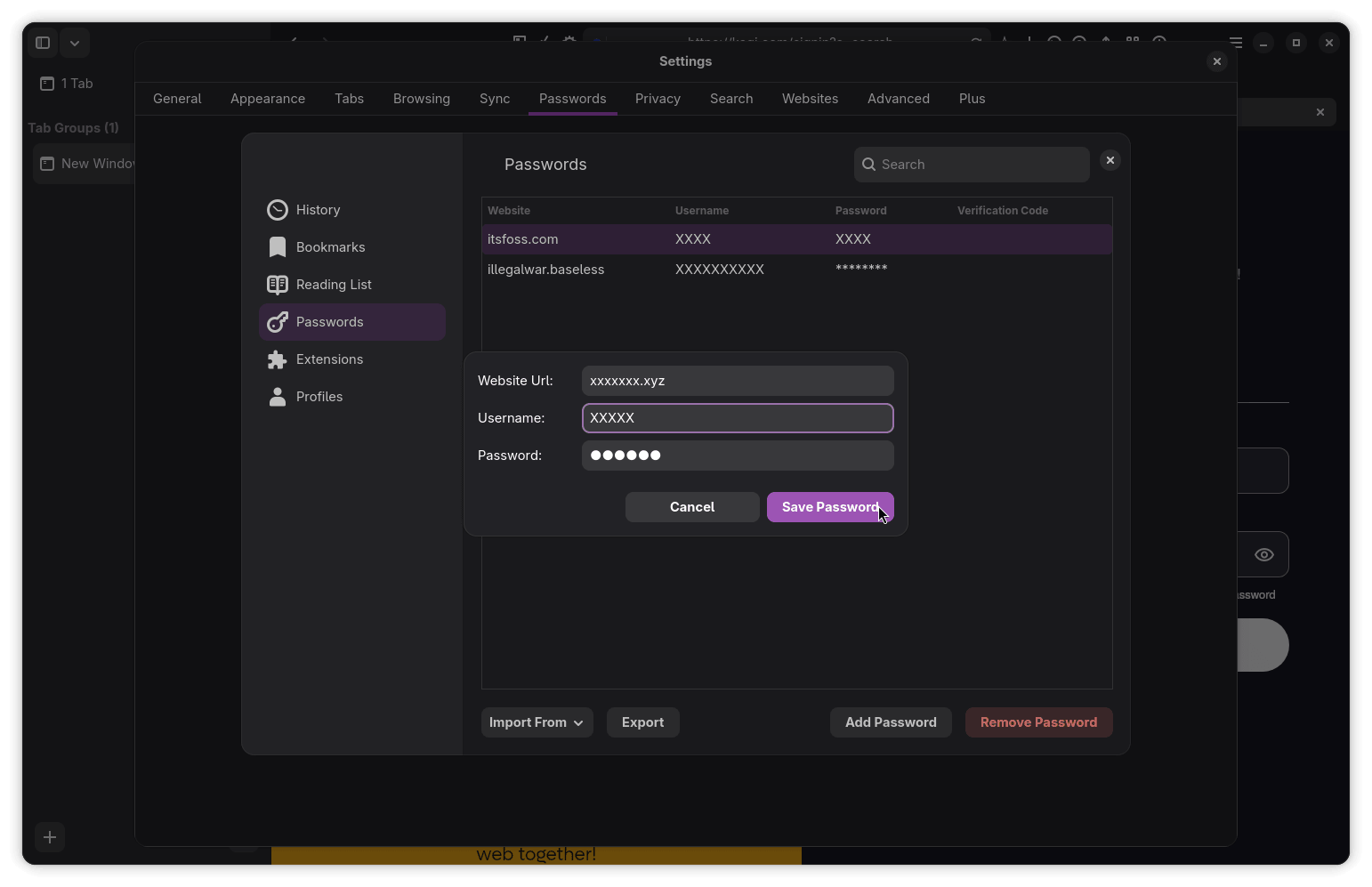
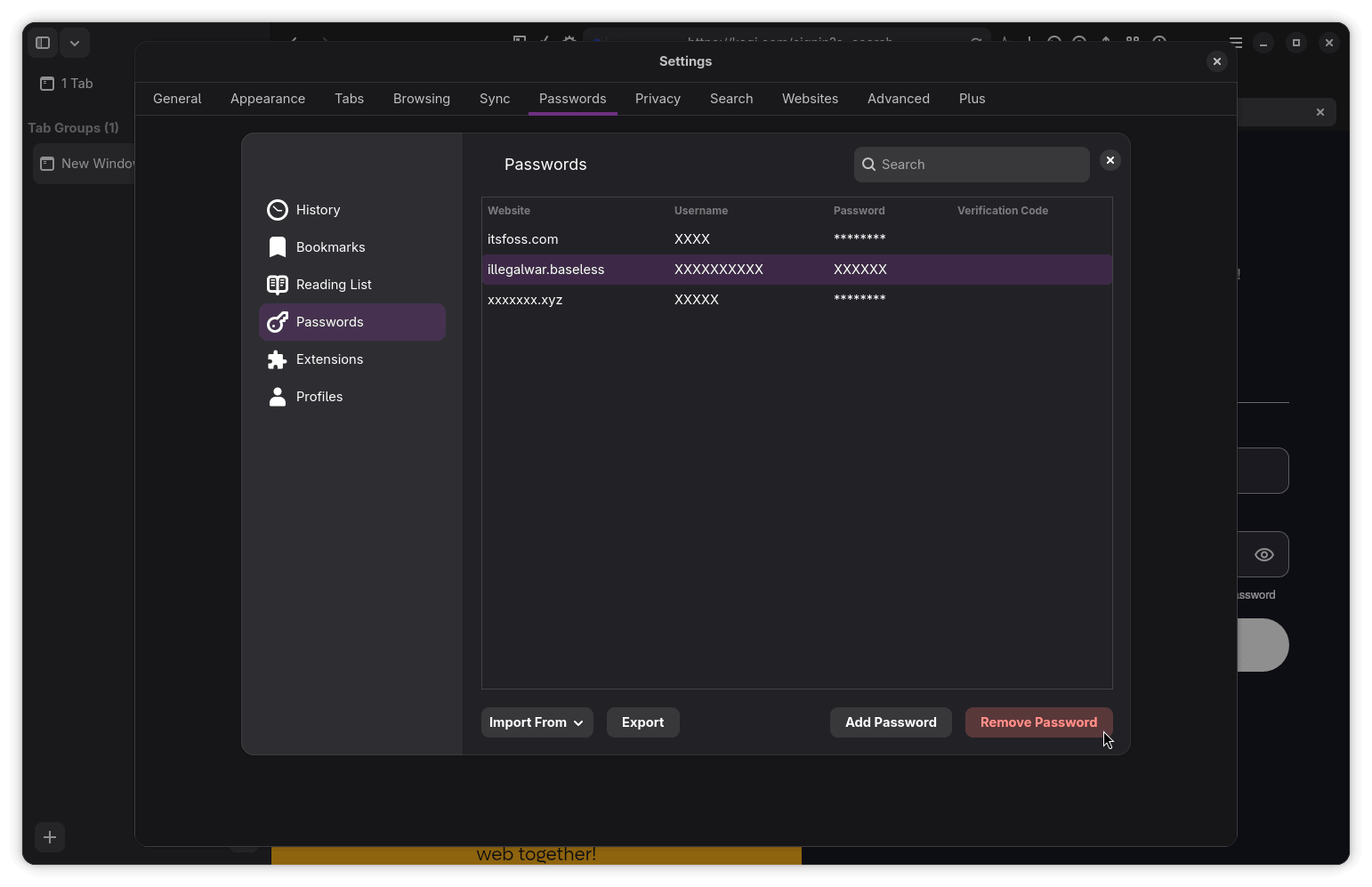
The in-built Password Manager works well, letting me add new entries with details like the website URL, username, and password. Searching through them is straightforward via the search bar on top, and importing/exporting passwords looks doable (I didn't test it tho).
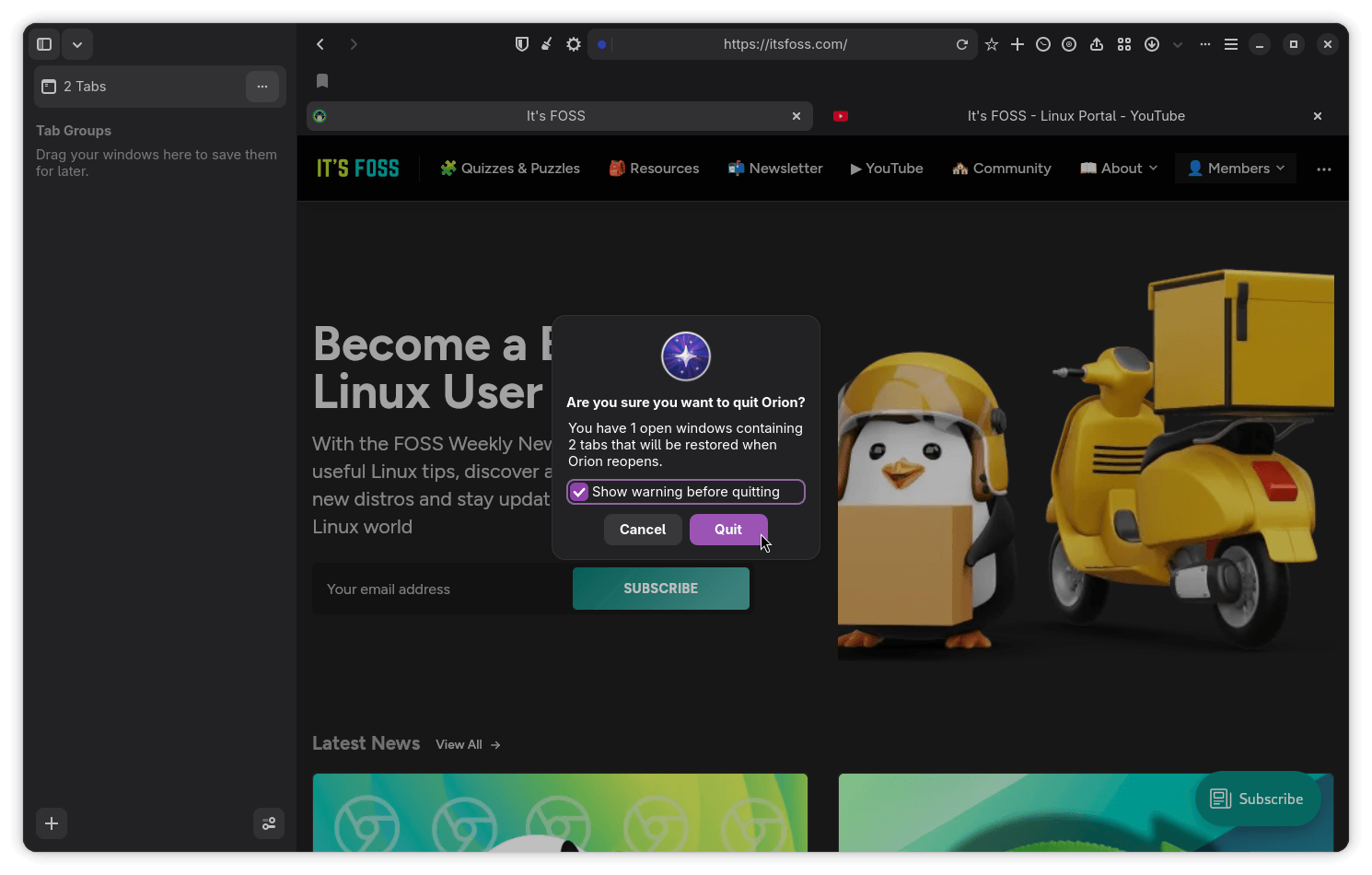
If you have multiple windows and tabs open, Orion will prompt you with a warning to take note of the open content and that it will restore those the next time you launch the browser. This is a handy feature that worked decently during my use.
Download Orion Browser Beta
Kagi provides a direct download for the Flatpak package of this beta build, which should work on most popular Linux distributions that have Flatpak configured.
If you run into any issues, there is a dedicated category on Orion's Public Issue Tracker for bug reports and troubleshooting. Additionally, the project's GitHub repository hosts some open-sourced components.
As for the stable release, there is no official timeline yet, but with an early beta already out, in a few months time feels like a reasonable estimate.
Support independent Linux journalism! If you think we are doing a good job at helping people use Linux on their personal computers, support us by opting for Plus membership.
Here's what you get with It's FOSS Plus membership:
✅ 5 Free eBooks on Linux, Docker and Bash
✅ Ad-free reading experience
✅ Badges in the comment section and forum
✅ Support creation of educational Linux materials
Enjoyed this update? Support independent Linux news coverage
It's FOSS has been helping people use Linux for the past 14 years. Help us stay independent from big tech. Become a Plus member, enjoy ad-free reading and get 5 eBooks.

