


A few months ago, Linux Mint 22.2 "Zara" was introduced with many useful changes, like Linux kernel 6.14, support for accent colors on XDG Desktop Portal XApp, blur effects on the login screen, and an improved Software Manager.
The next release in line, Linux Mint 22.3 "Zena", has now arrived as a point release, with interesting refinements to the Cinnamon desktop alongside new tools for system management.
Linux Mint 22.3 "Zena": What Makes it Clean?
Linux Mint 22.3 ships with Cinnamon 6.6, which brings some significant desktop-focused changes. The application menu has received a complete redesign with a new sidebar layout. Your avatar, favorite apps, and frequently used places now live in the sidebar for quick access.
Categories were made simpler with a focus on listing the applications themselves. Special directories like Documents and Downloads are separated from regular bookmarks, making them easier to spot.
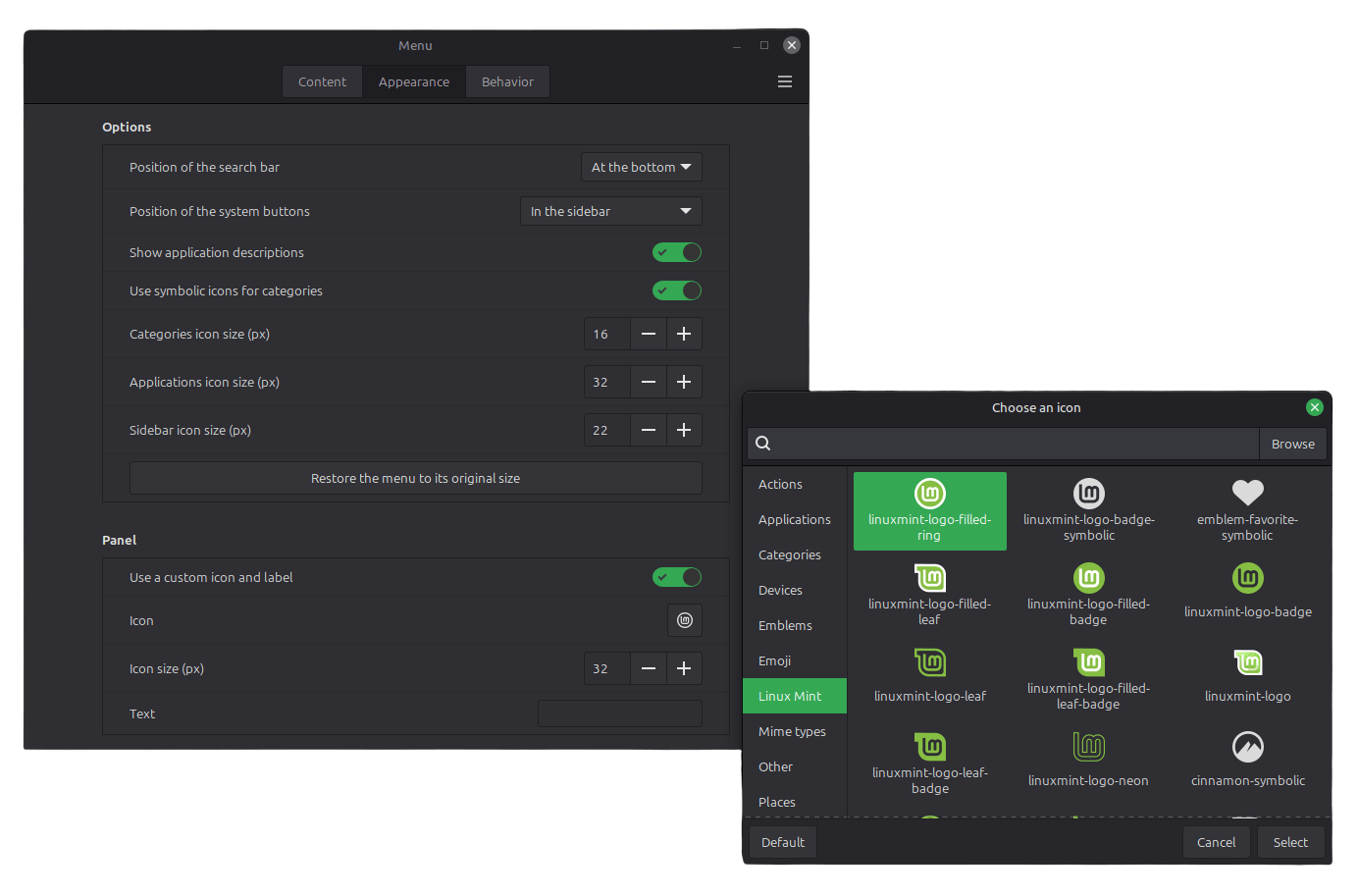
Plus, the menu is now more customizable. You can position the search bar at the top or bottom, place system buttons in the sidebar or next to the search, and switch between symbolic and full-color category icons.
Keyboard handling got a major upgrade with better keyboard layouts and input method support. The keyboard now shows both the traditional XKB layout and the IBus input method for better language input handling.
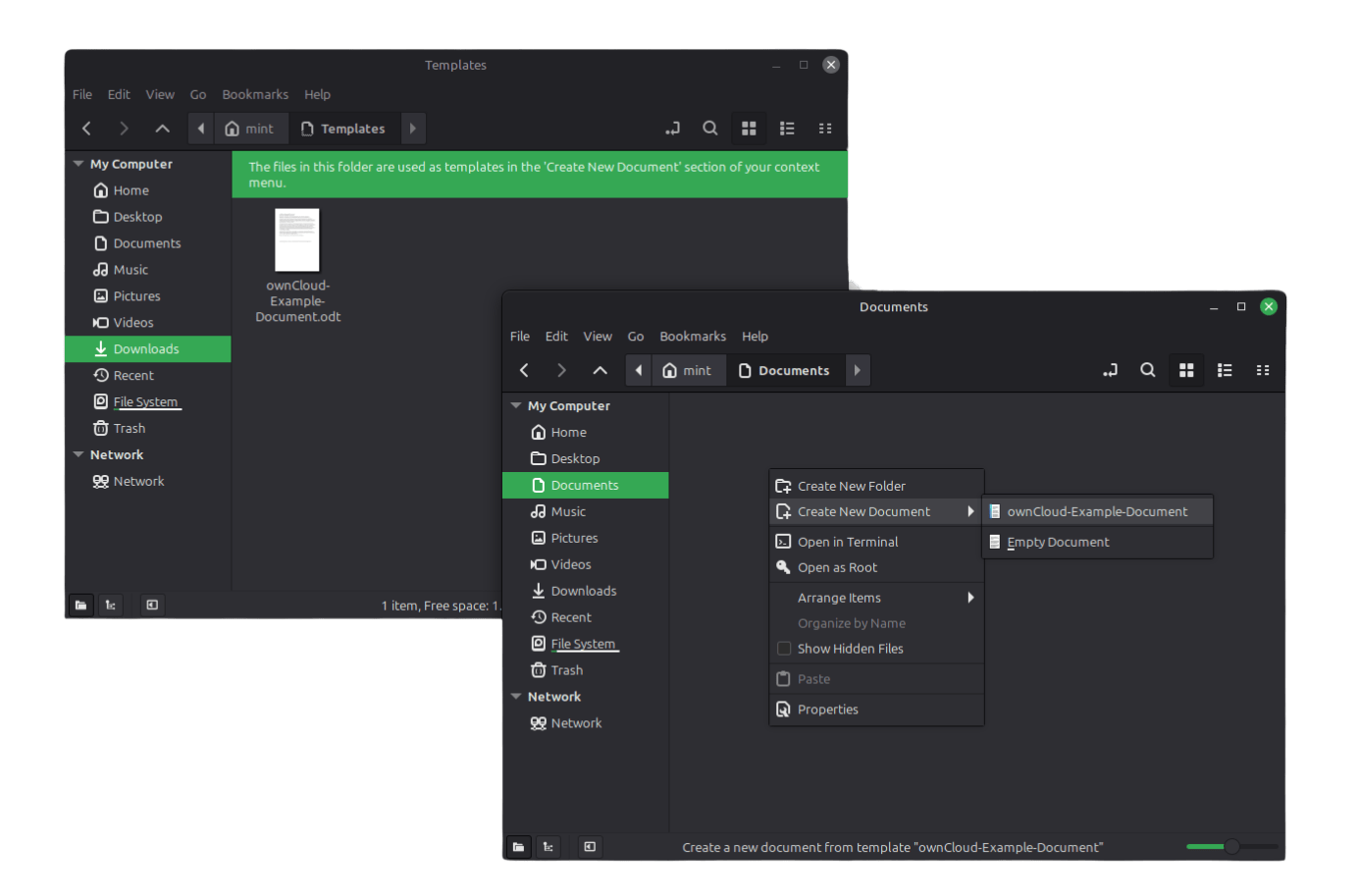
The Nemo file manager also sees several practical improvements. A template manager now shows handy file templates for the 'Create New Document' menu. File operations can be paused and resumed, search accuracy has been improved, and thumbnail support was updated.
There are a few other changes that I have talked about in the dedicated Cinnamon 6.6 release coverage.
 Sourav Rudra
On the tools front, two new additions are offered. The first is the System Administration tool that handles boot menu configuration with admin privileges. You can show or hide the boot menu, adjust timeout values, and add boot parameters without editing GRUB files.
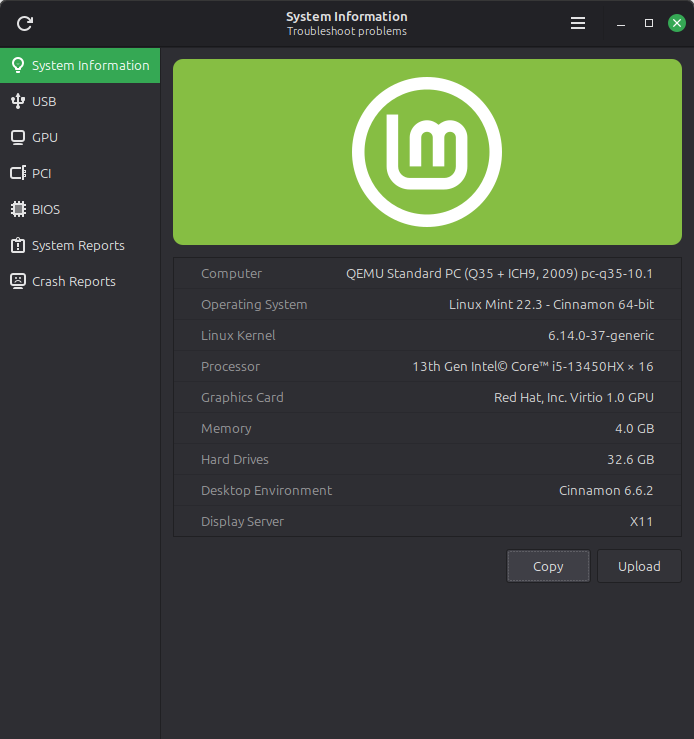
The second is the System Information tool, formerly called System Reports. It has gained four new diagnostic pages for USB devices, GPU details, PCI components, and BIOS information. This makes hardware troubleshooting much easier by showing device IDs, driver information, and connection details in a single portal.
Is it Worth Installing?
Testing Linux Mint 22.3 on bare metal showed this release is worthy of the long-term support status (supported until April 2029). From the first boot after installation, the system felt snappy with no lags or interface glitches.
The System Information tool worked as advertised. The newly-added pages displayed hardware details accurately. Plus, System Reports suggested actions that could be reviewed or ignored. Since my system hadn't crashed, the Crash Reports page was empty, but this will be useful when the system does crash.
Customizing the app menu came naturally. The tweaking options were generous without feeling overwhelming. The new Night Light applet worked well too, and I could schedule it to always turn on automatically at system boot.
Get Linux Mint 22.3 "Zena"
You can get this release in three distinct editions, Cinnamon, MATE, and Xfce. Installer images for all of these can be found on the official website.
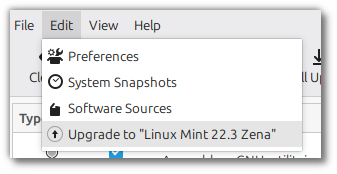
If you are an existing user of the older Linux Mint 22.2 "Zara" release, then you can launch the "Update Manager," and look for the "Edit" menu. Here, you should be shown a Upgrade to "Linux Mint 22.3 Zena" option; click on it.
Review every page shown in the upgrade tool, then agree to the disclaimer in the second-to-last page.
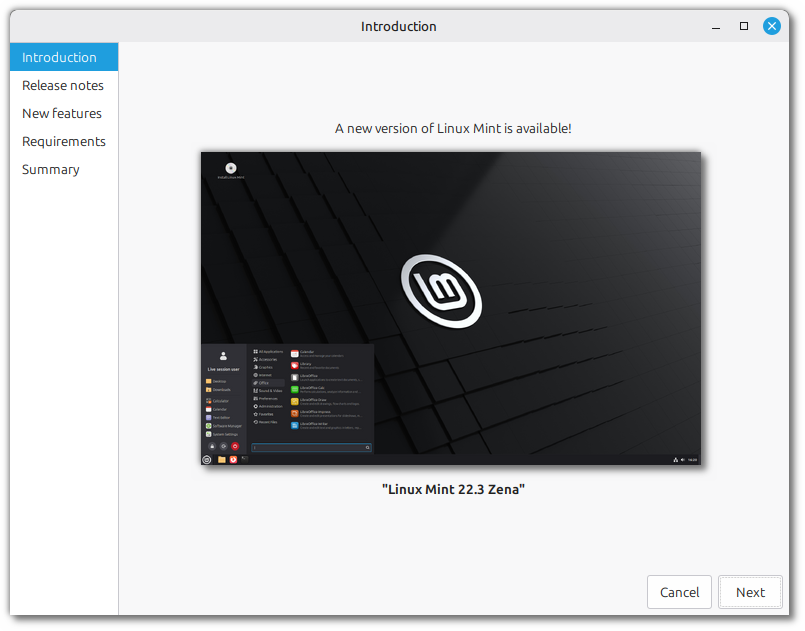
Depending on your internet connection and storage speed, the upgrader will update your system with the necessary packages.
Reboot your computer at the end of it to apply the release upgrade.
Support independent Linux journalism! If you think we are doing a good job at helping people use Linux on their personal computers, support us by opting for Plus membership.
Here's what you get with It's FOSS Plus membership:
✅ 5 Free eBooks on Linux, Docker and Bash
✅ Ad-free reading experience
✅ Badges in the comment section and forum
✅ Support creation of educational Linux materials

