Microcontrollers are small, low-power chips built to accomplish specific tasks like reading sensors, controlling motors, and responding to inputs. You can find them inside washing machines, TV remotes, medical devices, industrial equipment, and practically anything with a circuit board that is not a fully fledged computer.
Because of their limited resources, they typically run either bare-metal firmware or a lightweight real-time operating system (RTOS) like Zephyr or Eclipse ThreadX.
And now, someone has decided that a microcontroller should have a graphical desktop interface. A tinkerer based out of Greece, Mikhail Matveev, has released FRANK OS, a desktop operating system built for the RP2350 microcontroller.
What is FRANK OS?
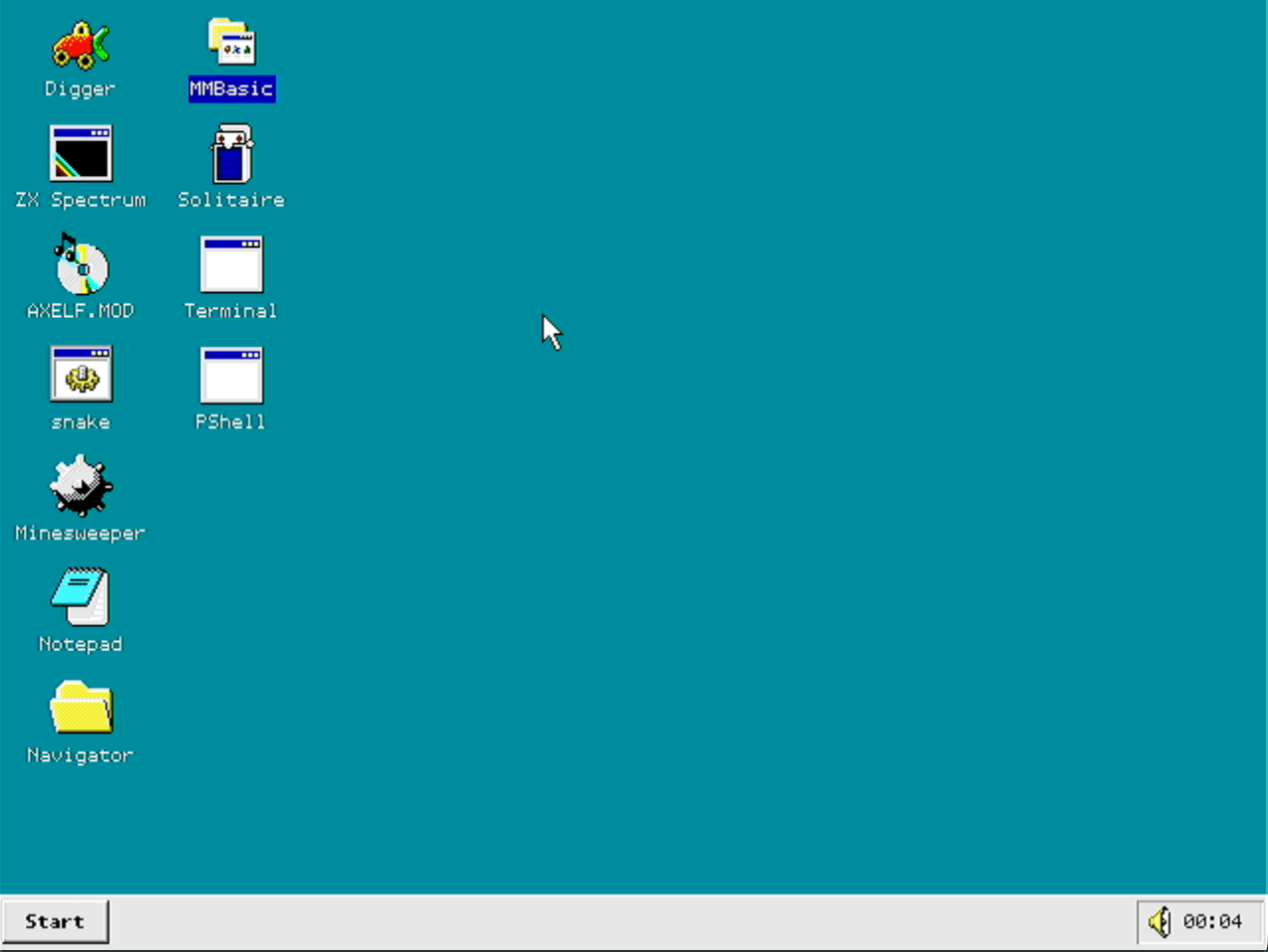
It is a desktop operating system built on top of FreeRTOS, the widely used open source real-time operating system that offers preemptive multitasking, a modest memory footprint, and support for 40+ processor architectures.
Building on that base, FRANK OS has its own windowed GUI, shell, filesystem stack, and application runtime in place. The result of that is a system that offers a Windows 95-style desktop with the ability to run ELF applications from SD cards and hard fault recovery in place.
The project is licensed under the GNU General Public License v3.0 and just got its first stable release a few weeks ago. On paper, the OS targets the FRANK M2 board, which is the developer's own RP2350B-based creation that has DVI output, PS/2 ports, PSRAM, and an SD card slot.
Running a windowed desktop on a microcontroller with 520 KB of on-chip SRAM is not a small feat. FRANK OS achieves it by splitting the workload across the RP2350's two cores.
Core 0 runs the FreeRTOS scheduler, window manager, input handling, and applications, while Core 1 is entirely dedicated to real-time DVI scanline rendering via the DispHSTX driver.
Applications are compiled as standalone ARM ELF binaries and loaded from an SD card. The OS also includes a MOS2 compatibility layer for running Murmulator OS 2 applications.
What can you expect?
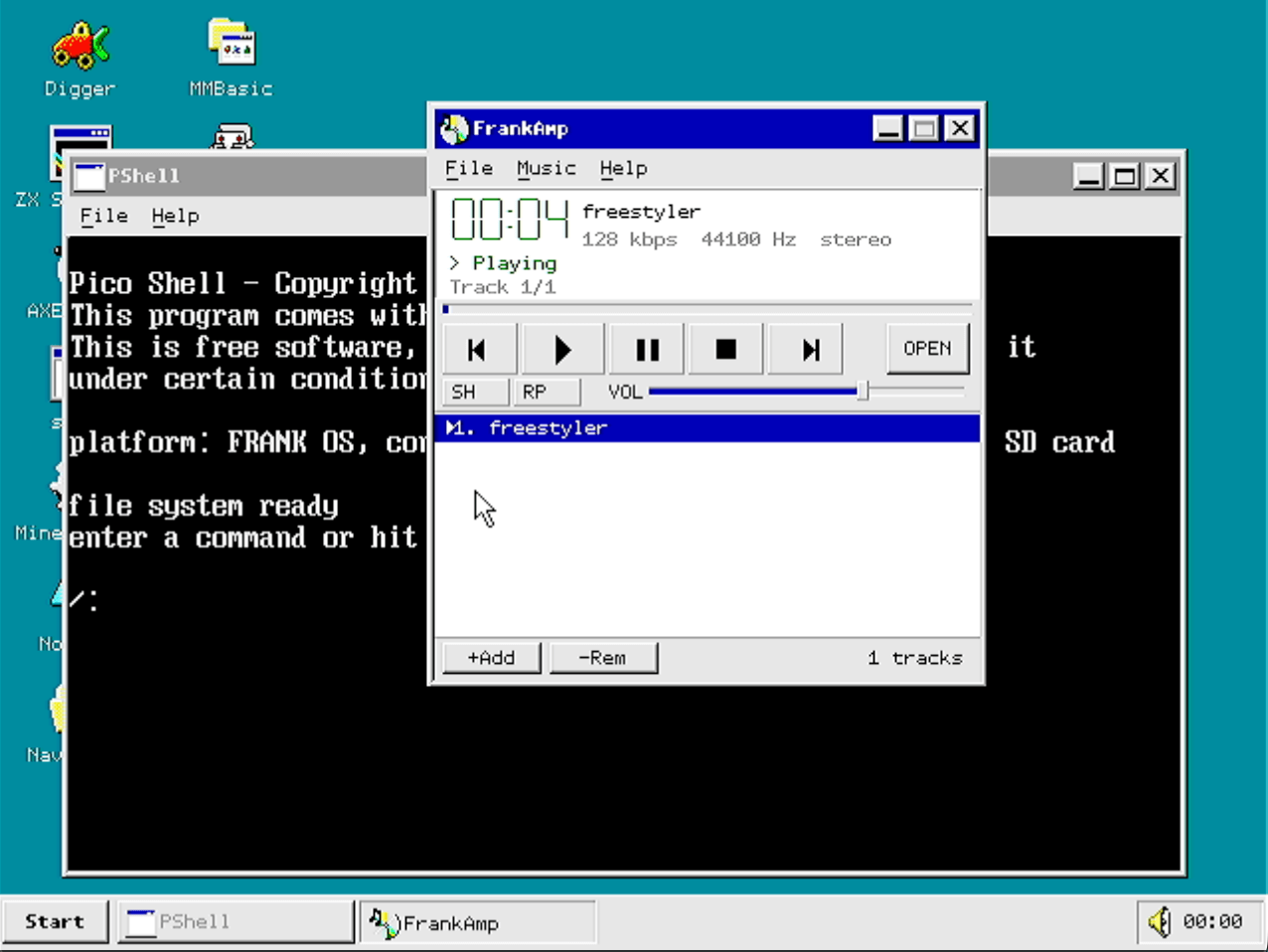
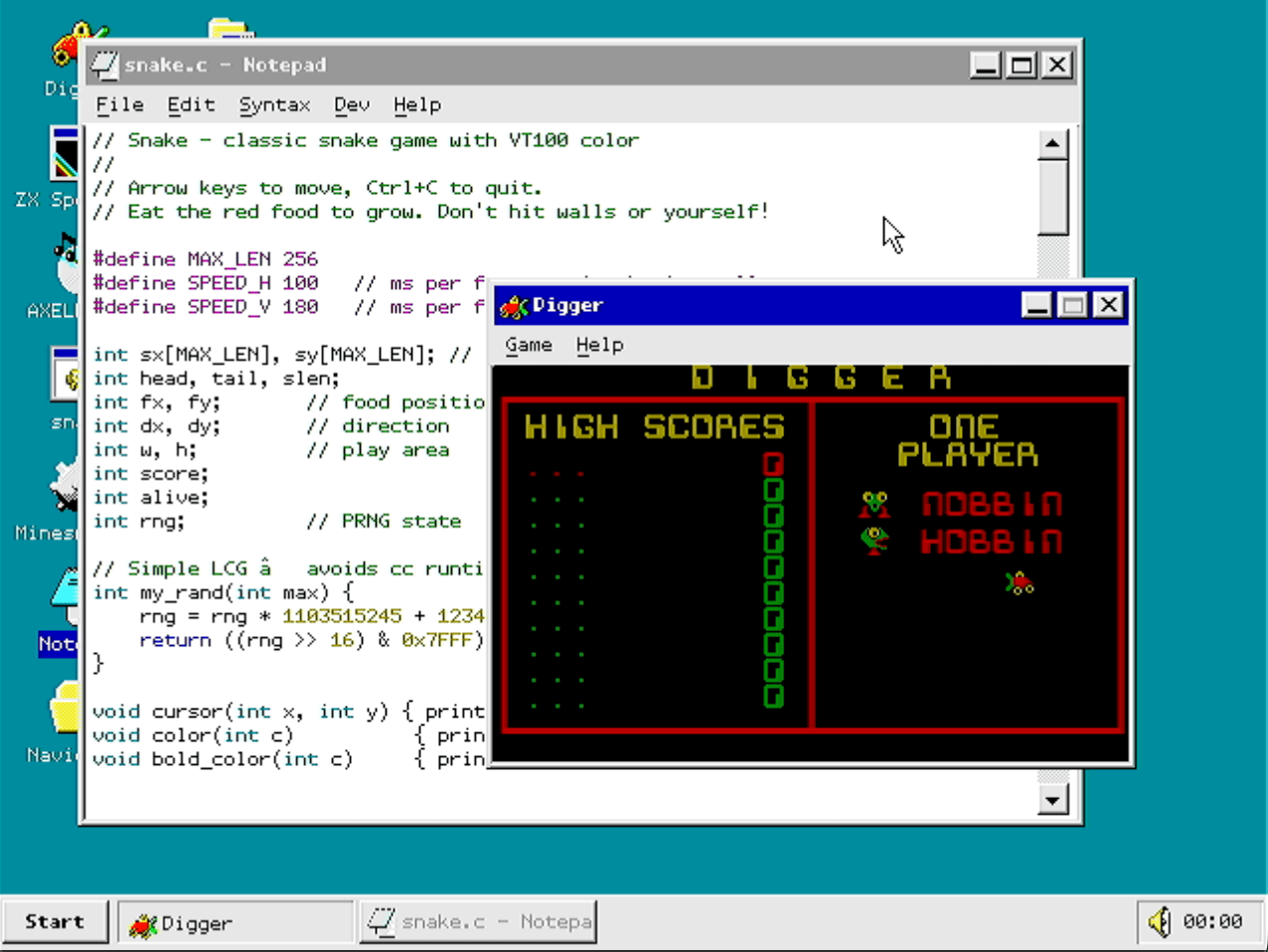
From left to right: FRANK OS' terminal, music player, notepad, and digger game.
Going into greater detail, FRANK OS comes with a proper desktop environment where app windows can overlap, be dragged, resized from edges and corners, minimized, maximized, or closed.
The taskbar sits at the bottom of the screen with a Start button, buttons for any currently open windows, and a system tray that shows a clock and the volume slider. Additionally, the Start menu can scan /fos/ on the SD card at boot to list applications.
The desktop supports up to 24 shortcuts via the right-click context menu that stay intact across reboots, and pressing Alt+Tab brings up a switcher overlay, letting you cycle through all open windows, including the minimized ones.
PShell is the built-in shell that runs inside the Terminal application. It can handle file operations, editing files with vi, a C compiler, and launching MOS2-compatible console applications from the SD card.
The Control Panel, accessible via the Start menu, has four applets covering background color, system info, mouse settings, and CPU/PSRAM clock frequencies.
On the audio side, FRANK OS can provide I2S stereo output with 4 concurrent sound channels, MP3 and MOD playback, MIDI/OPL FM synthesis, and even a startup sound.
Fret not, the OS also features nine pre-installed applications that include:
| Coloumn 1 | Coloumn 2 |
|---|---|
| Terminal | Notepad |
| Solitaire | Minesweeper |
| Digger | ZX Spectrum 48K Emulator |
| FrankAmp | MMBasic |
| PShell |
You will find detailed installation instructions, source code, and documentation on FRANK OS' GitHub repository.
Suggested Read 📖: 11 Interesting ESP32 Microcontroller Projects
 Sourav Rudra