KDE recently announced that Plasma 6.8 will drop X11 support completely. When that happens, the Wayland session will be the only one remaining.
But there's another major development underway in the KDE ecosystem, and Fedora is on course to become the first distribution to ship it.
Plasma Login Manager is In
Fedora 44, which is set to release on April 14, 2026, will ship with Plasma Login Manager (PLM) as the default login screen for all KDE variants. This replaces SDDM, which has been the go-to for years.
Neal Gompa, a well-known Fedora contributor and KDE packager, proposed the change back in early December 2025, and the FESCo approved it yesterday.
The switch affects:
- Fedora KDE Plasma Desktop Edition
- Fedora KDE Plasma Mobile Spin
- Fedora Kinoite
All KDE-based Fedora Labs will also get the change since they carry over packages from the Desktop Edition.
According to the change proposal, this allows Fedora to "continue providing the highest quality, leading edge integrated KDE Plasma experience" by using the recommended software stack.
If you didn't know, PLM is a new login manager that will release alongside KDE Plasma 6.6 in February. It is being prepped to support multi-monitor setups, HDR, virtual keyboards, full power management, and screen readers.
Going through the GitLab repository for Plasma Login Manager (linked above), I noticed a warning about it being "in a prototype state" and not being recommended for general or production use.
Another person also had the same concerns, to which Neal replied:
The information in the README is out of date with current estimate of usefulness. The production release is going to be part of Plasma 6.6. At this point, it’s been considered in a good enough state that efforts have begun to integrate it in KDE Linux as well.
If it does indeed turn out to be problematic by the time freeze rolls around, it’s trivial to back out and switch back to SDDM.
So, that's taken care of. 😅
As for you, the user, you won't be seeing anything major shift unless you had a custom theme installed, then you will have to switch back to SDDM to regain the functionality.
The commands for doing that would be:
sudo dnf install sddm sddm-kcm sddm-wayland-plasmasystemctl enable --force sddm.serviceYou Can Test it Now!
First, you have to install Fedora Rawhide and ensure that you run the sudo dnf update command before the next steps.
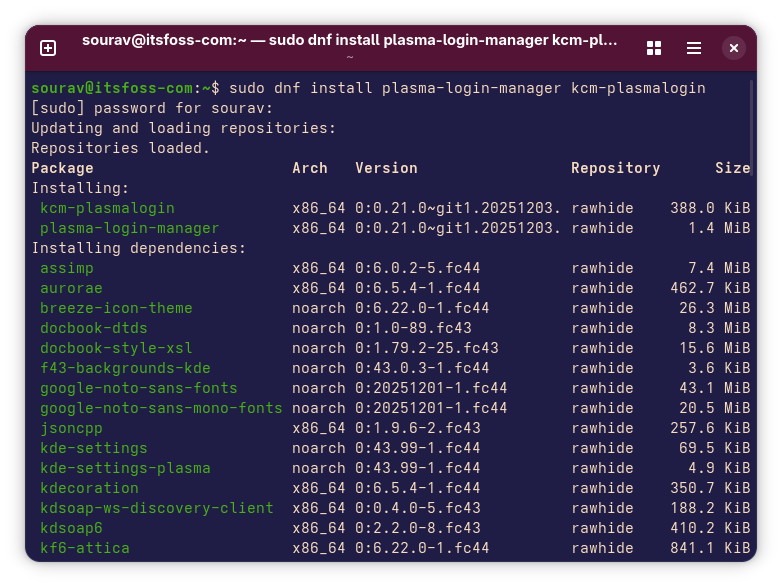
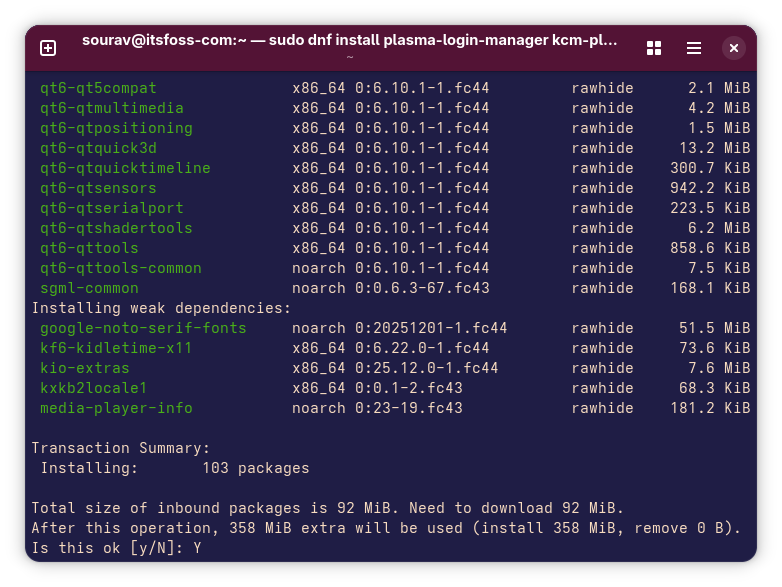
Now, run the following command to get the Plasma Login Manager:
sudo dnf install plasma-login-manager kcm-plasmaloginWhen prompted, enter your password. Verify the packages and OpenPGP keys, then type 'Y' and hit Enter to accept.
After that, run the following command to switch to the Plasma Login Manager:
sudo systemctl enable --force plasmalogin.service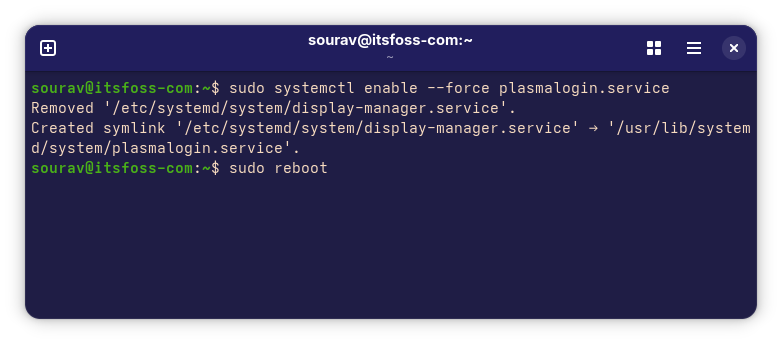
And this one to reboot your computer:
sudo rebootIf everything goes well, you should be shown the new Plasma Login Manager screen post-boot. For me, it didn't work when I tried testing it on a virtual machine, so your mileage may vary.
Anyhow, I like how Fedora is generally one of the first ones to adopt such new components, bringing us Linux users closer to the bleeding edge.
Via: Phoronix
Suggested Read 📖: Best Linux Distributions Based on KDE
 Ankush Das