The Australian Signals Directorate (ASD) has released Azul, a malware analysis platform built for reverse engineers and incident responders. It is the first public release of the tool, which is now on v9.0.0.
ASD is Australia's signals intelligence agency, which operates under the Department of Defence. Its Australian Cyber Security Centre (ACSC) handles national cybersecurity guidance and incident response.
Keep in mind that Azul is not a triage tool and does not identify whether a file is malicious. Samples should first be flagged using a tool like the Canadian Centre for Cyber Security's AssemblyLine before being fed into Azul.
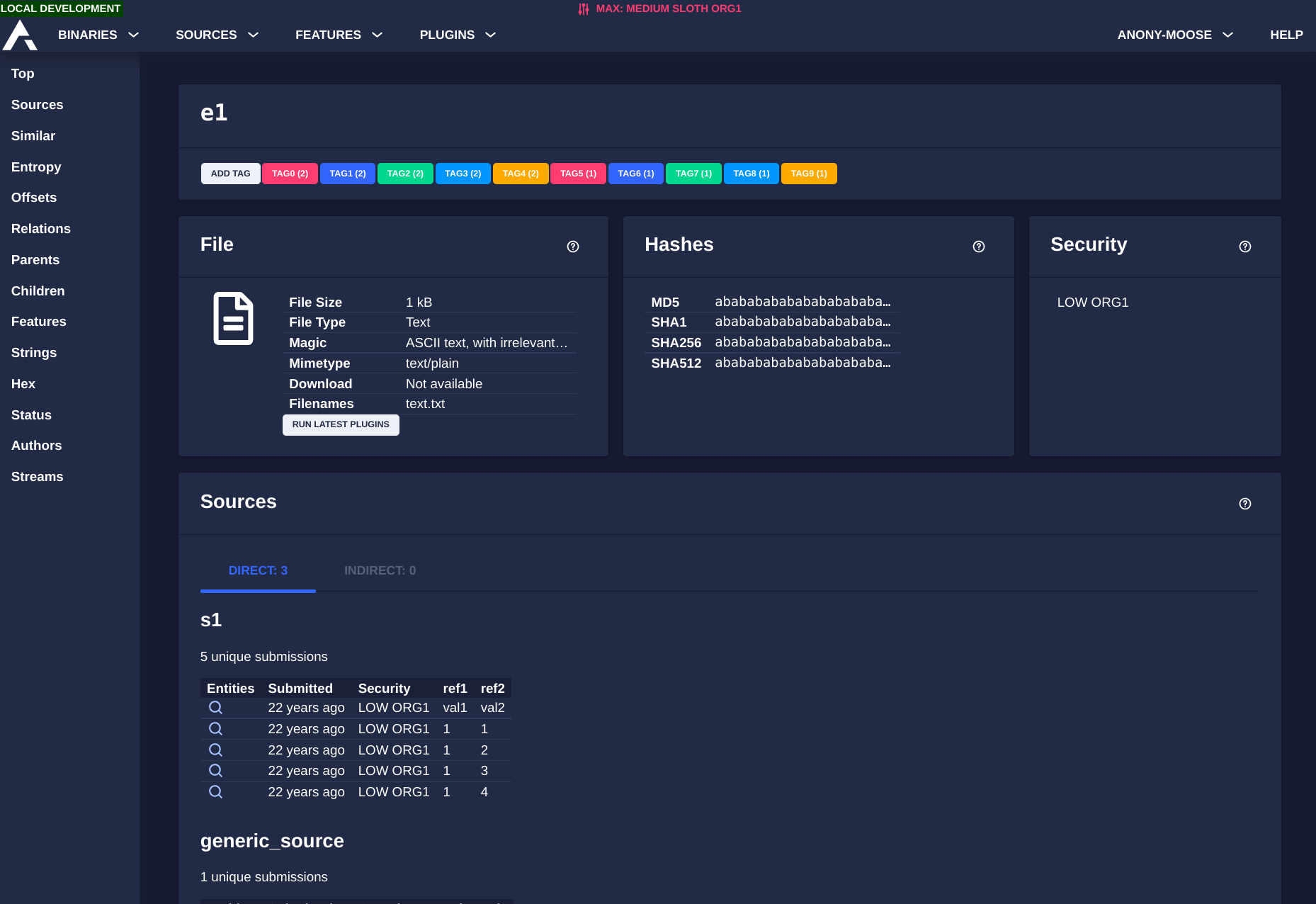
The platform is built using Python, Golang, and TypeScript. It runs on Kubernetes via Helm chart templates, uses Apache Kafka for event queuing, and stores samples in an S3-compatible object store.
Monitoring and alerting are supported through Prometheus, Loki, and Grafana. Azul also ships with a web interface, an HTTP REST API, and a headless client for integration with external systems.
It supports YARA rules, Snort signatures, and the Maco framework for malware configuration extraction. Malware sample access is controlled via OpenID Connect.
The Components
Azul has three main components. The malware repository stores samples with origin metadata, including hostnames, filenames, network details, and timestamps, and is designed to retain everything indefinitely provided ample storage is provided.
The analytical engine lets teams turn reverse engineering work into reusable plugins that run automatically. When a plugin is updated, it can be re-run against historical samples, which can surface new findings from past incidents.
The clustering suite uses OpenSearch to find patterns across samples, helping analysts identify shared infrastructure, development patterns, and behavioral similarities. It also pulls in data from industry reporting to strengthen those findings.
The Source Code
The source code for Azul can be found on GitHub, licensed under MIT. The repository includes a README to get you started. Full documentation covering installation and developer guides is hosted on the official Azul docs portal.
Suggested Read 📖: Reverse Engineering Linux Distro REMnux Marks 15 Years
 Sourav Rudra