


Desktop Linux is in a better place than it used to be. App stores have made software discovery much simpler, and it’s become normal to install an app without even needing to know what a repository is.
We can grab almost any app in seconds (or minutes, depending on your connection), but that convenience comes with a trade-off. We’ve lost some of the fine-grained control that used to be standard on the Linux desktop.
Which leads to the bigger question:
Is it time for a new era of Synaptic-style package managers?
What made synaptic (and the like) special
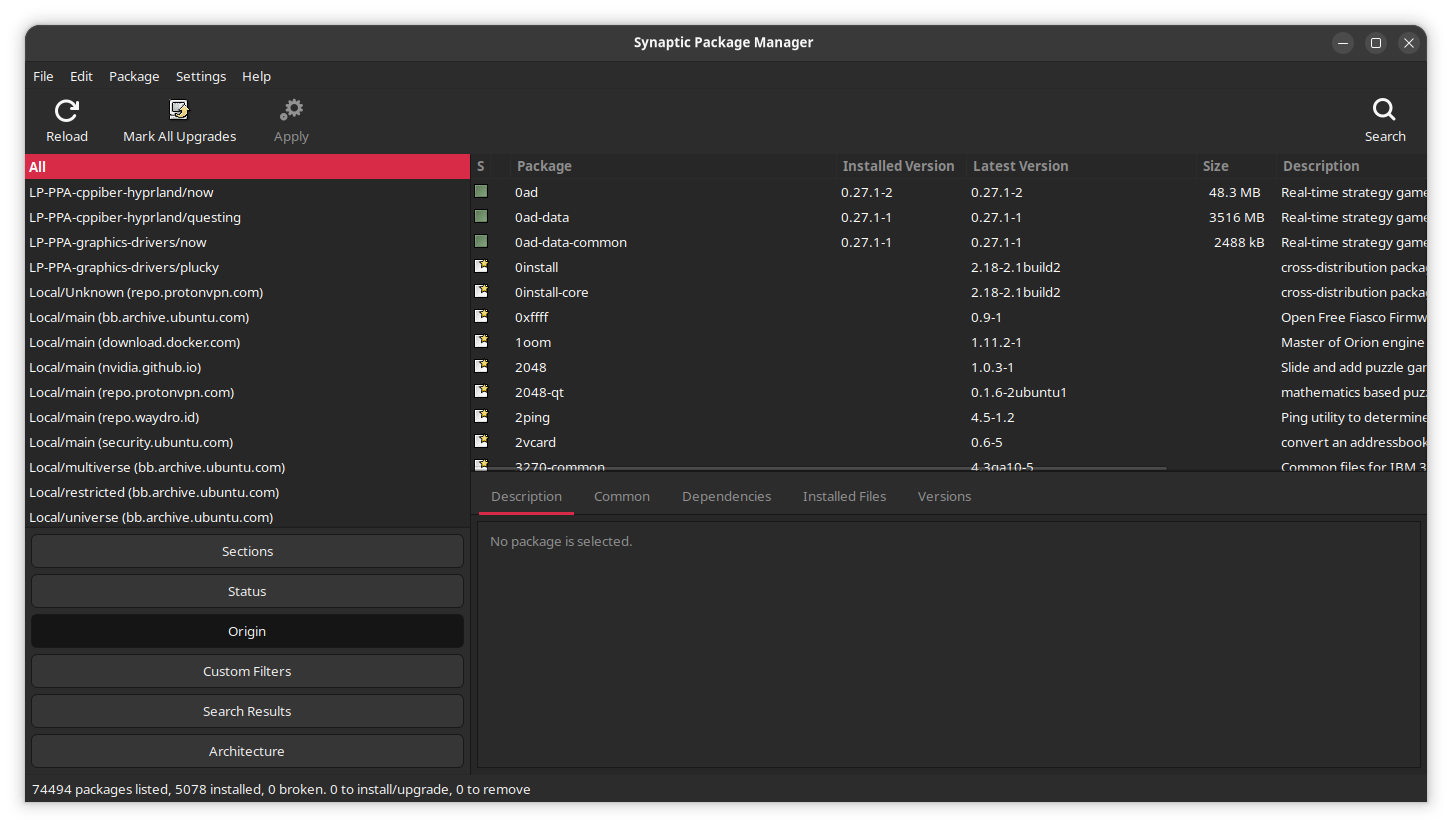
Most “app stores” focus on the application experience: search, install, remove, update. That is fine when you’re only dealing with everyday desktop apps.
But Linux desktops are still built on packages at the system layer. That layer bears responsibility for libraries, utilities, command-line tools, development headers, language runtimes, drivers, and countless little components that aren't built nor behave like “apps”. Even when you install a graphical application from a store, you are often still interacting with that underlying system and its libraries and utilities in some way. That underlying system requires a different kind of tooling than the app store model can provide.
Tools like Synaptic and YaST didn’t just let you install and remove software. They gave you visibility and control over the mechanics that keep a Linux system healthy over time, including:
- Reviewing dependencies realtionships
- Cleaning up unused packages that were pulled in automatically
- Bulk installs through meta packages and recommended packages
- Holding or locking package versions (to prevent unwanted upgrades)
- Selecting specific package versions (for downgrades or temporary fixes)
- Seeing exactly where software is coming from before you commit to installing it
That’s why tools like Synaptic and YaST earned such loyal followings. They didn’t just let you manage apps, they exposed this underlying system.
The catch is that many of these older tools were designed around desktop and security assumptions that don't map neatly onto modern Linux desktops. Historically, it was common to run graphical package managers and other administrative tools with elevated privileges. Today, this approach is increasingly discouraged as developers move toward more security-conscious workflows and granular permissions.
Why the app store model took over
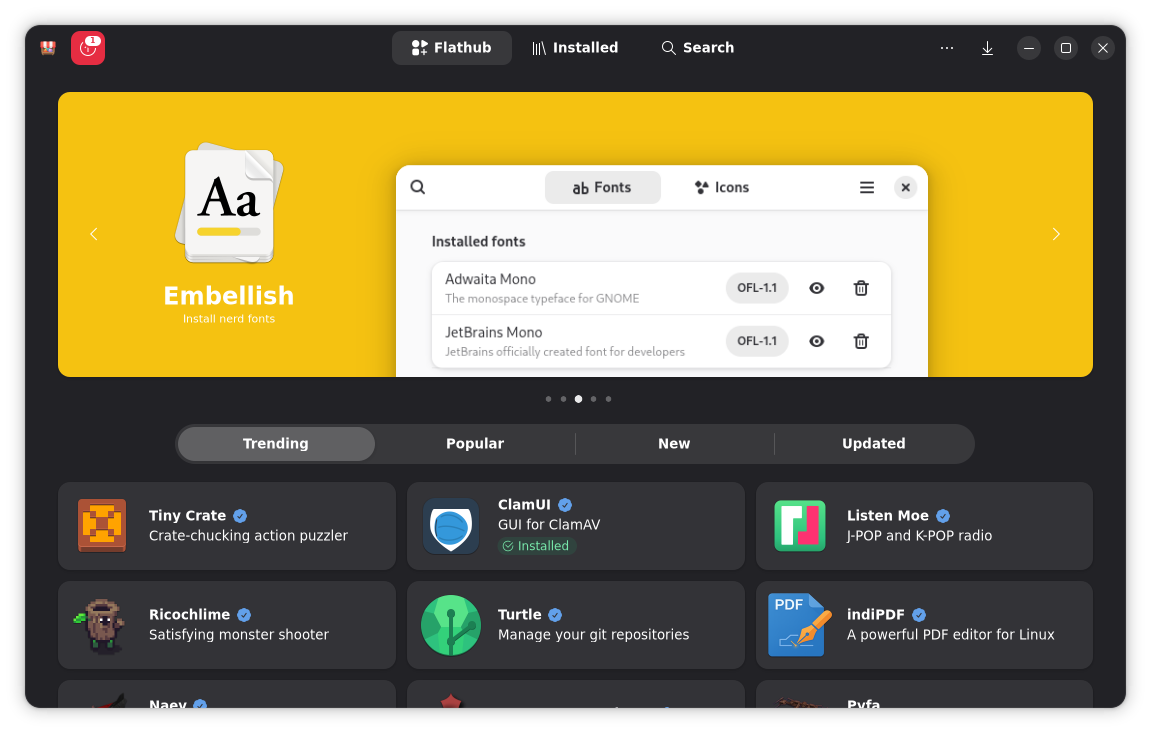
Installing new apps can be fun, but managing dependencies and troubleshooting package conflicts is anything but fun. That's exactly why the app store model became so popular. It makes software management feel approachable because it narrows the experience down to a few obvious actions: find, install, remove, update.
For the average user, that's an immediate win. Most people don't want to think about libraries, depedencies and complex package relationships, or system internals. They want an app, and they want it now. As a means to this end, the app store model just works.
The role of mobile devices

Mobile platforms helped normalise this approach, in part because their app distribution model reduced (or completely eliminated) dependency complexity on a user-facing level. Mobile apps often ship with everything they need (that the target platform does not already provide), and platform vendors typically enforce strict boundaries.
On desktop Linux, things are quite different. Applications typically rely on shared system libraries, and these may not always be included in the base install. All applications that depend on a particular library typically rely on whatever the distro provides in its repos, and pull these in if they're not already installed. This shared model is one of the primary reasons Linux distros can be efficient and cohesive, but it also brings the consequences to software management that aren't always obvious.
The hidden catch
When you install a package, it may pull in dependencies that remain on the system even after you remove it, because the system assumes they may still be useful to other software. Sometimes this is true, but typically, it's just building cruft, and over time, this all adds. Unfortunately, the app store model doesn't usually account for this scenario (not very well, at least).
Where the app store model falls short
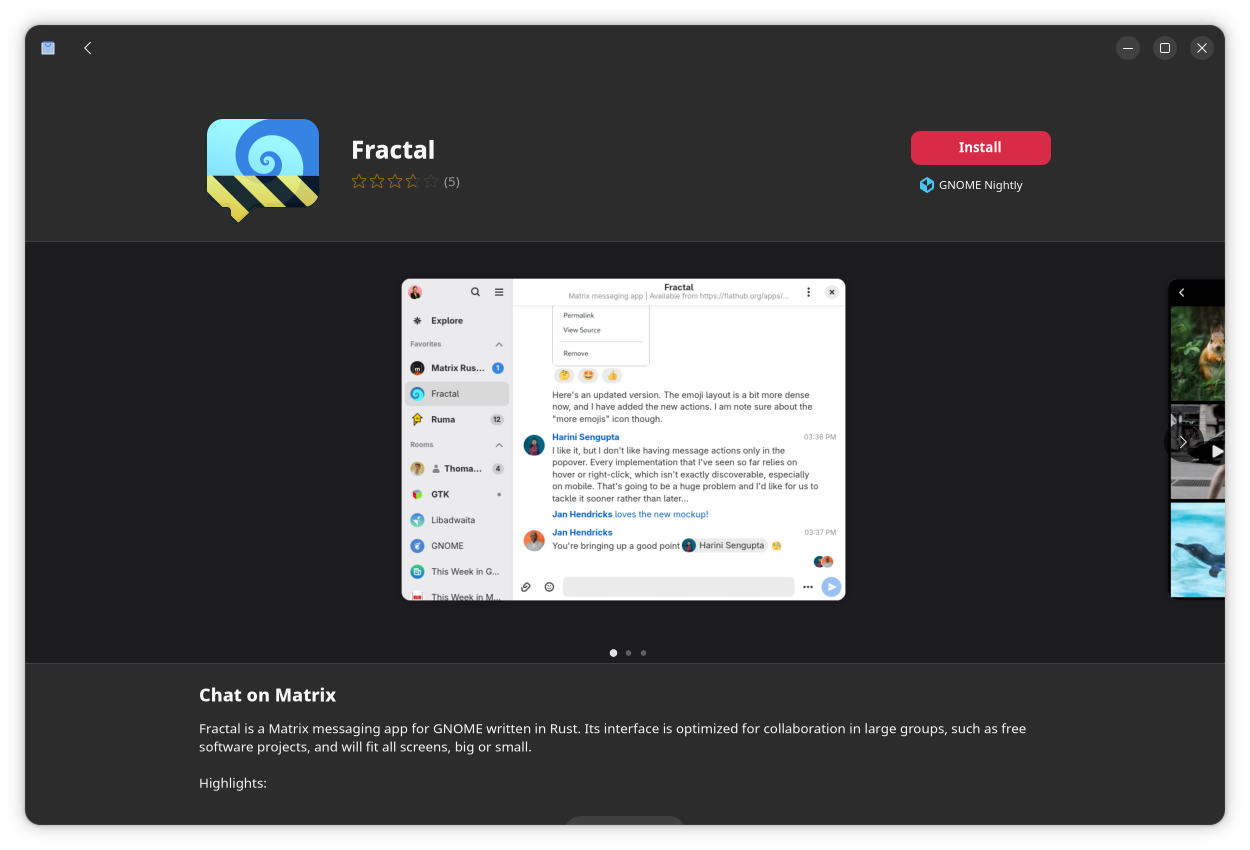
With the app store’s single-click model, there are typically only a few main actions you can take. Outside of the list mentioned before, the only other option is (sometimes) to change the channel or source of an app. The Snap Store, for instance, lets you choose between at least 2 channels for most applications.
What's missing here isn't convenience, it’s depth.
App stores do handle dependency installation, because they have to, but most stop it right there. They don't always help you review what was installed automatically, what's now unused, or what can safely be removed. They rarely expose advanced controls like holds, locks, or granular version management (including version pinning or manual downgrades). This, despite these being common troubleshooting steps for when an update causes regressions.
They also rarely surface the “non-app” components of a distribution in any useful way. Runtimes, libraries, development packages, optional components, data packages, command-line utilities, and the bits that make a Linux workstation usable for certain roles, typically sit outside the app store mindset.
To the average user, these missing features aren't a big deal. If your computer use is browsing, email, documents, and a handful of desktop apps, the app store model is perfect. But the moment you cross into “power user” territory, this model starts to feel like a bit of a dead end, and this is where people get pushed back to the terminal.
For many, the terminal can't replace a GUI

People often say “power users can just use the terminal,” but this misses the point. Plenty of power users (myself included) prefer a graphical overview for these kinds of system changes, and even non-power users become “power users” the moment they need to troubleshoot a broken update, free disk space, or remove something that dragged in half a desktop environment.
A proper GUI (or even TUI to a certain degree) can make these tasks safer, not riskier, because it (often) explains why something is installed in plain language, shows dependency chains visually, and cleanly separates simple and advanced actions. The problem isn't that CLI tools like apt or dnf are bad, far from it. They're just not build for staging and chaining actions together in the same manner. This is where a GUI shines: making system management a guided process, and letting you plan out intended changes before taking action
Why Synaptic can't simply return "as-is"
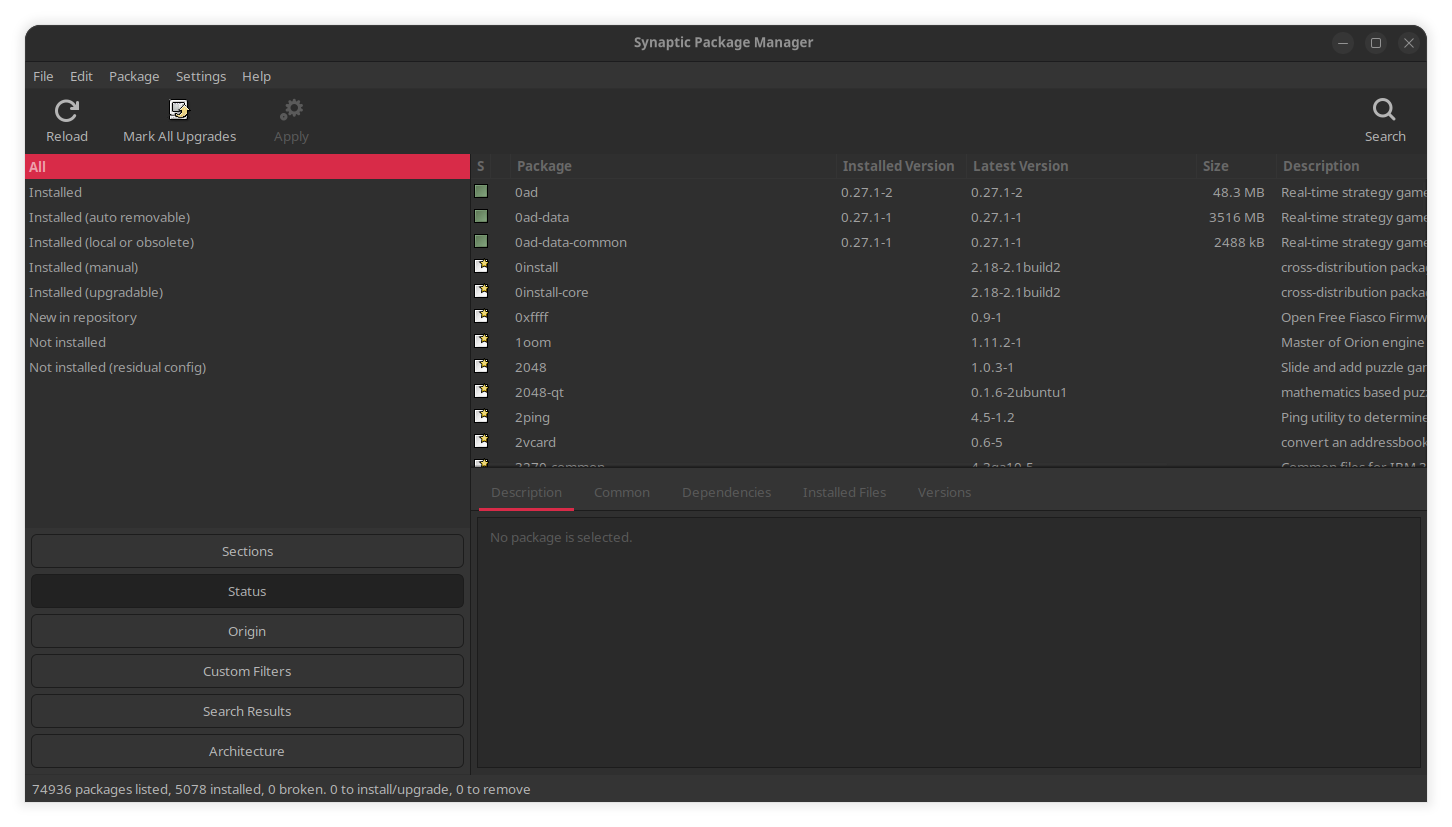
Synaptic was built in an era where it was normal to handle system tasks through graphical tools by running them with full elevated privileges. However, modern Linux desktops increasingly avoid this security model, and in a Wayland-first world, running graphical apps as root is pretty much being done away with. While this doesn't mean Synaptic’s capabilities are obsolete, it does mean it can fail to run smoothly under Wayland.
While this issue has been known for some time (since 2017), it hasn't been resolved as yet, and even if Synaptic runs, it doesn't always work. What we need is to bring back what Synaptic made possible, but built for the modern desktop.
My proposition: Bridge the gap
We don't need to ditch the app store model whatsoever, I'm saying: let's combine the best of both worlds, and add a second layer that coexists with the newer model: a modern package manager, built for today’s security model, with greater ease-of-use everyday tasks. We just need some key features:
1) Use modern, separated privileges
Fix Synaptic's greatest flaw by separating the GUI from the core, so the entire app doesn't run as root. Not only would this enhance security, it would enable tasks to be queued up and run in the background. It would also allow a "system overview" mode to exist, without root privileges.
2) Sensible safety by design
Having direct control over system packages is a precarious power to wield, so a modern package manager needs to take this power into account and make it harder for users to be accidentally reckless by implementing sensible guardrails.
Before applying any changes, the package manager should give a clear preview of what those changes will mean. Synaptic and other similar tools already do this, to an extent. What's missing is a connection between the list of "packages", be they applications, libraries, or non-code dependencies (data packages), and the actual applications that are more familiar to most end users.
A modern, intelligent solution, should make those connections clearer. Perhaps even sprinkle in a lightweight "engine" (yes, AI, but not like you think) that can catch potential conflicts where they may not be obvious.
For example, if removing a single, seemingly innocuous package could remove your entire desktop environment, this should be clearly stated, with adequate warnings. Will some users ignore this? Probably, but that would be a matter of choice as opposed to a hapless mistake.
3) Cleanups that make sense
Instead of just listing “auto-installed” dependencies, some kind of simple map of where they came from would help users know what to cleanup and what to keep. Sometimes what seems "auto-installed" to the system might very well be deliberate to the user, and without a clear view of how something got installed, this connection can be missed, especially when package names don't always make sense.
4) Undo support (where possible)
Synaptic (and others) already keep a history log to help you undo decisions and understand what changed over time. Any new solution should do the same, and allow for snapshots (if possible), rollbacks, and the like.
5) Treat System Packages as First-class Citizens
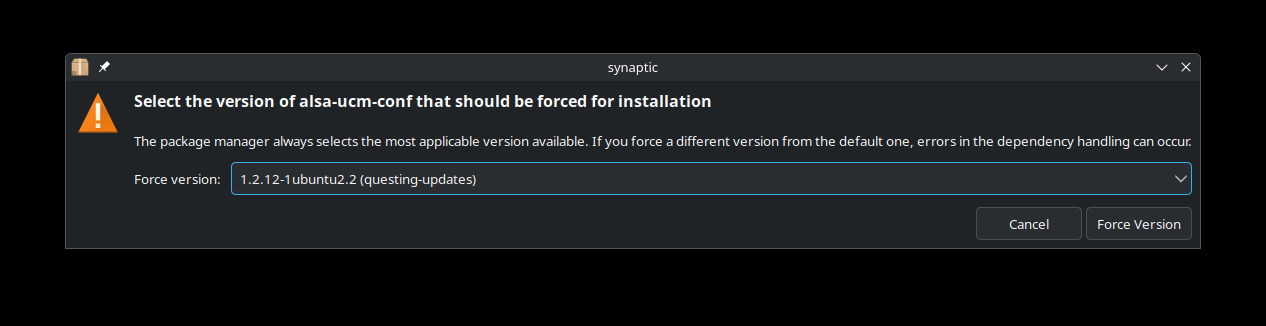
Not every distro is moving to the immutable model, and for those that don't we need a tool that respects the needs of those users. Beyond just dependency management, it needs to enable holds or locks for stability, version selection and downgrades, bulk installs, and (hopefully) lists and scripting for complex automated actions.
6) Respect dev packages
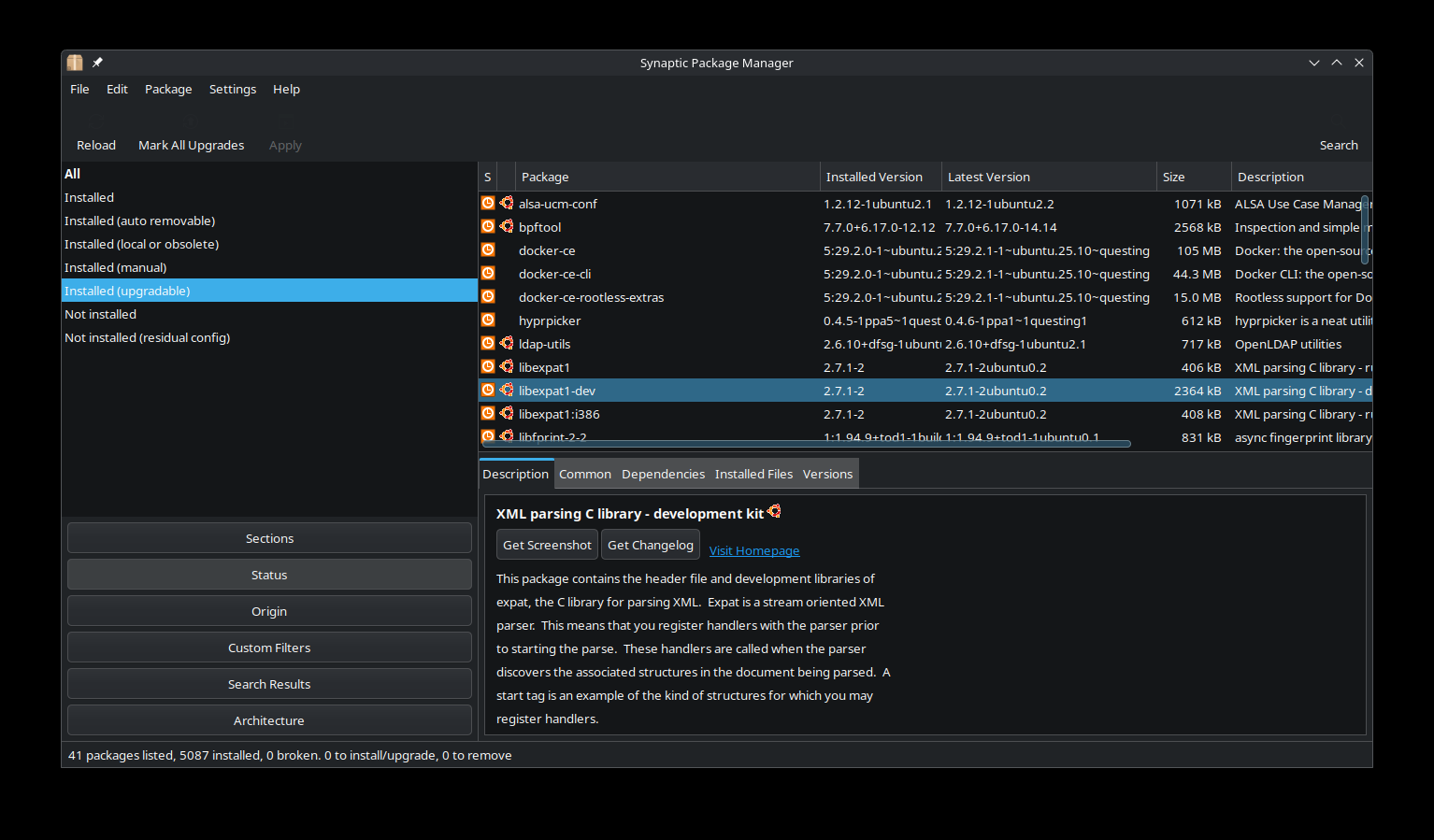
It's common Linux to need -dev packages for various apps and libraries, and it's not only developers who need them. While it's possible to handle their installation with CLI tools, many users don't want to (or need to), even developers who write code themselves. It's just another common Linux task that isn't well covered by most "app stores".
We need our power back, with sense
The Linux desktop has evolved, and it's high time for the “advanced package manager” experience to evolve with it, not to replace the app store model, but to give us our power back, and to remind us what underpins the Linux desktop at the end of the day. Let's keep the friendly software catalogue experience, but when we need to "get our hands dirty" and manage packages in depth, give us "power users" a proper graphical solution that we can work with again.
