Package managers are essential tools on Linux systems. They help you install, update, and remove software packages with simple commands. Most distributions come with their own package managers, like apt, dnf, or pacman.
However, many modern tools are distributed as pre-compiled binaries via GitHub releases. Developers using languages like Go, Rust, and Deno often release their software this way. New projects that are not included in the official distro repository yet have to opt for this method.
This creates a gap between traditional package managers and these GitHub-hosted releases.
Recently we covered Eget, a command utility that fetches appropriate binary from the given GitHub repo. You don't have to manually visit the release page of the application's GitHub repo, look for the available binary files and then install it. Eget does all that from the comfort of the command line.
But Eget is not unique. There are many more such package management tools. They let you install binaries, also handle updates, letting you track new releases without having to manually checking repositories.
Let's take a look at some of these package managers for you to explore.
GitHub Binary Download Tools
| Tool | Primary Focus | Language | GitHub Stars |
|---|---|---|---|
| deb-get | Debian/Ubuntu packages | Bash | 1.5k |
| Autonomix | GUI package manager | Rust | 6 |
| Eget | Simple binary installer | Go | 1.8k |
| Install Release | Good Git support | Python | 104 |
| bin | Multi-source manager | Go | 1k |
| stew | Install binaries from URL | Go | 309 |
| AFX | Shell plugins + binaries | Go | 179 |
1. deb-get
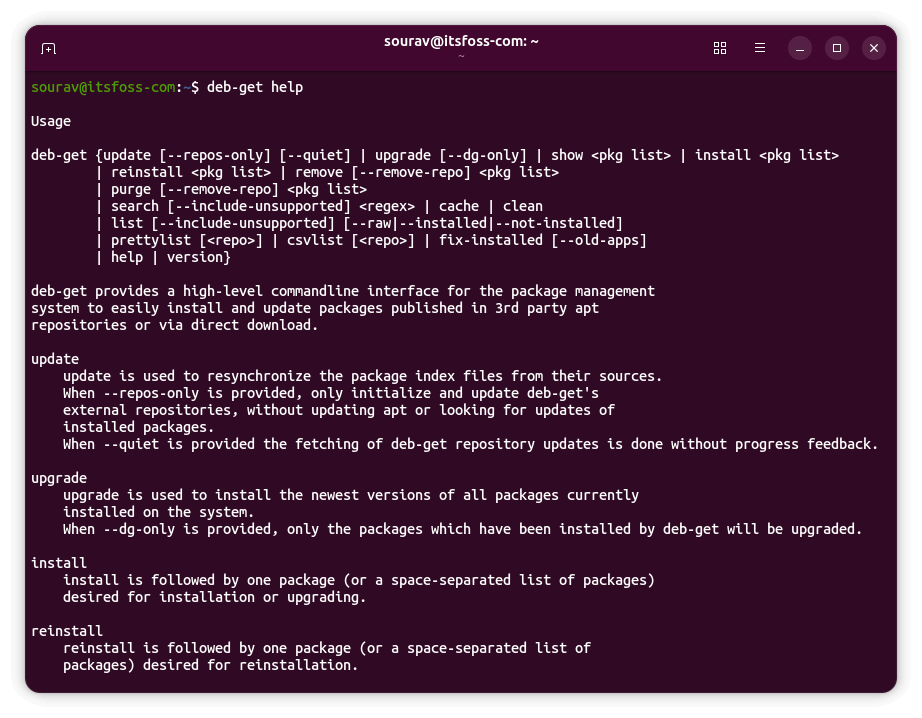
deb-get brings apt-get functionality to third-party .deb packages. It works specifically with Debian and Ubuntu-based distributions. The tool handles packages from GitHub releases, PPAs, and direct downloads. It is developed by Martin Wimpress, the creator of Ubuntu MATE.
The project maintains a curated repository of supported software. This includes popular applications not available in official repositories. Installation is straightforward with commands similar to apt.
deb-get works better with a GitHub Personal Access Token for updates. This avoids rate-limiting issues when checking for new releases. The tool also supports external repositories for custom package definitions.
You can install deb-get on Debian, Ubuntu, or any derivatives by using this command:
sudo apt install curl lsb-release wget
curl -sL https://raw.githubusercontent.com/wimpysworld/deb-get/main/deb-get | sudo -E bash -s install deb-get
Run this to learn the standard commands to use deb-get:
deb-get help2. Autonomix
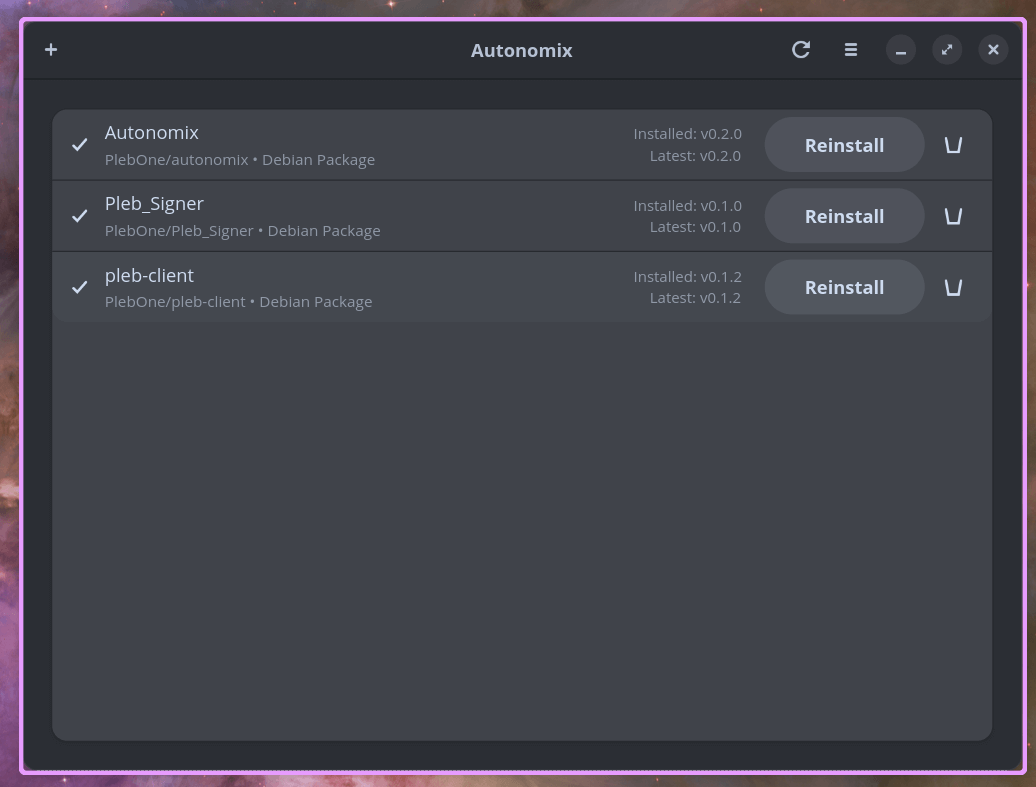
Autonomix is the only GUI-based option in this list. It uses GTK4 and libadwaita for a modern interface. The tool works similarly to Obtainium, which Android users might recognize.
The application supports multiple package formats, including .deb, .rpm, AppImage, Flatpak, and Snap. It stores package information in a local database. You can track releases and install updates with a single click.
Autonomix is a relatively new one with active development. It handles system-level packages using pkexec for privilege elevation. The tool can also manage user packages like Flatpak and AppImage without requiring root access.
You can get Autonomix for Debian, Ubuntu, and their derivatives by downloading the .deb from GitHub and running the following command while being in the same directory:
sudo dpkg -i autonomix_*.deb
sudo apt-get install -f  # Fix any dependency issues
You can do the same for Fedora or RHEL by downloading the .rpm and running this command:
sudo dnf install autonomix-*.rpm3. Eget
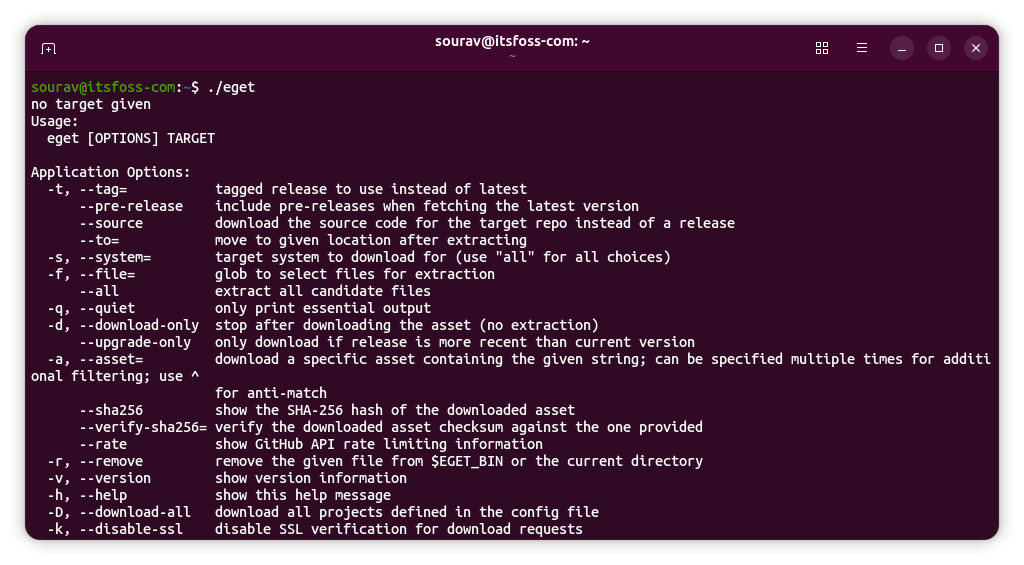
Eget focuses on simplicity and minimal configuration. The tool downloads pre-built binaries from GitHub repositories and extracts them automatically. It works across Linux, BSD, and macOS.
The project requires no setup files or complex configuration. You provide a repository URL, and Eget handles the rest. It supports version-specific installations using tags. You can also download pre-releases if needed. The tool includes options for hash verification and custom installation paths.
You can learn how to install it in our guide here. 👇
 Pulkit Chandak
4. Install Release
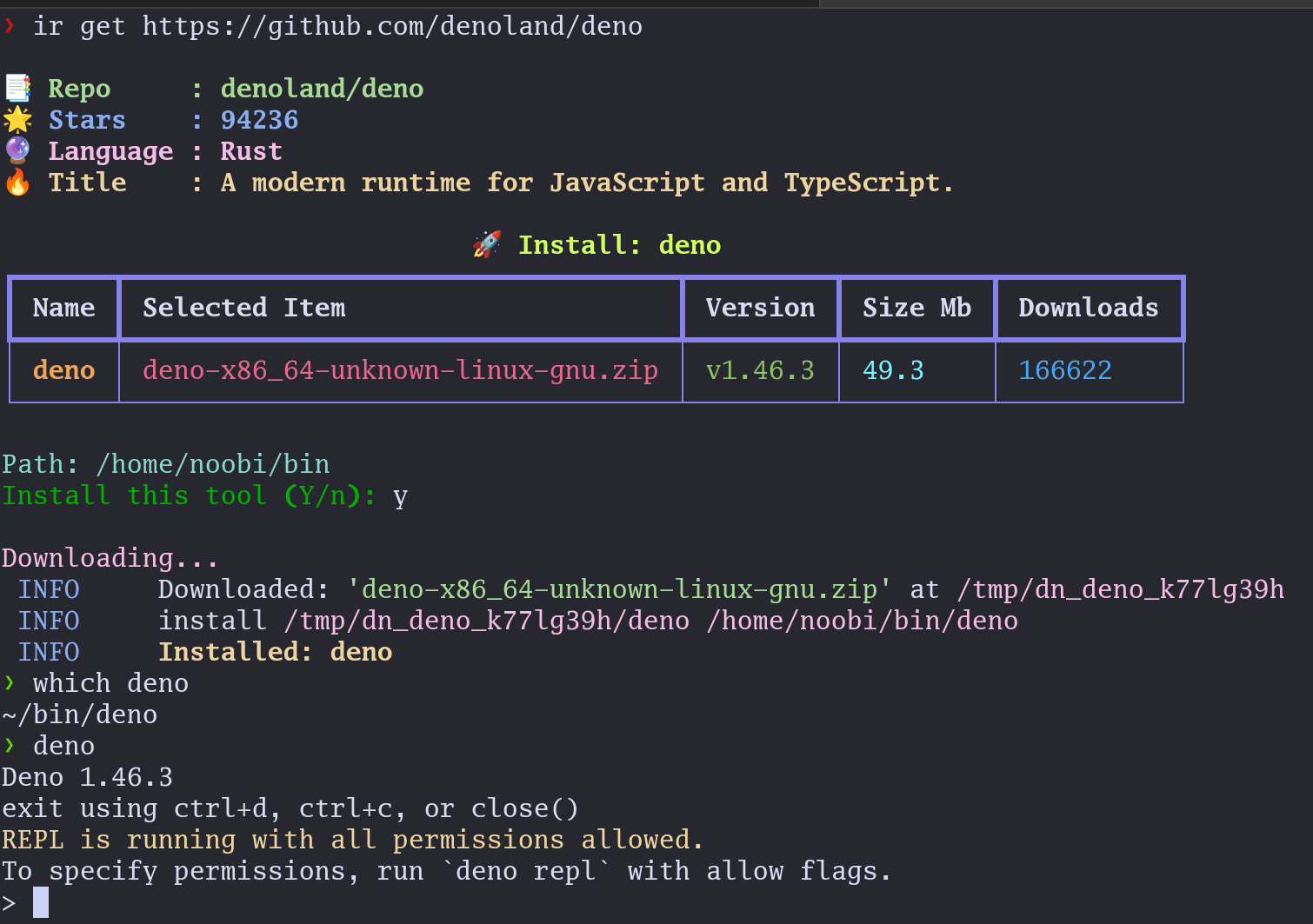
Install Release uses Python and provides a CLI tool named ir. It supports both GitHub and GitLab releases. The tool stores state information in JSON format for tracking installed packages.
A major feature is state file synchronization. You can push your configuration to a repository and pull it on other machines. This makes it easy to maintain consistent tools across multiple systems.
The tool handles architecture detection automatically. It provides commands for listing, updating, and holding specific packages.
You can get Install Release using pip:
pip install -U install-release5. bin
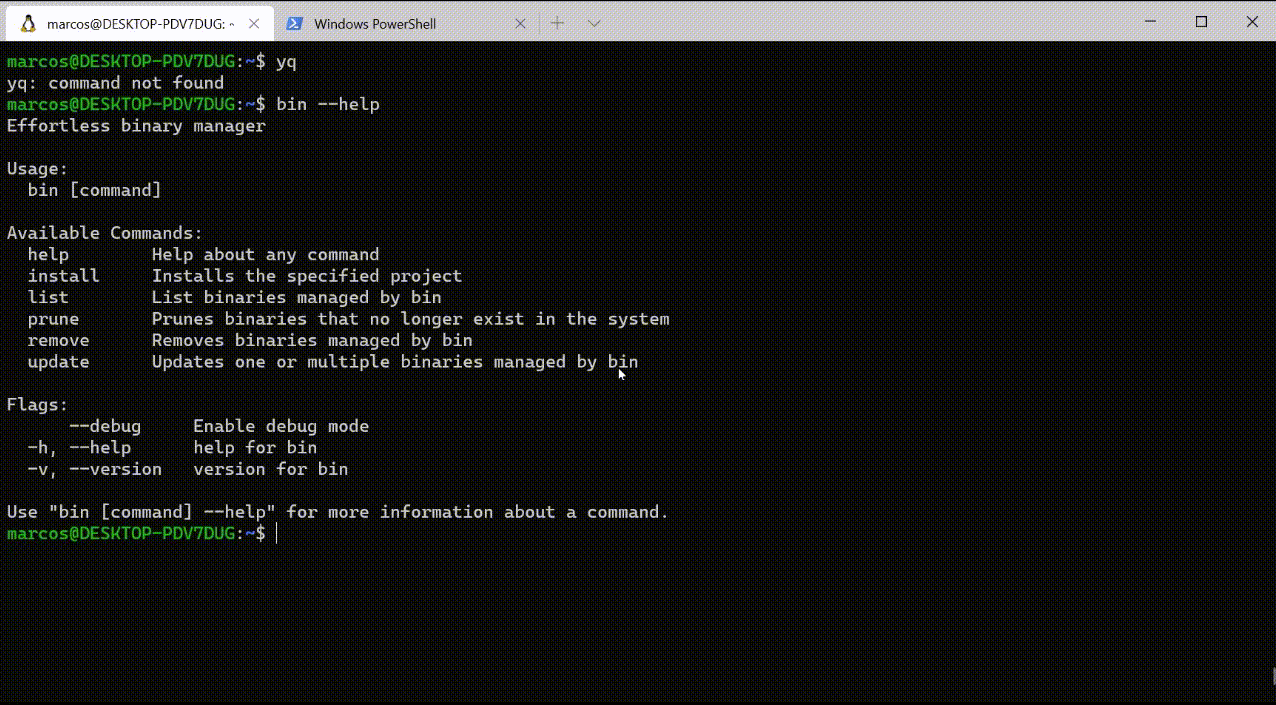
bin is a cross-platform binary manager without much configuration work. It supports multiple sources, including GitHub, GitLab, Codeberg, Docker images, and Hashicorp releases. The tool even handles Go install packages.
The project works without requiring root privileges. Binaries install to user directories by default. bin includes version tracking and rollback capabilities for all managed packages.
It maintains a configuration file to track installations. The tool supports GitHub Enterprise for private repositories.
You can download the package for your platform from GitHub, then follow the instructions listed in the repository.
6. stew

stew introduces declarative package management through Stewfiles. These files define your binary installations with optional version pinning.
The tool provides headless installation from a Stewfile.lock.json file. This enables reproducible setups across different machines. It also includes an interactive terminal UI for browsing and selecting releases.
You will find the necessary files and instructions to get stew running on Linux on the GitHub repo linked above.
7. AFX
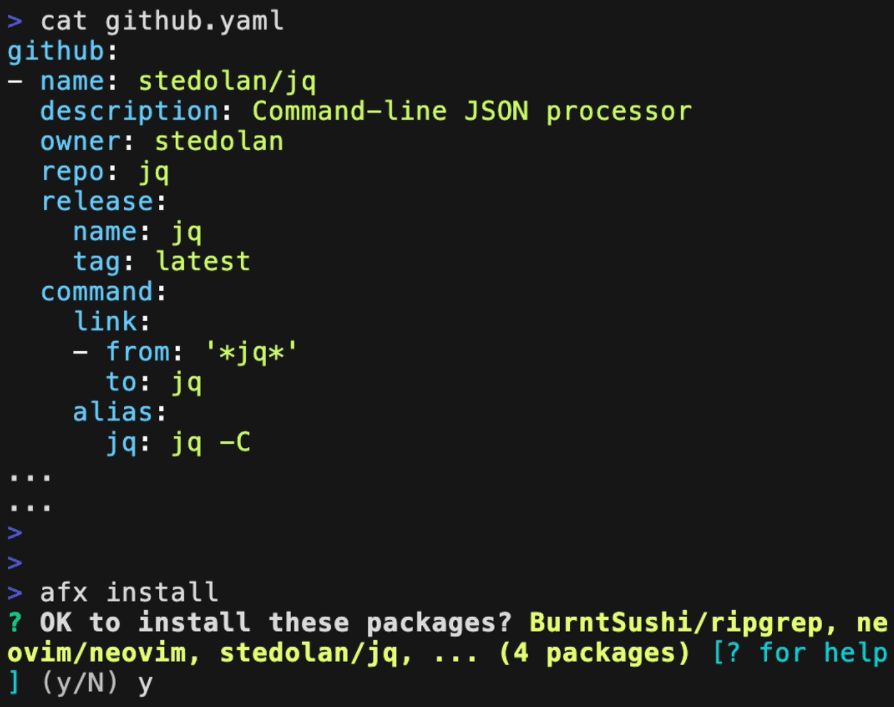
AFX manages both CLI binaries and shell plugins. It uses YAML configuration files for package definitions. The tool works with bash, zsh, and fish shells.
Packages can include environment variables, aliases, and build steps. AFX supports conditional installation based on system properties. You can define dependencies between different packages.
The tool handles GitHub releases, Gist, HTTP downloads, and local files. It provides shell integration through an init command.
The files and instructions to get AFX are in the GitHub repo linked above.
If this helped you, consider supporting It's FOSS
It's FOSS has been helping people use Linux for the past 14 years. Help us stay independent from big tech. Become a Plus member, enjoy ad-free reading and get 5 eBooks.
Skip the AI slop and SEO spam in your Google results
Tell Google you prefer It's FOSS, and it will show our Linux news and tutorials, created by experienced Linux users, more often when you search. It takes just a click.
Set as preferred sourceGet FOSS Weekly in your inbox