


I am a huge fan of Raspberry Pi devices. From home usage to industrial automation, they can be used in a variety of scenarios.
While Raspberry Pi may be the most popular single board device out there, there are plenty of other players in this field. Out of those, some are specifically focused on the industrial side.
One such name is Forlinx Embedded Technology, a company focused on designing, developing, and manufacturing embedded systems solutions.
They reached out to me to review their NXP processor based SBC. I was hesitating to review a device that was clearly meant for industrial usage. Forlinx encouraged me to try it anyways. And I think it also makes sense because some of the readers may also be working as embedded engineers and experts or even own a small/mid scale enterprise where such a device can be used.
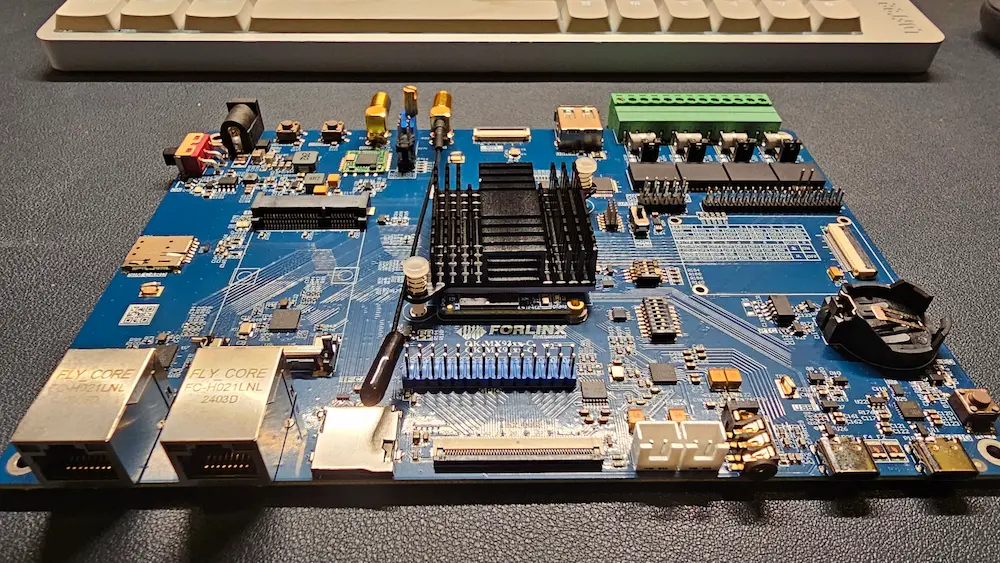
And thus here I am reviewing an industry-grade SBC as a hobbyist homelabber. Before I share my experience, let's take a look at the technical specification of this SBC.
Technical specification
The device I received is OK-MX9352-C, a development board based on NXP's i.MX 9352 processor. It consists of two parts. The main MX9352-C SoM board itself is really tiny, unsurprisingly.
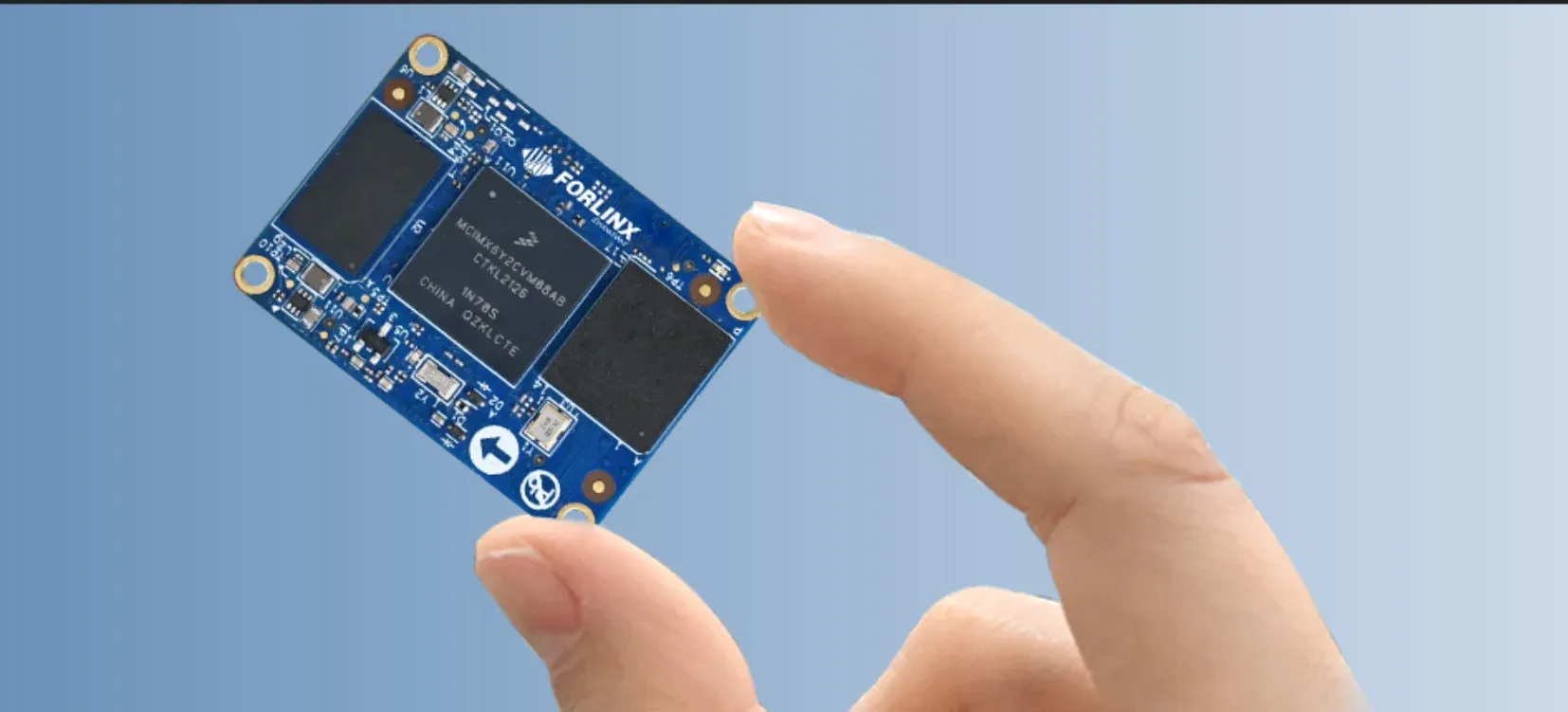
Its specifications are as follows:
| Specification | Details |
|---|---|
| Processor | NXP i.MX93 (i.MX9352) |
| CPU | 2 × Cortex-A55 @ 1.5 GHz + 1 × Cortex-M33 @ 250 MHz |
| NPU | 0.5 TOPS |
| RAM | 1 GB LPDDR4 |
| ROM | 8 GB eMMC |
| Power Input | DC 5 V |
| Operating Temperature | −40 ℃ to 85 ℃ |
| Packaging | Board-to-board connector (2 × 100-pin, 0.4 mm pitch, 1.5 mm height) |
| Dimensions | 33 × 48 mm |
| OS Version | Linux 5.15.52 + Qt 6.3.2 Linux 6.1.36 + Qt 6.5.0 |
I'll be honest. I don't remember when I last used a device that had only 1 GB of RAM. The 0.5 TOPS NPU gives it enough AI capabilities to be used as an edge AI device.
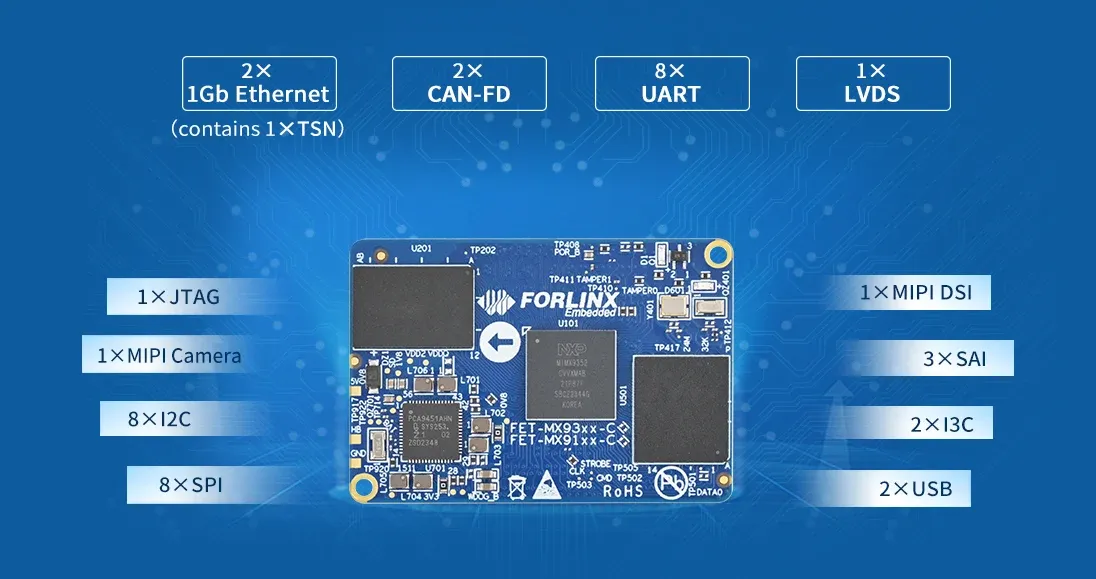
The OK-MX9352-C carrier board has the following specifications:
| Interface | Qty | Specification (Short) |
|---|---|---|
| LVDS | 1 | 4-lane, up to 1366×768@60 |
| RGB Parallel | 1 | RGB888, up to 1366×768@60 |
| MIPI DSI | 1 | 4-lane, up to 1920×1200@60 |
| Ethernet | ≤2 | 2× RGMII, TSN on one, 10/100/1000 Mbps |
| UART | ≤8 | Up to 5 Mbps |
| CAN-FD | ≤2 | CAN-FD, CAN 2.0B |
| USB | ≤2 | USB 2.0 with integrated PHY |
| SD | ≤2 | SD 3.0 (100 MB/s), SDIO |
| SDIO | ≤1 | SDIO 3.0 |
| SAI | ≤3 | I2S / AC97 / TDM |
| SPDIF | 1 | LPCM, IEC61937 |
| PDM | 1 | 24-bit MIC support |
| MIPI CSI | 1 | CSI-2, 2-lane, up to 150 Mpixel/s |
| SPI | ≤8 | Master / Slave |
| I2C | ≤8 | Up to 5 Mbps |
| I3C | ≤2 | Backward-compatible with I2C |
| ADC | ≤4 | 12-bit, 1 MS/s |
| JTAG | 1 | Cortex-M33 debug |
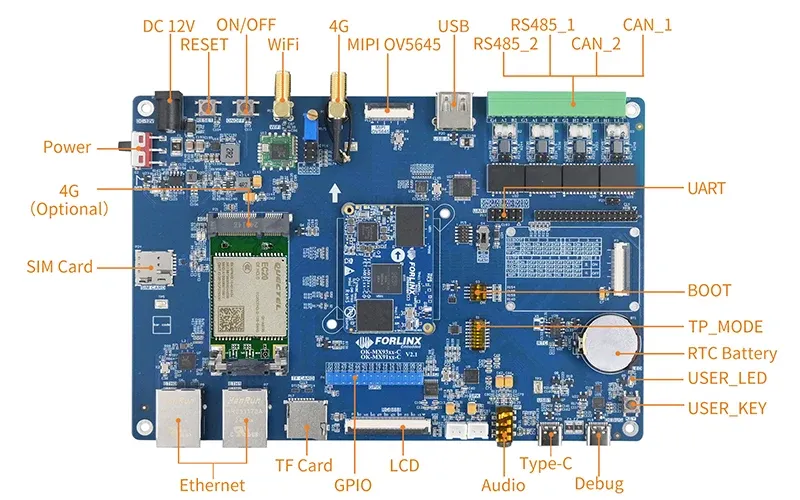
There are plenty of peripherals, too. You can see them in the image below.
First experience and first impressions
The device came in a properly branded package. It's a small thing but I like good packaging, but they are also difficult to throw away later.
The package consisted of the following things: the carrier board, 12V DC power adapter, type C cable, small screwdriver, and a WiFi antenna.
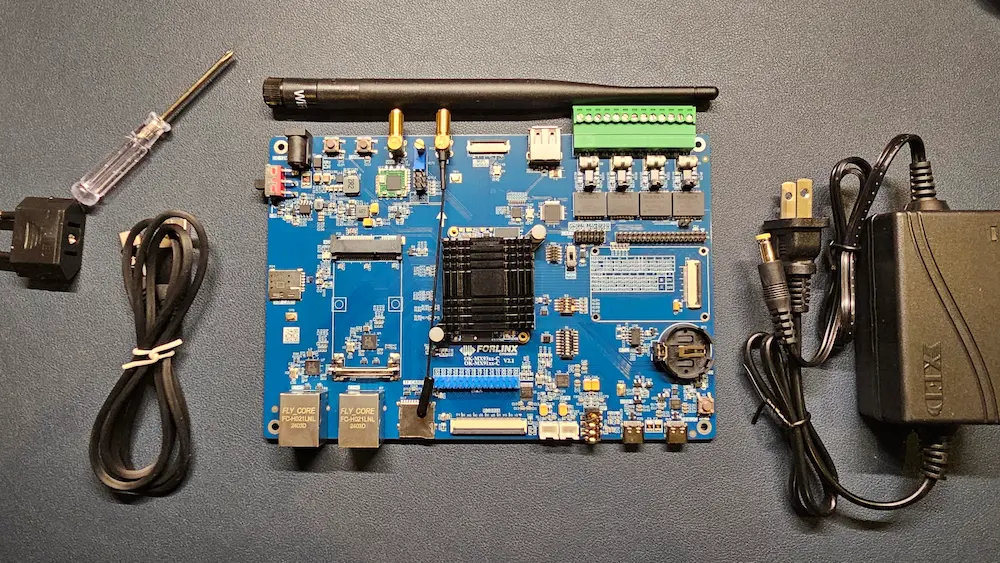
And that's pretty much it. It's quite barebones. The 4G antenna is already soldered, which I was of no use to me. I attached the provided Wi-Fi antenna to it.
There is an 8GB eMMC storage that also has a custom operating system. Linux-based, of course. I plugged in an Ethernet cable to the Forlinx carrier board and powered it on.
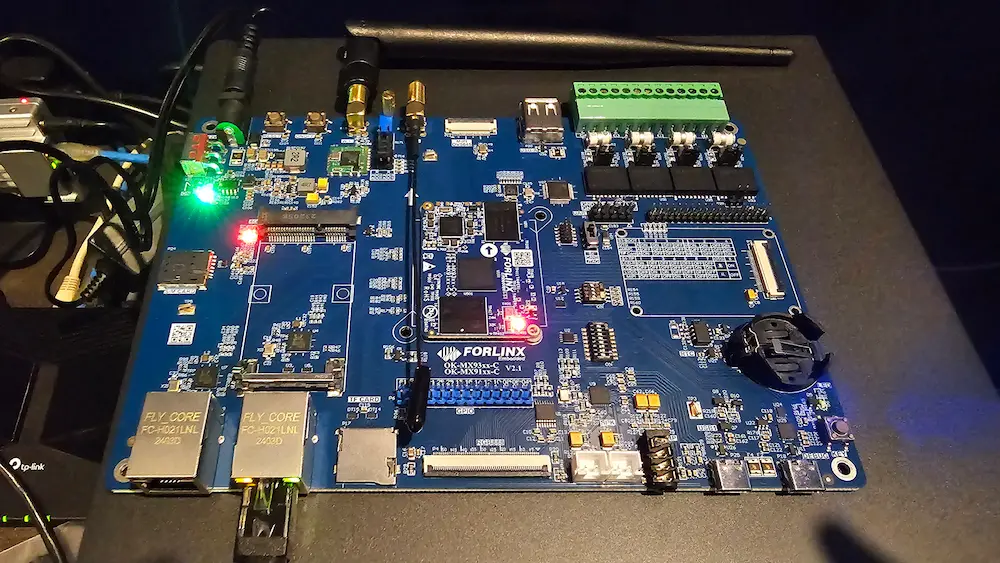
I have learned my lessons from my previous review experience. So, this time, I skimmed through the official documentation first.
The documentation indicated that the default factory IP for eth0 is 192.168.0.232, and eth1 has not been configured. As you can see in the image above, I had plugged in the cable to the Eth1. I switched the ports. This little move may have saved me some time troubleshooting the network.
I straight jumped into the system by connecting it via SSH. Here's the thing. There is no root password as the operating system is meant to be configured. This is primarily for demo purpose.
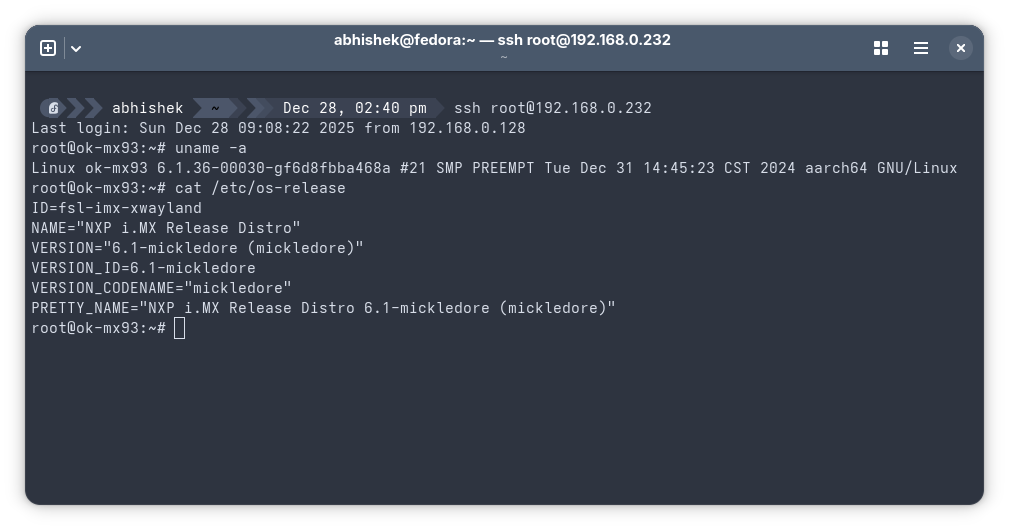
As you can see in the picture above, the custom OS is named "NXP i.MX Release Distro" which has Linux kernel 6.1.
Since it's an industry-focused device, it doesn't have the typical HDMI ports and I didn't have an LVDS cable, so I did not even try to connect it to a monitor. That stopped me from experiencing the built-in app launcher from Forlinx.
You see, there is a web based app launcher that runs on a Lighttpd server on the port 80 by default.

But these built-in apps can only be launched when the Forlinx board is connected to a display.
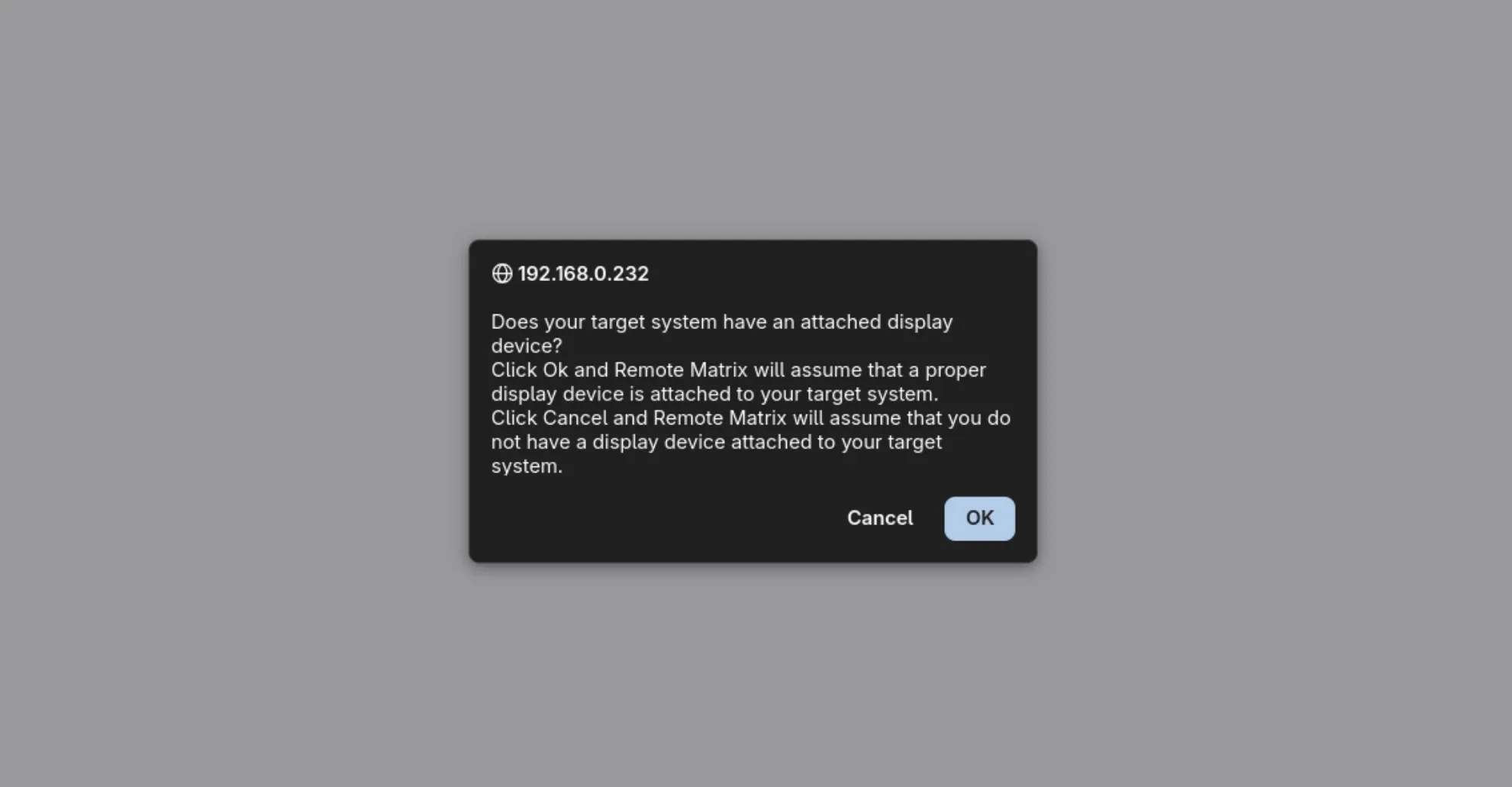
Moving on to other software installations. APT package manager is also there, but it has no repository sources and thus it doesn't have any packages to install. Clearly, not your regular Linux distribution experience and that's by design as an industry-oriented embedded solution has different ways of doing things. There is a SDK on-board that allows you to configure system tools. GCC and make are also there for source code compilation. I did come across NXP documentation that mentions steps for installing Debian 12 on iMX93 boards. Something worth trying. And of course you can build your own custom Linux.
The power consumption is quite low, especially when the device is not using much computational power. It goes up when something like PpenCV is used. Still, sub-3W power usage is worth appreciating.
The carrier board has lots of peripherals and programmable stuff on-board. There is an on-board RTC battery slot, 4G (for remote connectivity), programmable user key, type C debug port and plenty of other peripherals to make it suitable from smart automation to car electronics. I could not test all the interfaces. It's beyond my capacity, and I am not ashamed to accept that. Overall, it's a well-thought device.
I would also like to point out that one of the Ethernet ports has TSN (Time Sensitive Networking), which may not matter as much to hobbyists like me, but it's crucial for industrial automation.
Conclusion
The thing is that this board is designed for professional embedded developers and industrial applications, not homelab hobbyists. The working temperature range is from -40℃ to 85℃. While you may encounter negative temperatures of that sort in some parts of the world, the upper temperature limit is only achievable in an industrial setting.
The documentation, support, and overall ecosystem are oriented towards commercial product development.
So, if you are someone who works in such an industry, or consults industries for edge AI and embedded solutions, Forlinx seems to have a solid product.
I am not saying that you cannot get this device as a hobbyist tinkerer, though. You can always level up and test your limits with industry-oriented products. I felt a bit out of my comfort zone here but that's not entirely a bad thing.
For me, this device is likely to be used in smart home automation. Exploring more on smart home automation is one of my new year resolutions, and I'll keep you updated on this with articles and tutorials. Stay positive.
